How to Send Recurring Task Reminders From Notion Automatically (Since Notion Can't)
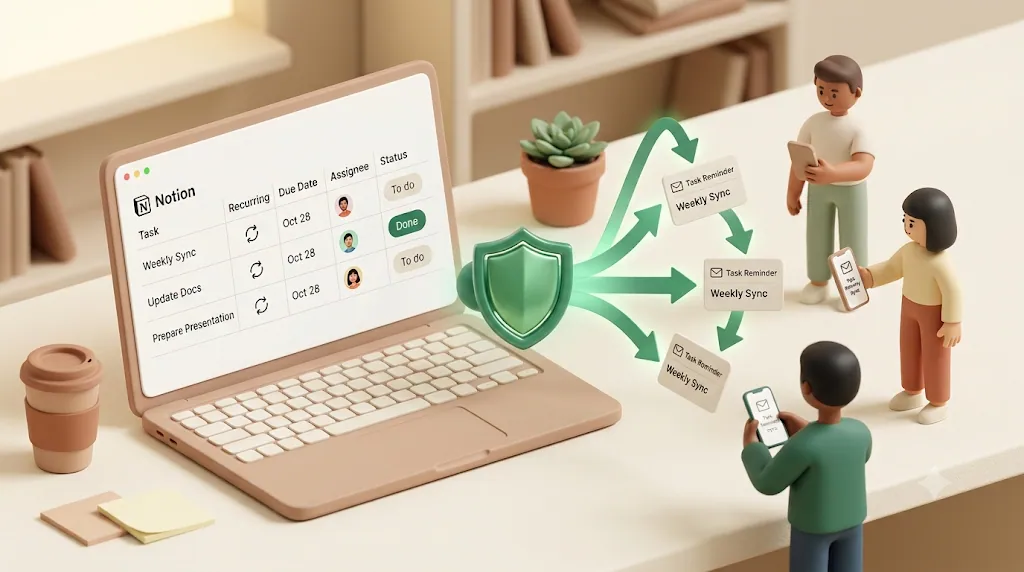
Notion can create tasks that repeat. It cannot proactively tell anyone those tasks exist — and that gap is exactly why your weekly report or monthly client check-in keeps quietly slipping. This article is for anyone who's set up a recurring task in Notion and watched it sit there unnoticed: it explains why the reminder side lags, what Notion's native tools actually cover, and how to layer automatic recurring reminders on top — including reminders that reach people who don't have a Notion account.
TL;DR
- Notion supports recurring tasks (templates on a repeat schedule, or database automations), but not recurring reminders — Notion has said recurring reminders are still on its roadmap.
- Native reminders (
@remind, a date property reminder) only reach logged-in workspace members, and Notion sends an email only when the app isn't open when the reminder fires.- Kapsel watches your Notion due date, assignee, and status, then sends automatic recurring email reminders — including to clients and vendors with no Notion account.
- Kapsel adds what native Notion can't: recurring digests, overdue follow-ups, target filtering, one-click status write-back, and it never sends to done or paid items.
Definition: Kapsel is a Notion notification tool that watches your database's due date, assignee, and status properties and automatically sends email reminders — including recurring ones — to both teammates and external people who don't use Notion, with a one-click confirm that writes the status back to Notion.
Why Notion Can't Send Recurring Reminders Natively
The confusion is usually about vocabulary. Notion has strong support for tasks that repeat, and separate, weaker support for reminders — and the two are not the same feature.
Recurring tasks and recurring reminders are not the same thing in Notion
A recurring task is a page or database entry that regenerates on a schedule — a new instance appears every Monday, or on the 1st of each month. A recurring reminder would be a proactive notification that fires on a schedule to tell someone the task is due. Notion ships the first and not the second.
| Concept | What it does | Does Notion have it? |
|---|---|---|
| Recurring task | A new task/page appears on a set schedule | Yes (templates or automations) |
| One-time reminder | A single notification at a set time | Yes (@remind, date reminder) |
| Recurring reminder | A notification that repeats on a schedule | No — Notion has said it's on the roadmap |
💡 If you've searched for "Notion recurring reminders" and only found tutorials about recurring tasks, that's why. Multiple write-ups quote Notion's own support line that recurring reminders are still on the roadmap.
Notion's notifications only reach people already inside the workspace
There's an architectural reason recurring reminders are hard to solve inside Notion, and it's worth understanding because it points straight to the workaround.
Notion's notification system is scoped to workspace members with permissions. A notification is delivered to a person's Notion inbox, their app, or — if the app is closed — the email address tied to that account. It is fundamentally an in-app system for people who are logged in. It has no concept of sending a scheduled nudge to an outside email address, because outside people aren't part of the permission model. So even if Notion added recurring reminders tomorrow, they'd reach members, not the client or contractor who never opens Notion. If reaching those outside people is the real goal, compare the ways to notify clients and vendors who don't use Notion.
What Notion's Native Recurring Tasks Actually Do
Before adding anything on top, it's worth setting up native recurrence — it's the right foundation and it's free in its simplest form. There are two built-in ways to make tasks repeat.
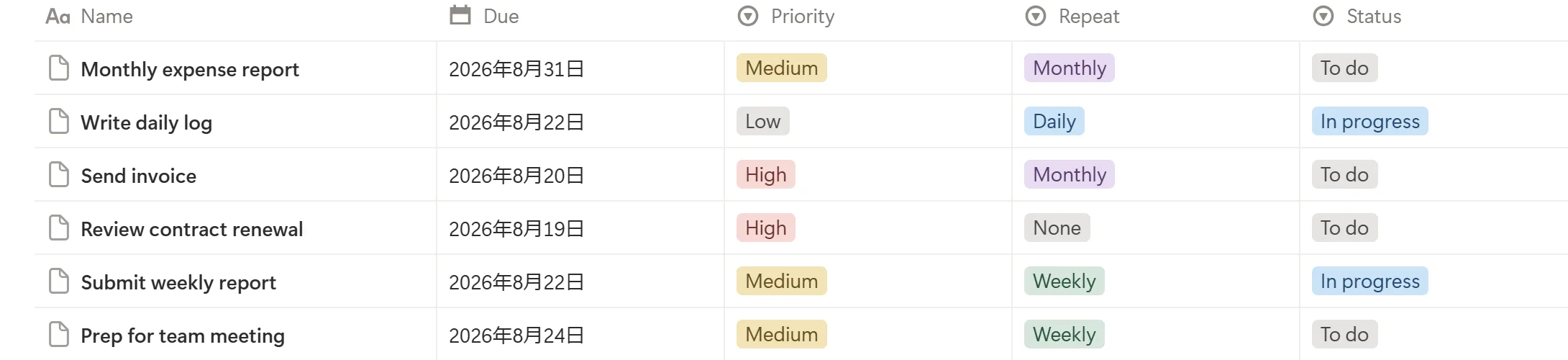
Templates with a repeat schedule (daily/weekly/monthly/yearly)
Notion database templates can be set to repeat automatically: turn on a repeat schedule inside the template editor and a fresh copy generates daily, weekly, monthly, or yearly. This is the free path to recurrence — template repeats don't require a paid plan. For the full click-by-click steps (plus a third, manual button-block method for irregular work), see how to create recurring tasks in Notion.
Database automations with a Recur Interval property
The more flexible path uses a database automation. A common pattern is to add a "Recur Interval" (number of days) property and, when a task is checked done, run an automation that duplicates the task and sets the new due date using a formula like dateAdd(now(), RecurInterval, "days").
⚠️ Database automations that run these actions require a paid Notion plan. Template-based recurrence is the free alternative if you don't want to upgrade just for repeating tasks.
Either path gets the task reappearing reliably — which is the easy half of the job the rest of this article deals with.
One-time reminders: @remind and a date property's Remind toggle
Notion does have a native reminder — it just isn't recurring. Type @remind in any block, then pick a date and time; Notion will notify you when it arrives. The other way is to add a Date property to a database, open a date value, and turn on Remind with an offset (on the day, or some time before). Either method fires a push notification in the Notion app; Notion only falls back to email if the app wasn't open at that moment. Neither one repeats on its own — you'd have to set a fresh @remind or reminder every time.
The gap: the task reappears, but nobody gets proactively nudged about it
Both native methods do the same thing: they make the work item show up again. Neither one sends anyone a message saying "this is due today." The recurring task sits in the database waiting to be noticed. If the assignee doesn't open Notion that day — or the recipient is a client who never had an account — the recurrence accomplishes nothing on its own.
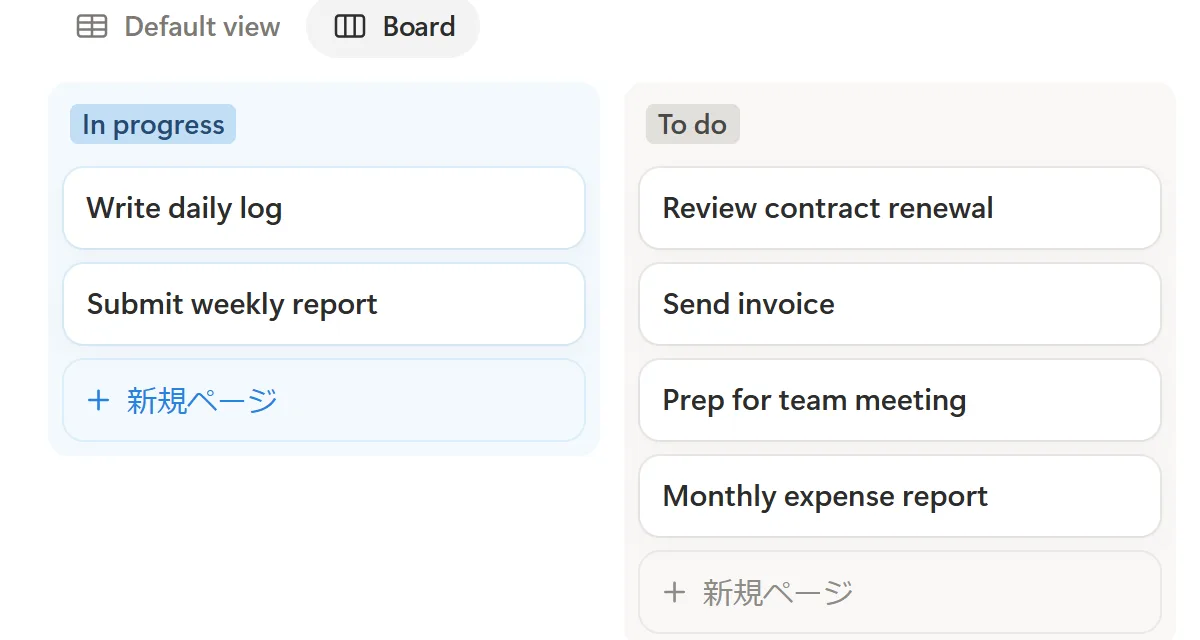
Native Workarounds That Get You Closer to a Recurring Reminder
Between "Notion can't do recurring reminders" and "add an outside tool," there are a couple of native combinations that get you partway there. None of them is a true recurring reminder, and each carries the same core limit — delivery only to logged-in workspace members — but they cost little or nothing, need no third-party service, and may be enough for internal recurring work. It's worth trying them before you add anything on top.
Pair a repeating template with a date property's Remind toggle
The idea is to combine the two native features covered above: the repeating template that regenerates the task, and the Date property's Remind toggle that fires a one-time notification. If you set the Remind offset on the date value inside the template itself, the basic pattern is that each generated instance inherits that reminder setting — so a notification fires for every new occurrence without you re-adding it each time.
That said, treat this as something to verify rather than assume. We can't confirm it behaves identically on every plan or after every Notion release, and template-and-reminder details are exactly the kind of thing Notion adjusts over time. Before you rely on it, generate a single instance and watch whether the reminder actually fires; if in doubt, check Notion's official help for the current behavior.
Even when it works, remember what it is: a Notion in-app notification, with an email fallback only if the app happens to be closed when it fires, delivered to a logged-in workspace member. It won't reach anyone who doesn't have a Notion account.
Add a "Send notification" automation that pings members on each new instance
Notion's database automations include a Send notification action, and you can pair it with recurrence. When a repeating template or a duplication automation creates a new instance, trigger an automation whose action is Send notification to the assignee or a chosen person. Each regenerated instance then produces a fresh in-app notification — which is closer to a "recurring reminder" than the reminder feature offers on its own.
Two constraints matter here. First, database automations that run actions require a paid Notion plan, so this isn't part of the free tier. Second — and this is the limit that runs through the whole article — Send notification delivers an in-app notification to a workspace member. It does not email an outside client, vendor, or contractor, because people without a Notion account aren't part of the notification model at all. For internal recurring work it can be a solid, entirely native solution; for external recurring work it doesn't close the gap.
Notion Calendar's Recurring Events and Reminders
Notion also ships a separate app, Notion Calendar, which is distinct from the databases inside your workspace. In Notion Calendar you can create calendar events that repeat and attach notifications to them, and it can sync with Google Calendar so recurring events and their alerts show up in both places. For personal recurring routines — a weekly review block, a recurring 1:1 — that's a genuinely useful, native way to get a repeating nudge.
The important distinction is that a recurring event in Notion Calendar is not the same object as a recurring task in a workspace database. A calendar event lives on your calendar, and the reminders it sends are tied to that event and to your own calendar app — not to the Status, Due, or Assignee properties of a database row. Setting a reminder on a calendar event won't notify anyone about a database task, and vice versa. The two are easy to conflate because they share the Notion name.
Because event and reminder behavior in Notion Calendar can change, check Notion's official help for the current specifics rather than treating any single tutorial as definitive. And if your recurring work lives as rows in a database — with assignees and statuses — Notion Calendar's event reminders won't cover it. They solve a related but different problem.
Where Recurring Reminders Actually Break Down

The missing reminder layer bites hardest in two very different situations.
Recurring internal work (weekly status updates, monthly reports) that quietly gets skipped
Internal recurring work — the Monday standup notes, the monthly finance report, the weekly QA checklist, or a recurring approval waiting on sign-off — is easy to forget precisely because it's routine. The task regenerates, but there's no proactive ping, so it depends on someone remembering to check. When they don't, the work stalls silently until someone notices it's overdue.
Recurring external work (client check-ins, contractor deliverables) where the other person has no Notion account
This is the harder case. A monthly retainer check-in, a recurring invoice, a subscription or contract renewal, or a contractor's weekly deliverable involves someone outside your workspace. They have no Notion login, no Notion app, and no way to receive a Notion notification at all. Native recurrence and native reminders both assume the recipient is a logged-in member — so for external recurring work, Notion simply has no delivery channel.
Third-Party Automation Options: Zapier, Make, and Google Apps Script
When native combinations don't reach far enough — most often because you need to notify someone outside the workspace, or want an email or Slack message rather than an in-app ping — general-purpose automation platforms can bridge Notion to an external channel. All three below are third-party products with their own pricing and limits; the summaries here are neutral starting points, and you should check each vendor's own documentation for current capabilities.
Zapier
A Zap can run on a Schedule trigger (for example, every Monday at 9am) or on a Notion database trigger (a new or updated item), and then send an email or a Slack message. It's the lowest-code option of the three and connects to a large catalog of apps, which suits teams that want recurring emails or Slack pings without writing code. The trade-offs are cost as task volume grows and less precise control over exactly which Notion rows qualify; free tiers are limited in task count and polling frequency. See Zapier's documentation for current triggers and limits.
Make.com
Make (formerly Integromat) offers similar building blocks: a scenario that watches a Notion module on a schedule and routes matching items to Gmail, Slack, or another service. It tends to give more granular control over filtering and multi-step logic than a simple Zap, at the cost of a steeper learning curve. It suits people comfortable wiring up conditional flows who want to fine-tune which recurring items trigger a message. Refer to Make's documentation for module details and operation limits.
Google Apps Script + Notion API
For a free, fully custom route, you can write a Google Apps Script that calls the Notion API on a time-based trigger and sends mail through Gmail. There's no subscription, and you control the logic exactly. The cost simply moves to you: it's code you have to write, maintain, and debug, it assumes familiarity with the Notion API and scripting, and Gmail's daily sending limits apply. It fits technically comfortable teams who'd rather own a small script than pay a recurring fee, and it's a poor fit if no one can maintain it. Notion's API docs and Google's Apps Script docs cover the specifics.
Across all three, the deciding factors are the same: whether you need to reach people outside Notion (all three can email or Slack an external address, unlike native notifications), how much setup and ongoing maintenance you can absorb, and where each product's free tier stops.
A No-Automation Fallback: A Self-Check View Instead of a Push Notification
If you'd rather not automate anything at all, the simplest free, no-code option is to stop relying on notifications and instead build a view you check on purpose. Create a filtered database view — for example, filter to items due today or overdue whose status isn't Done, then sort by due date — so it shows only the recurring items that actually need attention right now. Save it, and optionally make it the default view or bookmark it.
The honest limitation is that this is a pull, not a push. Nothing reaches out to you; you have to remember to open the view. It works best as a daily habit — a "start of day" tab you check each morning — rather than a safety net for things you'd otherwise forget. And like every native option, it lives inside Notion, so it does nothing for a client or contractor who never logs in.
Still, for a solo user or a small team already in Notion all day, a well-built self-check view removes most of the "which recurring thing is due?" friction with no tool, no plan upgrade, and no setup beyond a few filter clicks. It's a sensible baseline to have in place regardless of whether you later add automated reminders on top.
Why Native Recurring Reminders Don't Work (and Why One Path Requires a Paid Plan)
It's worth being precise about why this gap exists, because the two native paths fail in different ways — and only one of them costs anything.
Free template repeats regenerate the task, not a notification
A repeating database template is free on every Notion plan. Turn on its schedule and a new task appears on time, every time. But the template's job ends there — it creates a row, it doesn't send a message. There's no built-in step that emails or pings anyone when the new instance shows up, so a free repeating template alone still depends on someone remembering to check the database.
Database automations that email require a paid Notion plan and a Gmail connection
The other native path — a database automation that fires on a schedule or condition and sends an email — does exist, but two things gate it: the automation itself requires a paid Notion plan, and the email action requires connecting a Gmail account before it can send anything. Even once that's wired up, the email only goes to an address you type into the automation manually; it doesn't recur on its own schedule the way a subscription reminder would, and it stops working the moment the Gmail connection breaks or the automation is edited. So "does Notion charge for recurring reminders" doesn't have a single answer — recurring the task is free, but recurring an email notification through Notion's own automations is a paid-plan feature with a manual setup step.
Database Automation vs. Email Reminders: Which One Actually Solves Recurrence?
Once you know both paths exist, the real question is which one matches what you're trying to do. They're not competitors so much as tools for different jobs.
| Notion database automation | Dedicated email reminder (Kapsel) | |
|---|---|---|
| Trigger | Status/property change or a fixed schedule you configure per database | Due date, assignee, and status watched continuously |
| Setup | Paid plan + Gmail connection + per-database configuration | Connect workspace once, applies across databases |
| Recurring schedule | Not native — you re-trigger it manually or rebuild the condition | Built-in recurring digest and per-item reminders |
| Reaches non-Notion people | Only if you type in an external address by hand | Yes, by design — no account needed |
| Skips done/paid items | You build the filter yourself | Automatic |
| Two-way write-back | None | One-click confirm updates Notion |
A database automation is the right call when you need a one-off internal action triggered by a specific change — flip a status, duplicate a page, notify a Notion user. It's the wrong tool when what you actually need is a recurring outbound message, especially one that has to reach someone without a Notion account: that's a scheduling-and-delivery problem, not a trigger-and-action problem, and it's what a dedicated reminder layer like Kapsel is built for instead.
How to Add Automatic Recurring Reminders on Top of Notion
The fix is to keep Notion as the source of truth and add an email layer that watches it and sends on a schedule. That's the wedge Kapsel fills.
Watch the due date, assignee, and status properties you already track
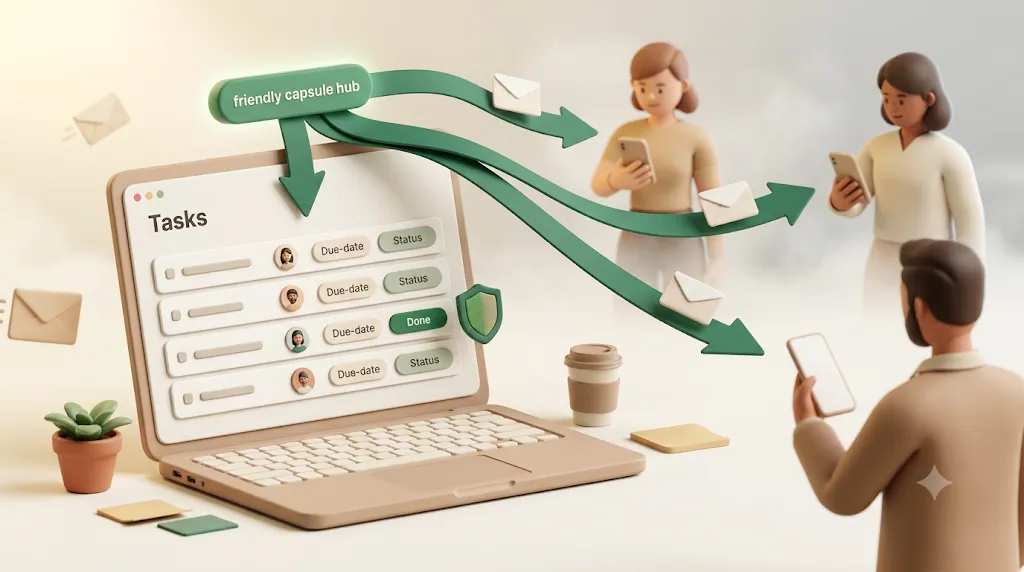
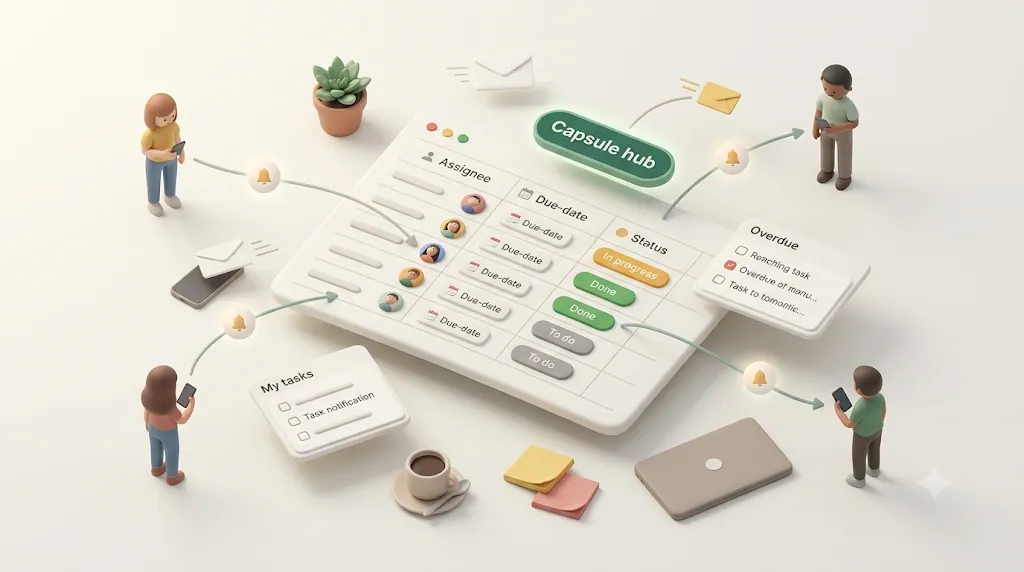
Kapsel connects to your Notion workspace and watches the properties you already use — due date, assignee, and status. You don't restructure your database. When a recurring task's due date comes up, Kapsel sends an email reminder automatically, so recurrence and reminding finally happen together.
Choose a recurring digest instead of one popup per task
Notion's in-app reminders are one-at-a-time. If you manage many recurring items, that's noisy and easy to tune out. Kapsel can send a recurring digest instead — one periodic email summarizing all upcoming and overdue recurring items — so a person managing a dozen client tasks gets a single readable summary rather than twelve separate pings.
With the native, third-party, and no-tool options all on the table, here's how they line up against the two things recurring work usually needs — reaching the right person on a repeating schedule — plus what each costs to run. In the "Recurring schedule" column, "Yes" means the method repeats on its own without you re-arming it each time.
| Option | Reaches non-Notion people? | Recurring schedule | Setup effort | Cost |
|---|---|---|---|---|
| Template + Remind toggle | No (members only) | Partial — verify per instance | Low | Free |
| Automation "Send notification" | No (in-app to members) | Yes, on each new instance | Low–medium | Paid Notion plan |
| Notion Calendar events | No (your calendar / members) | Yes (for events, not DB tasks) | Low | Free |
| Self-check view | No (you open it) | N/A — pull, not push | Low | Free |
| Zapier / Make / Google Apps Script | Yes (email / Slack) | Yes | Low–high (varies by tool) | Varies; free tiers limited |
| Kapsel | Yes (email, no account needed) | Yes | Low | Free plan available |
Kapsel sits at the bottom because it's the option built specifically for this job — recurring email reminders that reach people without a Notion account, and that skip anything already marked done or paid. But every row above is a legitimate choice depending on whether your recurring work stays inside the workspace or needs to leave it.
| Notion in-app reminder | Kapsel email reminder | |
|---|---|---|
| Delivery | In-app / email to member | Email to anyone, no account needed |
| Recurring schedule | Not supported | Supported |
| Many items at once | One notification each | One recurring digest |
| Reaches non-Notion users | No | Yes |
| Skips done/paid items | Manual | Automatic |
A digest also means adding a tenth recurring item doesn't add a tenth interruption — it's still one email, just one line longer.
Never send a reminder for something already marked done or paid
A real risk with any automated recurring reminder is that it keeps firing after the instance is already handled — the awkward "please pay this" email sent to someone who already paid. Kapsel never sends to items marked done or paid. Because it reads the live status in Notion before each send, a completed or settled instance is skipped automatically.
💡 This safeguard is what makes recurring reminders usable for billing and client work — the scenarios where a wrongly-timed reminder does the most reputational damage.
Closing the Loop Without Making Anyone Open Notion
Sending a reminder is half the job. The other half is capturing the response — ideally without asking anyone to log in.
One-click confirm from the email writes the status back to Notion
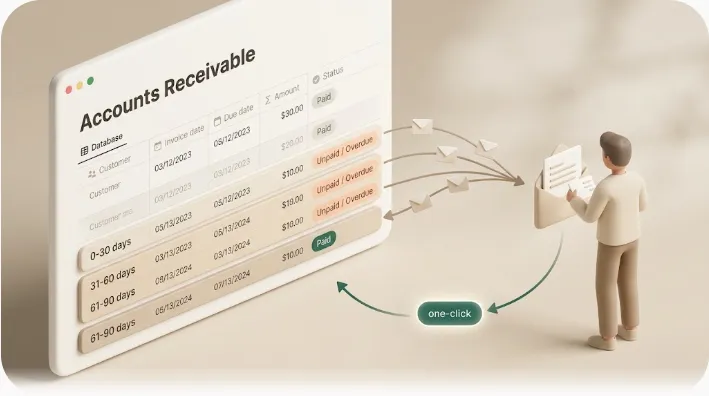
Every Kapsel reminder can include a one-click confirm button. When the recipient clicks it, Kapsel writes the update straight back to your Notion status property. The recurring task moves forward in Notion without anyone opening Notion — a genuinely two-way loop instead of a fire-and-forget email.
No login or Notion account required for the recipient
The recipient never needs a Notion account, a password, or the app. They get a normal email and click a normal link. That's what makes Kapsel work for recurring external tasks — the client, vendor, or contractor stays entirely in their inbox while your Notion database stays up to date.
Recurring Reminders for Teams vs. Recurring Reminders for Clients and Vendors
The same engine covers both internal and external recurring work; the configuration differs.
Internal use: assignee and status nudges so recurring work doesn't stall
For team work, Kapsel's target filtering lets you decide which recurring tasks trigger a reminder — by assignee, status, or another property — instead of Notion's blanket per-page reminder. So you can nudge only the person assigned to this week's report, and only while its status is still "Not started" or "In progress." For a team-focused setup, see Notion task reminders for teams and how to track deadlines in Notion.
External use: recurring due-date and overdue follow-ups for people outside the workspace
For client and vendor work, Kapsel sends the recurring due-date reminder by email and, if the deadline passes without action, sends overdue follow-ups — an escalation sequence for the recurring status update nobody filled in or the deliverable nobody sent. Every send is recorded in a send log, and merge fields personalize each email (name, due date, task title) so a recurring batch doesn't read like a form letter. See also how to notify people outside your Notion workspace.
Setting Up Recurring Reminders With Kapsel
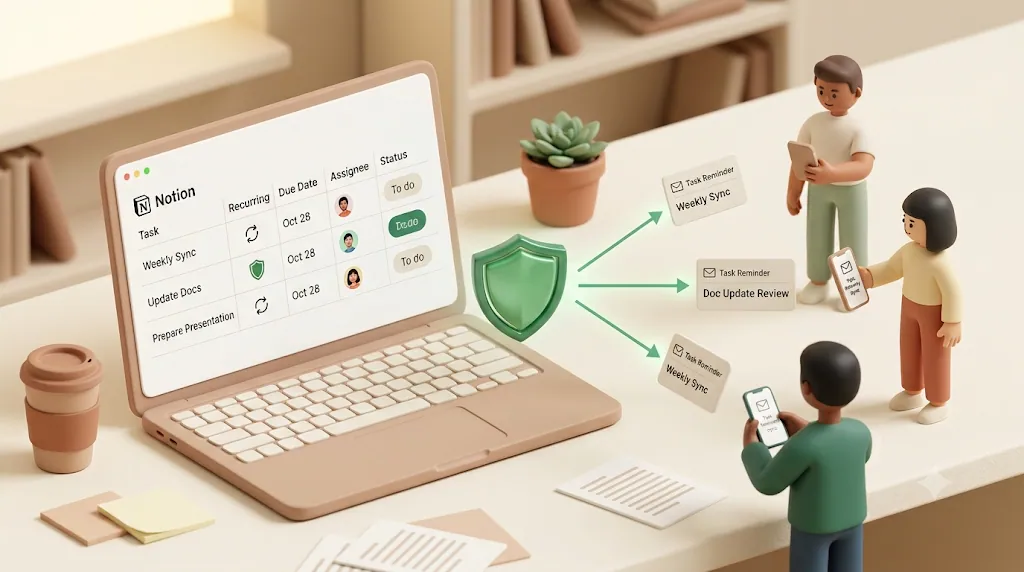
Getting started takes a few minutes and doesn't change how you use Notion. The full walkthrough lives in the setup guide; here's the shape of it.
Connect your Notion workspace and pick the database to watch
- Sign in to Kapsel and connect your Notion workspace.
- Choose the database that holds your recurring tasks.
- Map the properties Kapsel should watch — due date, assignee, and status.
Set the recurrence, targeting, and merge fields
- Decide the schedule: per-item due-date reminders, a recurring digest, or both.
- Add target filtering so only the right recurring tasks trigger (by assignee or status).
- Turn on overdue follow-ups for anything missed, and add merge fields to personalize the email.
- Enable one-click confirm so recipients can update status from the email.
Free vs. Standard vs. Pro (multiple workspaces, sender branding)
| Plan | Price / month | Best for |
|---|---|---|
| Free | $0 | Trying recurring email reminders on one workspace |
| Standard | $12 | Regular recurring reminders, digests, and overdue follow-ups |
| Pro | $29 | Multiple Notion workspaces and sender branding (company name, signature, logo) |
Pro adds multiple workspaces and sender branding — useful when recurring reminders go out to clients under your own name. See full details on the pricing page.
💡 Kapsel is built and run by an independent developer — it started as a tool to stop chasing people manually — so the roadmap stays focused on doing this one job well.
If your recurring work involves external people, these companion reads go deeper: email reminders from Notion and recurring invoice reminders.
Try Kapsel free. Kapsel watches your Notion due dates, assignees, and status, then sends automatic email reminders — including to people without a Notion account — and lets recipients confirm in one click, writing the status back to Notion. Free plan, no credit card required. → Start with Kapsel
FAQ
Does Notion support recurring reminders?
No. Notion supports recurring tasks — through repeating templates or database automations — but it does not have a native recurring reminder that proactively notifies people on a schedule. Notion has indicated recurring reminders are still on its roadmap. To get automatic recurring reminders today, you need a layer on top, such as Kapsel.
What's the difference between a recurring task and a recurring reminder in Notion?
A recurring task is a work item that regenerates on a schedule, so a fresh copy appears each day, week, or month. A recurring reminder is a notification that fires on a schedule to tell someone the task is due. Notion creates the task automatically but does not send the reminder — the item simply reappears in the database and waits to be noticed.
How do I set up a recurring task reminder in Notion?
For the recurring task, create a database template and turn on its Repeat schedule (daily/weekly/monthly/yearly), or use a database automation with a Recur Interval property and a dateAdd() formula. For a one-time reminder on a specific task, use @remind in text or set a reminder on a date property. There's no native way to make that reminder recur — for automatic recurring reminders, add a tool like Kapsel on top.
Why didn't my Notion recurring task reminder go off?
A few common causes: the recurring task regenerated but you never set a reminder on it (Notion doesn't add one automatically); the app was open when a @remind fired, so Notion showed it in-app instead of emailing; a template repeat or automation was paused or misconfigured; or occurrences aren't showing in calendar view because the date property isn't the one the view is grouped by. Native reminders also only reach logged-in members, so external recipients never receive anything.
Why didn't my recurring task show up today?
A few likely culprits: the template's Repeat toggle got turned off or its frequency was changed, the automation that duplicates the task is paused or pointed at the wrong database, or the next instance is scheduled off the previous instance's creation date rather than a fixed calendar date, so it generated on a different day than you expected. Check the template's Repeat settings or the automation itself first.
Why don't my recurring task occurrences show up in calendar view?
This is usually a view configuration issue, not a recurrence problem. Calendar views only plot items using the date property they're grouped by — if your recurring instances store their due date in a different property, or that property is empty on newly created instances, they won't appear even though the tasks exist. Open the calendar view's settings and confirm it's grouped by the same date property your template or automation actually fills in.
How do I stop a recurring task in Notion?
For a template repeat, open the template, go to Repeat, and turn it off (or delete the template). For a database automation, open the automation and pause it or remove the duplication step. Either way, turning off recurrence only stops future instances — it won't delete tasks that were already created.
Can Notion send recurring reminders by email?
Not on a recurring schedule. Notion emails a reminder only when a one-time reminder fires and the recipient's app is closed, and only to a workspace member's account email. It cannot send a scheduled, repeating email, and it cannot email someone who isn't a member. Kapsel adds recurring email reminders that work for both members and non-members.
How do I send a Notion reminder to someone who doesn't have a Notion account?
Notion can't do this natively, because its notifications are scoped to workspace members. Kapsel solves it by watching your Notion database and sending the reminder as a normal email — the recipient needs no Notion account, login, or app. They can even click one button in the email to update the status back in Notion.
Can I stop Notion from reminding people about a recurring task that's already done?
Native Notion reminders don't have this safeguard, so a poorly set-up automation can keep pinging about a finished item. Kapsel checks the live status before every send and never sends to items marked done or paid, so completed or settled instances are skipped automatically. This is what makes recurring reminders safe to use for billing and client work.
Do recurring Notion reminders require a paid plan?
Native recurrence depends on the method: repeating templates are free, while database automations require a paid Notion plan. Either way, neither sends recurring reminders on its own. Kapsel offers automatic recurring reminders starting on a free plan ($0), with Standard ($12/month) and Pro ($29/month) adding higher-volume use, multiple workspaces, and sender branding.
What's the difference between a Notion database automation and a dedicated email reminder tool?
A database automation reacts to a single trigger inside one database — a status change, a scheduled condition — and can send an email if you connect Gmail and configure the action yourself, but it doesn't recur on its own and doesn't reach non-Notion people unless you hand-type an external address. A dedicated tool like Kapsel instead continuously watches due date, assignee, and status across your databases, sends recurring digests or overdue follow-ups automatically, reaches people with no Notion account, and writes their one-click confirmation back to Notion. Use a database automation for a one-off internal action; use an email reminder tool for ongoing, recurring, or external-facing reminders.
Notes
Published 2026-08-03 (updated 2026-09-06). Features and pricing described here are current as of writing: Kapsel watches Notion due date, assignee, and status; sends automatic email reminders (including recurring digests and overdue follow-ups) to both members and non-members; supports one-click status write-back, target filtering, a send log, and merge fields; and never sends to items marked done or paid. Pricing is Free $0, Standard $12/month, and Pro $29/month, with Pro adding multiple workspaces and sender branding. Notion's native behavior is described as of this date and may change if Notion ships recurring reminders from its roadmap.