Live in about 2 minutes, on your current Notion
Kapsel watches your Notion due dates and emails reminders automatically. No special setup — three steps and reminders reach your team and clients alike.
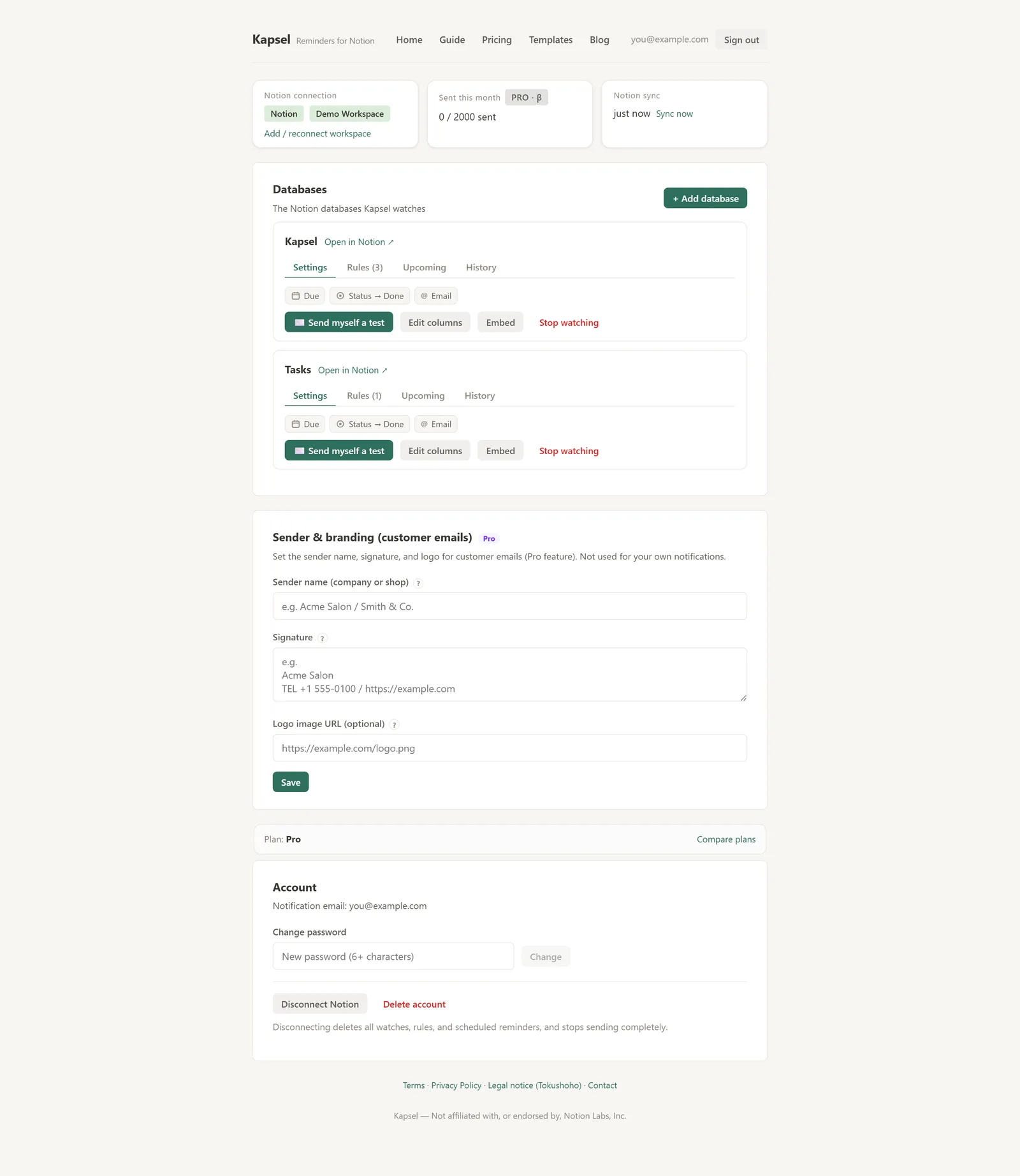
This is the actual dashboard
For every connected Notion database, Kapsel watches the due date, status and recipient email. Manage rules, upcoming sends and history right here.
Setup, step by step
A little more detail on each step.
Connect Notion
On Notion’s official authorization screen, pick the pages/DBs Kapsel may access. We never receive your password. Disconnect or reconnect anytime.
Choose which pages Kapsel can access, then connect.
Log in with Notion to connectPick the database to watch
Choose a database and Kapsel auto-detects the “due date”, “assignee” and “status” columns. Adjust them by hand if needed — or create a date column on the spot.
Choose timing and recipients
Pick multiple send times — “3 days before, day before, day of, after due”. Send to yourself, your team’s assignees, or external contacts (an email column), and filter by owner or category.
Write with merge fields
Click a Notion column name to insert a merge field. Each recipient gets a message tailored to them — no “Dear all” blast feel.
Auto-send → writes back to Notion
Sends at the times you set. Recipients just tap a button (no app, no signup). The result writes back to your Notion status, done/paid items are never emailed again, and every send is logged.
Updates on their click. Done/paid items are never emailed.
Build your reminder cadence
From gentle heads-ups to after-due nudges. It stops automatically once an item is done or paid.
What arrives is one email with a button
The recipient just taps a button — no app, no signup — and the Notion status updates automatically.
Hi Tanaka,
Thanks as always. Just confirming your booking tomorrow.
Sender: Studio ◯◯ · Unsubscribe
Their click updates the status automatically
Embed it right inside Notion
Show Kapsel’s rules, upcoming sends and history inside a Notion page. Manage reminders without leaving Notion.
Get the URL from “Embed”
Press “Embed” on a database row in your dashboard to copy an embed URL.
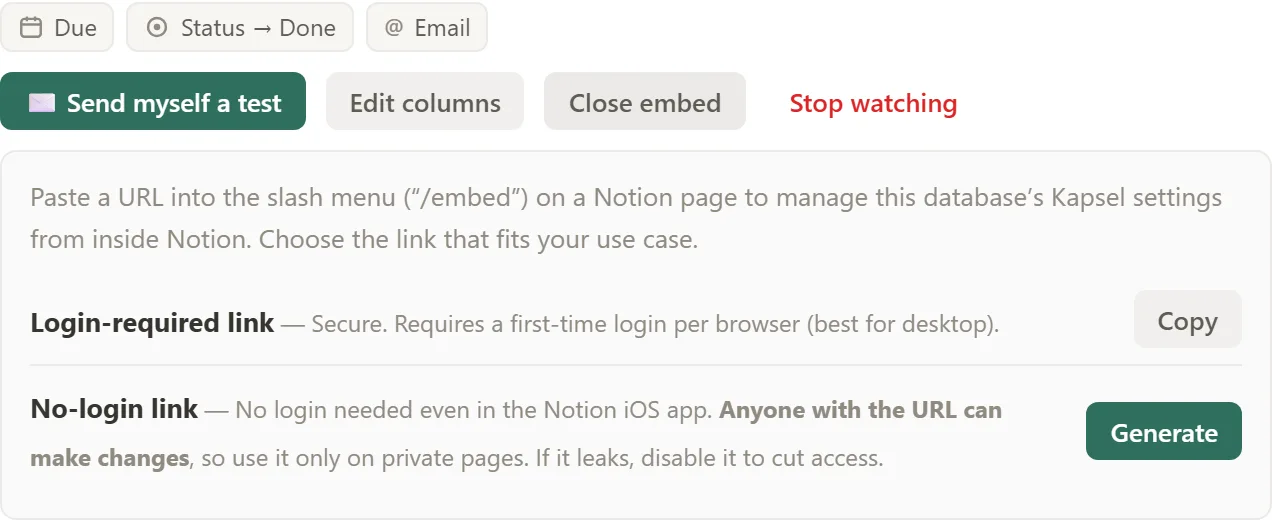
Paste into Notion → choose “Embed”
Paste the URL into a Notion page and pick “Create embed”. Kapsel’s panel appears right inside the page.
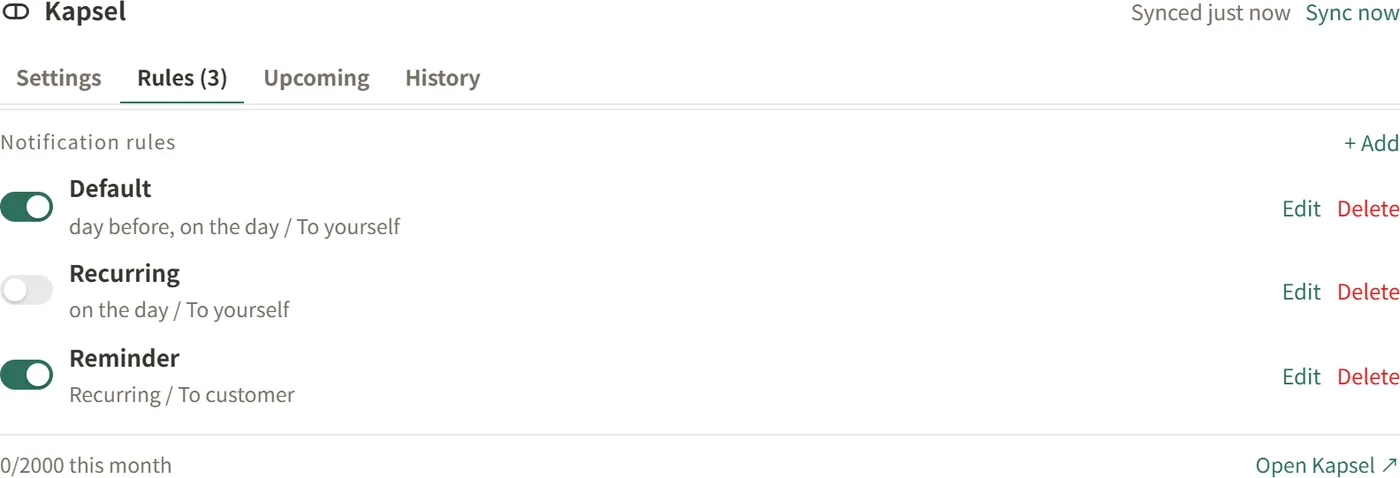
↑ This is the actual Kapsel panel, shown inside a Notion page.
Only you, while logged in, can operate the embedded panel (people you share the Notion page with won’t see your settings). Toggle rules and check upcoming sends without leaving Notion.
Setup examples by goal
Team due-date reminders
Send to the assignee email column, day before and day of. Done writes back to Notion.
Client confirmations
Send to a contact’s email for asset/review chases. Reaches them without Notion.
Invoice / payment nudges
Nudge only overdue, unpaid items. Never sent once the status is “paid”.
Weekly digest
“Every Friday, send open items to owners” — keep the team moving on a schedule.
Start from a free template, or see use cases for concrete scenarios.