Notion Task Reminders for Teams: Automatic Due-Date & Overdue Nudges Per Assignee

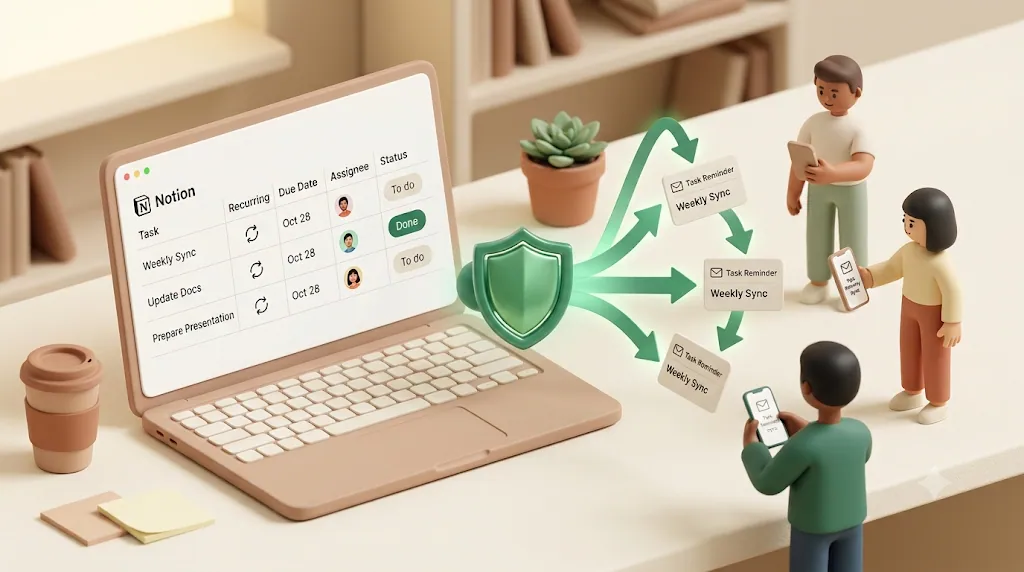
If you run tasks for a team in Notion, you already know how this goes: one @remind works fine for a single task, but the moment there's more than one assignee, due dates start slipping through the cracks — and the person you most need to chase is often a client or contractor who isn't even in your Notion workspace. Notion's native reminders were built for one person nudging themselves, not for a manager who needs every assignee reminded automatically, followed up on once they're overdue, and reached even without a Notion login. This article walks through where Notion's built-in options and the usual DIY workarounds (Zapier, Make, Slack routing, Todoist, IFTTT) stop working, and how a tool like Kapsel — which watches your due date, assignee, and status properties, emails reminders to anyone regardless of Notion account, and writes the status back to Notion on one click — closes the gap.
TL;DR
- Notion has three native reminder methods (inline
@remind, a Date property's Remind toggle, and database automations), but none of them do recurring reminders, overdue escalation, or reach people outside your workspace.- Notifications land in Notion's in-app inbox and as push notifications; email is only a fallback. Anyone without a Notion account is unreachable by these methods.
- Kapsel is a Notion notification tool that watches your due date, assignee, and status properties and emails reminders — including to people who don't have a Notion account — with a one-click confirm that writes the status back to Notion.
- Kapsel adds overdue follow-ups, target filtering, recurring digests, a send log, and merge fields, and never sends reminders for work that's already completed or paid.
What a real "automatic reminder for teams" needs to do (beyond one @remind)
A reminder that only works when you set it by hand, one task at a time, isn't automation — it's a to-do list for the manager. At team scale, a reminder system has to run on its own and cover cases a single @remind never touches.
Here's a practical checklist of what teams actually need:
| Requirement | Why it matters for a team |
|---|---|
| Fires automatically as due dates approach | Nobody should have to remember to set the reminder |
| Targets the specific assignee | The right person gets nudged, not the whole channel |
| Follows up when a task goes overdue | A missed deadline needs a second nudge, not silence |
| Reaches people outside the workspace | Clients and contractors are often the ones you're waiting on |
| Recurring cadence | Standing weekly check-ins shouldn't need re-setup |
| A record of who was reminded and when | Useful before escalating or in a deadline dispute |
| Never nags finished work | Reminding someone about a task they already closed erodes trust |
Get all seven right and reminders effectively run themselves; miss even one and someone on the team ends up back to manually chasing people, which is the exact work automation is supposed to remove. Notion covers the first two reasonably well. The rest is where teams start improvising.
Notion's native reminder options, and where they stop working at team scale
Notion offers three built-in ways to set a reminder. Each is genuinely useful for personal work, and each has a clear ceiling.
Inline @remind + @mention for one person at a time
Typing @remind inside any block creates a reminder tied to a date and time — for example, @remind next Thursday 4pm. To point that reminder at a teammate, put an @mention on the same line: @Alex @remind next Thursday 4pm. Notion then notifies the mentioned person at that time.
This works, but it's manual and one-off. Someone has to type it for every task, for every person, every time. There's no way to say "always remind the assignee two days before the due date" across a whole database.
Date-property reminders inside a database
Any Date property in a database can carry its own reminder. Open the date, choose Remind, and pick an offset — on the day, a day before, and so on. This is closer to automatic because the reminder travels with the task's due date.
⚠️ The database Date reminder notifies people who can see the page, based on the date value. It doesn't intelligently route to a specific assignee, and it still relies on the recipient being an active Notion user who checks their notifications.
Database automations that email the Assigned To property
Notion's database automations can trigger when a task is created or when a property changes, and one available action is sending an email to the person in a Person property such as "Assigned To." This is the closest Notion gets natively to a team-wide reminder: change a status, and the assignee gets an email — handy for something like an approval that needs a sign-off.
💡 Automations are the right tool when you want an action to fire on a property change — for example, emailing the assignee the moment a task is created. They're event-driven, though, not deadline-driven, so they don't naturally handle "remind two days before the due date" or "follow up every day it stays overdue."
The gaps: no recurring reminders, no reach outside the workspace, no overdue escalation, one-way only
Line the three native methods up against the team checklist and the same gaps appear every time:
- No recurring reminders. Notion does not natively repeat a reminder on a schedule, and there's no built-in workaround.
- No reach outside the workspace. Every native method assumes the recipient is a workspace member reachable by
@mentionor by a Person property. People without a Notion account simply can't be notified. - No overdue escalation. Notion's main built-in "overdue" signal is visual: the date tag turns red once the due date passes. That's a cue for whoever is looking at the board — not an active nudge, and not something that escalates.
- Delivery depends on the app being open. Notifications go to the in-app inbox (the badge) plus desktop and mobile push. Email is used only as a fallback when Notion isn't open on any device, so a reminder can sit unseen.
- One-way only. Every native notification flows Notion → recipient. There's no built-in way for the recipient to update a task's status from the notification itself.
Any one of these gaps is a reason a team-wide reminder falls apart in practice; together, they're why so many teams end up bolting on a separate tool rather than fighting Notion's native reminders into shape.
Common DIY workarounds: Zapier, Make, Slack routing, Todoist, and IFTTT
When the native options fall short, most teams' next move is a general-purpose automation tool rather than a purpose-built reminder product. Each of these can patch part of the gap, but each is a separate recipe you have to build and maintain yourself — not a packaged solution:
- Zapier and Make can watch a Notion database for changes and trigger an email, message, or other action. They're flexible, but you're responsible for building and maintaining the logic for "if this task is overdue, notify this person" from scratch.
- Slack routing — piping Notion updates into a Slack channel — gets a change in front of the team, but it's a shared channel post, not a private nudge targeted at one person, and it still assumes everyone involved is in that Slack workspace.
- Todoist syncing, usually via Zapier or Make, hands reminders off to Todoist's own notification engine, but it means keeping two task systems in sync instead of one.
- IFTTT-style trigger automations can fire a basic notification when a Notion property changes, though they're typically the least flexible option once your needs go beyond a single simple trigger.
Each of these is a workable fix for a specific need. None of them is a ready-made reminder system for Notion tasks — you're assembling and maintaining the whole thing yourself.
The real blocker: not everyone on a project has (or wants) a Notion account
Most articles about Notion reminders quietly assume everyone involved is a workspace member. On real projects, they aren't.
Freelancers, clients, and vendors you still need to chase
The person holding up a deadline is often on the other side of the project: a client who owes approval, a contractor who owes a deliverable, a vendor who owes an asset. They don't log into your Notion, and asking them to create an account just to receive a nudge is a non-starter. Every native method and every @mention-based workaround skips this group entirely — which means the people you most need to chase are exactly the ones Notion can't reach.
How Kapsel reaches them by email, no login required
Kapsel sends its reminders as plain email, so the recipient needs no Notion account and no login. You keep managing the work in Notion; Kapsel handles reaching the people who live outside it. This is the clearest gap in every other approach, and it's covered in more depth in reaching people who don't use Notion by email.
Automatic due-date and overdue nudges, per assignee, with Kapsel
Kapsel is built around the deadline, not around a single manual reminder. Once it's connected to a database, it watches the relevant properties and sends reminders on its own.
Watching due date, assignee, and status together
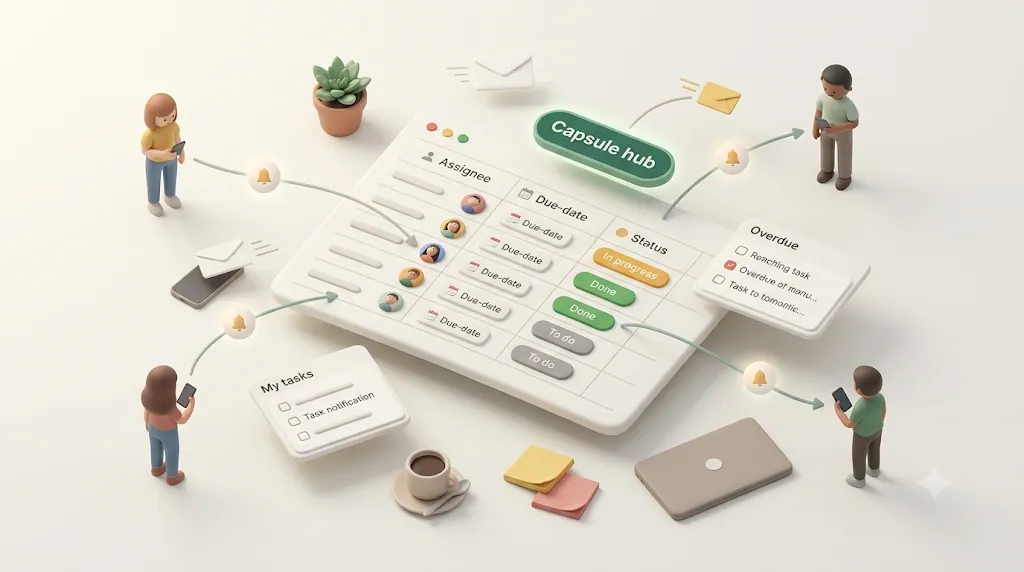
Kapsel reads three things from each task — the due date, the assignee, and the status — and uses them together. It sends the nudge to the right assignee as the due date nears, and because it also reads status, it knows when a task no longer needs a reminder. No per-task setup; the rule applies across the database.
Escalating follow-ups the longer something sits overdue
A single reminder that fires once and goes quiet is easy to miss. Kapsel sends overdue follow-ups — continued nudges after a due date passes — so a missed deadline gets an active second (and later) push instead of just a red date tag on a board nobody is watching.
Filtering who and what gets reminded (so people aren't pinged for tasks that aren't theirs)
Blasting everyone about everything trains people to ignore reminders. Kapsel's target filtering lets you narrow which tasks and which people get reminders, so each person only hears about work that's actually theirs.
Recurring digests for standing weekly check-ins
For standing cadences — a weekly status sweep, a recurring review — Kapsel sends recurring digests on a schedule. This is the direct answer to Notion's missing recurring reminders: instead of bolting on another app, it's a real repeat function built into the same tool that's already watching your tasks. When those standing nudges are sales-oriented, sales follow-up reminders apply the same per-assignee cadence to deals in progress.
The one-click loop back into Notion
Every method covered so far is one-way. Kapsel closes the loop.
A single click in the email updates the task's status — no login needed to respond
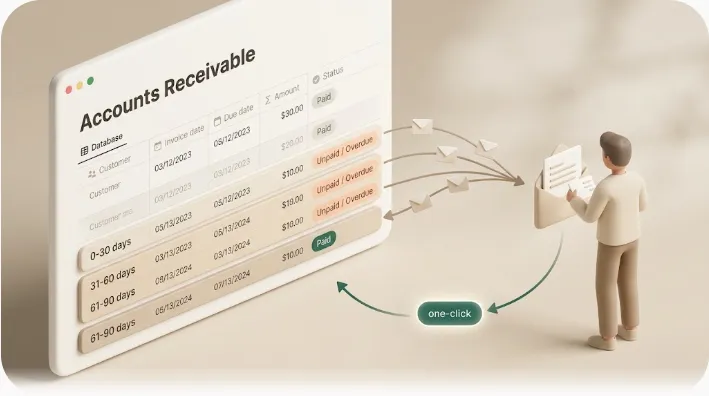
The reminder email includes a one-click confirm. When the recipient clicks it, Kapsel writes the updated status back into Notion — no login, no account, no opening the app. That means a client or contractor can mark something done straight from the email, and your Notion database stays current without anyone re-keying it by hand. It turns a notification into a two-way exchange.
Built-in guardrails: never nagging finished (or paid) work
The fastest way to lose trust with an automated reminder is to nag someone about something they've already handled. Sending a follow-up to a client who already delivered — or, in a billing context, already paid — is the kind of mistake that makes teams switch automation off entirely.
⚠️ Kapsel never sends reminders to items that are marked completed or paid. Because it reads the status property continuously, a task drops out of the reminder queue the moment it's closed — no manual cleanup required.
Getting this right is what makes automated reminders feel trustworthy instead of like a liability.
Keeping a record — send log and merge fields
Two features matter specifically for teams rolling this out across many people and tasks.
- Send log. Kapsel keeps a record of who was reminded and when. That's useful when you need to show you followed up — before escalating internally, or if a deadline is ever disputed.
- Merge fields. Reminders can pull task-specific details into the email (for example, the task name and due date), so each nudge feels relevant to that person's actual work rather than like a generic blast.
On their own, each of these is useful. Put together — overdue escalation, target filtering, the send log, and merge fields — they add up to what a team-wide rollout actually needs.
Notion native vs. Zapier/Make vs. Kapsel, at a glance
| Capability | Notion native | Zapier / Make DIY | Kapsel |
|---|---|---|---|
| Remind the assignee automatically | Partial (via automations) | Yes, if you build it | Yes |
| Recurring reminders | No | Yes, if you build it | Yes (recurring digests) |
| Overdue escalation | Visual only (red date tag) | Requires custom logic | Yes (overdue follow-ups) |
| Reach people without a Notion account | No | Possible, but you assemble it | Yes (email, no login) |
| One-click status update back into Notion | No | Rarely, and hard to build | Yes (writes status back) |
| Skips completed / paid items | Manual | You must build the filter | Yes, built in |
| Send log of who was reminded | No | Depends on your setup | Yes |
| Merge fields for personalized nudges | Limited | You map them yourself | Yes |
| Multiple workspaces + sender branding | — | — | Yes (Pro) |
💡 Zapier and Make (and adjacent tools like Slack routing, Todoist, or IFTTT) can technically reproduce many of these behaviors, but each is a separate recipe you build and maintain yourself. Kapsel is a packaged version of the same outcomes, purpose-built for Notion task reminders.
Setting this up for your team
📊 Measured setup time: We built a minimal version of this—automatic due-date reminders sent to each assignee based on the Notion Person property—and initial configuration in Kapsel took about 3 minutes (first build, minimal setup, as of 2026; it varies with familiarity and requirements).
Getting started is a short, repeatable process:
- Connect Kapsel to the Notion database you want it to watch.
- Point it at your due date, assignee, and status properties.
- Set when reminders go out (before the due date) and how overdue follow-ups should escalate.
- Add any target filters so people only get nudged about their own tasks.
- Turn on a recurring digest if you run a standing weekly check-in.
None of these steps needs repeating per task, so once it's set up, reminding the team is off your plate rather than another thing on your to-do list. Step-by-step instructions with visuals for each step are in the setup guide, and you can see the full product overview at Kapsel.
Pricing for teams — Free, Standard, Pro
Kapsel has three plans:
| Plan | Price (USD / month) | Best for |
|---|---|---|
| Free | $0 | Trying it out on a single workspace |
| Standard | $12 | An individual or small team running reminders on one workspace |
| Pro | $29 | Multiple Notion workspaces plus sender branding (company name, signature, logo) |
Full details are on the pricing page.
Try Kapsel free. Kapsel watches your Notion due dates, assignees, and status, then sends automatic email reminders — including to people without a Notion account — and lets recipients confirm in one click, writing the status back to Notion. Free plan, no credit card required. → Start with Kapsel
FAQ
Can Notion automatically remind someone else about a task?
To a degree. A database automation can email the person in an "Assigned To" property when a task is created or a property changes, and a Date property's Remind toggle can notify people who can see the page. Both assume the recipient is an active Notion user, and neither handles recurring reminders or overdue escalation on its own.
How do I set a reminder for a teammate in Notion?
Type an @mention and @remind on the same line — for example, @Alex @remind next Thursday 4pm. Notion will notify that teammate at the specified time. It works well for one-off reminders but has to be typed manually for each task.
Does Notion send email notifications for overdue tasks?
Not as an active overdue nudge. Notion's main built-in overdue signal is visual: the date tag turns red once the due date passes. Email is only used as a fallback when Notion isn't open on any of your devices, so there's no automatic "this is overdue" email escalation natively.
Can Notion send recurring reminders?
No. Recurring reminders are not natively supported in Notion, which is a common reason teams look to a third-party tool. Kapsel covers this with recurring digests you can schedule for standing check-ins.
How do I remind a client or contractor who doesn't have a Notion account?
Notion's native methods can't reach them, because they all rely on @mention or workspace membership. Kapsel sends reminders as plain email, so a client or contractor needs no Notion account and no login to receive — or respond to — a nudge.
Can I automate Notion to email people when a task becomes overdue?
Not directly with native tools; the red date tag is a visual cue, not an email trigger. You can approximate it with a Zapier or Make workflow you build yourself, or use Kapsel, which sends overdue follow-ups automatically and escalates the longer a task sits past its due date.
Does Notion notify people when a task's status changes?
Yes, with a database automation you can email the assignee when a status property changes. That's event-driven rather than deadline-driven, so it handles "status just changed" well but not "remind before the due date" or "follow up while overdue."
How do I stop reminders once a task is marked done?
With native automations you have to build the condition yourself. Kapsel handles this automatically: because it reads the status property, it never sends reminders to items marked completed or paid, and a task drops out of the queue the moment it's closed.
What's the difference between Notion's built-in reminders and a dedicated reminder tool?
Notion's reminders are built for individuals and single tasks, and they stop at recurring reminders, overdue escalation, reaching non-users, and two-way updates. A dedicated tool like Kapsel automates due-date and overdue nudges per assignee, reaches people without a Notion account by email, writes status back to Notion on one click, and keeps a send log.
Can someone update a Notion task's status without logging into Notion?
Not with any native method. Kapsel's reminder emails include a one-click confirm that writes the updated status back into Notion, so a recipient can mark a task done without a login or an account.
Notes
Published August 3, 2026 (updated 2026-08-27). The features and pricing described here reflect Kapsel as of the publish date; product details and plan pricing may change over time, so the pricing page and product overview hold the current specifics.