Notion Sales Follow-Up Reminders: How to Track Follow-Ups After a Quote or Proposal (and Never Let a Deal Go Quiet)
You sent the quote. The prospect said "let me review this internally." Then… nothing. Two weeks later the deal is stone cold, and the only thing that changed is that you forgot to circle back at the right moment. Follow-up is what closes deals, but follow-up is also the easiest thing to drop when you're juggling twenty of them at once.
TL;DR
- Notion is a great lightweight CRM for storing a deal's stage, owner, value, and next-follow-up date—but its native reminders only reach workspace members who actually open Notion.
- You can go a long way with filtered "Due Today / This Week / Overdue" views plus the discipline of setting a next action after every touch. Zapier, Make, or a dedicated CRM are reasonable add-ons as volume grows.
- The gap none of those close cleanly: reaching a prospect who isn't in your Notion, spacing multiple follow-ups as a cadence, automatically not nudging deals already Won or Lost, and writing a reply back into Notion without manual re-entry.
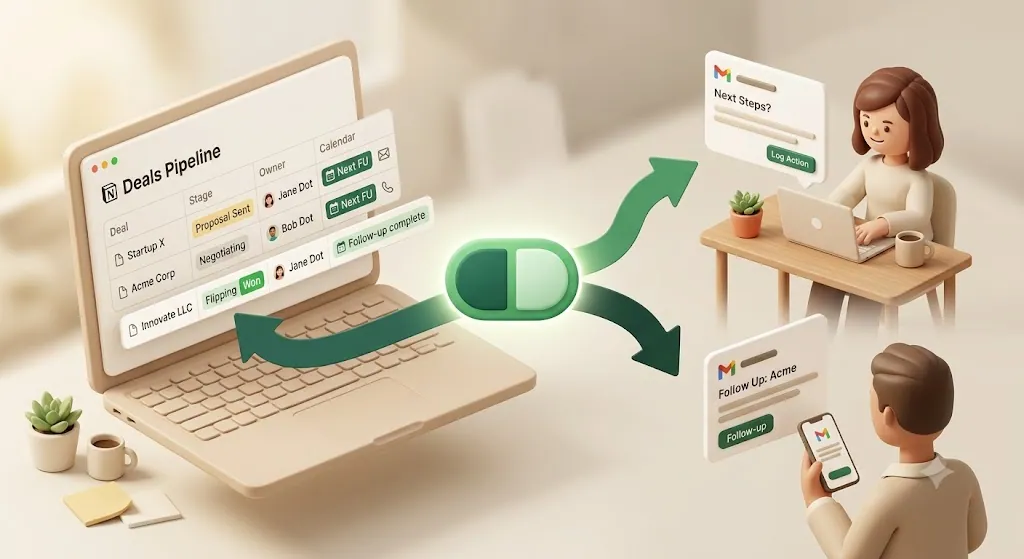
- Kapsel is a notification layer that watches your Notion deal dates and status and emails reminders—to the rep, and optionally to the prospect with no account—then a one-click confirm writes the status back into Notion.
Kapsel is a Notion notification tool that watches a database's due dates, owners, and status and emails reminders to anyone—including prospects who have no Notion account—then writes their one-click confirmation back into Notion. For a sales pipeline, that means the follow-up date actually produces a nudge, and a reply actually moves the deal.
When a Deal Goes Quiet After a Quote, It Usually Just Dies
Most deals aren't lost to a competitor. They're lost to silence. A prospect goes quiet, no next touch is scheduled, and the deal quietly ages out of everyone's attention.
The reason is structural, not a discipline failure. A rep working many deals at once can't hold every "check back on Thursday" in their head. Notion can store the next-follow-up date perfectly well—but storing a date and being reminded of it are two different things. Notion's built-in reminders were designed for people working inside Notion, so the nudge only lands if the rep happens to open the app that day. Meanwhile the prospect—who was never in your workspace—hears nothing at all.
💡 The fix has two halves: (1) structure the pipeline so every deal carries a clear next-follow-up date and owner, and (2) make that date fire a real reminder that reaches a human, whether or not they live in Notion.
The rest of this article walks through both halves: first how to build the pipeline in plain Notion, then the options for turning those dates into reminders that actually arrive.
Step 1 — Structure a Simple Sales Pipeline in Notion
You don't need a heavyweight CRM to run a clean pipeline. A single Notion database, with the right properties, works well for a surprisingly large number of deals. If you also send formal quotes, how to build a Notion quote tracker covers the line-item template, tax formulas, and the expiry/approval fields that drive quote follow-ups.
Core properties: Deal name, Stage/Status, Owner
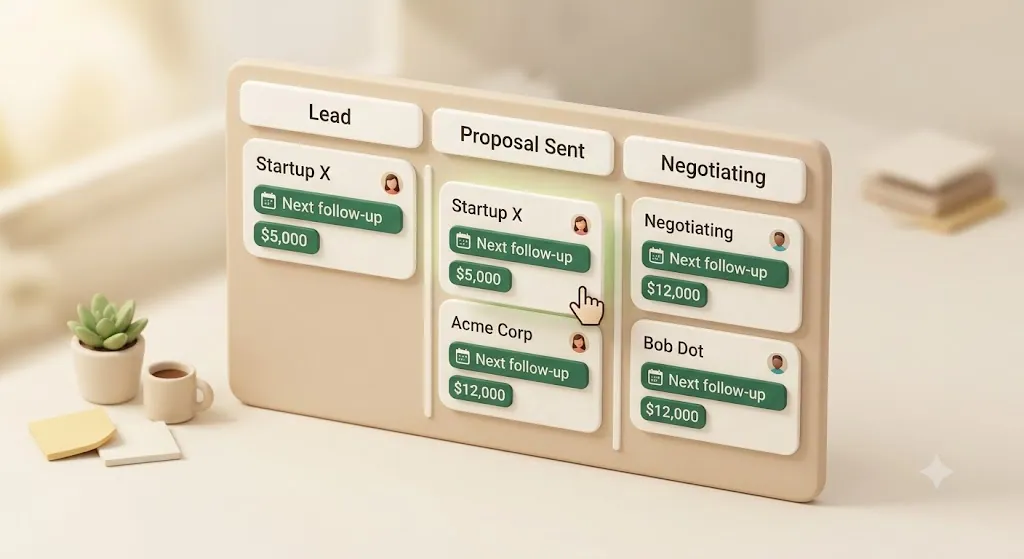
Start with three properties that make a database a pipeline instead of a note pile:
| Property | Type | What it does |
|---|---|---|
| Deal name | Title | The company or opportunity |
| Stage / Status | Select or Status | Where the deal sits: Lead → Contacted → Proposal Sent → Negotiating → Won / Lost / Closed |
| Owner | Person | The one rep responsible for the next action |
The Stage property is the backbone. A Status-type property is convenient because it groups values into To-do / In-progress / Complete buckets, which makes suppression rules later much cleaner. The Owner property guarantees every deal has exactly one accountable person—so no deal is orphaned in a vague "someone should call them."
Add Deal Value for a quick forecast rollup
Add a Deal Value (number, formatted as currency) property. On its own it labels each opportunity; combined with a rollup or the database's built-in column sum, it gives you a rough pipeline-value forecast by stage without leaving Notion. Group the board by Stage and sum Deal Value per group, and you have a lightweight forecast view for free.
Add Last-Contacted and Next-Follow-Up date properties
This is the pair that drives follow-up:
- Last-Contacted (date) — when you last touched the deal. Useful for spotting deals that have gone quiet.
- Next-Follow-Up (date) — the single most important property for closing. Every open deal should have one. A deal with an empty Next-Follow-Up field is a deal about to die.
⚠️ The most common pipeline leak is an open deal with no Next-Follow-Up date set. Make "always set the next touch before you close the tab" a hard rule—an empty date field means the deal has silently fallen out of your process.
Build filtered views: Due Today, This Week, Overdue
Notion's views turn those dates into a daily worklist. Create a few filtered views over the same database:
| View | Filter | Purpose |
|---|---|---|
| Due Today | Next-Follow-Up is Today, Stage is not Won/Lost/Closed | Your call list for the day |
| This Week | Next-Follow-Up within the next 7 days | Plan the week |
| Overdue | Next-Follow-Up is before Today, still open | Deals you've already slipped on |
| Pipeline board | Kanban grouped by Stage | Drag deals through stages visually |
The Kanban board view (group by Stage) is the classic pipeline visual—drag a card from Proposal Sent to Negotiating and the status updates. A calendar view on Next-Follow-Up is a nice complement for seeing the week's cadence at a glance.
💡 You can also link this deals database to a separate Contacts / Companies database via a relation, and keep a notes or activity-log field (or sub-page) per deal. That keeps the pipeline clean while preserving history—handy once you're tracking who said what on which call.
At this point you have a genuinely capable, free CRM. The one thing it can't do on its own is reach out and remind you before a follow-up date arrives.
Step 2 — Get a Real Reminder Before the Next-Follow-Up Date
A date in a database is only useful if something surfaces it at the right time. Here's the honest landscape of options, from built-in to bolt-on.
Why Notion's built-in reminders only reach people who open Notion
Notion has real reminder features—an @remind on a date, or date-property notifications—but they share one limit: they deliver through Notion's own notification channels (the app, the inbox, and email if the member has enabled it) to workspace members only. Two consequences matter for sales:
- A busy rep who doesn't open Notion that day can miss the nudge entirely.
- A prospect is not a workspace member, so native reminders can never reach them. Notion has no mechanism to email someone outside your workspace about a date.
That's not a knock on Notion—it's simply scoped to internal, in-app work. Which is why most teams reach for one of the following.
The options at a glance
| Approach | Reaches the rep by email | Reaches a non-Notion prospect | Effort |
|---|---|---|---|
| Notion native reminders | Only if they open Notion / enabled email | No | None (built in) |
| Manual discipline (set next action every time) | Depends on the person | No | Ongoing willpower |
| Zapier / Make / n8n (Notion → email/Slack) | Yes, with setup | Possible, but you build every step | Medium–high |
| Google Apps Script / Google Calendar sync | Yes, if you script it | No | Medium (code) |
| Slack reminder from Notion | Yes (internal) | No | Low–medium |
| Dedicated CRM (folk, Pipedrive, HubSpot…) | Yes | Yes | High (migration) |
| Kapsel (notification layer on Notion) | Yes | Yes | Low (connect a DB) |
Manual discipline deserves its own mention, since it's how most people run a pipeline before they automate anything: make it a habit to set or update the Next-Follow-Up date every time you get off a call or send an email, before you move on to the next task. That single habit catches most deals — the risk is that it depends entirely on the habit holding on your busiest day, and one skipped update is how a deal goes quiet.
A few notes on the other rows. Zapier, Make, and n8n are genuinely powerful: you can trigger on a Notion date and send an email or Slack message, and with enough work even email the prospect. The cost is that you're assembling and maintaining a multi-step automation for each behavior—and building cadence, suppression, and write-back yourself. Google Apps Script or a Calendar sync can push dates onto a rep's calendar, but that's a calendar event, not something a prospect can reply to. Slack reminders are great for the internal team and useless for someone outside it.
💡 Once you're past roughly 20–100 active deals, it's reasonable to bolt on Zapier or graduate to a purpose-built CRM. But "the reminders don't reach anyone" is a narrower problem than "we need a new CRM." You can often close the reminder gap without abandoning the Notion pipeline you already trust.
Email reminders to the rep ahead of the follow-up date
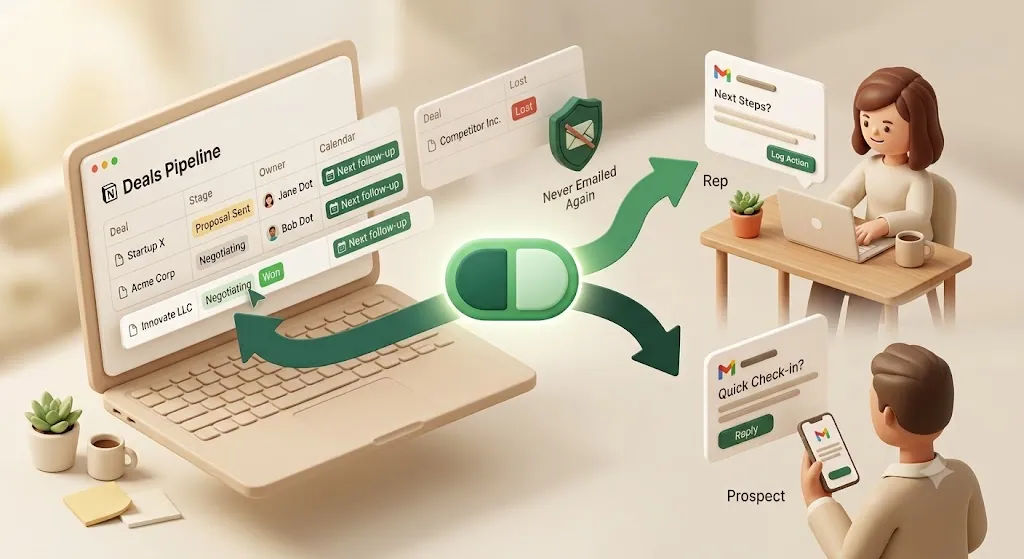
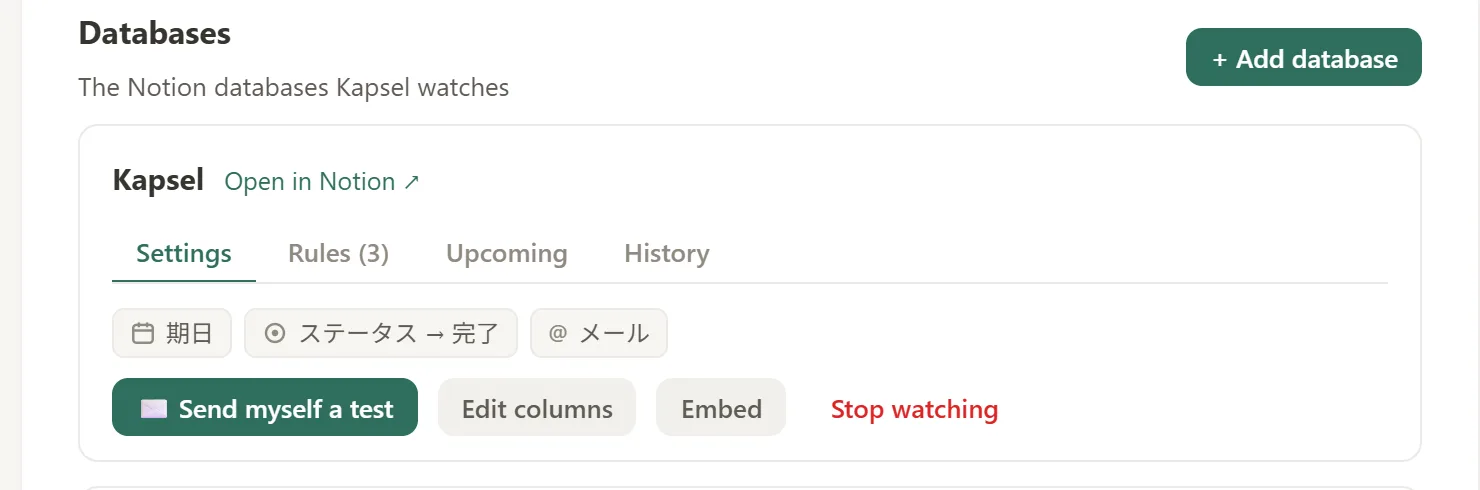
This is the baseline Kapsel handles: point it at your deals database, and it watches the Next-Follow-Up date. Ahead of that date it emails the deal's Owner—in their inbox, where they already work—so the nudge doesn't depend on anyone opening Notion. Merge fields pull the deal name, value, stage, and date into the message, so the reminder reads like a real to-do, not a system ping.
Optional — a gentle check-in email to the prospect, no Notion account needed
Here's the piece the other approaches skip. Because Kapsel sends plain email, the recipient doesn't need to be a workspace member. So the same follow-up date can optionally trigger a light, personalized check-in to the prospect—"just circling back on the proposal we sent"—with no Notion account, no login, nothing to install on their side. The prospect experiences a normal email from you; Notion is invisible to them.
⚠️ Kapsel watches dates, status, and owner and sends email. It is not an email-sequencing or marketing tool—there's no lead scoring, no open tracking, and no bulk campaigns. Think "a timely, personal nudge tied to a real deal date," not "a drip campaign."
Step 3 — Use a Cadence, Not a Single Reminder
Most follow-up advice—and most reminder setups—treat follow-up as a single "next action date." But deals rarely close on the first nudge. The move that actually works is a cadence: several spaced touches.
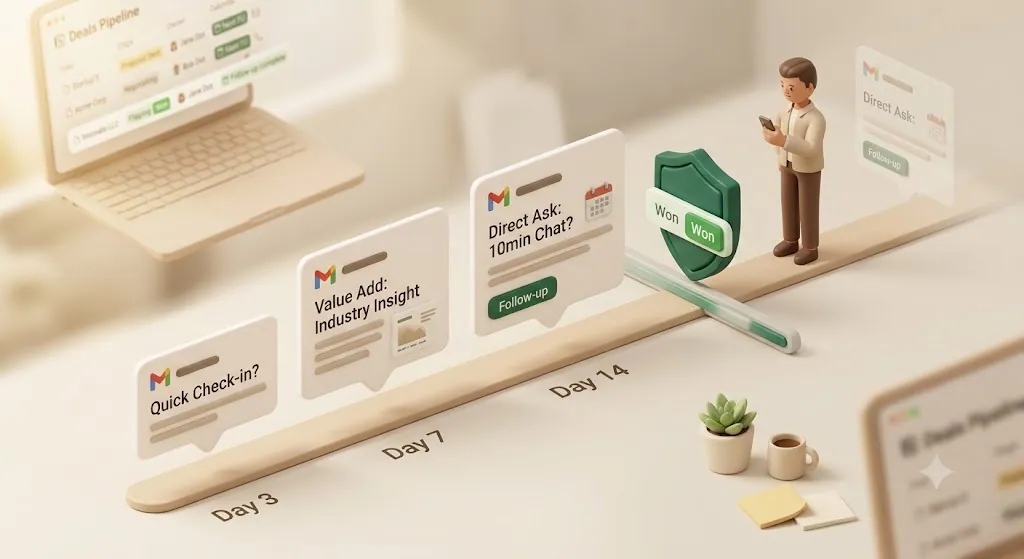
Spacing multiple follow-ups (e.g. day 3, day 7, day 14) instead of one-and-done
A single reminder fires once and then you're back to remembering manually. A cadence keeps the deal alive across several touches:
| Touch | Timing after quote sent | Tone |
|---|---|---|
| 1st follow-up | Day 3 | Light check-in, "any questions on the numbers?" |
| 2nd follow-up | Day 7 | Add value—a case study, an answer to a likely objection |
| 3rd follow-up | Day 14 | Direct, "should I keep this open or close it out?" |
Kapsel supports overdue follow-ups, so if a Next-Follow-Up date passes without the deal moving, it can send a follow-up nudge automatically rather than letting the date lapse silently. That turns "one date" into a repeating safety net until the deal actually changes status.
Recurring digests so reps see all upcoming follow-ups in one email, not a scattered stream
Instead of a trickle of one-off pings, Kapsel can send a recurring digest—a single scheduled email listing all of a rep's upcoming and overdue follow-ups. A rep opens one message in the morning and sees the whole day's follow-up list, drawn straight from the Notion pipeline. That's the difference between notification noise and an actual worklist.
Step 4 — Never Nudge a Deal That's Already Closed
Cadence has an obvious failure mode: chasing a deal that already closed. Nothing undercuts trust faster than a "just following up!" email to a prospect who signed last week—or a reminder to yourself about a deal you already lost.
Status-aware suppression: Won, Lost, and Closed deals stop generating reminders automatically
Most reminder setups have no concept of "stop." You set a reminder; it fires regardless of what happened to the deal. Kapsel is status-aware: it reads the Stage/Status property and stops generating reminders for deals marked Won, Lost, or Closed. The moment a deal moves out of your active stages, the follow-ups end automatically—no manual cleanup, no risk of an embarrassing nudge on a settled deal.
⚠️ This is the same safeguard that stops Kapsel from ever emailing items marked completed or paid. For a sales pipeline it means the cadence chases only live deals, and closing a deal is all it takes to switch its reminders off.
This is exactly the gap that generic "set a reminder" workflows leave open: they can nag, but they can't tell a live deal from a dead one.
Step 5 — Close the Loop With One-Click Status Write-Back
The last mile of any follow-up workflow is updating the record afterward—and it's the step everyone forgets, which is how the pipeline drifts out of sync with reality.
A reply or click updates the deal's status in Notion, no manual re-entry
Each Kapsel email can carry a one-click confirm button. When the rep (or the prospect) clicks it, Kapsel writes that outcome straight back to the Status property on the deal in Notion—no opening the database, no manual re-entry. A reply becomes a status change automatically.
This two-way write-back is what most Notion-plus-automation setups lack: they can push a reminder out, but nothing flows back to update the deal. With Kapsel the loop closes inside Notion, where the rest of your pipeline already lives. A send log records who was emailed, when, and whether they confirmed—so you always know the last real touch on every deal.
What This Does Not Do
Being clear about scope matters as much as listing features.
No lead scoring, no pipeline analytics, no email open tracking
Kapsel is deliberately narrow. It does not do lead scoring, pipeline analytics, forecasting math, or email open/click tracking, and it is not a CRM replacement. What it does is watch your Notion dates, status, and owner, and send email reminders with one-click write-back. If you need predictive scoring or a full analytics suite, that's a dedicated CRM's job—and you can run one alongside Notion. Kapsel's role is to make sure the follow-up dates you already keep in Notion actually reach a human and come back updated.
Where This Fits vs. Other Notion Workflows
Follow-up on new deals is one job. Two adjacent jobs have their own guides so this article can stay focused.
Keeping existing clients updated on project progress
Once a deal is won and becomes a project, the job shifts from chasing a decision to keeping the client informed of progress and collecting sign-offs. That's a different workflow—see how to keep clients updated on Notion project status.
Tracking generic due dates and deadlines in Notion
If your need is broader than sales—any Notion due date that should trigger a reminder—the general pattern lives in Notion deadline tracking. And if the core problem is simply "Notion reminders don't reach people who aren't in Notion," Notion email reminders covers that head-on.
Setting This Up With Kapsel
If you've built the pipeline in Step 1, adding reminders is quick:
- Prepare the deals database. Confirm you have Stage/Status, Owner, Deal Value, Last-Contacted, and Next-Follow-Up properties—plus an email field for any prospect you want contacted directly.
- Connect Kapsel to that database. Grant access to the specific pipeline database, not your whole workspace.
- Set target filtering. Choose which deals trigger reminders (e.g. only active stages), so Won/Lost/Closed deals are excluded.
- Compose the message with merge fields. Pull in the deal name, value, and next-follow-up date so each reminder reads like it was written for that exact deal, not a generic blast.
- Turn on cadence and safeguards. Enable overdue follow-ups and a recurring digest; confirm closed deals are suppressed.
- Enable one-click confirm. Add the button that writes the chosen status back to Notion when clicked.
Once these six are in place, the pipeline you built in Step 1 stops depending on you remembering it — the dates you already track start producing reminders and status updates on their own.
The full walkthrough is in the setup guide.
For pricing: Free ($0) is enough to try it on one pipeline; Standard ($12/month) suits freelancers and small sales teams running regular follow-ups; Pro ($29/month) adds multiple Notion workspaces and sender branding (company name, signature, logo). See the pricing page for details.
Try Kapsel free. Kapsel watches your Notion due dates, assignees, and status, then sends automatic email reminders — including to people without a Notion account — and lets recipients confirm in one click, writing the status back to Notion. Free plan, no credit card required. → Start with Kapsel
FAQ
How do I stop forgetting to follow up after sending a proposal in Notion?
Give every open deal a Next-Follow-Up date property, then make that date fire a reminder that reaches you outside Notion. Filtered "Due Today / This Week / Overdue" views turn the dates into a daily worklist, and a tool like Kapsel emails the deal owner ahead of each follow-up date so the nudge doesn't depend on you opening Notion that day.
Does Notion have built-in reminders for sales follow-ups?
Notion has date reminders (@remind and date-property notifications), but they deliver through Notion's own channels to workspace members and only surface reliably if that member opens Notion or has enabled Notion's email notifications. There's no native way to email someone outside your workspace, and no concept of a spaced cadence or stopping automatically once a deal is closed.
Can Notion send a reminder to someone who isn't in my workspace?
No. Notion's reminders and notifications are scoped to workspace members, so a prospect who has no Notion account can't receive them. Kapsel closes that gap by sending plain email, which means it can optionally send a gentle check-in to a prospect directly—no Notion account or login required on their side.
What's a good follow-up cadence after sending a quote or proposal?
A common pattern is several spaced touches rather than one—for example day 3, day 7, and day 14—each with a slightly different angle (a light check-in, then added value, then a direct "keep this open or close it out?"). The point is that most deals don't close on the first nudge, so a sequence beats a single "next action" date. Kapsel's overdue follow-ups and recurring digests help you run that cadence without tracking each touch by hand.
How do I avoid following up on a deal that's already closed or lost?
Use status-aware suppression: base your reminders on the Stage/Status property so that Won, Lost, and Closed deals stop generating nudges automatically. Kapsel reads the status and stops sending the moment a deal leaves your active stages, so you never chase a deal that already closed—the same way it never emails items marked completed or paid.
Can a prospect update a deal's status without a Notion account?
Yes, with Kapsel's one-click write-back. A prospect (or the rep) clicks a confirmation button in the email, and Kapsel writes that outcome straight to the deal's Status property in Notion—no login, no Notion account, and no manual re-entry on your end.
What properties do I need for a simple sales pipeline in Notion?
At minimum: a Deal name (title), a Stage/Status property (Lead, Contacted, Proposal Sent, Negotiating, Won/Lost/Closed), and an Owner (person). Add Deal Value for a forecast rollup, plus Last-Contacted and Next-Follow-Up date properties to drive follow-up. From there, filtered views and a Kanban board turn the database into a working pipeline.
How is this different from a full CRM like HubSpot or Pipedrive?
A full CRM adds lead scoring, pipeline analytics, email sequencing, and reporting—and expects you to migrate your data into it. Kapsel does none of that; it's a narrow notification layer that watches your existing Notion dates, status, and owner and sends email reminders with one-click write-back. It's the right choice when your pipeline already lives in Notion and the only real gap is that the follow-up dates don't reach anyone.
Notes
Published 2026-08-05. Feature descriptions and pricing (Free $0 / Standard $12 / Pro $29 per month, USD) are current as of writing and may change; check the pricing page for the latest details.