How to Build a CRM in Notion (Contacts, Deals, and a Pipeline That Actually Gets Followed Up On)

A CRM is only as good as the follow-ups that actually happen—and that's exactly where most "just use Notion" advice quietly stops short. This tutorial is for solo founders and small teams who want to build a real CRM in Notion: contacts, companies, and a deal pipeline from scratch, with relations and rollups, plus an honest read on when Notion is enough versus when a dedicated CRM earns its price. Follow the numbered steps in order to build the whole thing, or jump straight to the section you need.
TL;DR
- A Notion CRM is a linked set of databases—usually Contacts, Companies, and Deals (plus optional Tasks)—rather than single-purpose CRM software. You build the pipeline with a Status property and a Board (kanban) view.
- The core properties are contact name, company, email, deal/pipeline stage, owner, next-follow-up date, deal value, and source. Relations connect the databases; rollups aggregate values like open deal value per company.
- Notion fits solo founders and small teams who want notes, tasks, and deals in one flexible place. A dedicated CRM (HubSpot, Pipedrive, Airtable) wins on built-in email sync, automated sequences, and reporting at scale.
- A CRM is only as good as the follow-ups that actually happen. Native Notion reminders reach the owner only when they open Notion, can't nudge the customer directly, and don't stop themselves on a won or lost deal—which is the specific gap Kapsel is built to close.
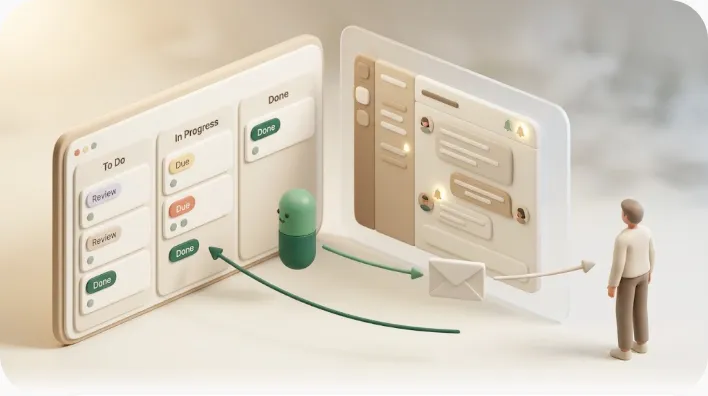
Kapsel is a Notion notification tool that watches a database's dates, owner, and status and emails reminders to anyone—including customers who have no Notion account—then writes their one-click confirmation back into Notion, and never sends once a deal is marked won or lost. For a CRM, that means a next-follow-up date reliably produces a nudge, and a reply actually moves the deal.
What Is a Notion CRM?
A Notion CRM is a small set of linked databases—contacts, companies, and deals—used to track relationships and sales, instead of dedicated CRM software like HubSpot or Pipedrive. Notion gives you the database, view, relation, and rollup building blocks; you assemble them into a system that fits how you actually sell.
The honest framing: Notion is not a CRM out of the box. It has no concept of a "lead," a "pipeline stage," or a "follow-up sequence" until you create those with properties and views. What Notion does have is flexible databases that can model a CRM well enough for plenty of solo operators and small teams—and the advantage that your customer notes, project docs, and task lists can live one click away from the deal record.
| Notion as a CRM | Dedicated CRM (HubSpot, Pipedrive) | |
|---|---|---|
| Data model | You design it (databases + relations) | Prebuilt contacts/deals/activities |
| Flexibility | Very high—rename, restructure freely | Lower—works the vendor's way |
| Email sync / tracking | None natively | Built in |
| Automated sequences | None natively | Built in |
| Notes, tasks, docs alongside | Native, all in one workspace | Usually separate or limited |
| Cost to start | Free / low | Free tier, then per-seat pricing |
💡 If you already run your work life in Notion, building the CRM there keeps everything in one place. If you live in your inbox all day and need email tracking, that's a signal a dedicated CRM may serve you better—covered fairly further down.
The Properties Your Notion CRM Needs
At minimum, plan for two property sets: contact-level fields (who the person is) and deal-level fields (what you're trying to close). The near-universal list is name, company, email, deal stage, owner, next-follow-up date, deal value, and source—everything else is optional polish.
Get these right before you start clicking, because the properties are what make relations and rollups possible later.
Contact properties (name, company relation, email, role)
A contact is a person. Keep the contact database lean and let relations do the heavy lifting.
| Property | Type | Why it's here |
|---|---|---|
| Name | Title | The person |
| Company | Relation → Companies | Ties the contact to their organization |
| The address you'll actually reach them at | ||
| Role / Title | Text or Select | "Decision maker" vs. "influencer" changes how you follow up |
| Phone | Phone | Optional, for call-based follow-up |
Deal properties (Status/pipeline stage, owner, next-follow-up date, deal value, source)
A deal (or opportunity) is a potential sale. This is where the pipeline lives.
| Property | Type | Why it's here |
|---|---|---|
| Deal name | Title | The opportunity, e.g. "Acme – Q3 rollout" |
| Stage | Status | Lead → Contacted → Proposal → Negotiation → Won / Lost |
| Owner | Person | The one person accountable for the next action |
| Contact | Relation → Contacts | Who you're dealing with |
| Company | Relation → Companies | The account |
| Next follow-up | Date | The single most important field for reliability |
| Deal value | Number (currency) | Powers forecasting rollups |
| Source | Select | Referral, inbound, cold, event—so you learn what works |
Get these eight fields right and everything downstream compounds: an accurate pipeline you can forecast from, and a next-follow-up date reliable enough to build a reminder system on.
💡 Use a Status-type property (not a plain Select) for the stage. Status groups values into To-do / In-progress / Complete buckets, which makes both your board view and later "don't nudge closed deals" logic much cleaner.
Step 1 — Build the Contacts and Companies Databases
Start with the two "who" databases—people and organizations—and connect them with a two-way relation. These become the foundation every deal points back to.
Contacts database and its properties
- Create a new full-page database and name it Contacts.
- Add the properties from the contact table above: Company (Relation, you'll wire it up in the next step), Email, Role, and optionally Phone.
- Keep the default Table view for now—it's the best surface for bulk data entry.
Companies database and the two-way relation to Contacts
- Create a second database named Companies. Give it a Name (Title), plus useful fields like Industry, Website, and Owner.
- Open the Company relation you added in Contacts and point it at the Companies database.
- Turn on "Show on Companies" (the two-way toggle). Now each company page automatically lists all of its contacts, and each contact shows its company—no duplicate typing.
💡 A two-way relation is the difference between a spreadsheet and a CRM. It means you can open Acme Corp and instantly see every person and, once deals are linked, every open opportunity tied to that account.
Step 2 — Build the Deals (Pipeline) Database
The Deals database is the engine of the CRM. It holds one row per opportunity and uses a Status property plus a Board view to become a drag-and-drop pipeline.

The Status property and defining your stages
Create a database named Deals and add a Status property called Stage. Define stages that match how you actually sell—a common set is:
- Lead — a potential deal, not yet contacted
- Contacted — first outreach made
- Proposal — quote or proposal sent
- Negotiation — terms in discussion
- Closed Won — signed
- Closed Lost — no deal
Map Lead / Contacted / Proposal / Negotiation to the In progress group and Closed Won / Closed Lost to the Complete group. That grouping matters later for suppressing reminders on finished deals.
Board (Kanban) view for the pipeline
- Add a Board view to the Deals database.
- Group it by Stage. Each stage becomes a column.
- Drag a card from Proposal to Negotiation to move a deal—the Status updates automatically.
This is the view most people mean when they say "sales pipeline": a visual set of columns you push cards through. For the same technique applied to tasks and projects — grouping, adding columns, and where board views hit their limits — see how to set up a Kanban board in Notion.
Table view for full detail, Calendar view for next-follow-up dates
The board is for movement; you still want two more views:
| View | Job it does |
|---|---|
| Board (by Stage) | Move deals through the pipeline |
| Table | See every property at once; bulk-edit; forecast |
| Calendar (by Next follow-up) | See which follow-ups land which day |
💡 A Calendar view grouped on the Next follow-up date, plus a filtered Table view like "Follow-ups due this week," gives you a weekly-review surface—the closest Notion gets to a CRM's "today's tasks" screen.
Step 3 — Link Everything with Relations and Rollups
Relations connect your databases so one record can reference another; rollups then pull numbers across those relations—like total open deal value per company. Together they turn three separate tables into a single system.
Contacts ↔ Companies ↔ Deals ↔ Tasks relations
You already linked Contacts to Companies. Now:
- In Deals, add a Contact relation (→ Contacts) and a Company relation (→ Companies), each two-way.
- Optionally add a Tasks database (call prep, send contract, etc.) and relate it to Deals, so every task rolls up to the deal it belongs to.
The result is a web you can navigate from any direction: open a company to see its contacts and deals, open a deal to see its contact and tasks.
Rolling up open deal value per company (and other useful rollups)
Rollups are where a Notion CRM starts to feel powerful. Here's the concrete setup for open deal value per company:
- Open the Companies database.
- Add a property of type Rollup.
- Relation: choose Deals (the relation to your deals database).
- Property: choose Deal value.
- Calculate: choose Sum.
- To count only open deals, filter the rollup (or the underlying view) to exclude the Closed Won / Closed Lost group.
That single rollup shows the total open pipeline value for each account. A few other rollups worth adding:
| Rollup on Companies | Relation | Property | Calculate |
|---|---|---|---|
| Open deal value | Deals | Deal value | Sum |
| Number of open deals | Deals | (any) | Count |
| Last contacted | Deals | Next follow-up | Latest date |
| Contact count | Contacts | (any) | Count |
Set these up once and the Companies database turns into a live account view—no exporting to a spreadsheet to see which accounts are worth chasing this week.
💡 Rollups are read-only summaries—they reflect the linked records, so they update automatically as deals move and close. You never edit a rollup directly.
Duplicating a Template vs. Building From Scratch
Both are valid; the right choice depends on how custom your process is. Duplicate a template when you want to be running today and your sales motion is fairly standard. Build from scratch when your stages, fields, or object model differ enough that you'd spend as long deleting a template's assumptions as you would building your own.
| Duplicate a template | Build from scratch | |
|---|---|---|
| Speed | Running in minutes | An hour or two |
| Fit to your process | Generic; needs trimming | Exactly yours |
| Learning | You inherit choices you don't understand | You understand every property |
| Best for | Standard pipelines, first-timers | Unusual stages, strong opinions |
A pragmatic middle path: build the three core databases yourself (you'll understand the relations far better), and borrow view and formula ideas from templates once you know what each one does.
Is Notion Enough, or Do You Need a Dedicated CRM?
The fair verdict up front: Notion is enough for solo founders and small teams who value flexibility and having notes, tasks, and deals in one place—and it stops being enough once you need email sync, automated sequences, and real reporting at scale. Neither answer is universal; it depends on volume and how much of your day runs through email.
When Notion fits (solo/small team, all-in-one notes+tasks+CRM, flexible)
Notion is a genuinely good CRM when:
- You're a solo founder, freelancer, or small team managing tens—not thousands—of deals.
- You already keep notes, docs, and tasks in Notion and want the deal record beside them.
- Your process is unusual or evolving, and you value being able to restructure freely.
- Your budget favors one tool over a per-seat CRM subscription.
When a dedicated CRM wins (HubSpot, Pipedrive, Airtable — built-in email sync, sequences, reporting, scale)
A dedicated CRM earns its cost when you need capabilities Notion doesn't ship:
| Need | Why Notion falls short | Where to look |
|---|---|---|
| Email sync & tracking | No native inbox integration, opens, or logging | HubSpot, Pipedrive |
| Automated sequences | No multi-step drip/cadence engine | HubSpot, Pipedrive |
| Reporting & forecasting | Rollups only; no dashboards or win-rate analytics | Any dedicated CRM |
| Scale & data integrity | Manual entry, no dedupe, slows with thousands of rows | Salesforce, HubSpot |
| Spreadsheet power + structure | Notion's formulas/automation are lighter | Airtable |
A newer crop of relationship-focused tools—folk and Clarify—sit between Notion and the Salesforce-style platforms: lighter setup than HubSpot, but with more CRM-specific automation and contact enrichment than Notion offers natively. Worth a look if your work is mostly relationship and contact tracking rather than a full sales funnel.
⚠️ Don't force Notion to become HubSpot. If you find yourself rebuilding email tracking and sequences by hand, the tool is telling you something. The honest test is whether Notion's flexibility is saving you more time than a purpose-built CRM's automation would.
For teams that stay in Notion for adjacent work, our guides on Notion task management and the customer support tracker show how the same database patterns extend beyond sales.
The Real Problem: A CRM Is Only as Good as the Follow-Ups That Actually Happen
Every step above is wasted if the follow-up on the calendar never turns into a real nudge. This is the part almost every "build a Notion CRM" guide skips—it tells you to add a next-follow-up date and stops there, without asking what happens on the day that date arrives.
What native Notion reminders cover (and where they stop)
Notion can remind you. On a date property, you can set a @remind or a date reminder, and Notion will send an in-app and (if enabled) mobile/email notification. Database automations can also notify a person when a property changes. For a single user who opens Notion every day, this genuinely helps.
Here's the honest boundary of what native reminders do:
| Native Notion reminder | Reaches |
|---|---|
| Date reminder / @remind | The workspace member—if they open Notion |
| Database automation notify | A person in the workspace |
| Mobile push (app installed) | The member's device |
That's the ceiling of what Notion ships natively—genuinely useful for a single engaged user, but not enough on its own to make sure a follow-up gets seen by the person who needs to act on it.
Where it breaks — the owner has to open Notion, there's no way to nudge the customer directly, overdue follow-ups slip silently, won/lost deals still risk stale reminders
Four failure modes show up in real pipelines:
- The owner has to open Notion. The reminder lands inside Notion. If the rep doesn't open the app that day, the follow-up passes unseen.
- No way to nudge the customer directly. The prospect was never in your workspace. Notion has no mechanism to send them a "circling back on the proposal" note—you do that by hand or not at all.
- Overdue follow-ups slip silently. A missed date doesn't escalate. The deal just ages until someone happens to notice.
- Won/lost deals still risk stale reminders. A date reminder set on a deal doesn't know the deal closed. Without careful manual cleanup, you risk a nudge firing on a deal that's already signed—or worse, one you lost.
⚠️ The last one is the quietly embarrassing failure: chasing a follow-up on a deal that's already won, or reopening a closed-lost deal because a reminder fired. A reliable CRM has to stop nudging finished work, not just start nudging new work.
Before reaching for a paid layer, know the fair alternatives: Zapier, Make, or n8n can watch a Notion date and send an email; Google Apps Script can do it for free with some code; Slack integrations can post to a channel. These work, but each takes setup, and none of them handle customer-facing nudges, cadence, write-back, and closed-deal suppression together out of the box.
How Kapsel Closes the Loop on Your Notion CRM
Kapsel is one way to close that gap: it turns a next-follow-up date into a reminder that reliably reaches a human and moves the deal. It's an independent, solo-built tool, so treat this as one honest choice among the alternatives listed above—not the only one.

Watching next-follow-up date, owner, and status
Kapsel connects to your Deals database and watches the Next follow-up date, the Owner, and the Stage. When a follow-up comes due, it acts on that date without anyone needing to open Notion.
Emailing the owner — and emailing the customer directly, no Notion account needed
Kapsel sends the reminder by email, so it reaches the owner wherever they work. It can also email the customer directly—the person has no Notion account and needs no login—which covers the "circling back on your proposal" nudge that native Notion simply can't send. Merge fields personalize each message from the deal's own properties.
One-click confirm writes the result back to Notion
Each email can carry a one-click confirm button. When the recipient clicks it, Kapsel writes the result back into Notion—updating the deal's status—so a reply actually moves the record instead of creating manual re-entry.
Never sends once a deal is marked won or lost
Because Kapsel reads the Stage, it never sends once a deal is marked won or lost. That closes the stale-reminder failure mode directly: finished deals stop generating nudges automatically.
A send log records what went out, overdue follow-ups get chased, and recurring digests can summarize what's due. The core watch-and-email works on the Free plan ($0); Standard ($12/mo) and Pro ($29/mo)—Pro adds multiple workspaces and sender branding—are there if you outgrow it. See pricing or the setup guide for specifics.
💡 Kapsel doesn't replace your Notion CRM or a dedicated CRM—it's a thin notification layer on top of the pipeline you built above. If your reps live in Notion and your follow-ups already land reliably, you may not need it at all.
This article is the hub for our CRM, sales, and support cluster. From here, go deeper on sales follow-up reminders, sending client updates, building a customer support tracker, or notifying people who don't use Notion.
FAQ
Can Notion be used as a CRM?
Yes. Notion isn't a purpose-built CRM, but a linked set of databases—Contacts, Companies, and Deals—functions as a lightweight one. It works best for solo founders and small teams who value flexibility and want notes, tasks, and deals in one workspace, and it's less suited to large teams that need email sync and automated sequences.
What properties/fields should a Notion CRM have?
At the contact level: name, company (relation), email, and role. At the deal level: deal name, stage/status, owner, next-follow-up date, deal value, and source. Relations connect contacts to companies to deals, and rollups aggregate values like open deal value per company.
How do I create a sales pipeline in Notion?
Build a Deals database, add a Status property with your stages (Lead, Contacted, Proposal, Negotiation, Closed Won, Closed Lost), then add a Board view grouped by that Status property. Each stage becomes a column, and you drag deal cards between columns to move them through the pipeline.
How do relations and rollups work in a Notion CRM?
A relation links a record in one database to records in another—so a deal can point to its contact and company, with two-way sync showing the connection on both sides. A rollup then pulls a value across that relation, such as summing Deal value across all of a company's deals to show open pipeline per account.
Is there a free Notion CRM template?
Yes—many free CRM templates exist in Notion's template gallery and from third parties. Duplicating one gets you running fast, but building the three core databases yourself teaches you the relations and rollups, which pays off when you customize. A practical hybrid is to build the structure yourself and borrow view ideas from templates.
What are the limitations of using Notion as a CRM?
Notion has no native email sync or tracking, no automated sequences, and only lightweight reporting via rollups. Data entry is manual with no deduplication, performance and organization get harder at thousands of records, and—critically—its reminders reach the owner only inside Notion and can't nudge a customer directly.
When should you switch from Notion to a dedicated CRM like HubSpot or Pipedrive?
Switch when you need capabilities Notion doesn't ship: built-in email sync and open tracking, multi-step automated sequences, real forecasting and reporting dashboards, or the data integrity to handle thousands of records across a growing team. If you find yourself rebuilding those features by hand, a dedicated CRM will likely save more time than Notion's flexibility does.
How do you set follow-up reminders in Notion?
Add a Next follow-up date property and set a date reminder (or @remind) on it, and optionally use a database automation to notify the owner when it's due. The limitation is that these notifications only reach workspace members who open Notion—they don't reach customers, and they don't stop themselves on a closed deal.
Does Notion send reminders to people who don't use Notion?
No. Native Notion reminders only reach members of your workspace inside the app or its notifications; there's no built-in way to email a customer who has no Notion account. To nudge a prospect directly, you'd send a manual email, or use a layer like Kapsel that emails contacts without requiring them to log in.
How do you track deal value per company in Notion?
Relate your Deals database to a Companies database, then add a Rollup property on Companies that targets the Deals relation, selects the Deal value property, and calculates the Sum. Filter it to exclude Closed Won/Lost deals if you want open pipeline value per account.
What's the difference between a Notion CRM and Airtable as a CRM?
Both model a CRM with linked databases, but Notion pairs the database with notes, docs, and tasks in one flexible workspace, while Airtable offers stronger spreadsheet-style formulas, automations, and interfaces. Choose Notion if the CRM should sit beside your other work; choose Airtable if you need heavier data manipulation and reporting without moving to a full dedicated CRM.
Notes
Published 2026-08-08. Notion features (databases, Status properties, Board and Calendar views, relations, rollups, and native reminders) and Kapsel's features and pricing described here are current as of writing; product details and prices can change, so verify current specifics on the relevant product and pricing pages.