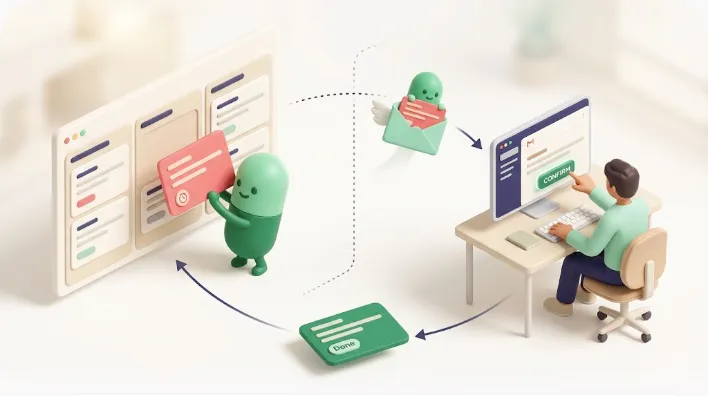
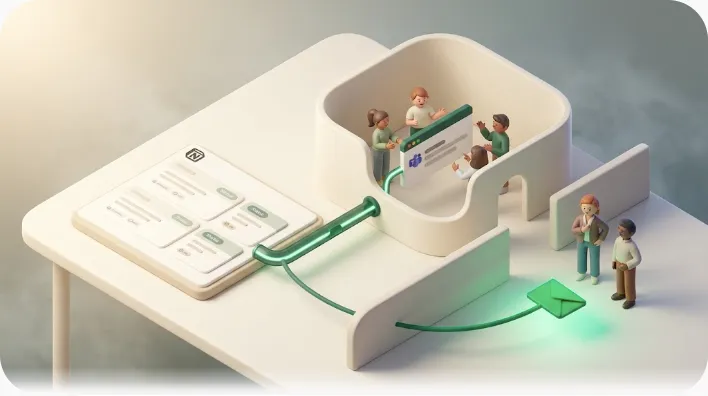
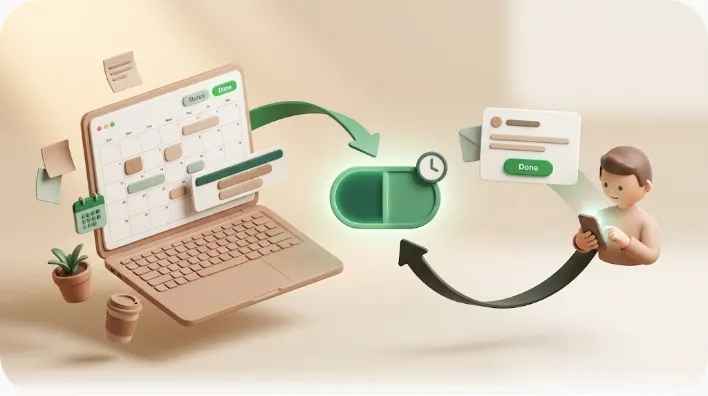
Manage Customer Inquiries and Support Requests in Notion (with SLA Reminders)
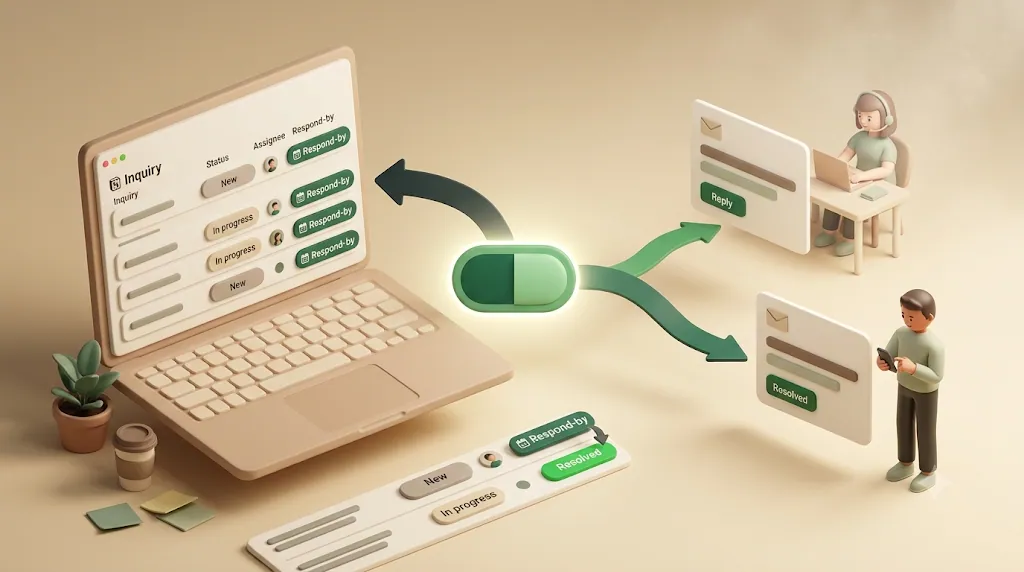
Notion can log a customer inquiry in seconds — the database is the easy 20% of running support. The other 80%, the part that actually gets someone a reply before they feel ignored, is where plain Notion goes quiet: a response deadline passes, the assigned rep is never nudged, and the customer — who has no Notion account — hears nothing at all. This article is for founders, freelancers, and small teams who track inquiries in Notion and want replies to stop slipping, covering the fields and status flow to build, how to set a first-response target instead of a vague due date, and the practical options for making the tracker actually move — from native Notion and Zapier/Make to a full help desk or a lightweight reminder layer like Kapsel.
TL;DR
- Notion can store inquiries well (subject, status, priority, assignee, respond-by date), but it has no built-in SLA countdown, no assignee alert, and no way to reach a customer who isn't in Notion.
- The core of support timing is the first-response target — how fast someone acknowledges the request — which matters more than full resolution time.
- You have three broad paths: keep Notion and add a reminder/escalation layer, glue on a Zapier/Make automation, or graduate to a dedicated help desk (Zendesk, Freshdesk, Help Scout).
- Kapsel is a tool that watches your Notion due date, assignee, and status and sends email reminders — to the assigned rep and optionally to the customer (no Notion account needed) — with one-click write-back to update the Notion status.
Kapsel is a Notion reminder tool that watches your inquiry tracker's respond-by date, assignee, and status, emails reminders to the right people (including customers with no Notion account), and lets one click on an email link write the resolution back into Notion.
Why inquiries stall in a Notion tracker
Most support backlogs in Notion do not stall because the team is lazy. They stall because the tool records work but does nothing to move it. Three specific gaps cause the same failure over and over.
- No SLA countdown. Notion can hold a "respond-by" date, but it will not count down to it or flag a breach. A date property is passive: nothing happens when the clock runs out. This isn't a Notion-specific oversight — every workable fix for it comes from bolting on something outside Notion (a reminder tool, a Zapier automation, or a full help desk); left alone, the database just won't tell you when it's late.
- No reminder to the assignee. You can assign a Person to a request, but Notion only nudges an assignee if they happen to open Notion and check. People running support live in email and their inbox, not in a database view.
- The customer hears nothing. The person waiting for a reply is not in your workspace. They have no login, no notification, no visibility. Silence on your end reads as being ignored on theirs.
💡 The database is the easy 20%. The reminding, escalating, and customer-facing communication is the 80% that plain Notion leaves to you.
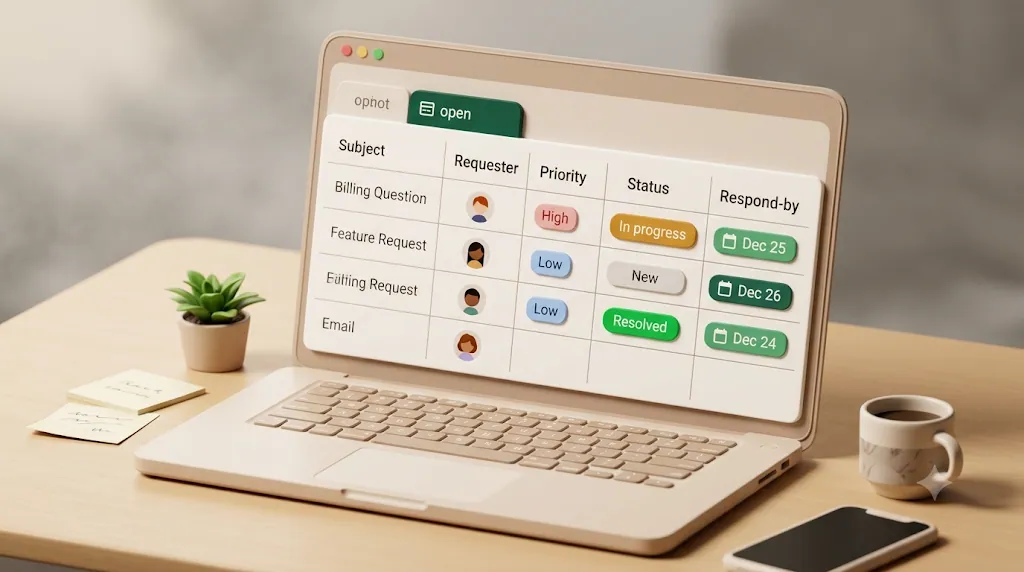
Build a simple Notion inquiries/support tracker
Before automating anything, get the underlying database right. A good tracker doubles as a lightweight shared inbox: everyone can see what came in, who owns it, and where it stands. Most people start with a Notion template for this, and that's a reasonable first step — a template hands you the field list above in a few clicks. Where templates stop short is everything after the database: reminders, escalation, and keeping the customer informed, which is what the rest of this article covers.
The fields that matter
A support tracker needs enough structure to sort, filter, and set deadlines — but not so much that logging an inquiry becomes a chore. These fields are usually enough:
| Field | Type | Why it's there |
|---|---|---|
| Subject / summary | Title | A one-line description of the request |
| Requester name | Text | Who asked |
| Requester email | Where an acknowledgment or update is sent | |
| Channel | Select | Email, contact form, chat, referral — where it came from |
| Priority | Select | Low / Normal / High / Urgent |
| Status | Select | Stage in the workflow (see below) |
| Received date | Date | When it arrived — the clock starts here |
| Respond-by / SLA date | Date | The first-response deadline you're committing to |
| Assignee | Person | Who owns the reply |
💡 The requester email field is what makes customer-facing reminders possible later. If you only store a name, you can chase your own team but never keep the customer in the loop.
A status flow that reflects reality
Keep the status stages few and honest. A four-stage flow covers most inbound support without turning into a project-management maze:
- New — logged, not yet picked up.
- In Progress — an assignee is actively working it.
- Waiting on Customer — the ball is in the customer's court (you asked a question, you're waiting on info). This stage matters because it should pause your internal urgency without losing the thread.
- Resolved — answered and closed.
That "Waiting on Customer" stage is where a lot of requests quietly die — the customer forgets, and so do you. It is exactly the kind of item a follow-up reminder is built for.
💡 It also helps to add a simple checkbox or tag property like "Needs Follow-up." Status tells you the stage; a flag lets you mark a specific item as at-risk without changing its stage, so it doesn't get buried in a long In Progress or Waiting on Customer list.
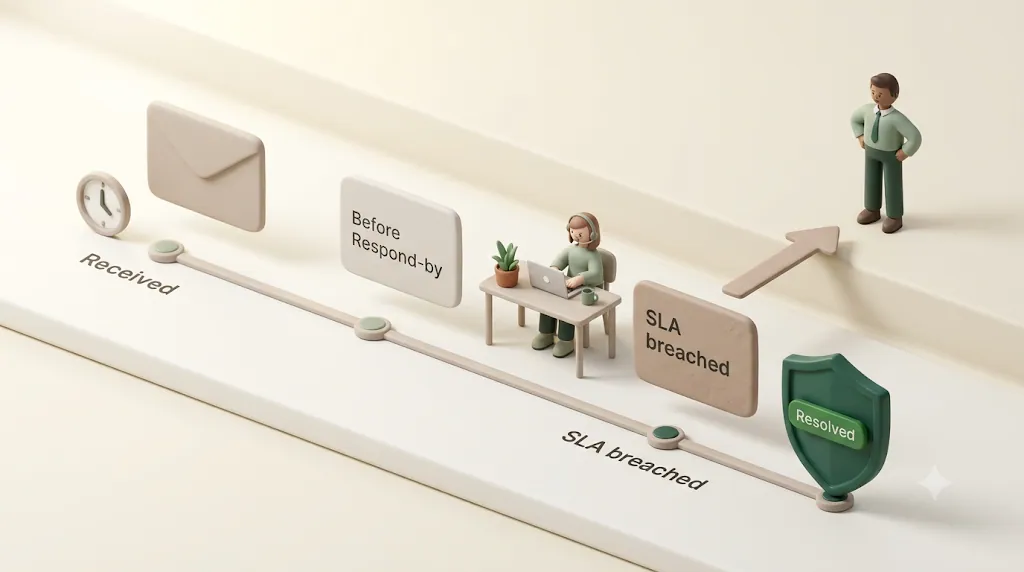
Think in response times, not just due dates
A regular Notion due date says "finish by." Support timing is different, and getting the distinction right is what separates a real tracker from a to-do list.
First response vs. full resolution
There are two clocks on every inquiry, and they are not the same:
| First-response time | Full-resolution time | |
|---|---|---|
| Measures | How long until someone acknowledges the request | How long until it's fully solved |
| Customer impact | High — silence feels like being ignored | Important, but tolerable if they know it's being handled |
| Realistic target | Hours | Hours to days, depending on complexity |
The first reply carries most of the emotional weight. A customer who gets a quick "we've got this, here's what happens next" will wait patiently for a complex fix. A customer who hears nothing for two days assumes they've been dropped — even if you resolve it on day three. Your SLA date in Notion should represent the first-response target, not the final fix.
Reasonable first-response targets by channel
Treat these as internal benchmarks to design around, not promises to publish. Actual targets depend on your team size, hours, and customer expectations.
| Channel | Common first-response benchmark |
|---|---|
| Email / contact form | Within a few business hours, up to one business day |
| Chat | Minutes |
| Social / public | Fast, because it's visible to others |
⚠️ A benchmark is not a guarantee. Pick a first-response target you can actually hit consistently — a promise you miss is worse than a slower promise you keep.
Pick numbers your team can actually hit, and the respond-by date stops being a formality and starts being something you can actually stand behind.
How to make the tracker actually move
This is the gap every "here's a Notion support template" article skips. A template gives you fields; it does not give you follow-through. Below are the mechanics that turn a passive database into something that chases work down — and how a reminder layer like Kapsel handles each one against the Notion database you already maintain.
Remind the assigned rep before and after the respond-by date
The single highest-leverage automation is nudging the owner of a request as its respond-by date approaches — and again if it passes. Kapsel watches the Notion respond-by date and assignee and emails the assigned rep a reminder, so it lands in the inbox they actually watch instead of waiting for someone to open Notion. (For nudging teammates on general project tasks rather than customer inquiries, see Notion team task reminders.)
Send the customer an acknowledgment or status update by email — no Notion account needed
This is the piece most Notion-only setups never get to. Your customer is not in Notion and never will be. Using the requester email stored on the row, Kapsel can email the customer directly — an acknowledgment that their request was received, or a status update as it progresses — with no account and no login required. That plain email matches how a customer with no Notion account actually operates — they just check their inbox. See Notion email reminders for how reminders reach people outside your workspace, and keeping clients in the loop for the ongoing-update angle.
💡 A client portal (the usual answer elsewhere) still asks the customer to log into something. An email asks them to read their inbox — which they were already doing.
Escalate automatically when a request breaches its SLA
A missed first-response deadline should not sit silently. Kapsel's overdue follow-ups keep nudging on items whose respond-by date has passed, so a breach surfaces instead of disappearing into the backlog. That turns "we forgot" into "this is late and someone is being told."
Status-aware suppression — Resolved/Closed items stop nudging
A reminder system is only trusted if it never sends a stale nudge. Kapsel never sends on items marked Resolved. The moment a request's status flips to Resolved, the reminders stop — no awkward "please respond" email about a ticket you already closed. This one behavior is what keeps the whole system credible.
⚠️ Stale reminders erode trust faster than missing reminders. Status-aware suppression is not a nice-to-have — it's the difference between an automation people rely on and one they mute.
One-click write-back — a reply or resolution updates the Notion status automatically
Normally, closing a request means switching to Notion and manually changing the status — a step that gets skipped, so the tracker drifts out of sync with reality. Kapsel puts a confirmation link in the reminder email; one click writes the status back to Notion (for example, marking the item Resolved). No portal, no inbox app — one click flips the database field. That two-way loop keeps the tracker honest without extra clicks inside Notion.
Notion + reminders vs. a full help desk vs. Zapier/Make
There is no single right answer. The honest version — the one vendors rarely give you — is that the best choice depends on volume, team size, and how much of your work already lives in Notion.
| Approach | Best when | Trade-off |
|---|---|---|
| Notion alone | Very low volume; you check the board daily | No countdown, no alerts, no customer email |
| Notion + a reminder layer (e.g. Kapsel) | You want to keep your Notion tracker but stop replies from slipping | It's a reminder + one-click-status layer, not a ticketing engine |
| Zapier / Make / n8n | You need custom, multi-step branching logic | You build and maintain the logic yourself; customer email and write-back need extra steps |
| Zendesk / Freshdesk / Help Scout | High volume; you need real ticketing, threading, macros, CSAT | You leave Notion; more cost and setup |
Matching the tool to your volume up front saves you from the two most common mistakes: over-building a help desk you don't need yet, or under-building past the point where reminders alone can keep up.
When a lightweight Notion tracker is genuinely enough
If you're a founder, freelancer, or a small team handling a manageable stream of inquiries, and your work already lives in Notion, a structured tracker plus a reminder/escalation/write-back layer is often all you need. You keep one source of truth and avoid paying for — and learning — a full ticketing platform whose features you'd barely touch.
When to graduate to Zendesk, Freshdesk, or Help Scout
Move to a dedicated help desk when your needs outgrow "remind and record." Clear signals:
- Volume is high enough that you need shared-inbox threading, assignment rules, and collision detection.
- You need macros/canned replies, CSAT surveys, or built-in reporting dashboards.
- You want trend or root-cause reporting on response and resolution performance — which channels, priorities, or team members run slowest — to guide staffing or process changes. Plain Notion has no native reporting on this, and a reminder layer like Kapsel doesn't add it either; that kind of analytics lives in dedicated help desk tools.
- You want native live chat or multi-channel ticketing in one place.
Kapsel does not do any of those things, and it doesn't pretend to — it has no ticketing engine, no live chat, no shared-inbox threading, no CSAT, and no macros. If those are what you need, a real help desk is the right tool.
Where a Zapier/Make automation fits (and its limits)
Zapier, Make, n8n, or a Google Apps Script can absolutely send a reminder when a Notion date is near — and if you need bespoke branching (route by priority, ping a Slack channel, post to Google Calendar), they're flexible. The limits for this use case: you assemble and maintain the scenario yourself, customer-facing email and a clean one-click write-back to Notion status take real work to build, and status-aware suppression is something you have to remember to add. A purpose-built reminder tool trades flexibility for having those support-specific behaviors already handled.
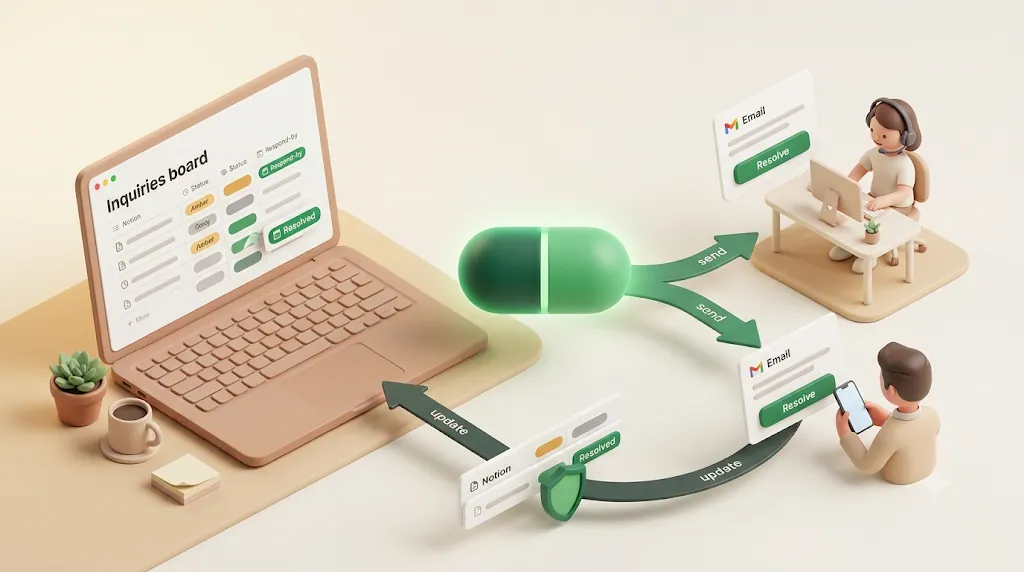
Setting this up with Kapsel in a few minutes
- Make sure your Notion tracker has the fields above — especially respond-by date, status, assignee, and requester email.
- Connect the database to Kapsel and point it at your respond-by date and status fields.
- Choose who gets reminded: the assigned rep before/after the deadline, the customer for acknowledgments or updates, or both.
- Turn on overdue follow-ups for SLA breaches and confirm that Resolved items are suppressed.
- Add the one-click write-back link to reminder emails so a reply or resolution updates Notion automatically.
Once those five steps are in place, the tracker chases replies on its own — you stop being the person who has to remember to check it.
Kapsel has a Free plan ($0), with Standard ($12/mo) and Pro ($29/mo) adding capacity; Pro supports multiple Notion workspaces and sender branding (your company name, signature, and logo on outgoing email). Kapsel is an indie, solo-built product — see the product overview, pricing, and setup guide for details.
💡 The point isn't to replace your Notion tracker. It's to add the one layer Notion doesn't have — reminders, escalation, customer email, and write-back — on top of the database you already keep.
Related reading
- Reminding teammates on general project tasks (not customer inquiries) — Notion team task reminders.
- Tracking generic due dates and deadlines across any Notion database — Notion deadline tracking.
- Reaching people outside your workspace by email — Notion email reminders.
- Keeping clients updated on progress — Notion client updates.
FAQ
How do I track SLA or response deadlines inside Notion? Add a "Respond-by / SLA date" date property to your tracker and set it when each inquiry is logged. Notion will store and display that date, but it won't count down or alert you when it passes — you'll need an external reminder tool for the alerting part. Treat the SLA date as your first-response target, not the full-resolution date.
What's a reasonable first-response time for customer support emails? For email and contact forms, a common benchmark is within a few business hours and no longer than one business day; chat is usually measured in minutes. These are internal targets, not guarantees — pick one you can hit consistently, because a promise you miss is worse than a slower one you keep.
Can Notion send automatic reminders to whoever is assigned to a request? Not on its own in a way support teams can rely on — Notion only notifies an assignee if they happen to open Notion and check for themselves. A tool like Kapsel closes that gap by watching the assignee and respond-by date and emailing the assigned rep directly, so the reminder lands in the inbox they actually check.
How do I notify a customer who doesn't have a Notion account? Store the customer's email on the request row, then send updates by email — no account or login needed. Kapsel uses that email field to send an acknowledgment or status update directly to the customer, which matches how people outside your workspace actually operate. A client portal would still require them to log into something; a plain email doesn't.
How is a response-by/SLA date different from a regular due date? A regular due date means "finish by." A response-by/SLA date usually means "send the first reply by" — it's about acknowledgment speed, not full completion. The distinction matters because the first response carries most of the customer's perception of whether they're being taken care of.
How do I stop reminders once a support ticket is marked Resolved? Use status-aware suppression: the reminder tool checks the Notion status and stops sending once an item is Resolved or Closed. Kapsel does this automatically and never sends on Resolved (or paid/completed) items, so no one gets a "please respond" email about a request you already handled.
What's the difference between using Notion with reminders and a full help desk like Zendesk or Help Scout? Notion plus a reminder layer keeps your existing database as the source of truth and adds nudges, escalation, customer email, and write-back on top — good for lower volume and Notion-centric teams. A full help desk (Zendesk, Freshdesk, Help Scout) replaces Notion with dedicated ticketing: threading, macros, CSAT, and dashboards, at more cost and setup. Choose based on volume and how much of your workflow already lives in Notion.
Can a customer's email reply update the status in Notion automatically? Kapsel offers a one-click write-back: a confirmation link in the reminder email lets a single click update the Notion status (for example, marking the item Resolved). It's a deliberate click on a link rather than parsing free-form reply text, so the status change stays intentional and clean. That keeps the tracker in sync without opening Notion.
When should a team move from Notion to a dedicated help desk tool? Graduate when your needs outgrow "remind and record" — when you need shared-inbox threading, assignment rules, collision detection, macros, CSAT surveys, or native live chat. Kapsel intentionally doesn't offer those, so if they're on your must-have list, a real help desk is the better fit.
Can I use Zapier or Make instead of a reminder tool for this? Yes — Zapier, Make, n8n, or Google Apps Script can send reminders from Notion dates and are very flexible for custom, branching logic. The trade-off is that you build and maintain the scenario yourself, and support-specific behaviors like customer-facing email, one-click write-back to Notion status, and Resolved-item suppression take real work to assemble. A purpose-built tool has those handled out of the box.
Notes
Published 2026-08-06. Features and pricing described here (Free $0 / Standard $12 / Pro $29 per month) are current as of the publish date and may change over time; check the pricing page for the latest. This article describes shipped Kapsel functionality — watching Notion due date, assignee, and status; email reminders to team members and to people without a Notion account; overdue follow-ups; status-aware suppression; and one-click write-back — as a reminder and one-click-status layer on top of a Notion database you maintain, not a replacement for a dedicated help desk.