Notion Microsoft Teams Notifications: Every Setup Option (and the Reach Gap They Share)

Anyone trying to push Notion updates into a Microsoft Teams channel discovers the same thing within a few minutes of searching: there is no toggle for it. Notion ships a native "Send Slack notification to…" action inside its database automations, but there is no Teams equivalent in that menu. Every working method — Zapier, Make, Power Automate, or a hand-built webhook — is a third-party bridge, and each one lands only in a Teams channel. This article compares those routes with the implementation details most guides leave out, then addresses the ceiling all of them share: none can reach a client, vendor, or contractor who has no Teams seat and no Notion account.
TL;DR
- Notion has no native "Send Teams notification" automation action, even though its native "Send Slack notification to…" action exists — that asymmetry is the root of the problem.
- The real options are Zapier or Make (no-code, task/operation-billed) or Power Automate, which needs a community "Independent Publisher" connector (Premium tier, action-only, throttled) or a DIY bridge on Notion's own developer webhooks.
- Every one of these routes only reaches people who hold a Teams seat in that channel — it structurally cannot reach an external recipient who is not in Teams.
- Email fills that gap: Kapsel emails the responsible person directly (no Teams or Notion account needed), skips items already Completed or Paid, and writes a one-click reply back into Notion — things no Teams route does out of the box.
Why sending Notion to Teams isn't a one-click toggle (like it is for Slack)
The fastest way to understand the whole problem is to compare the two chat platforms inside Notion's own automation menu. Notion built a native push to Slack; it did not build one to Teams. Everything downstream follows from that single gap.
| Capability | Slack | Microsoft Teams |
|---|---|---|
| Native "send notification" action in Notion database automations | Yes — "Send Slack notification to…" | No equivalent action exists |
| Official vendor-built connector on the automation platform | Zapier/Make have first-party Slack + Teams actions | Zapier/Make have a Teams action, but Notion side is still third-party |
| One-click setup entirely inside Notion | Yes | No — always requires an external bridge |
Because the native path is missing, a Notion-to-Teams notification is never a Notion feature; it is an integration you assemble from at least two services. That framing matters before you pick a tool, because it explains why every "5-minute setup" guide still asks you to sign into a second platform.
Notion's database automations ship one chat action — and it targets Slack
Inside a Notion database, Automations can trigger on events like a page being added or a property changing, and one of the available actions is "Send Slack notification to…". There is no "Send Teams notification to…" alongside it. So the moment your destination is Teams rather than Slack, Notion's built-in automation menu stops being an option and you move to an external bridge. If your native Notion notifications aren't even arriving in the first place, that is a separate problem — see when Notion notifications aren't working before layering an integration on top.
What is actually native-adjacent: Notion webhooks and the Teams "Workflows" app
Two platform-level building blocks changed the DIY picture, and most older guides predate both.
- On the Notion side: Notion added developer webhooks around mid-2025. A webhook fires when a subscribed event occurs, but the payload is event-only — it tells you something changed and identifies the object, not the full property values. To get the item's name, status, or assignee you make a follow-up call to the Notion API. Deliveries are HMAC-signed so the receiver can verify authenticity.
- On the Teams side: Microsoft is retiring the legacy "Incoming Webhook" connectors in favor of the Workflows app template "Post to a channel when a webhook request is received." Any guide that walks you through the old connector UI is already describing a deprecated path.
⚠️ If a tutorial tells you to add an "Incoming Webhook" connector to a Teams channel, treat it as stale. Microsoft's current direction is the Workflows app template, and connector-based setups are on a retirement path.
Option 1 — No-code: Zapier or Make from a Notion database to a Teams channel
The most-documented route uses a no-code automation platform to connect a Notion trigger to a Teams "send channel message" action. The setup is genuinely quick — most guides pitch it as a roughly five-minute no-code setup; the operational fine print is where guides go quiet.
Step-by-step: trigger → filter → Teams action
The shape is identical across Zapier and Make:
- Trigger — choose a Notion trigger: "New Database Item" or "Updated Database Item" on the specific database you want to watch.
- Filter — add a condition so you don't post on every edit (e.g., only continue when Status changed to "In review", or a Due date is within N days).
- Action — connect Microsoft Teams and pick "Post message in a chat or channel" (Zapier) / "Send a channel message" (Make), targeting the channel you choose.
- Compose the message — insert Notion fields (item name, status, assignee, page URL) into the message body so the post is actionable without opening Notion.
The payoff of the filter step in particular: it is the difference between a useful nudge and a channel nobody reads because it pings on every keystroke.
💡 Routing by property is a common and worthwhile pattern: send sales-tagged rows to a #sales channel and content-tagged rows to #marketing by adding a filter (or a router in Make) keyed on a Select property. One database can feed several channels without duplicating the whole zap.
A useful message body looks like this — plain text with merged Notion fields:
📌 {{Name}} moved to "{{Status}}"
Owner: {{Assignee}}
Due: {{Due date}}
Open in Notion: {{URL}}
Zapier's polling delay vs Make's near-real-time trigger
This is the detail that decides whether a "5-minute setup" survives deadline-driven use.
| Platform | Trigger mechanism | Typical latency | Billing unit |
|---|---|---|---|
| Zapier | Polling the Notion API on an interval | ~1–15 min depending on plan | Per task (each successful action step) |
| Make | Can use webhook / near-real-time triggers | Seconds to ~1 min | Per operation (each module run) |
| Power Automate | Recurrence polling or HTTP webhook (see Option 2) | Minutes (polling) | Premium connector required |
Make's webhook-capable triggers fire closer to real time, while Zapier's polling means an update can sit for several minutes before it posts. For a "moved to In review" nudge that is fine; for a same-day deadline it may not be.
Cost mechanics: filtered multi-step zaps eat quota fast
Each run consumes a task (Zapier) or operation (Make), and a filtered reminder is usually multiple steps: trigger + filter + format + send. On a free tier that quota disappears quickly once a busy database starts firing. For a deeper breakdown of Zapier's polling and per-task cost behavior, see Notion reminders with Zapier; for the broader field of connectors, Notion reminder automation tools compares Make, n8n, Power Automate, and others side by side.
Beyond Zapier and Make, the same job is name-dropped across a long list of interchangeable platforms — Power Automate, Yoom, Latenode, Onlizer, TinyCommand, Pabbly Connect, n8n, IFTTT, Integrately, Albato, Pipedream. They differ in pricing and trigger speed, but the architecture is the same: Notion trigger → Teams channel action.
Option 2 — Power Automate: no official Notion connector, so here's what actually works
Most guides list Power Automate as "also available" and treat it as interchangeable with Zapier. It is not, and the differences are practical, not cosmetic. There is no Microsoft-built Notion connector — only a community one — which changes how you build.
The "Notion (Independent Publisher)" connector is Premium, action-only, and throttled
- It is published as an Independent Publisher connector, which places it in Power Automate's Premium tier (a paid plan / per-user or per-flow license is required).
- It authenticates with a raw Notion API key (an internal integration token you paste in), not a managed OAuth app.
- It is action-only — it exposes actions like "Query a database" or "Create a page" but has no built-in "item changed" trigger.
- It is throttled to roughly 100 calls per 60 seconds, so high-frequency polling or large back-catalog scans can hit limits.
Because there is no trigger, you cannot simply say "when a Notion item changes, post to Teams." You have to manufacture the trigger yourself, which leads to two patterns.
Pattern A — Recurrence poll and diff
Build a flow on a Recurrence trigger (e.g., every 5–15 minutes) that runs "Query a database," compares the current results against the previous run (stored state), and posts to Teams only for rows that changed. The benefit: it works with just the connector. The cost: you own the diff logic, and the throttle plus interval means it is never real time.
Pattern B — Notion webhook into an HTTP-triggered flow
Use Notion's native developer webhook to call a Power Automate flow that starts with the "When an HTTP request is received" trigger. Because Notion's webhook payload is event-only, the flow's first real step is to call the Notion API for the full page/property data before it has anything worth posting. The benefit: it fires on the event rather than on a timer. The cost: more moving parts (signature verification, a follow-up API read) and a Premium license for the connector call.
Posting into Teams via the Workflows app
On the Teams end, use the Workflows template "Post to a channel when a webhook request is received" and send an Adaptive Card. Keep the payload within Teams' limits (Adaptive Card messages have a payload cap around 28 KB), so trim large property values rather than dumping an entire page.
Gotchas that hit every route, no matter which you pick
Some problems are not tool-specific — they show up whether you chose Zapier, Make, or Power Automate.
- Scope the trigger, or flood the channel. A trigger on "any property changed" will post on every trivial edit. Constrain it to the property that matters (Status, Due date) exactly as you would for an over-broad Slack automation. This is the single most common reason teams mute the channel.
- Permission walls stack up. You typically need Full Access to the Notion database, a Premium Power Automate license for the connector, and Teams admin approval to install or publish a Workflows template on a managed tenant. Any one of these can block a setup that looked done.
- None of it is truly real time. Polling intervals and Notion webhook delivery both add lag. It is fine for status broadcasts; it is risky as the only mechanism for a same-day, deadline-critical nudge. Native automation ceilings like these are covered further in Notion automation limits.
The write-back gap: replying in Teams changes nothing in Notion
A Teams post is a notification, not a control surface. Reacting with an emoji or replying in the thread does not update the Notion item's status, assignee, or due date.
An Adaptive Card can carry action buttons ("Mark done", "Approve"), but wiring a button to actually write a value back into Notion is a bespoke development build — you handle the card's action payload, verify it, and call the Notion API yourself. None of the listed no-code tools do this out of the box. It is the same one-way limitation Slack has: the channel is a display, not a two-way link, unless someone builds the return trip. For the Slack-side version of this exact trade-off, see Notion Slack reminders.
The reach ceiling none of these close: people who aren't in Teams at all
Every method above shares one hard assumption: the recipient has a Teams license, is a member of the right channel, and can also open Notion to act. When any of those is false, the notification simply never arrives.
The people who fall through are exactly the ones a project most needs to hear from: an external client approving a deliverable, a vendor confirming a ship date, a freelancer on a single project, or students / course members hitting an assignment deadline. None of them have a Teams seat, so no channel post reaches them — and asking them to install Teams or create a Notion login just to receive one reminder rarely works.
How Kapsel covers the reach Teams automations structurally can't
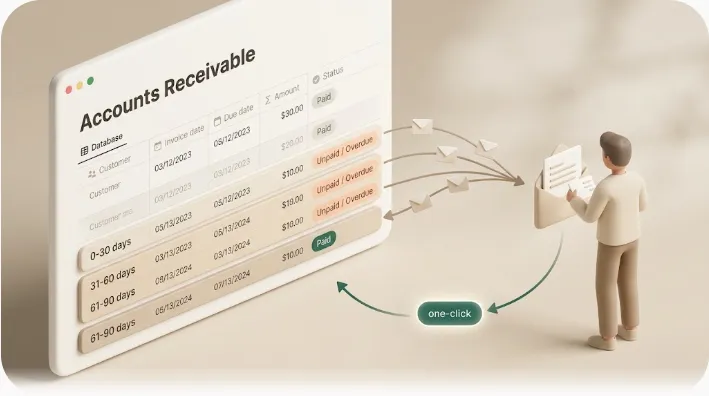
Kapsel is a tool that watches a Notion database's due dates, assignees, and status and emails the responsible person a reminder — including people who have no Notion or Teams account — with a one-click action that writes their response back into Notion.
Because it delivers over email, it clears the reach ceiling that Teams channels cannot: the recipient needs only an inbox, no login and no seat. Its two behaviors that no Teams route provides by default:
- It never sends to items already marked Completed or Paid, so an already-settled invoice can't accidentally trigger a chase — the exact failure the no-code routes leave you to hand-build a filter against.
- A one-click confirm writes the status back to Notion, closing the two-way loop that a Teams reply or reaction cannot.
Alongside those, Kapsel includes target filtering (so only the right people get pinged), overdue follow-ups (so a missed date doesn't just sit there), recurring digests (a periodic recap instead of a one-off ping), a send log (so you can check what actually went out), and merge fields for the message body (so the email reads specific to the item, not generic). Pricing is Free $0 / Standard $12 / Pro $29, with Pro adding multiple Notion workspaces and sender branding; see the pricing page for exact figures. The mechanics of the email side are detailed in Notion email reminders, and the external-recipient angle specifically in Notion external share notifications.
Teams notifications vs. email: use both, for different audiences
These are not competitors — they cover different people. A team already living in Teams should keep the channel automation; email is for everyone outside it.
| Situation | Best fit |
|---|---|
| Internal teammates already in Teams | Teams automation (Zapier / Make / Power Automate) |
| External clients, vendors, contractors, students | Email (Kapsel) |
| Overdue chasing that must skip Completed / Paid items | Status-aware email (Kapsel) |
| A recipient who must confirm back into Notion | Email one-click confirm (Kapsel) |
The clean division: channel for the room, email for everyone outside it. For the broader menu of ways to get reminders out of Notion, how to set reminders in Notion is the pillar page for this cluster.
Frequently Asked Questions
How do I send Notion updates to Microsoft Teams?
There is no native Notion action for Teams, so you connect the two through a third-party bridge. The most common route is a no-code platform (Zapier or Make) with a Notion trigger and a Microsoft Teams "send channel message" action; Power Automate is an alternative using a community connector or Notion's webhooks. To reach someone who isn't in Teams at all, use email instead.
Does Notion have a native Microsoft Teams integration?
No. Notion's database automations include a native "Send Slack notification to…" action, but there is no equivalent "Send Teams notification" action. Any Notion-to-Teams flow is built with an external automation platform, not a built-in Notion feature.
Why does Notion have a native Slack notification action but not a Teams one?
Notion built and ships a direct Slack action in its automation menu; it has not shipped a Teams counterpart there. The practical result is an asymmetry: Slack gets a one-click native push, while Teams always requires a third-party bridge (Zapier, Make, Power Automate, or a hand-built webhook).
Can Power Automate connect to Notion, and does it have a trigger for database changes?
Power Automate can connect to Notion only through a community "Independent Publisher" connector, which is Premium-tier and authenticates with a raw Notion API key. It is action-only — it has no built-in "item changed" trigger — so you either poll on a Recurrence schedule and diff the results, or start the flow from Notion's own webhook via an "When an HTTP request is received" trigger.
How do I get a Notion database to automatically post to a Teams channel?
Create an automation on a platform like Zapier or Make: set the trigger to a new or updated item in your Notion database, add a filter so it only fires on the change you care about (such as a status change), then add a Microsoft Teams action that posts to your chosen channel with the Notion fields merged into the message. Expect a permission setup step for both Notion and Teams.
How do I stop Notion automations from flooding a Teams channel with too many notifications?
Scope the trigger tightly instead of firing on "any property changed." Add a filter condition — for example, only continue when Status changes to a specific value or a Due date is within a set window — so the channel only receives meaningful updates. An unscoped trigger is the usual cause of a channel people end up muting.
Does replying to a message in Teams update the status of a Notion task?
No. A reply or emoji reaction in Teams does not change any Notion property. An Adaptive Card can include action buttons, but making a button actually write back to Notion is a custom development build, not a feature of the no-code tools. Email tools with a one-click confirm handle this write-back directly.
Is there a free way to connect Notion and Microsoft Teams?
Free tiers exist on several no-code platforms (Zapier, Make, and others), but each run consumes a task or operation, and a filtered, multi-step reminder uses several per event — so a busy database can exhaust a free quota quickly. A DIY Notion-webhook-to-Power-Automate build avoids per-task billing but requires development effort and, usually, a Premium connector license.
How do I notify someone who doesn't use Microsoft Teams about a Notion update?
A Teams channel cannot reach someone without a Teams seat, so use email. A tool like Kapsel watches the Notion item and emails the responsible person directly — no Teams or Notion account required — and its one-click reply writes the response back to Notion, which a Teams post cannot do.
What's the difference between using Zapier, Make, and Power Automate to connect Notion and Teams?
Zapier polls Notion on an interval (roughly 1–15 minutes depending on plan) and bills per task. Make can trigger closer to real time via webhooks and bills per operation. Power Automate has no official Notion connector — only a Premium, action-only community connector with no change trigger — so it needs either a Recurrence poll or a Notion-webhook-driven flow. For deadline-sensitive sends, trigger latency and billing model matter more than the "5-minute setup" claim suggests.
Notes & sources
Published 2026-09-19. The behavior described here — Notion's native Slack automation action and the absence of a Teams equivalent, Notion's developer webhooks (event-only, HMAC-signed), the Notion "Independent Publisher" connector for Power Automate, Microsoft's retirement of legacy Teams "Incoming Webhook" connectors in favor of the Workflows app template, and Zapier/Make trigger and billing mechanics — reflects the primary sources' documentation as of the publish date. Primary references: Notion's official help and developer documentation, Microsoft's Power Automate and Teams (Workflows) documentation, and Zapier's and Make's platform documentation. Platform features, connector tiers, throttle limits, and payload caps change over time; verify current details against each vendor's official docs before building. Kapsel's features and pricing (Free $0 / Standard $12 / Pro $29; Pro adds multiple Notion workspaces and sender branding) are as of writing — see the official pricing page for exact, current figures.