Why Your Notion Notifications Aren't Working (and What Actually Fixes It)
TL;DR
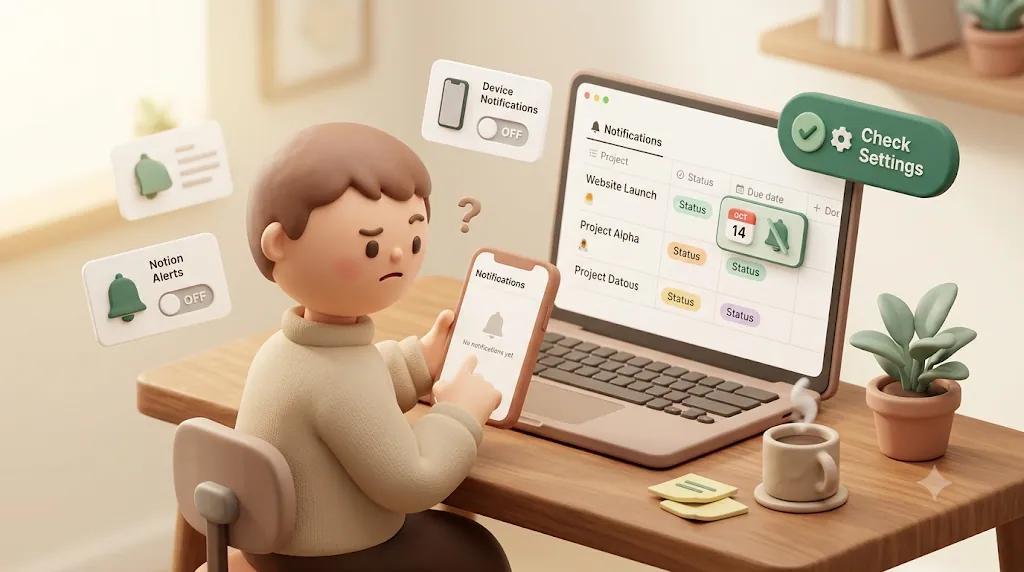
- Most "Notion notifications not working" problems come down to five things: notifications turned off in Settings, desktop push only firing while the app is open, mobile push firing ~5 minutes late (and only when you're away), email notifications not enabled, or an OS-level blocker like Do Not Disturb.
- Viewing the page where the trigger happened suppresses the notification entirely, so a lot of "missed" notifications were technically delivered.
- There's one failure no setting can fix: Notion notifications only reach people inside your workspace, so a client, contractor, or vendor who doesn't use Notion never gets anything.
- Reaching those people requires an outbound email layer. Kapsel is one tool built for exactly that gap.
If a Notion reminder never arrived — or a teammate swears they were never notified — you're not alone, and the cause is almost always one of a small set of settings and platform behaviors this guide walks through in order below. It then covers the one problem no notification setting can solve: the person who needed the update was never a Notion user in the first place. Notion has four native notification channels — an in-app inbox badge, desktop push, mobile push, and email — and most "it didn't work" reports trace back to one of those four behaving exactly as designed.
The quick checklist (fix these first)
Run through these five checks before anything else. They resolve the large majority of "my notification didn't come through" cases.
| # | Check | Where |
|---|---|---|
| 1 | Notifications are turned on for your account | Settings → Notifications |
| 2 | Desktop app is actually running | Notion desktop app |
| 3 | Mobile push permission is granted | Phone OS settings |
| 4 | Email notifications are enabled | Settings → Notifications |
| 5 | No OS-level blocker (Do Not Disturb, battery saver) | Phone / computer OS |
Working this list top to bottom before you touch anything else clears the large majority of cases in a few minutes, without guessing.
Check Settings → Notifications is actually turned on
Open Settings → Notifications on desktop, or on mobile tap the ••• menu → Settings → My notifications. Confirm that the notification types you care about (mentions, comments, reminders, and access requests) are enabled, and that per-channel toggles for mobile and email aren't switched off.
This is worth checking first because notification preferences are per-account, not per-workspace, and they can quietly get toggled off — for example after reinstalling the app or dismissing a permission prompt.
Desktop notifications only fire while the Notion app is open
Notion's desktop push notifications are generated by the installed desktop application. If the app is closed — not just the window, but the app quit entirely — desktop push won't fire.
⚠️ The web app in a browser tab is not the same as the installed desktop app for notification purposes. If you rely on desktop notifications, install the Notion desktop app and keep it running in the background.
Mobile push only fires ~5 minutes after you miss it, and only if Notion isn't open
Notion's mobile push behavior surprises a lot of people. Push notifications on your phone are designed as a fallback for when you're away from Notion, and there's a built-in delay:
- If you haven't seen a mention or update, Notion waits roughly 5 minutes before pushing it to your phone.
- If you open the relevant page (or Notion sees you as active) within that window, the push is suppressed — Notion assumes you already saw it.
So a mention that "never pushed" was often either seen inside the delay window, or you had Notion open at the time. This is expected behavior, not a bug.
Email notifications: when Notion sends them, when it doesn't
Email is the channel most people forget to enable. Notion only emails you when it thinks you're inactive — it won't email you about something you're likely already looking at.
To turn email notifications on:
- Go to Settings → Notifications.
- Find the email notification options.
- Enable "Always send email notifications" if you want email even when you're active, or leave the default (email only when you've been away for a while).
Getting this one setting right closes the single most common gap between "Notion sent it" and "I actually saw it."
Even with this on, Notion batches and delays email, and it still won't email you about a page you're actively viewing.
OS-level blockers: Do Not Disturb, battery saver, notification permissions
If in-app settings look correct but nothing reaches your device, the block is usually below Notion:
- Do Not Disturb / Focus modes on macOS, Windows, iOS, and Android silence or hide push.
- Battery saver / low-power mode on phones restricts background activity and delays or drops push.
- Notification permissions — the OS may have Notion's notification permission turned off entirely. Re-grant it in your phone or computer notification settings.
- Outdated app — update the Notion app; push reliability regressions are sometimes fixed in newer builds.
Slack: the one external channel Notion natively supports
Before assuming you need a third-party tool, it's worth knowing Notion does ship one way to surface updates outside the app itself: connecting a workspace to Slack. Once connected, Notion can post mentions and page activity into a Slack channel, which helps teams that already live in Slack. It's still an internal channel, though — it only reaches people who are members of that Slack workspace, so it doesn't help with a client or contractor who isn't in either tool. For step-by-step setup of both native Slack notification paths (and how to reach people who aren't in Slack), see how to send Notion updates to Slack.
The setting most people miss: due-date reminders vs. @remind
Two different Notion features get called "reminders," and they behave differently. Mixing them up is a common reason a deadline notification never showed up.
| Feature | How you set it | What it does |
|---|---|---|
Inline @remind |
Type @remind in a text block and pick a date/time |
Fires one notification at that moment |
| Date-property reminder | On a Date property, set a "Remind" offset (e.g., 1 day before) | Fires ahead of the date on that property |
Both route through the same native channels — in-app badge, desktop push, mobile push, and email — so all the delivery caveats above still apply.
Adding a 'notify before' window to a Date property
If you want Notion to remind you before a due date (rather than exactly on it), the reminder has to live on the Date property, not in a text block:
- Open the item and click into its Date property.
- In the date picker, find the Remind option.
- Choose an offset: 1 day before, 2 days before, or 1 week before (Notion also supports on-the-day and custom times).
- Confirm. The reminder now fires ahead of the due date through your enabled channels.
💡 If your due dates are in a database property but you never see reminders, check that a "Remind" offset is set on that property. A date with no reminder offset shows the date but never notifies anyone.
Person-property notifications: who actually gets pinged, and who doesn't
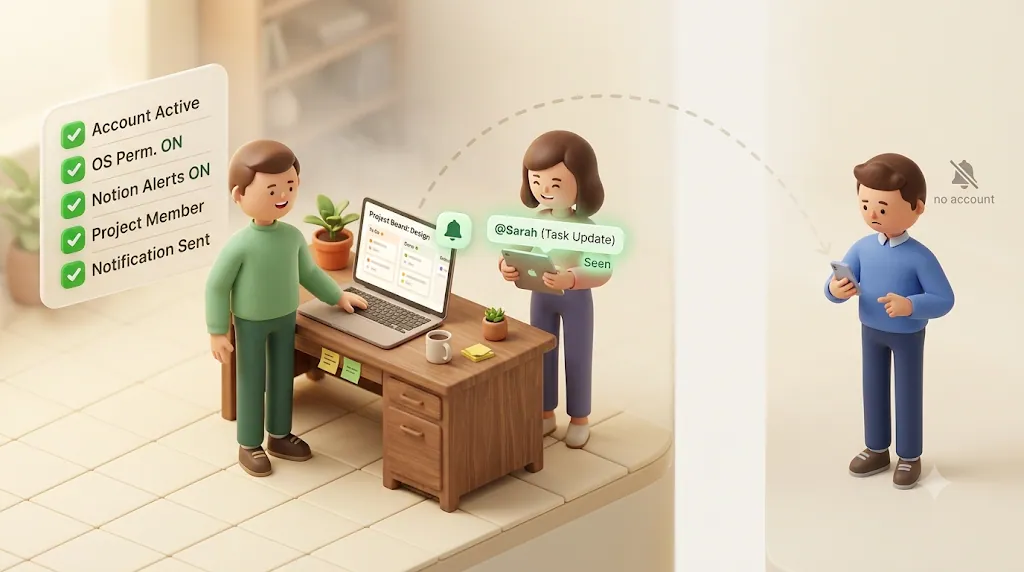
Adding someone to a Person property notifies that person — but only if they are a member of the workspace and have access to the page. The same is true for @mentions and comment replies.
The trigger events that generate a Notion notification are essentially:
- Being
@mentioned - Getting a reply to your comment
- Being added to a Person property
- A reminder you set on a date
Every one of these is scoped to people who can already see the page. Which leads directly to the failure that no setting can fix.
The wall no setting can fix: Notion notifications only reach people inside your workspace
Everything above is about making notifications reach you or a teammate reliably. But the most common real-world failure isn't a broken toggle — it's that the person who needed the update was never in the workspace to begin with.
Why a client, contractor, or vendor never sees the @mention
Notion notifications are access-scoped. A notification can only be delivered to an account that can see the page. If your client, contractor, freelancer, or vendor doesn't have a Notion account with access, there is no inbox, no device, and no email address for Notion to route a notification to. No setting changes that, because the problem isn't a setting — it's that the recipient isn't a Notion user.
This is why "just turn on email notifications" doesn't help when the person you're chasing lives entirely in email and has never opened Notion.
Guests still need a Notion account and a login to get anything
Sharing a page with someone as a guest is the usual suggested workaround, but it doesn't really solve the outreach problem:
- The guest still has to accept an invite.
- They still need a Notion account.
- They still have to log in every time to see anything.
For someone you only want to send a status update or a deadline nudge to, asking them to create an account and log in defeats the purpose. Most external contacts simply won't. For a side-by-side of the ways to actually reach them — a public link, DIY automation, a notification SaaS, or a two-way tool — see how to notify clients and vendors who don't use Notion.
What 'publish to web' and public links don't solve
Publishing a page to the web or sharing a public link makes content viewable without an account — but it's pull, not push. A public link never notifies anyone; the recipient has to remember to go check it. For deadlines and status changes, "they could look if they thought to" is exactly the problem you were trying to avoid.
The DIY workaround (Zapier/Notion API) and where it runs out
The common advice at this point is "just automate it" with Zapier, Make, n8n, or a Google Apps Script hitting the Notion API. That's a legitimate path, and for internal notifications it can work well. But it hits real limits when the goal is reaching people outside Notion — and those limits are usually left out of the tutorials.
Native Notion notify actions are limited to workspace members
Notion's own "notify" building blocks — including the Notify action exposed in Zapier — are documented as limited to workspace members. Zapier's own documentation notes that the Notion Notify action can only notify users who are part of the workspace. So the automation can fire, but the same access-scoping wall applies: it can't ping an outsider.
To actually reach an external person, you have to drop down to a generic email step (send email via your own email service), which means you're no longer using Notion's notifications at all — you're building an email system.
Building your own email bridge means building your own safety checks too
Once you commit to building the email bridge yourself, you also own everything Notion and Zapier tutorials skip:
| You'll need to build | Why it matters |
|---|---|
| A reliable due-date trigger | Notion's API doesn't cleanly expose "X days before a due date," so you end up polling and computing offsets yourself |
| "Don't nudge completed/paid items" logic | Otherwise you'll email someone about a task or invoice that's already done — a real trust problem |
| Write-back logic | If the recipient replies "done," updating Notion is a second integration you have to build |
| A send log / audit trail | So you can prove what went out, to whom, and when |
| Recurring digests and overdue escalation | One-off reminders aren't enough for ongoing client or freelancer work |
None of this is impossible — but it's a maintained system, not a five-minute Zap. The DIY route is a real option; it's just rarely as cheap in time as it first looks.
How a dedicated tool closes the gap for people outside Notion
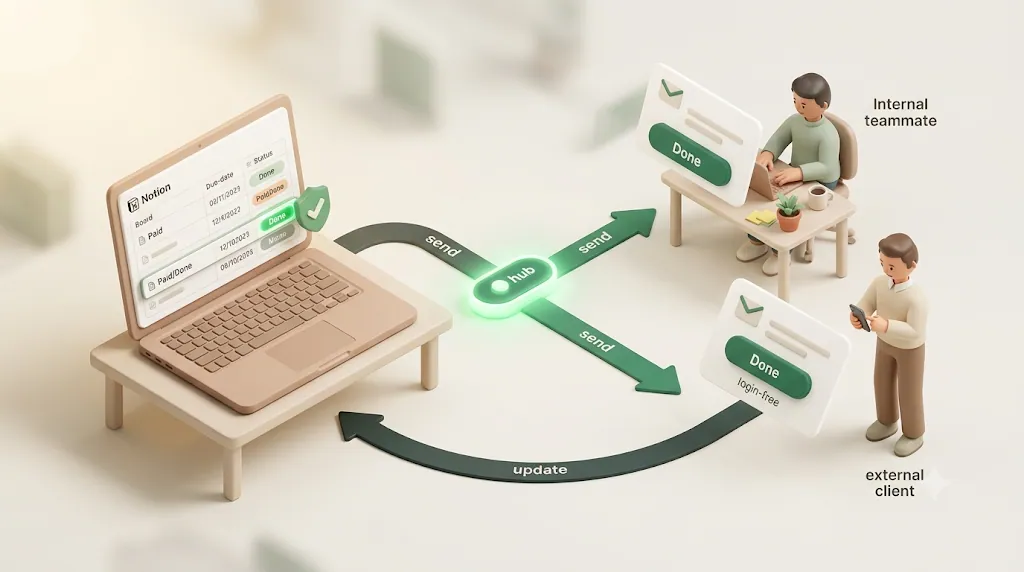
This is the narrow gap that dedicated Notion notification tools exist to fill: getting Notion deadlines in front of people who aren't in your workspace, safely, without asking them to log in.
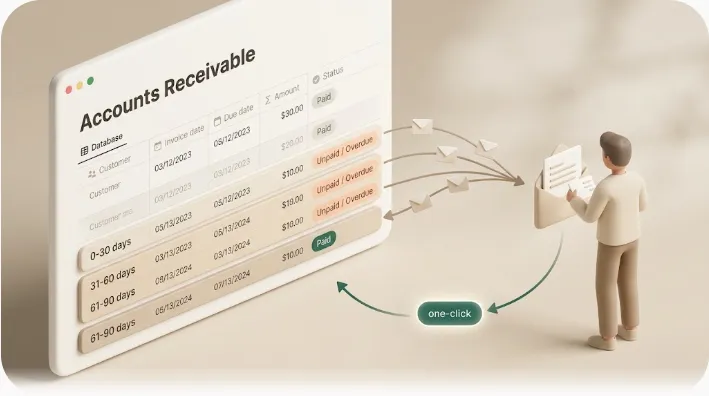
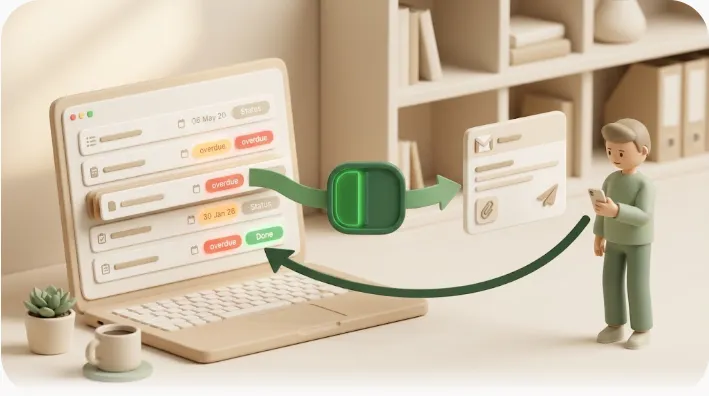
Kapsel is a Notion notification tool that watches your database's due dates, assignees, and statuses and automatically sends email reminders — including to people who don't use Notion — with a one-click confirmation link that writes the recipient's response back into Notion. It's an independent, solo-built product focused on this one problem.
A few things that follow from that design:
- No account needed for the recipient. Because it delivers over plain email, the person on the other end doesn't need Notion, an invite, or a login. (For more on why email is the right channel for outside contacts, see reaching people who don't use Notion.)
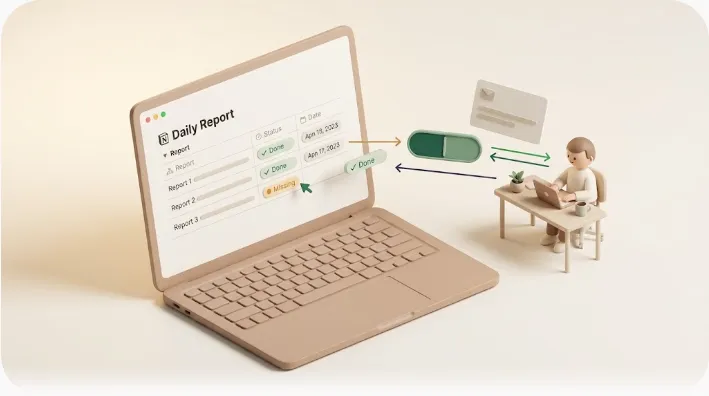
- Two-way, not one-way. Native notifications are one-directional — Notion tells a person something. A one-click confirm from the recipient can update the status back in Notion without them opening the app, closing the loop.
- It won't send an awkward nudge. It never emails about items already marked done or paid, which is the exact failure mode that makes people afraid to automate reminders in the first place.
- Built for recurring work. Overdue follow-ups, target filtering, recurring digests, a send log, and merge fields cover the ongoing-client and freelancer cases that one-off reminders don't. (If repeating reminders are your main need, see recurring reminders.)
Put together, that's the difference between hoping someone happens to check Notion and knowing the reminder actually landed in their inbox.
If you're weighing this against building it yourself with Zapier/Make/n8n, the honest comparison is in this overview of Notion automation tools — the tradeoff is maintenance and safety logic versus a purpose-built layer.
Plans (USD, per month): Free ($0), Standard ($12), and Pro ($29). Pro adds multiple Notion workspaces and sender branding (company name, signature, logo). Current details are on the pricing page, and setup is covered in the guide.
A 5-minute troubleshooting checklist you can run right now
Prefer to narrow the cause by symptom first? The free Notion notification cause diagnosis walks you there in a few questions. Otherwise, work top to bottom and stop when notifications start arriving:
- Settings → Notifications is on, including mobile and email toggles.
- The desktop app is running (not just a browser tab) if you rely on desktop push.
- You waited past the ~5-minute mobile push delay and didn't have the page open.
- "Always send email notifications" is enabled if you want email while active.
- Do Not Disturb / Focus, battery saver, and OS notification permission are all clear for Notion.
- The reminder is on the Date property with a "Remind" offset — not just typed as a date.
- The recipient is a workspace member with access to the page. If they're not, no setting will deliver it — you need an outbound email layer instead.
FAQ
Why am I not getting notifications from Notion? The most common causes are notifications being turned off in Settings → Notifications, the desktop app being closed (desktop push needs it running), mobile push firing on a ~5-minute delay only when you're away, email notifications not being enabled, or an OS-level blocker like Do Not Disturb or battery saver. Also note that viewing the page where the trigger happened suppresses the notification, so many "missed" alerts were actually delivered as read.
How do I turn on email notifications in Notion? Go to Settings → Notifications and enable the email options; turning on "Always send email notifications" sends email even when you're active in Notion. By default Notion only emails you when it considers you inactive, and it won't email about a page you're currently viewing. Also check that the email isn't landing in spam or a filtered folder.
Why are my Notion push notifications not working on iPhone or Android? Confirm that Notion has notification permission in your phone's OS settings, and that Do Not Disturb / Focus mode and battery saver aren't restricting it. Remember that Notion's mobile push is a fallback that fires roughly 5 minutes after you miss something and only when Notion isn't open, so it's meant to feel delayed. Updating the app and toggling the permission off and on again often clears a stuck state.
Why do Notion notifications stop while I have the app open? This is by design. Notion suppresses push and email when it detects you're active or viewing the relevant page, on the assumption you've already seen the update. Mobile push in particular waits about 5 minutes before firing, so if you're in Notion during that window you won't get pushed a copy.
Can Notion notify someone who doesn't have a Notion account? No. Notion notifications are access-scoped, so they can only reach an account that has access to the page. To reach someone without an account — a client, contractor, or vendor — you need an outbound email layer such as a dedicated tool like Kapsel, which emails them directly without requiring a login.
Does Notion send reminders or notifications to guests? Guests can receive notifications for pages they've been given access to, but they still need to accept an invite, create a Notion account, and log in to see anything. For someone you only want to send a status update to, that overhead usually defeats the purpose, and many external contacts never complete it.
How do I get Notion to email me before a due date? Put the reminder on the Date property rather than typing the date as plain text: open the date, find the "Remind" option, and choose an offset like 1 day, 2 days, or 1 week before. Then make sure email notifications are enabled in Settings → Notifications so the reminder can reach your inbox. A date with no reminder offset will display the date but never notify anyone.
Can you set recurring or daily reminders in Notion? Notion's native reminders fire once and don't repeat or escalate on their own, though recurring database templates and automations can approximate some repeating behavior. For true recurring or digest-style reminders — especially for ongoing client work — a dedicated tool with recurring digests and overdue follow-ups is usually needed. See recurring reminders for the options.
How do I notify a client about a Notion task without giving them access to my workspace? Because Notion notifications require workspace access, you route the notification through email instead of through Notion itself. A dedicated notification tool like Kapsel watches the due date, assignee, and status and emails the client directly — no account, invite, or login required — so your workspace stays private. See reaching people who don't use Notion for how that works.
Why didn't my Notion @mention notification arrive by email?
An @mention only notifies people who already have access to the page, so if the recipient isn't a workspace member there's nothing to email. Even for members, email is only sent when Notion thinks the person is inactive and "Always send email notifications" governs whether active users get email at all. Check that the recipient has access, has email notifications enabled, and isn't currently viewing the page.
Is there a way to get a status update back from someone without them logging into Notion? Native Notion notifications are one-directional — Notion informs a person, but there's no built-in way for that person to reply back into Notion without opening it. A two-way tool solves this with a one-click confirmation link in the email that writes the recipient's response (for example, marking a task done) back into the Notion status, no login required. Kapsel is one tool that provides this write-back.
Notes
Published 2026-08-05. Kapsel features and pricing (Free $0 / Standard $12 / Pro $29 per month, USD) are current as of writing and may change.