Notion Daily & Weekly Status Report Template That People Actually Keep Filling In
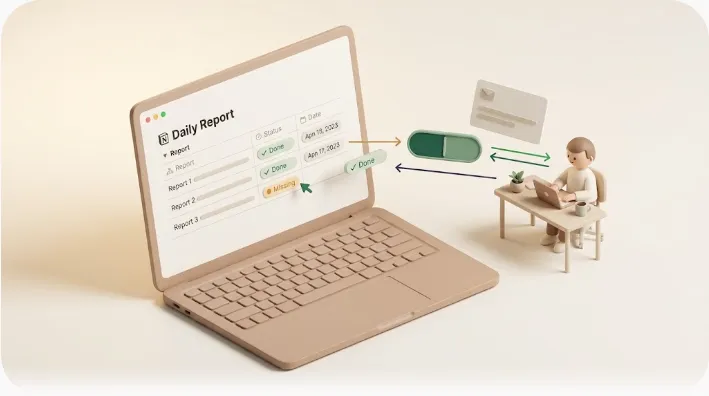
Most standup templates don't die because the questions are wrong — they die because by week three, one person quietly stops filling in their row and nobody notices until a deadline slips. This guide gives you a Notion daily + weekly template that uses six fields, one database, and recurring rows, plus the detection step almost every other guide skips: how to tell who didn't update today.
TL;DR
- A daily standup row needs six fields: Date, Owner, Done today, Plan for tomorrow, Blockers, Status. Most people skip Blockers and Status — the two that actually drive follow-up.
- Build it as one Notion database with a recurring template button so a fresh row appears daily without copy-paste; the weekly report is just a filtered rollup view, not a second database.
- These rituals stall for a structural reason, not a motivation one: Notion's own notifications and @mentions only reach people who already have Notion open, so a missing or blank report goes silent until a human chases it.
- The fix is detecting the silence — a missing row or a still-blank status past the cutoff — and nudging only that one person.
Daily standups and weekly status reports are meant to keep a team's work visible: who did what, what's planned next, and what's stuck. In Notion, both can live in a single database if you structure the fields correctly. The hard part isn't the template — it's keeping the rows filled in once the novelty wears off.
The 6 fields your template needs (and why most people skip 2 of them)
A daily standup template is built on the classic three-question format: what I did, what I'm doing next, and what's blocking me. In a Notion database, those questions become properties so every answer is filterable, sortable, and rollable into a weekly view.
| Field | Property type | What goes in it | Why it earns its place |
|---|---|---|---|
| Date | Date | The day this update covers | Lets you filter "today" and roll up a week without manual sorting |
| Owner | Person | Who the update is for | Makes it instantly visible whose row is missing |
| Done today | Text | 1 line on what actually shipped | Pulled from completed tasks, not memory (see tips below) |
| Plan for tomorrow | Text | 1 line on the next concrete step | Surfaces whether work is actually moving |
| Blockers | Text / Relation | What's stuck and who needs to unblock it | The field that triggers escalation — most teams omit it |
| Status | Select | On track / Blocked / Missing | The single value a manager scans to find problems |
The two fields people drop are Blockers and Status — and they're the two that make the ritual useful. Without a dedicated Blockers field, a stuck task gets buried inside a paragraph of status text and nobody follows up. Without a Status select, there's no at-a-glance way to find the one person who's behind.
💡 Some teams add a fourth question — a confidence level on whether a deliverable will land on time (e.g. a 1–5 select). It's optional; add it only if your team actually acts on it, otherwise it's one more field to leave blank. A Priority select (High / Medium / Low) is another common add-on when several blockers are competing for attention at once — skip it if nothing on the board is genuinely more urgent than anything else. If this database sits next to a broader Notion task tracker, that tracker's own Status field usually carries more values than the standup's three — typically
In Progress,Completed,Blocked, andPending Review— since a task's lifecycle runs longer than a single day's update.
Set it up in Notion (10 minutes)
You don't need a complex workspace. One database, a few properties, a recurring row, and two views covers a daily standup and a weekly report.
- Create a database called Daily Updates (table view).
- Add the six properties from the table above. For Status, create a Select with options
On track,Blocked, andMissing. - Make a template button on the database (the ▾ next to New). In the template, pre-fill Owner where possible and leave Done/Plan/Blockers empty.
- Set the template's date dynamically so each new row carries today's date — Notion templates support a date default (e.g. "Today"), so a freshly created row lands on the current day without editing.
- Automate the recurring row so a blank row for each person appears every morning without copy-paste. In Notion you can use a repeating database template (templates can be set to auto-create on a daily/weekly schedule) so the row exists before anyone logs in. This matters because an empty row that already exists is far easier to fill than one a person has to remember to create.
- Build two views:
- Today (often labeled Daily Summary) — a table view filtered to
Date is Today. This is the standup screen. - This week (some teams name this view Team Productivity) — a view filtered to
Date is within the past week, grouped by Owner or by Status. This is your weekly rollup. - Task Progress (optional) — a view grouped by Status across all rows, handy once this database also tracks longer-running tasks alongside the daily updates.
- Calendar (optional) — the same database switched to Calendar view by Date, for teams who'd rather scan a month of entries at a glance than filter a table.
- Today (often labeled Daily Summary) — a table view filtered to
⚠️ The common stumble: a recurring template that copies the previous row carries over yesterday's text, so "Done today" still reads yesterday's work. Start each recurring row blank (or with placeholder dashes), not as a clone of the last entry — otherwise your history is full of duplicated "same as yesterday" rows.
That's the whole build. Everything below is about making it survive contact with a real team. For the underlying property design, the Notion task management fundamentals guide covers properties, relations, and views in more depth.
Daily standup vs weekly status report — one database, two views
These are different rituals with different audiences, but in Notion they share one dataset. A daily standup is peer-facing and informal: a quick, same-day snapshot so teammates can self-coordinate. A weekly status report is a roll-up for someone a step removed — a manager, a PM, or a client — summarizing the week's achievements, challenges, blockers, and next steps, often with a one-paragraph executive summary on top.
| Daily standup | Weekly status report | |
|---|---|---|
| Audience | Peers on the team | Manager / PM / client |
| Frequency | Every working day | Once a week |
| Granularity | One line per field | Key milestones + blockers + next steps |
| In Notion | "Today" filtered view | "This week" rollup view (grouped) |
| Extra on top | None | Short executive summary |
The key move: you do not need a second database for the weekly report. The weekly report is the daily rows, filtered to the last seven days and grouped. A rollup or a grouped view summarizes the week automatically, so nobody re-enters anything. The executive summary is the only piece written fresh — two or three sentences a lead adds at the end of the week.
Writing tips that keep entries short enough to actually get read
A standup entry nobody reads is wasted typing. The fix is discipline on length and content, not better prose:
- One line per field. If "Done today" runs past a sentence, it belongs in the task itself, not the standup.
- Pull from completed tasks, not memory. Writing from memory produces vague entries ("worked on the API"). Writing from what you actually closed produces specific ones ("merged auth endpoint, 2 tests left"). This also makes entries honest.
- Lead with the blocker, not the backstory. If something's stuck, that's the first thing a reader needs — put it first, and name who can unblock it.
- Cut anything non-actionable. "Had meetings" tells no one anything. If a line doesn't change what a teammate does next, delete it.
- Add a metric or link when it's relevant — a PR link, a number shipped — but don't manufacture visuals for their own sake.
A filled-in example row (good vs bad)
❌ BAD
Done today: Worked on stuff, had some meetings, looked into the bug.
Plan: Keep going on it.
Blockers: none really

✅ GOOD
Done today: Shipped checkout validation (PR #214).
Plan: Wire the Stripe webhook; demo Thursday.
Blockers: Need prod API key from Sam — blocked since Mon.
Status: Blocked
The good row is scannable in three seconds, names the blocker and its owner, and sets Status to Blocked so it surfaces in a filtered view. The bad row forces a reader to chase for meaning — which is exactly how rituals die.
Why these templates go stale by week 3
The decay pattern is predictable, and it isn't about lazy people. It's a sequence:
- Week 1–2: everyone reads the full digest, entries are detailed.
- Week 3: the digest gets long, so people stop reading all of it — they skim only for their own name.
- Once nobody's reading, entries shrink. "Done today" collapses to "same as yesterday."
- Blockers get buried inside that thinning status text, so nobody follows up, and the one thing the ritual existed to catch — a stuck task — slips through.
The standard advice is to retro the format itself when fill rates drop — run a short monthly poll asking whether the questions still help, and cut or change fields rather than just nagging people to comply. That's genuinely useful: a ritual that isn't earning its time should be trimmed.
But format retros don't fix the deeper failure below.
The part every template guide skips: someone has to notice who didn't fill it in
Here's the gap no template addresses. Every daily/weekly report system — in Notion or anywhere — depends on each person remembering, on their own, to open the tool and fill in the row. When one person forgets, the system has no way to flag it. The row is simply absent, or present but blank.
And Notion's built-in nudges don't close this. Notion's notifications and @mentions only reach people who already have Notion open and are logged in. If the one person who's behind isn't in the app, a reminder to "please update your standup" lands in a feed they're not looking at. So a missing report from exactly the person you need to hear from goes silent — until a human notices the hole and chases them down in Slack or DMs.
Most process fixes stop here — they tell you to rotate a weekly owner who spends a few minutes a day manually chasing blockers and poking the people who didn't post. That works, but it's manual labor that depends on one human remembering to do it. The real question is whether detecting missing and late reports can be automated so no one has to patrol.
How Kapsel closes that gap
Kapsel is a tool that watches your Notion database's due dates, assignees, and status, and automatically emails the right person when something needs their attention — including people who don't use Notion at all.
For standups, that means Kapsel watches the Date and Status properties on your Daily Updates database. When a person's entry is missing (no row for today) or still blank past the cutoff you set, Kapsel emails just that person — not a full-team digest — a short reminder with a one-click confirmation link. Their click writes the status straight back into the Notion row. No login, no reopening the tracker.
The benefit is that the manual patrol disappears: nobody has to scan the board each morning to see whose row is empty, and nobody has to DM "did you post your standup?" Kapsel also won't nudge about rows already marked done, and it can send on a recurring schedule, filter to just the people who are behind, and keep a log of what went out. On Pro, it supports multiple Notion workspaces and sender branding (your company name, signature, and logo). Exact plan details are on the Kapsel pricing page.
What Kapsel does NOT do
To be clear about scope: Kapsel nudges on missing or overdue entries — it detects the silence and asks the right person to resolve it. It does not run the standup meeting for you, and it does not write anyone's update on their behalf. The content of "Done today" still comes from the person; Kapsel just makes sure the row doesn't sit empty and unnoticed. If your blocker is getting people to write updates, that's a format problem; Kapsel handles the detection and nudge problem next to it.
Rollout checklist
Rolling this out in order prevents the week-3 collapse:
- Template first. Build the six-field database and the two views before inviting anyone — a half-built tracker loses trust fast.
- Recurring entries. Set the repeating template so blank rows appear daily; confirm they start empty, not cloned.
- Decide who gets nudged and when. Pick a daily cutoff (e.g. 11:00) and who the nudge targets — usually each Owner for their own missing/blank row.
- Escalate blockers explicitly. Agree that a
Blockedstatus with a named owner gets surfaced in the weekly view and acted on — a blocker without an owner is nobody's job. - Retro monthly. If fill rates still drop, poll the team and trim fields rather than adding more nagging.
For teams layering reminders onto existing Notion workflows, Notion automation patterns and recurring task setups pair naturally with this.
Frequently Asked Questions
What should a daily standup template include? At minimum: Date, Owner, what you did, what you're doing next, and blockers. In a Notion database, add a Status select (On track / Blocked / Missing) so a manager can scan for problems at a glance. Keep each field to one line so the whole thing stays readable.
What is the difference between a daily standup and a weekly status report? A daily standup is a quick, peer-facing same-day snapshot so teammates can coordinate. A weekly status report rolls those days up for someone a step removed — a manager or client — summarizing key achievements, blockers, and next steps, usually with a short executive summary. In Notion, the weekly report is just a filtered view over the same daily rows.
How long should a daily standup take? A live standup should be timeboxed to about 15 minutes. If it regularly runs longer, the detail belongs in the written tracker, not the meeting — the live session is for surfacing blockers, not reading status aloud.
What happens if someone has nothing to report or forgets to submit their update? "Nothing to report" should still be a one-line entry ("no change, still on X") so the row isn't blank. Forgetting is the bigger risk: without a detection step, a missing row simply goes unnoticed until a deadline slips. Automating a nudge for missing or blank entries — like Kapsel does — removes the reliance on memory.
Should standups be run live or asynchronously? Async works well for distributed or focus-heavy teams because people post on their own schedule and there's a written record. Live standups suit teams that need fast back-and-forth on blockers. Many teams do async written updates daily and reserve a short live sync for when something is actually stuck.
How do you stop an async standup from going stale after the first few weeks? Keep entries to one line each, cut any field nobody acts on, and retro the format monthly when fill rates drop. The deeper fix is detection: stale rituals usually fail because no one notices who stopped posting, so automate a nudge for missing or blank entries rather than relying on a volunteer to chase people.
Who is responsible for following up on a blocker after it's raised?
A blocker needs an explicit named owner — the person who can actually clear it — recorded in the Blockers field, not left implied. Surface Blocked rows in a separate filtered view so they don't get buried in individual status text, and make clearing them a tracked item.
How do you track blockers, owners, and action items in Notion?
Give blockers their own property (text or a relation to the person who owns the fix) rather than burying them in a status paragraph. Then build a view filtered to Status is Blocked, grouped by owner, so every open blocker is visible in one place. See the progress tracking guide for related view setups.
Can Notion automatically remind someone who hasn't filled in their status yet? Notion can send notifications and @mentions, but they only reach people who are logged in and have Notion open — and they fire on activity, not on the absence of a row. So Notion won't reliably catch "this person never posted today." Detecting a missing or blank entry and emailing that specific person is what a tool like Kapsel adds on top.
How do you turn daily standup entries into a weekly report without duplicate data entry? Keep one database and build a view filtered to the last seven days, grouped by Owner or Status. That grouped view is the weekly report — no second database and no re-typing. Add a short executive summary at the end of the week as the only fresh writing.
Does Notion notify you if a task or status update is overdue? Notion can show overdue items in a filtered view and send a notification if you set a reminder on a date, but that reminder still only reaches someone inside the app. It doesn't proactively flag a row that was never created. For overdue detection that reaches people by email, see Notion deadline tracking and email reminders.
Related reading
- Notion team task management — the schema and views behind a scalable task system.
- Notion task management basics — properties, relations, and views from the ground up.
- Notion progress tracking — status views and rollups for visibility.
- When Notion tasks get neglected — why tasks slip and how to catch them.
- Notion meeting notes template — pair standups with structured notes.
Notes & sources
Published 2026-10-27. This article references Notion's official help documentation for database properties, templates (including recurring/repeating database templates and dynamic dates), filtered views, and notification behavior, alongside common daily-standup and weekly-status-report practice. Descriptions of Kapsel's features (watching Notion due dates, assignees, and status; emailing recipients including non-Notion users; one-click write-back to the row; sending only to items not already completed) and its pricing (Free $0 / Standard $12 / Pro $29 per month, USD) are accurate as of the publish date; see the official pricing page for current figures. Feature availability may change after publication.