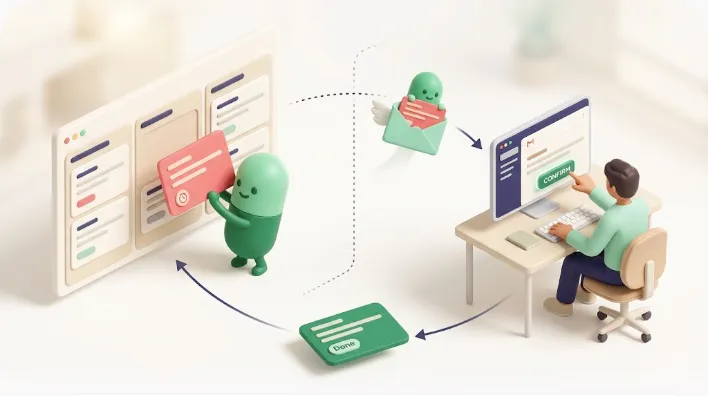
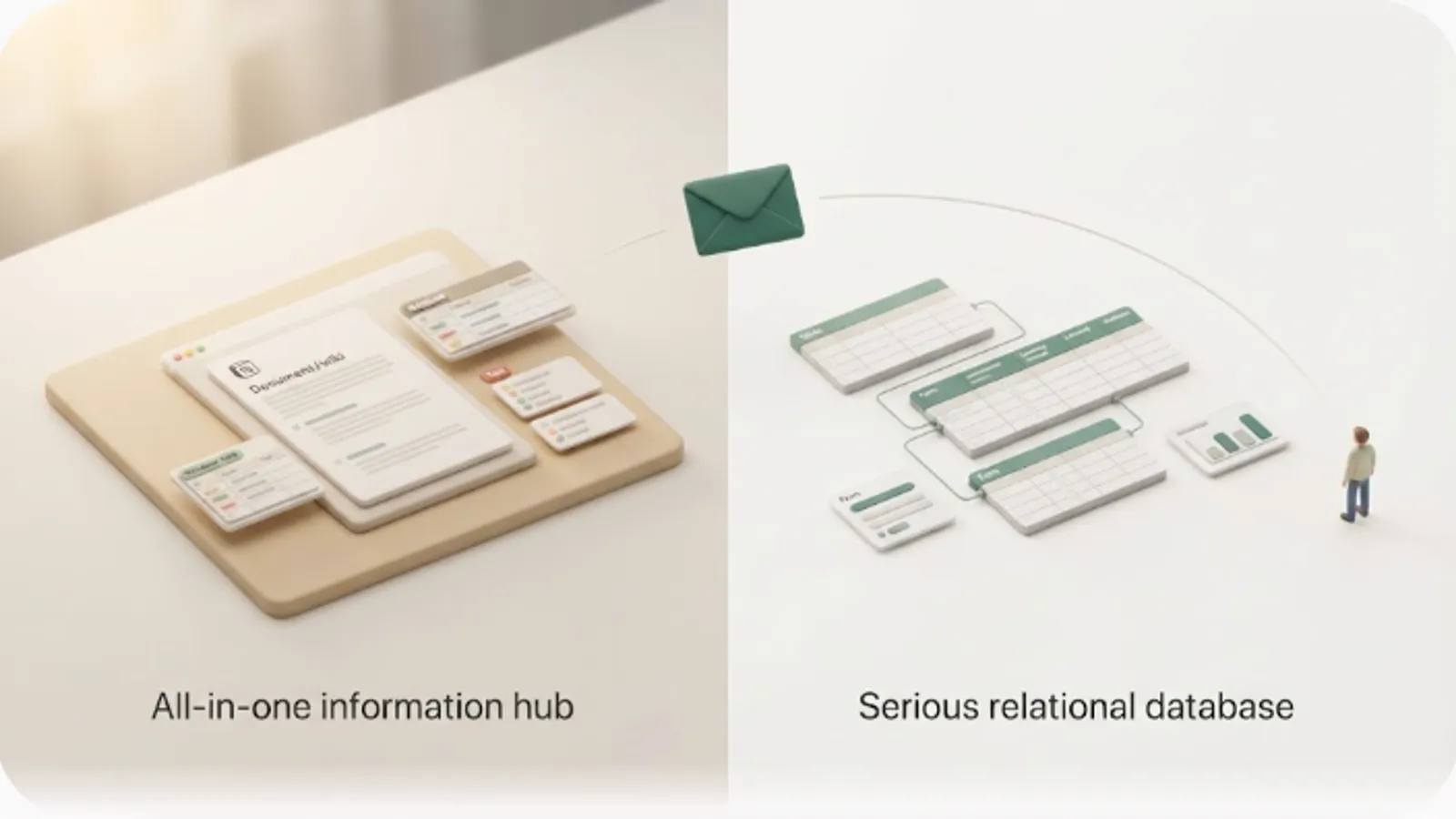
Why Notion Tasks Get Ignored: The Missing 'Mechanism to Notice'

TL;DR
- Notion tasks get ignored not because people lack discipline or find the UI confusing, but because nothing actively tells the right person when a date arrives. It's a structural gap, not a character flaw.
- Notion notifications reach the person who has a Notion account and opens it — a comment alone doesn't notify anyone; you need an
@mention. There's also no built-in escalation once a task goes overdue.- Worse, external clients and contractors usually don't have a Notion account at all, so they fall entirely outside Notion's notification range. That's where tasks stall the longest.
- Kapsel is a Notion notification tool that watches your due date, assignee, and status properties and emails reminders — including to people with no Notion account — with a one-click confirm that writes the status back to Notion. It never sends to items marked Done or Paid.
You built the Notion task database right — clean properties, tidy views, everyone updating their rows in week one. Then, quietly, it stopped: due dates passed with nobody noticing, and the tasks waiting on a client or contractor outside Notion stalled longest of all. If you run task management in Notion — alone or with a team — this article explains why that happens and what actually closes the gap, without another lecture about process discipline.
This isn't one lazy team; it's a pattern that shows up across almost every Notion setup. It breaks the neglect down to its structural cause — a gap in how notifications are designed — then reviews the real limits of native reminders, Slack integration, and DIY scripts, and what it actually takes to reduce the pile-up.
The real cause: not willpower or UI, but a missing mechanism to notice
The single biggest reason Notion tasks get ignored is that Notion has no built-in mechanism for the owner — or an outside party — to notice when a date arrives. If you blame the pile-up on "people don't care" or "Notion is too complicated," your fixes drift toward pep talks and training sessions. But even conscientious teams let tasks slide during busy weeks, and even Notion power users miss overdue items. That tells you the neglect comes from the notification structure, not from individual willpower.
Notion is excellent at holding a due date and poor at announcing one. A date you put in a Date property is recorded perfectly — but that row just sits there looking like every other row until someone opens the database and looks at it. Notion's views and visualizations are built to help the person who opens Notion, not to reach the person who doesn't.
💡 It helps to split task management into two layers: the input layer (database design, properties, views) and the noticing layer (who gets told what, when, and how). Notion's native features cover the input layer well. Almost all neglect happens in the second layer.

Breaking down why Notion tasks get ignored: 3 structural causes
Once you see neglect as a missing "mechanism to notice," it splits into three concrete causes. None of them can be closed by process rules alone — each is a design-level gap.
Cause 1: Notifications only reach the account holder who opens Notion
Notion notifications can only be received by the person who owns that Notion account — and only surface when they open the app. The trigger is easy to get wrong, too: writing a comment on a page or database row does not notify anyone by default. To reliably reach someone, you have to @mention them explicitly. Plenty of "I left a comment, so they know" moments end with nobody actually being told.
Even a proper @mention depends on the recipient's device notification settings and access. If push and email notifications are muted, the alert never surfaces. If the person was never shared on the page, the mention can't reach them at all. When people say "Notion notifications aren't working," these overlapping conditions are usually why. For a full breakdown, see why Notion notifications aren't working.
⚠️ "I wrote a comment" does not equal "they were notified." A reliable Notion alert needs an
@mentionplus the recipient's push/email settings and page access all lined up. Miss any one and the notification silently disappears.
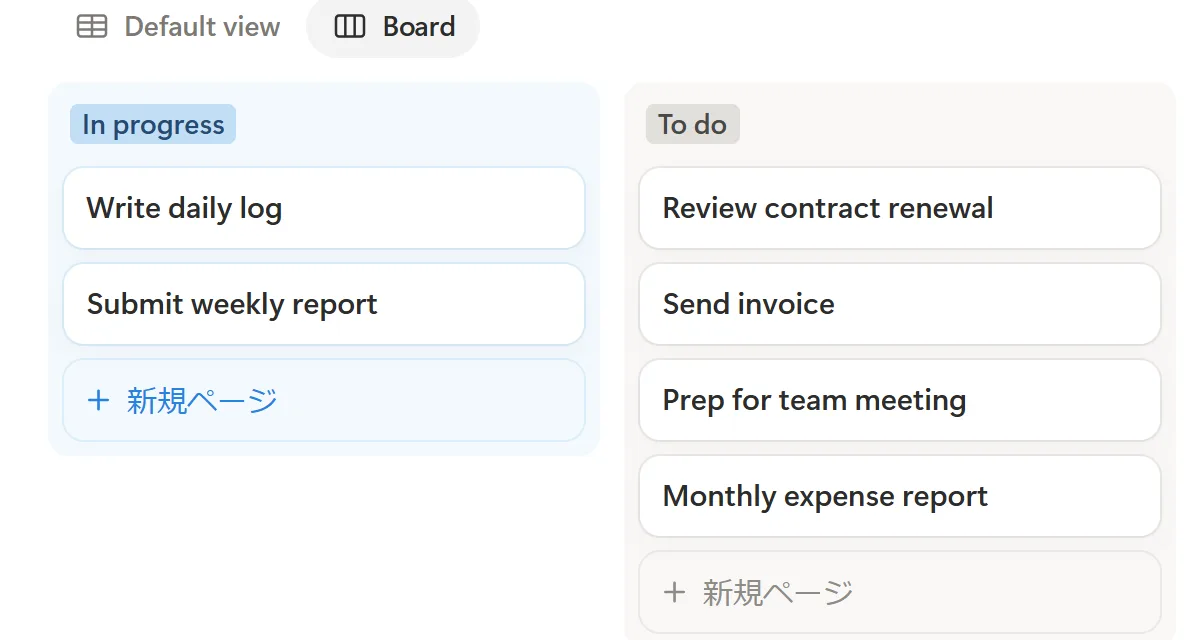
Cause 2: Overdue items aren't detected — you're relying on manual checks
Notion has no native feature that automatically detects an overdue task and actively raises a flag. You can set a reminder before a due date, but there's nothing built in that says "this just went past due, warn the manager." So whether anyone catches an overdue item comes down to a person choosing to open a view and look — an active, manual check.
That dependence on manual checking is exactly where neglect breeds. Yes, you can build a filtered view or a formula that highlights overdue rows — but that only creates a state where whoever opens it can notice. In practice, overdue work stacks up during the busiest stretches, and those are precisely the stretches when nobody opens Notion. The check is needed most at the exact moment it's least likely to happen. For how to structure this deliberately, see Notion deadline tracking.
Cause 3: Nothing reaches people outside Notion at all
Clients, contractors, and vendors almost never have a Notion account, which puts them entirely outside Notion's notifications and views. Causes 1 and 2 were about internal members who at least could open Notion. But the deepest neglect happens on tasks that depend on someone external: waiting on assets, waiting on approval, waiting on payment. No matter what color your database row turns, none of it appears on their screen.
This blind spot goes unmentioned in most task-management advice. You can harden internal notifications all you want; a task that's "in the other party's court" still won't move. They never get a nudge, so they don't realize anything is pending — and you keep putting off the awkward follow-up. The result: tasks waiting on outside parties sit ignored the longest. For getting updates to non-users, see external share notifications for Notion.
| Cause of neglect | Who can't notice | Underlying structure |
|---|---|---|
| Notifications only reach the account holder | Internal members who rarely open Notion | Recipient must be a Notion account holder who opens the app |
| Overdue items aren't detected | Busy owners/managers who don't open the view | Overdue detection depends on manual checking |
| Nothing reaches outsiders | Clients and contractors with no Notion account | Notification range is limited to Notion accounts |
Seeing the three causes side by side makes the fix obvious: closing all of them takes one connected notification layer, not three separate patches bolted onto process rules.
Why Notion task setups quietly go stale
Beyond the structural notification gap, a couple of operational realities make Notion setups go stale — worth knowing so you prioritize fixes correctly.
Notion's flexibility invites over-personalized setups that only their creator can run. Because you can build any property or view, the design intent often lives entirely in one person's head. Without shared naming and process conventions, other members don't know how to use it and enter data at inconsistent levels of detail. A "only the builder can maintain it" setup stops getting updated the moment that person gets busy.
The classic "hyped at first, dead in a few months" fade happens because updating a task returns almost nothing in return. Early on, the novelty keeps people updating. But if nothing responds when you update — no nudge, nothing happens when a date arrives — the motivation to keep entering data erodes. Fewer updates mean a less accurate list, and a less accurate list gets opened even less. That negative loop is the staleness.
⚠️ Naming conventions, disciplined view usage, and shared process rules all help — but they only improve the workflow for people who open Notion. A mechanism to alert those who don't open it, and outside parties, isn't something process rules can supply. For running a team setup that lasts, see Notion team tasks.
Common fixes and where they stop
Here are the usual responses to neglect, framed by their reach and limits. Each has valid uses, but none closes all three causes above.
Notion's native reminders and mention notifications
Native reminders are useful for "self-directed advance notices," but recurring setups are fiddly and delivery stops at the account holder. You can fire a notification at a set time with @remind or a Date property's reminder, but building something like "every Monday, digest all my open tasks" out of native features alone takes a lot of manual wiring. And the recipient is limited to that Notion account holder — people without access or without Notion get nothing. For the basics, see how to set reminders in Notion.
Slack and Google Calendar integrations
Slack integration and Google Calendar sync are solid ways to reinforce alerts internally, but visibility stops inside the company and never reaches outsiders. A Slack integration can push database updates to a channel so members who don't live in Notion still get a heads-up in chat, and calendar sync lets you eyeball due dates. But both assume the recipient is an internal person who opens Slack or a calendar; neither reaches an external party with no Notion account.
Building it yourself with scripts or automation tools
Scripts (Google Apps Script) or tools like Zapier/Make can hit the Notion API to auto-notify overdue items and auto-change status — but the build and upkeep depend on one person's technical skill, which is hard to sustain. It's entirely possible to poll the Notion API on a schedule, pull overdue open tasks, and email or Slack them. But that assumes real technical ability, and when the API changes or the script breaks, only its author can fix it — another form of over-personalization. For how DIY compares with no-code tools, see Notion reminder automation tools.
| Fix | Cause it closes | Cause / limit it leaves open |
|---|---|---|
Native reminders / @mention |
Advance notice to the account holder | Recurring is fiddly / stops at the account holder / no outside reach |
| Slack / Google Calendar sync | Reinforcement for internal members | Visibility stays internal / no outside reach |
| DIY scripts / automation tools | Auto-notify and auto-update overdue items | Build and upkeep depend on one person / over-personalized |
💡 Each of these strengthens alerts to internal members who open Notion. Cause 3 (nothing reaches outsiders), plus two-way write-back and safeguards against nagging finished work, tend to stay open with these approaches alone.
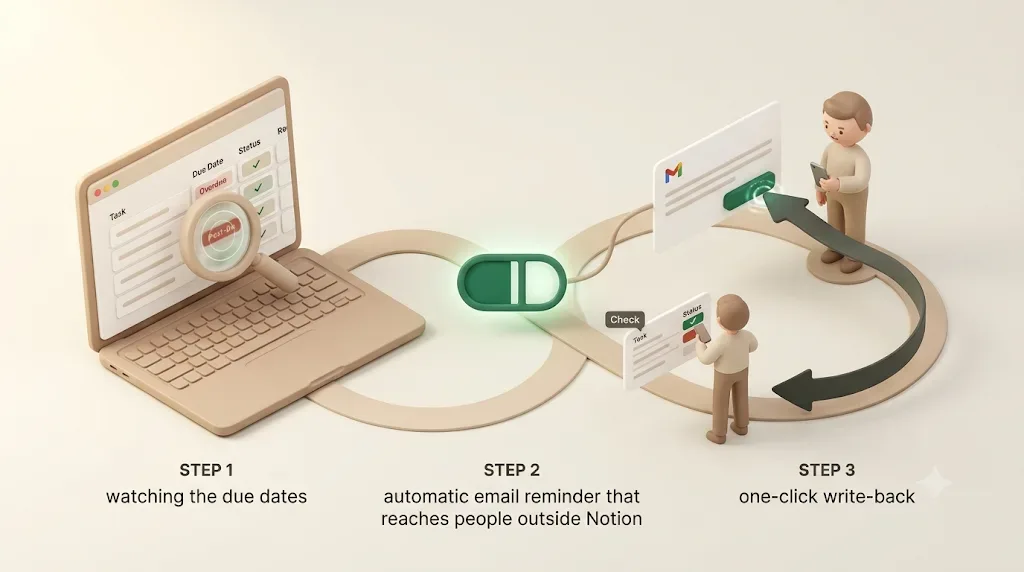
What actually reduces neglect: watch → email → one-click write-back
To close all three causes together, patching on individual fixes isn't enough — you need one connected flow: watch the due date, deliver to the right person automatically, and write their response back into Notion. Below, that three-part loop is described against the features Kapsel actually ships. Kapsel is a Notion notification tool that watches your due date, assignee, and status properties and emails reminders to the right people. It's an independent, indie-built product, not a Notion feature.
Continuously watch due date, assignee, and status
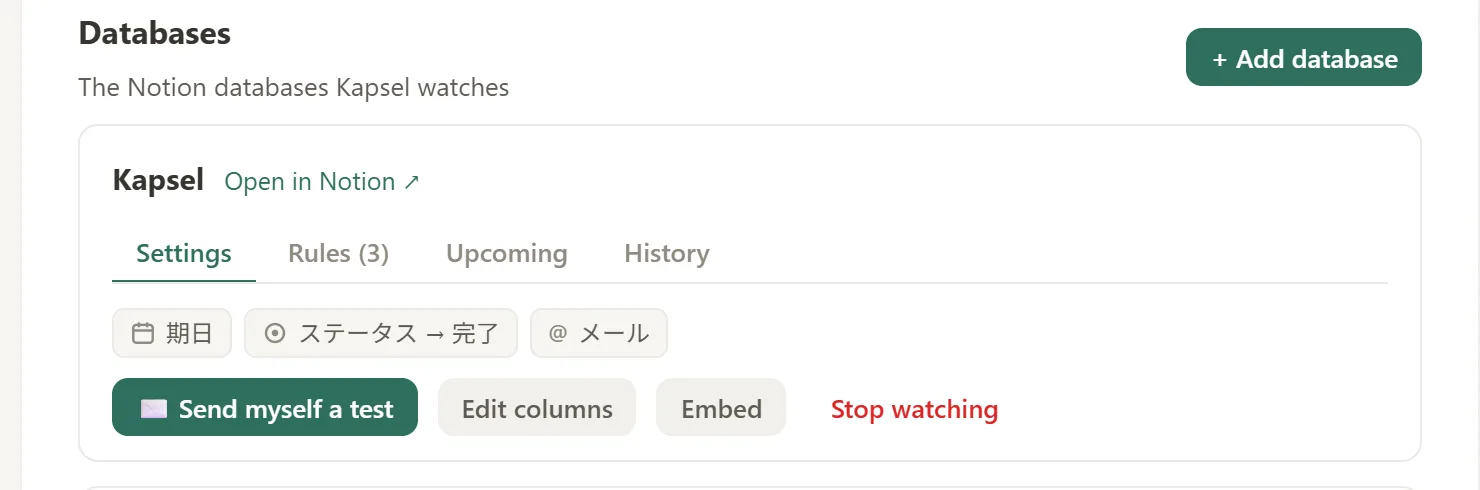
Kapsel watches the due date, assignee, and status on a connected Notion database and picks up tasks that match your conditions automatically. Instead of a person opening a view on a schedule, it monitors the Date property and detects tasks that are approaching or past due. That removes the "manual checking" of Cause 2, so overdue tasks are less likely to slip through even during weeks when nobody opens Notion.
Auto-email reminders for overdue and filtered targets
Kapsel emails reminders automatically to overdue tasks — or to a subset you filter by status or condition. Because the notification lives outside Notion (in email), it no longer depends on whether the recipient opens Notion. You can automate both the pre-due reminder and the post-due follow-up, which spans Causes 1 and 2. For targeting reminders at teammates, see team task reminders for Notion.
Recipients write status back to Notion in one click (two-way)
Anyone who receives a Kapsel email — even without a Notion account — can update the Notion status with a single click on a button in the message (two-way). Previously, every status change meant you opening Notion and editing it by hand; with this path, the recipient's one click flows the progress back into Notion. The notification isn't a one-way broadcast — the other party's response returns straight into your data, which is the structural difference from internal-only alerts or DIY scripts.
Never sends to items marked Done or Paid
Kapsel does not send reminders to tasks marked Done or Paid. The worst outcome when automating notifications is a dunning email landing on someone who already responded or already paid. By filtering targets by condition and excluding completed items, reminders only reach people who still need to act. That "don't send" design is what makes hands-off automation safe to trust — and it's the angle most approaches overlook.
💡 Where native reminders cover the "notice" step (self-directed alerts), the watch → email → write-back → exclude-completed loop covers the whole lifecycle around a date. That leaves fewer gaps than patching Causes 1–3 with three separate fixes.
Tasks involving outside parties get ignored the most
Of the three causes, Cause 3 (nothing reaches outsiders) is the most overlooked and the longest-running. A few concrete examples.
Kapsel delivers due dates by email even to external parties with no Notion account. The recipient needs no login and no Notion — they just get a normal email. That finally opens a channel to the "their court" tasks that internal-only reinforcement could never touch.
Typical outside-party tasks look like this:
- Agency × client: waiting on design sign-off or on assets/copy — stalled while the other side doesn't respond.
- Buyer × contractor: waiting on a review of a deliverable or on revisions — sitting in limbo over whose court it's in.
- Billing × customer: waiting on payment after sending an invoice — the follow-up feels awkward, so it slides, and the late payment is caught late.
Each of these tends to sit at "awaiting review" or "awaiting payment" in Notion, ignored. For sharing progress and alerts outward, see external share notifications for Notion.
⚠️ On tasks involving outsiders, responsibility gets fuzzy. "Waiting on their reply" is an easy reason to let something stall indefinitely — so whether there's a mechanism that automatically reaches the other party once a date passes makes a big difference to how fast work moves.
Keeping the setup running without over-personalizing it
Even if you add good notifications, neglect returns if running that depends on one person. Here are the features that help it stick and stay visible.
Kapsel's recurring sends automate the weekly sweep. You can run "at a set time each week, digest the open and near-due tasks" without a person operating it every time. The recurring setup that's fiddly with native features becomes something you fix in place as a routine.
A send log makes "who was sent what, and when" visible. Automating notifications tends to raise worries — are they really going out, are we double-sending? — and a delivery history lets the whole team check the state of reminders. That's a governance foundation that doesn't rely on one person's memory.
Merge fields turn per-recipient details into a repeatable system. Because Notion values (a name, a project title, a due date) drop into the email body, you can auto-send individually addressed messages without writing each one by hand. Personalized outreach moves from manual craft to a reproducible mechanism.
Note that using multiple Notion workspaces, and sending with sender branding (company name, signature, logo), are Pro plan features.
| Feature | Role in reducing neglect |
|---|---|
| Recurring sends | Automate the weekly sweep so gaps rarely form |
| Send log | Show who was sent what and when; prevent over-reliance on memory and double sends |
| Merge fields | Systematize per-recipient detail; personalize with no manual work |
Together, these three features keep the notification layer running even when nobody's actively minding it — which is exactly the condition under which tasks used to go neglected.
How to add a notification layer to your Notion setup (overview)
The basic flow for adding a notification layer to your existing Notion task setup looks like this. You don't rebuild your database — you connect the task DB you already use.
- Sign up for Kapsel (getkapsel.com) for free.
- Connect the Notion task database you want to send reminders from.
- Set the properties to watch (due date, assignee, status) and the target filter (exclude Done / Paid).
- Set the message copy and merge fields, and the timing (pre-due, overdue, recurring).
- Run a test send to check delivery, then go live.
Because you're connecting a database you already use rather than rebuilding one, most teams can go from signup to a working test send in well under an hour.
Pricing is Free $0 / Standard $12 / Pro $29 per month. The Free plan stays $0, so you can try it first and move up to Standard or Pro only if you need to.
💡 The advantage is adding "just notifications" without rebuilding your task DB. If it already has assignee, due date, and status, it's ready to connect.
Summary
- Notion tasks get ignored because of a missing "mechanism to notice," not willpower or UI complexity. Framing it purely as a process problem (over-personalization, weak rules) leads to the wrong fixes.
- It breaks into three causes: (1) notifications need an
@mentionand only reach the account holder who opens Notion; (2) there's no automatic overdue detection, so you rely on manual checks; (3) outside parties without Notion fall outside notifications entirely. - Native reminders, Slack/Google Calendar integrations, and DIY scripts all stop at strengthening alerts for internal members who open Notion; outside reach, two-way write-back, and safeguards against nagging finished work tend to stay open.
- Kapsel is a Notion notification tool that watches due date, assignee, and status and emails reminders to the right people — including outsiders with no Notion account — with a one-click write-back to status, and it never sends to Done or Paid. Recurring sends, a send log, and merge fields keep the setup running and visible. It connects to an existing task DB in minutes and starts on the Free ($0) plan.
FAQ
Why do Notion tasks keep getting ignored?
The main reason is a missing mechanism to notice when a date arrives. Updating a task returns almost nothing — no nudge, nothing happens when a due date passes — so once the initial novelty fades, updates drop off, the list gets less accurate, and people open it even less. Notion's flexibility also makes setups over-personalized, so when the person who built it gets busy, updates stall.
Why aren't my Notion notifications working?
First, a comment alone doesn't notify anyone — you have to @mention the person. Second, if their device notification settings (push/email) are off, nothing surfaces. Third, if they were never shared on the page, the mention can't reach them at all. For a full breakdown, see why Notion notifications aren't working.
How do I set up recurring reminders in Notion?
You can fire individual notifications with a Date property reminder or @remind, but building a "weekly digest" style recurring reminder out of native features alone is fiddly. To fix recurring reminders in place as a routine, some people pair Notion with an external tool — such as Kapsel's recurring sends, which auto-send open tasks at a set time.
How can I send reminders only to a task's assignee in Notion?
Native features let you filter a view by assignee, but actively pushing a notification to only that assignee is limited. Kapsel can filter its targets by assignee or status, so reminders only go to people who match your conditions. For the team angle, see team task reminders for Notion.
How do I find and notify only overdue tasks in Notion?
Inside Notion, you can surface overdue tasks with a view that combines an "on or before today" relative-date filter with an "incomplete" condition. But that only creates a state where whoever opens it can notice. To detect overdue items automatically and actually notify people, you need something that watches the date and emails — like Kapsel. See also Notion deadline tracking.
How do I chase an external client who doesn't use Notion?
Native Notion notifications are for account holders, so they never reach an outside party. Kapsel can deliver the due date by email to a client with no Notion account, and the recipient can write the status back to Notion in one click. It never sends to Done or Paid items, so it won't nag someone who already responded. For sharing progress outward, see external share notifications for Notion.
Notes
This article was published on 2026-08-22. Notion's features (comment/@mention notifications, Date property reminders, @remind, relative-date filters, database automations, integrations, and device notification/access settings) are based on Notion's official documentation; specifics and screens may change on Notion's side, and available features vary by plan. DIY approaches with Google Apps Script, Zapier, and similar tools depend on those services' and Notion's APIs. Kapsel's features (watching due date/assignee/status, emailing external parties, one-click status write-back, excluding Done/Paid, overdue follow-ups, target filtering, recurring sends, send log, merge fields, and Pro's multiple workspaces and sender branding) and pricing (Free $0 / Standard $12 / Pro $29 per month) are current as of writing; check getkapsel.com for the latest.