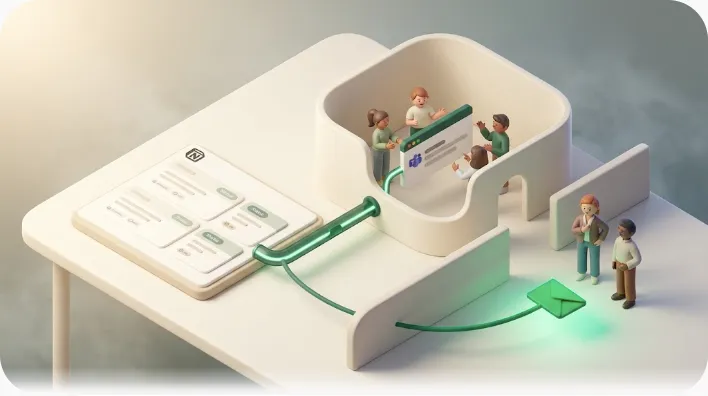
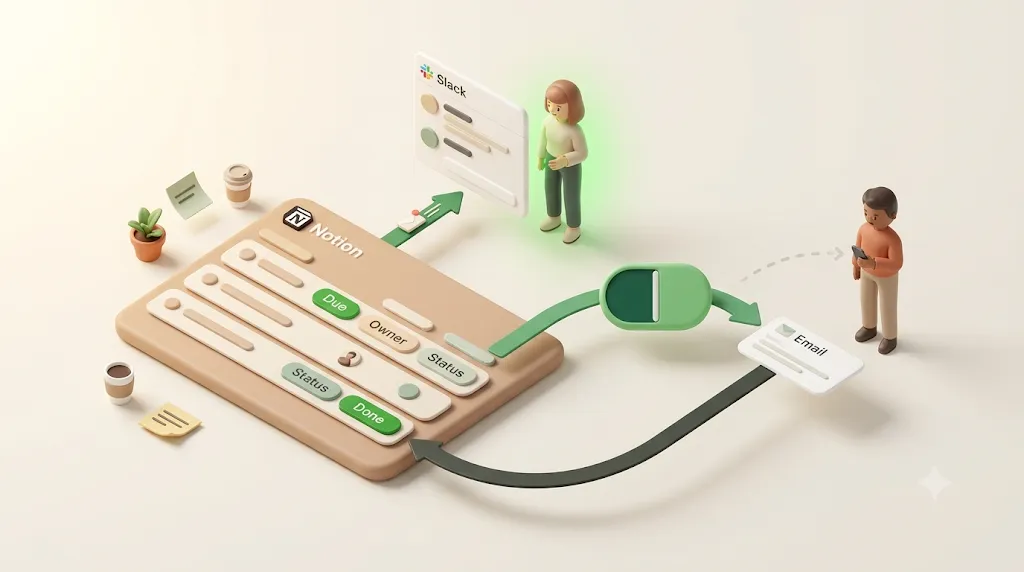
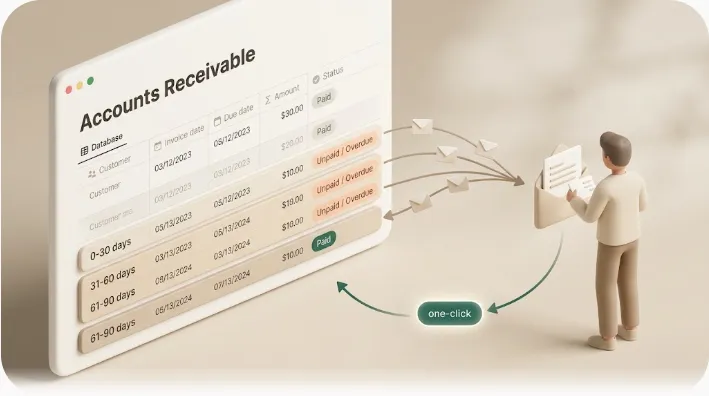
Automatic Email Reminders from Notion: How to Reach People Who Don't Use Notion

If you've ever had to manually email a client or vendor because Notion's reminders never reached them, this article is for you. Notion is great at tracking due dates, assignees, and statuses — but its built-in reminders only fire for people who already have a Notion account and access to the page, so anyone outside your workspace hears nothing. Here's why that gap exists, how the common workarounds (native automations, Zapier, Make) hold up, and how a dedicated reminder layer can email anyone — no Notion account needed — with a one-click confirm that writes the status straight back to Notion.
TL;DR
- Notion's
@remindmentions and Date-property reminders only notify people who have a Notion account and access to the page — not an outside client or vendor.- Native database automations can send email to outside recipients, but there's no relative due-date trigger, no "skip completed items" safeguard, no per-item overdue cadence, and you rebuild them per database.
- Zapier/Make can add logic, but Notion's API doesn't reliably expose a due-date trigger, so you end up with brittle multi-step workarounds.
- Kapsel watches due date, assignee, and status and emails anyone — no Notion account needed — with one-click confirm that writes the status back to Notion.
Does Notion Have Reminders, and How Do You Set Them?
Yes. Notion has two built-in reminder mechanisms: inline @remind (type @remind in any text block and pick a date/time) and Date-property reminders (set a "Remind" offset like 1 day before on a Date property). Both fire through Notion's own channels — mobile push, the in-app red badge, and email if the recipient has enabled it — so they work well for people who have a Notion account and access to the page. For a full step-by-step of the native reminder options, see how to set reminders in Notion.
The gap this article is about starts where those native reminders stop: they only reach people with a Notion account and access to the page. A client, contractor, or vendor who doesn't use Notion gets nothing. Notion's database automations can email an external address (covered below), but they have no due-date trigger and no "skip completed items" safeguard, so they don't hold up as an ongoing reminder workflow. The rest of this article compares the realistic ways to close that gap.
What Kapsel Is
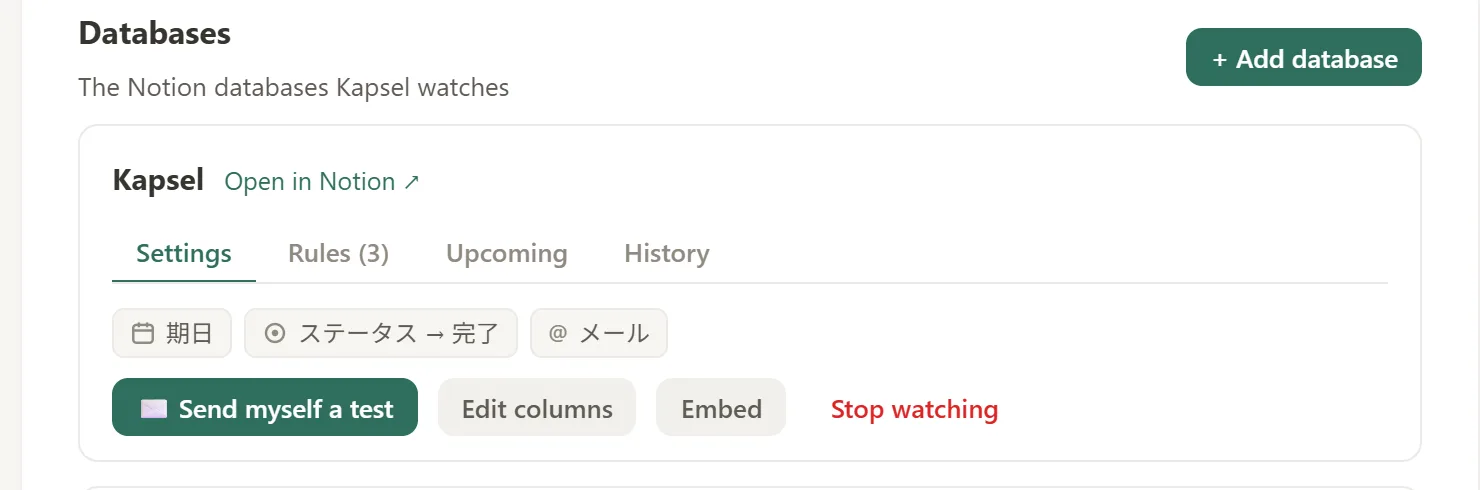
Kapsel is a Notion notification tool that watches your database's due dates, assignees, and statuses and automatically sends email reminders — including to people who don't use Notion — with a one-click link that writes their confirmation back to Notion. It is an independent, solo-built product designed to solve one problem well: getting Notion deadlines in front of the people who need them, inside or outside your workspace.
Why Notion's Built-In Reminders Don't Reach Everyone Who Needs Them
Notion's reminder features are designed for collaborators who are already logged in. That works for an internal team standup. It does not work for the person on the other side of a deadline who has never touched Notion.
@remind and date-property reminders only notify people with access to the page
Notion gives you two native reminder mechanisms:
- Inline
@remind— type@remindin any text block and pick a date/time (for example,@remind tomorrow at 9am). Notion sends a notification when the time arrives. - Date-property reminders — on a Date property, set a "Remind" offset such as 1 day before, 2 days before, or 1 week before the due date.
Both delivery methods route through Notion's own notification channels: mobile push, the red badge on the app, and email if the recipient has turned on "Always send email notifications" in their account settings. (If those in-app and push notifications aren't arriving even for workspace members, that's a separate delivery problem — see why Notion notifications aren't working.)
⚠️ The catch: every one of those channels requires a Notion account with access to the page. Reminders and
@-mentions are scoped to people who can already see the page. If someone has no Notion account or no access to the page, there is no notification for Notion to send them.
Can I set a reminder for someone else in Notion?
Yes, with a caveat. If you type a person mention followed by a reminder on the same line — for example, @Alex @remind Friday at 9am — Notion assigns that reminder to the person you mentioned, not just to you. It's the native way to nudge a specific teammate about a specific line of text.
Two limits matter:
- Inline text only. This works in a text block on a page. You can't route a
@person @remindreminder through a database property — Date-property reminders fire to people watching the item, not to a specific mentioned person. - Workspace members only. The person you mention still needs a Notion account and access to the page, exactly like every other native reminder. Mention a client, contractor, or vendor who doesn't use Notion and there's simply no one for Notion to notify.
The three native email notification types (activity, page updates, workspace digests)
Separate from @remind, Notion has its own notification settings under Settings → Notifications. As of writing, these are organized into roughly three areas:
- Activity in workspace — mentions, comments, and reminders directed at you.
- Page updates — changes to pages you follow.
- Workspace digests — a periodic summary email of recent workspace activity.
Notion adjusts this screen from time to time, so treat the labels above as descriptive rather than a guaranteed match to what you see — check Settings → Notifications in your own workspace for the current wording. An "Always send email notifications" toggle sends these to your inbox even when you're active in the app. On mobile, the equivalent is typically under ••• → Settings → My notifications (menu wording can vary slightly by app version).
Worth noting: the workspace digest is Notion's own recurring email, but it summarizes activity — what changed and who did what — not what's due. It isn't a deadline roundup, and like every native notification it only reaches workspace members.
No recurring reminders, no escalation, no way to reach a client or vendor who doesn't use Notion
Even for internal users, Notion's reminders are a single, fire-once event. There are three practical gaps:
| Need | Notion built-in |
|---|---|
| Reach someone without a Notion account | Not possible — access-scoped |
| Recurring reminders based on each item's due date | Not native — automations offer a fixed schedule (e.g. daily/weekly), but nothing tied to each row's own due date |
| Escalating nudges as an item sits overdue | No — a reminder fires once |
Notion's reminders don't repeat on their own — a @remind or Date-property reminder fires once and never re-fires or escalates once a task slips past its due date. Notion's database automations do add a fixed-schedule send (for example, every day or every week), but there's no trigger relative to each row's due date, so you can't natively express "nudge 3 days before this deadline, then keep following up until it's done." For client and vendor work — where the whole point is to chase someone outside your workspace, repeatedly if needed — the built-in tools still fall short. If repeating or recurring reminders specifically are what you're after, see the dedicated guide to Notion recurring reminders. And if your main question is simply how to reach those outside people at all, compare the four approaches to notifying clients and vendors who don't use Notion.
Option 1 — Notion's Native Database Automations
This is the most common DIY route, and the only native way to push email out of Notion to an arbitrary address.
How the 'Send mail to' automation works (trigger → action)
Database automations follow a simple trigger → action model. You pick something that happens in the database (the trigger), then an action to run:
- Trigger — for example, a property changes, or a page is edited/added.
- Action — choose "Send mail to" and specify recipients, subject, and body. (This action requires connecting a Gmail account to run the send.)
Recipients on the "Send mail to" action can be external email addresses, so in principle you can email someone outside your workspace. That's the good news.
Exact steps: building the 'Send mail to' automation
Here's the click path inside a database:
- Open the database and click the ⚡ automations icon in the top-right toolbar, then New automation.
- Name it and pick a trigger — for example, a page is added, or a specific property changing to a chosen value.
- Click New action and choose Send mail to.
- Set the recipients (these can be external email addresses), the subject, and the body, pulling in property values so the message references the specific item.
- Save and switch the automation on.
A few things worth knowing before you rely on it:
- Multiple triggers connect with all (AND) or any (OR). If you add more than one trigger, you choose whether every condition must be true (all) or any single one is enough (any).
- Gmail must be connected. The "Send mail to" action sends through a connected Gmail account, so you'll be prompted to authorize Google the first time.
- Outlook isn't a direct option. There's no native "send via Outlook" action; to send from Outlook you'd route through a Webhooks action to an external service instead of "Send mail to."
None of this adds a due-date trigger — the automation still fires on the event or fixed schedule you pick, not relative to each row's deadline.
Where it breaks down: no due-date trigger, manual setup per database, no completed-item safeguard, no send history
The bad news is that this path fits one-off notifications far better than an ongoing reminder workflow:
- No relative due-date trigger. Automations fire on events (edits, property changes) or on a fixed schedule (e.g., every day or week) — but not on "it is now 2 days before this row's due date." There's no native trigger tied to each item's own date, so you can't cleanly say "email 1 week before this deadline."
- Manual, per-database setup. You rebuild the automation in every database by hand. There's no central place to manage reminders across projects or workspaces.
- No built-in "skip completed items" safeguard. Native automations gesture at conditional logic, but there's no ready-made rule to guarantee you never email someone about a task that's already Done or an invoice that's already Paid.
- No send log. There's no audit trail showing what went to whom and when.
- No per-item overdue escalation, no due-date-relative digest, no target filtering beyond whatever conditions you wire up manually, each database, each time.
💡 Native automations are fine for "email me when this one property flips." They struggle as a scalable, ongoing reminder system for external recipients.
Option 2 — Zapier or Make
When native automations aren't enough, the usual next step is an automation platform like Zapier or Make.
Why due-date-based triggers are hard to build (Notion's API limitations)
The core problem is the same one that limits native automations, just at the API level. Notion's public API and webhooks report content and property changes (an item was updated or created) — they don't expose a "the due date is approaching" event. So most integrations poll for an "item updated" or "item created" signal and then build the date logic on top of it, rather than triggering directly on each item's date.
⚠️ Because there's no dependable due-date trigger, a deadline that passes without anyone editing the page may never fire your Zap. You end up adding scheduled polls, filters, and date-math steps to approximate what should be a one-line rule.
The maintenance cost of multi-step Zaps for something that should be simple
To get a reliable "remind X days before / after the due date" workflow, a typical Zap needs several steps: a scheduled trigger or polling step, a Notion query, a filter/formatter to compare dates, a condition to skip completed items, and finally the email action. That's a lot of moving parts to maintain, per database, and it still doesn't give you a send log or two-way write-back out of the box.
| Concern | Native automation | Zapier / Make |
|---|---|---|
| Due-date trigger | No | Not reliable (API limits) → workarounds |
| Setup effort | Manual, per database | Multi-step Zap, per workflow |
| Skip completed/paid items | Manual conditions | Manual filter step |
| Two-way write-back | No | Not built-in |
| Send log / audit trail | No | Limited task history |
Taken together, this table is why most people who need an ongoing, external-facing reminder eventually stop patching Notion automations or Zaps together and reach for something built for exactly this job.
Option 3 — A Notion-Native Reminder Layer Built for This (Kapsel)
Kapsel exists to remove the setup friction and cover the gaps the two DIY options leave open. Instead of building triggers, you connect Notion once and tell Kapsel what to watch.
Watches due date, assignee, and status automatically — no automation-building required
Kapsel monitors your database's due date, assignee, and status directly. There's no automation to hand-build and no per-database wiring — you point Kapsel at a database and choose what to watch. Reminders send based on the due date itself, not on incidental "item updated" events.
Reaches people who don't use Notion: plain email, no account or login needed
Kapsel sends reminders as plain email to any address. The recipient does not need a Notion account, a login, or access to your workspace. This is the gap none of the built-in or DIY options close cleanly: an ongoing, automatic reminder workflow aimed at clients, contractors, and vendors who never open Notion.
One-click confirm writes the status back to Notion (real two-way sync, not just an email)
Most DIY options are effectively one-way — the email goes out, and unless you build extra steps (Zapier and Make can write back to a Notion property, but you have to wire that up), nothing comes back. Kapsel's reminder emails include a one-click confirm link. When the recipient clicks it, their confirmation writes the status back to Notion. They update the task without logging in, and you see the change reflected in your database. That's genuine two-way sync, not just an outbound message.
Never sends to completed or paid items
Kapsel has a built-in safeguard: it never sends reminders for items that are already completed or paid. You don't have to hand-wire a conditional rule and hope it holds — the "don't chase someone who already finished or already paid" protection is built in.
💡 This is the safeguard the other options don't guarantee. Emailing a client to pay an invoice they already paid is exactly the kind of mistake that erodes trust.
Overdue follow-ups, target filtering, and recurring digests
Beyond the first reminder, Kapsel covers the cadences DIY paths ignore:
- Overdue follow-ups — repeated nudges the longer an item sits past its due date, instead of a single fire-once alert.
- Target filtering — narrow who gets reminded by assignee or by properties, without hand-building a separate automation for each case.
- Recurring digests — a periodic summary email (for example, a weekly roundup of what's due), distinct from per-item alerts.
Together, these three mean you don't have to choose between chasing overdue items, targeting the right recipients, and keeping people in a regular loop — Kapsel covers all three without extra setup per case.
Send log and merge fields for personalized, trackable emails
Kapsel keeps a send log so you can see what was sent, to whom, and when — the audit trail native automations and Zaps don't give you. Merge fields let you personalize each email with values from the Notion item (name, task, due date, and so on), so reminders read as tailored messages rather than generic blasts.
Step-by-Step: Setting Up Automatic Reminders That Reach Anyone
📊 Measured setup time: We built a minimal version of this—emailing a due-date reminder to someone outside Notion, with a one-click confirm—and initial configuration in Kapsel took about 3 minutes (first build, minimal setup, as of 2026; it varies with familiarity and requirements). Building the same outbound, no-login email flow yourself in Zapier, Make, or Apps Script took longer in our own hands-on measurements (roughly 15–90 minutes for a first, minimal build) — see the full tool-by-tool comparison for how we measured it.
Getting started takes three steps. See the setup guide for the full walkthrough with screenshots.
1. Connect your Notion workspace
Sign in and connect the Notion workspace that holds the database you want to watch. Grant access to the relevant database so Kapsel can read due dates, assignees, and statuses.
2. Choose what to watch (due date, assignee, status) and who should receive it
Pick the database and the fields Kapsel should watch — the due date, the assignee, the status. Then set the recipients. Because recipients are just email addresses, they can be teammates, clients, contractors, or vendors — no Notion account required. Add target filtering if you only want certain assignees or property values included.
3. Send a test reminder and check the send log
Send a test reminder to yourself, confirm the email looks right (merge fields filled in, correct due date), and click the confirm link to verify the status writes back to Notion. Then open the send log to see the delivery recorded.
Three steps and a test send is the whole setup — no per-database automation to rebuild and no Zap to debug before you know your reminders will actually fire on the right day.
Native Automations vs. Zapier vs. Kapsel: Which Fits Your Team
| Capability | Notion native automation | Zapier / Make | Kapsel |
|---|---|---|---|
| Email people without a Notion account | Yes (one-off) | Yes | Yes |
| Trigger on the due date itself | No | Not reliable (API limits) | Yes |
| Recurring reminders / digests | Fixed schedule only (not due-date-based) | Manual | Yes |
| Overdue escalation | No | Manual | Yes |
| Never send to completed / paid items | Manual conditions | Manual filter | Built-in |
| One-click confirm → writes back to Notion | No | No | Yes |
| Send log / audit trail | No | Limited | Yes |
| Target filtering by assignee/property | Manual | Manual | Yes |
| Setup effort | Per database, manual | Multi-step, per workflow | Connect and choose what to watch |
Which to pick: If you only need an internal ping when a property changes, native automations are enough. If you're a heavy automation user already living in Zapier, you can build date logic there — with the maintenance cost that comes with it. If your reminders need to reach people outside Notion, repeat until acted on, skip finished work, and let recipients confirm without logging in, that's what Kapsel is built for. Compare details on the product page.
Pricing: Free, Standard, and Pro Plans
Kapsel has three plans:
| Plan | Price (USD / month) | Who it's for |
|---|---|---|
| Free | $0 | Trying it out; light, ongoing use |
| Standard | $12 | Individuals and small teams running regular reminders |
| Pro | $29 | Multiple Notion workspaces + sender branding (company name, signature, logo) |
Free is free indefinitely — it's not a time-limited trial. Pro adds support for multiple Notion workspaces and sender branding, so client-facing emails carry your company name, signature, and logo. Full details are on the pricing page.
Try Kapsel free. Kapsel watches your Notion due dates, assignees, and status, then sends automatic email reminders — including to people without a Notion account — and lets recipients confirm in one click, writing the status back to Notion. Free plan, no credit card required. → Start with Kapsel
FAQ
Can Notion send email reminders automatically?
Partly. Notion can email an internal user if they enable "Always send email notifications," and a database automation's "Send mail to" action can send email to any address when its trigger fires. However, there's no native due-date trigger and no built-in recurring or overdue logic, so automatic, deadline-based reminders require a workaround or a dedicated tool.
How do I remind someone who doesn't have a Notion account?
Notion's own reminders and mentions won't reach them, because those are scoped to people with page access. A native "Send mail to" automation can email an external address, but only as a one-off tied to an event. Kapsel is built for this: it sends automatic email reminders to anyone, with no Notion account or login required, and lets them confirm with one click.
Does Notion support recurring or repeating reminders?
Notion's reminders themselves don't repeat — a @remind or Date-property reminder is a single, one-time event. Notion's database automations can send on a fixed schedule (for example, daily or weekly), but there's no native trigger relative to each item's own due date, so you can't natively build a per-item "remind before this deadline, then keep following up" cadence. For recurring reminders tied to each due date, a due-date-based digest, or repeated overdue follow-ups, you'd reach for an automation platform or a tool like Kapsel.
Can I send an automatic email when a Notion task is overdue?
Not cleanly with native features, because there's no due-date trigger to detect "this is now overdue." Zapier/Make can approximate it with scheduled polling and date math. Kapsel handles overdue follow-ups directly, sending repeated nudges the longer an item sits past its due date.
How do I stop Notion from sending reminders for completed tasks?
Native automations don't include a ready-made "skip completed items" rule; you'd have to build conditional logic yourself and maintain it. Kapsel has this safeguard built in — it never sends reminders for items that are already completed or paid.
Can someone update a Notion task's status without logging into Notion?
Not with Notion alone. With Kapsel, each reminder email includes a one-click confirm link; when the recipient clicks it, the confirmation writes the status back to Notion. They don't need an account or a login to update the task.
How do I send Notion task updates to a client or contractor?
Share updates by email rather than by giving them Notion access. Kapsel watches the relevant due dates, assignees, and statuses and emails your client or contractor automatically, personalized with merge fields, and lets them confirm back with one click.
What's the difference between Notion's built-in reminders and a Notion database automation?
Built-in reminders (@remind and Date-property reminders) notify people who already have a Notion account and access to the page, through push, badges, and optional email. A database automation is a trigger → action rule that can, among other things, send email to external addresses when an event occurs. Built-in reminders are for people already inside your workspace; automations are the native way to push email out — though without a due-date trigger, recurring logic, or a send log.
Can Notion automations send email to people outside my workspace?
Yes — the "Send mail to" action can use external email addresses (it requires a connected Gmail account). The limitation is that it fires on events or a fixed schedule rather than on each row's due date, offers no relative overdue cadence, and no send history, so it fits one-off emails better than an ongoing reminder workflow.
Is there a way to see what reminder emails have already been sent from Notion?
Notion's native automations don't provide a send log or audit trail, and automation platforms only offer limited task history. Kapsel keeps a send log showing what was sent, to whom, and when.
Why didn't I receive my Notion reminder email?
If you're a workspace member who expected a native reminder, a few things are usually behind it. Notion often sends the email only as a fallback when you aren't active in the app, so it can arrive a few minutes late. You may not have "Always send email notifications" turned on in Settings → Notifications. The message may have landed in spam. And some person-mention notifications can depend on your workspace's admin settings. For a fuller checklist, see why Notion notifications aren't working.
Do Notion's reminders work on the Free plan?
The basic reminders — @remind mentions and Date-property reminders — are available on Notion's Free plan. Some database automations, particularly scheduled-time triggers, are generally described as requiring a paid plan. Plan boundaries change over time, though, so check Notion's official help center for what your plan currently includes before you rely on a specific automation.
Notes
Published 2026-08-03 (updated 2026-09-06). Features and pricing described here — including Kapsel's Free ($0), Standard ($12/month), and Pro ($29/month) plans — are current as of the publish date and may change over time. Notion's native behavior described here reflects the product as of writing.