Notifying Clients, Vendors, and Partners Who Don't Use Notion: Share Link vs DIY Automation vs a Dedicated Tool
If you run client or vendor work in Notion, the outside people you most need to reach are the ones Notion can't notify — they have no account, never open the workspace, and only check email. There are four practical ways to close that gap, and they differ sharply on upkeep and whether a recipient can act without logging in. This article compares all four so you can pick the one that matches your situation.
TL;DR
- A public link or guest invite grants access but never pushes an alert — the recipient only learns of a change if they reopen the page themselves.
- DIY automation (Zapier, Make, Google Apps Script) can email non-Notion people, but you own the upkeep: task-based billing, silently broken zaps, no send log, and no built-in "skip if done or paid" guard.
- A dedicated Notion-notification SaaS removes that maintenance, but most options are one-directional — a reply doesn't update Notion.
- A two-way tool adds the missing return trip: a one-click reply in the email writes a status back to Notion, with no login for the recipient.
Why this is a real gap, not a settings mistake
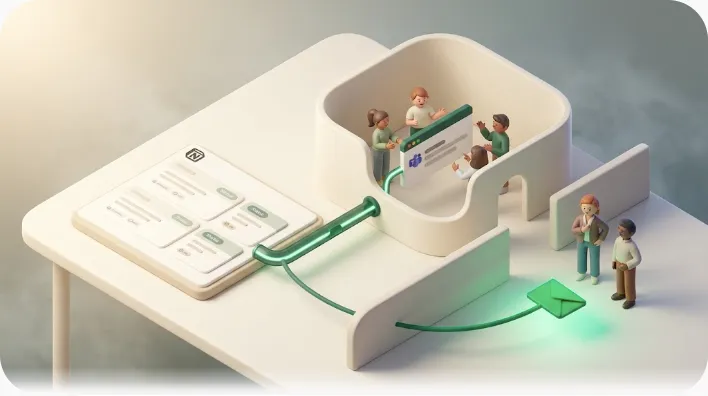
Notion's native reminders and @mentions only notify people who already have a Notion account, have access to the page, and are logged in — so an external client or vendor sits outside every one of those channels by definition. This is worth stating once as a premise, not treating as a discovery: sharing a page and notifying a person are two separate jobs, and Notion only does the first for people outside your workspace. Almost every guide on the topic treats sharing and notifying as distinct problems for exactly this reason.
The practical consequence is that "who can see the page" and "who gets pinged when a due date lands" are unrelated questions. Solving access does nothing for alerts, which is why the four approaches below all exist as separate layers on top of Notion.
Option 1 — Public share link or guest invite
Sharing is the first instinct, and it does solve access. What it does not do is send anything after the hand-off.
What a guest invite actually gives someone, and the per-plan guest caps
A guest invite adds an outside email to a specific page (and its subpages) at a permission level you choose — view, comment, edit, or full access — without making that person a full workspace member. Guests inherit permissions from the parent page, so access is scoped to what you share. This is the standard route for clients and contractors because it limits exposure to just the pages they need.
Two limits matter here. First, viewing read-only content works without an account, but commenting or editing requires the guest to create a Notion account. Second, plans cap how many guests you can add — for example, a smaller allowance on Free and higher counts on paid tiers (check Notion's current plan page for exact numbers).
💡 The guest cap is usually framed as a seat-cost issue, but it's also a notification ceiling. Every external person you'd want to alert consumes a guest slot — and even after you spend one, the guest still isn't enrolled in any proactive alert. Paying for more guests buys access, not notifications.
Public "anyone with the link" pages and Notion Sites — open access, silent going forward
Toggling on Share to web or publishing a Notion Site lets anyone with the URL open the page in a browser — no invite, no account. This is ideal for read-only reference material like a project brief or a public roadmap.
But a public link is a one-time hand-off. Once the URL is sent, nothing else goes out. It is pull, not push: if a date on that page changes next week, the recipient has no way to know unless they happen to reopen the link.
Why neither option pings anyone when a due date or status changes
Both patterns grant a view into your data; neither watches it over time. There is no trigger, no "a date just arrived" event, and no follow-up message. Sharing produces a snapshot, and a snapshot can't alert anyone when the underlying value moves. For a deeper walk through guest invites, public links, and forms side by side, see sharing a Notion page externally vs actually notifying people.
Option 2 — DIY automation with Zapier, Make, or Google Apps Script
If sharing can't push, the next instinct is to build the push yourself. This route works and reaches non-Notion people by email — but it comes with recurring upkeep that most comparison pages leave out.
The basic recipe — trigger on a database item, then send a templated email
The standard build looks like this:
- Schedule the run (e.g. Schedule by Zapier fires every morning) — because Notion's own triggers detect create/update by polling; the passage of time itself can't be the trigger.
- Find the matching database items (due in 3 days, status not done).
- Filter to keep only the rows that should send today.
- Send a templated email through Gmail or an email action, merging in the task name and due date.
The benefit is real: this routes updates to people who will never open Notion, using tools you may already run for other work.
What it takes to keep it running
The cost of DIY is not the build — it's the maintenance, and no SERP page walks this honestly end to end:
| Upkeep item | What it means in practice |
|---|---|
| Task-based billing & polling | Each daily run consumes a task even on days with nothing to send; lower plans poll on longer intervals. |
| Silently broken zaps | Rename a Notion property or status option and the filter can quietly stop matching — with no error surfaced. |
| No send log | There is no built-in record of who was emailed and when unless you assemble one yourself. |
| No skip-done-or-paid guard | You must design and maintain the "don't send if Done/Paid" condition by hand. |
| Attachments forced into zips | Per the Zapier community, file attachments from Notion are bundled into a zip rather than sent cleanly. |
| Two-way is a separate build | An "Update Data Source Item" step can write to Notion, but turning a recipient's click into that update means building a form or webhook and wiring it in. |
⚠️ The failure mode that hurts most is the silent one: a renamed status quietly breaks the filter, reminders stop (or worse, keep going to finished items), and nobody notices until a client complains. A hand-built flow has no one watching it but you.
For the full picture of where these platforms hit walls, see the Zapier reminders deep-dive and the broader look at Notion automation limits.
Option 3 — a Notion-specific notification SaaS as a category
A third route is a purpose-built app whose entire job is bridging the "Notion notifies members only" gap. These are frequently framed as "Notion reminders vs a dedicated app."
What this category generally promises
The pitch across this category is consistent: watch a property, email automatically when it changes, and skip the maintenance that DIY automation demands. Instead of stacking automation steps, you pick the database and conditions in a settings screen. The benefit is that upkeep moves off your plate — no tasks to meter, no filters to babysit.
Where most of these still fall short
The common shortfall is direction. Most notification apps are one-directional: they push an alert out, but a recipient's reply does nothing to Notion. The external person reads the email, maybe replies in plain text, and someone on your side still has to open Notion and update the status by hand. The loop never closes.
The piece usually missing from all three — closing the loop back into Notion
None of the routes above close that loop by default. Sharing pushes a view out once; DIY automation and most SaaS push an alert out — but without extra work (like the webhook route described in Option 2), a recipient's response doesn't flow back into your database. A return trip that's built in, with no separate build required, is the capability nearly every comparison omits.
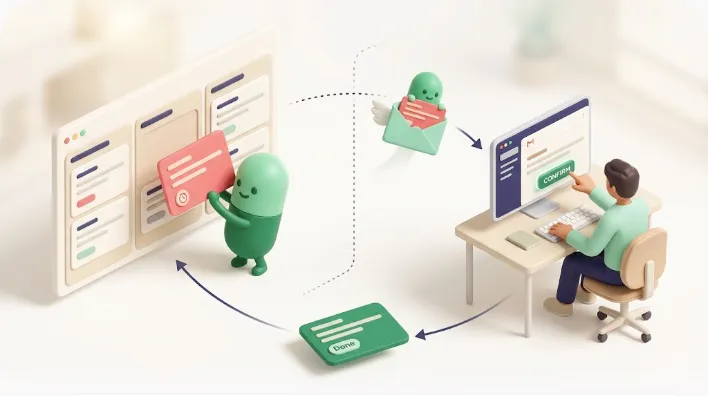
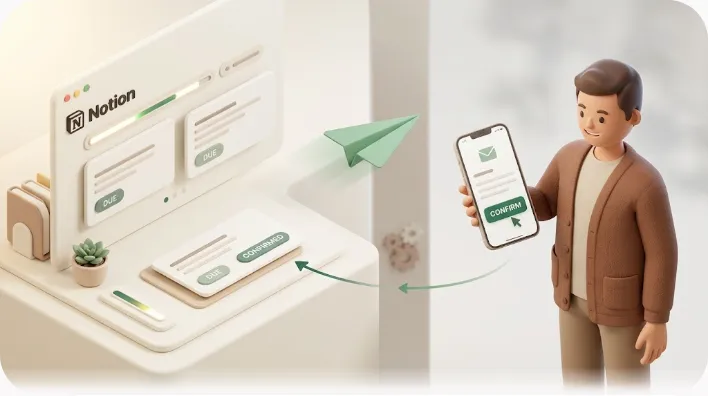
What "two-way" actually means: the recipient clicks a single button in the email — "Confirm," "Done," "Approved" — and that action writes the value straight to the Notion status field, with no login and no account. The response updates your source of truth automatically, rather than landing in your inbox as one more thing to transcribe.
How Kapsel approaches this (shipped features only)
Kapsel is a tool that watches your Notion due dates, assignees, and statuses and sends automatic email reminders — including to people who don't use Notion — with a one-click reply that writes the status back to Notion. It is an independent, solo-built product focused on that single job.
- Reaches non-Notion people. Kapsel watches the properties on a database you choose and emails the recipient directly; all they need is an inbox — no app, sign-up, or login. That means a client or vendor hears about a deadline on a channel they already check.
- One-click confirm writes back to Notion. When the recipient clicks the button in the email, the status updates in Notion automatically — closing the two-way loop without a form or webhook to build.
- Never sends to items already Completed or Paid. Kapsel checks the current status right before sending and skips anything done or paid, so a client who already paid never gets a chasing email — the safeguard that separates a trusted reminder from a muted one.
- The operational pieces are built in. Overdue follow-ups, audience filtering (so each recipient sees only their own rows), recurring sends, a send log, and merge variables come as settings rather than assembly — the parts DIY automation makes you construct and maintain.
- Pro adds multiple Notion workspaces and sender branding. If you run several Notion workspaces, or want the sender name and signature to match your brand, that's covered on the Pro plan.
Audience filtering combined with recurring sends is a pairing the SERP doesn't discuss: a monthly digest that emails each client only about their own records, automatically, without you segmenting rows by hand each time. For the payment-chasing angle specifically, see overdue invoice reminders from Notion and payment reminder email templates.
Comparison: four approaches side by side
Most pages compare only two of these four. Here is the full matrix on the axes that decide the choice.
| Reaches non-Notion people | Proactive alert on change | Upkeep | Skip Done/Paid | Writes back to Notion | |
|---|---|---|---|---|---|
| Public link / guest invite | View only (guest caps apply) | No — pull, not push | Low | N/A | No |
| DIY automation (Zapier/Make/GAS) | Yes, by email | Yes (scheduled + filter) | High — billing, silent breaks, no log | Build & maintain it yourself | Only if you build a form/webhook |
| Notion-notification SaaS (typical) | Yes, by email | Yes | Low | Varies | Usually no (one-directional) |
| Two-way tool (e.g. Kapsel) | Yes, by email — no login | Yes | Low | Yes, built in | Yes — one-click reply |
💡 Read down the "Writes back to Notion" column: it's where the field thins out. Reaching people by email is common; letting their reply update your database without a login is the rare part.
Which option fits your situation
| Situation | Best fit |
|---|---|
| A one-off client review of a page | Guest invite or public link |
| A team already deep in Zapier with engineers to maintain it | DIY automation |
| Recurring vendor or client chasing where replies must update Notion | Two-way tool |
| You need an audit trail of what was sent and when | A tool with a built-in send log |
The rule of thumb: if the interaction is occasional and view-only, sharing is enough. If it recurs, needs a record, and depends on the outside person responding, the maintenance and the missing return trip push you toward a dedicated two-way tool. If you manage clients or vendors as records, using Notion as a lightweight CRM pairs naturally with automated outbound follow-up.
Frequently Asked Questions
Can I share a Notion page with someone who does not have a Notion account?
Yes, for viewing. A public "anyone with the link" page or a published Notion Site opens in any browser with no account, and a guest can view read-only content without one. Commenting or editing, however, requires the person to create a Notion account.
How many guests can I add to Notion on the free plan?
Notion caps guest counts by plan, with a smaller allowance on Free and higher counts on paid tiers. The exact number changes over time, so confirm it on Notion's official plans page. Either way, a guest slot grants access — it does not enroll the person in any proactive alert.
Does Notion send an email when I share a page or database with someone?
When you add a guest by email, Notion can send a one-time "you've been given access" invite. That is not an ongoing notification: after it, the person isn't alerted about due dates or status changes unless they have an account, access, and notifications turned on. Public links and forms send nothing.
Can Zapier or Make send an email automatically when a Notion database item changes?
Yes. Both can watch a Notion database for a new or updated item and send a templated email through Gmail or an email action. Note that Notion's triggers detect create/update by polling, so "the due date arrived" is built with a scheduled run plus a date filter, and each run consumes a task.
How do I get notified when a Notion database item is updated without opening Notion?
You need a layer that watches the database and pushes the alert to a channel you already check, such as email. DIY automation, a notification SaaS, or a dedicated two-way tool can all do this; Notion's built-in reminders cannot, because they route only to account holders who open the app.
Can a client or vendor update a Notion status without logging into Notion?
Not through Notion directly — editing requires an account. A two-way tool works around this with one-click confirmation: the recipient clicks a link in the email, and that click writes the status back to Notion automatically, with no login. This return trip is what most options are missing.
What is the difference between a Notion guest, a public share link, and a Notion form?
A guest is invited by email to a specific page at a chosen permission level, tied to their account. A public link gives anyone with the URL anonymous, usually read-only access. A form is pure input collection — submissions land as new database rows, flowing information in, not out. None of the three sends a proactive alert.
Does Notion support SMS or WhatsApp reminders for people outside my workspace?
Notion has no built-in SMS or WhatsApp reminders. Its notifications route through in-app alerts, mobile push, and optional email for account holders only. Reaching an outside person on any channel requires a separate tool that watches your data and sends the message out.
How do I stop reminder emails from going to clients who already paid or finished their task?
With DIY automation you must build and maintain a filter that excludes Done or Paid rows, and it can break silently when a status option is renamed. A tool that checks the current status immediately before sending — and skips completed or paid items by design — removes that risk without ongoing upkeep.
Is there a tool that sends Notion due-date reminders to people without Notion accounts?
Yes. Dedicated notification apps exist specifically to bridge the "Notion notifies members only" gap by watching a property and emailing people directly. Kapsel is one such tool, and it adds a one-click reply that writes the recipient's response back to Notion. Compare the routes in the external share notifications guide.
Try it / next steps
If you keep hitting the gap between "the client can see it" and "the client actually heard about it," a two-way notification layer is the piece that closes it. Getting started is short:
- Sign up and connect your Notion workspace.
- Choose the database and the due-date, assignee, and status properties to watch.
- Set who gets emailed and when — including overdue follow-ups and recurring digests.
- Turn it on; recipients confirm with one click, and Notion updates itself.
Compare plans on the official pricing page: Free is $0, Standard is $12/month, and Pro ($29/month) adds multiple workspaces and sender branding. For the deeper angles behind this hub, see notifying clients as work progresses, the Zapier comparison, and external share notifications.
Notes & sources
Published 2026-09-21. Primary sources referenced: Notion's official help and plans documentation (guest permissions, sharing, and per-plan limits), Zapier's official documentation and community threads (Notion triggers, task-based billing, attachment handling), and Make's official documentation. Guest caps, plan limits, and third-party pricing change over time and are best confirmed on each provider's official pages. Kapsel's features and pricing (Free $0, Standard $12/month, Pro $29/month) are as of the writing date and may change.