Notion Notifications vs Slack Notifications: Which Should You Use for Deadline Management?
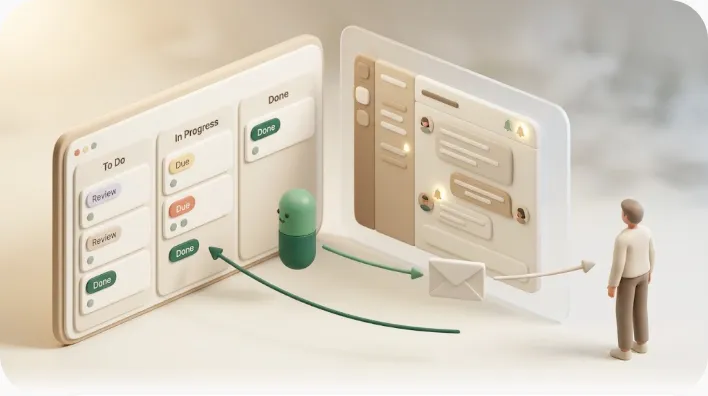
If you are trying to decide whether Notion notifications or Slack notifications should drive your deadlines, the honest answer is that they were built for different jobs, and neither one reaches a client or vendor who is not on your team. Notion notifications are tied to your records and due dates; Slack notifications are a real-time relay for people already watching a channel. Most teams end up using both — and then discover a gap that neither closes on its own.
TL;DR
- Notion notifications = record-driven alerts (mentions,
@remind, database automations) tied to due dates, assignees, and status.- Slack notifications = real-time relay of updates to people who are already in the channel or DM.
- Three shared limits: both need the recipient to have an account and open the app; neither fires reliably on a date simply arriving; neither reaches someone outside your Notion/Slack boundary.
- What Kapsel adds: an outward-facing email layer that watches Notion due dates and sends automatic reminders to the people responsible — even those who never open Notion or Slack — with one-click replies that write status back to Notion.
Conclusion up front: they solve different problems, and neither reaches outside your team
Notion and Slack are not really competitors for deadline management — they occupy different layers. Notion is where the deadline lives (a due-date property on a database row). Slack is where your team talks about it in real time. A notification in Notion answers "what changed on this record?"; a notification in Slack answers "what should I glance at right now?"
The decision therefore is not "which one wins" but "which one anchors the source of truth, and which one relays it." For internal teams, the common answer is: keep due dates in Notion, and mirror the important changes into Slack. The catch is that both systems share the same boundary — they only notify people who hold an account and actively open the app. That boundary is the entire reason a third layer exists.
| At a glance | Notion notifications | Slack notifications |
|---|---|---|
| Best at | Reminders tied to due dates, assignees, status; a single source of truth | Real-time, in-the-flow awareness across a team |
| Who it reaches | People with a Notion account who open Notion | People with a Slack seat who open Slack |
| Weak at | Push-style urgency; getting attention when Notion is closed | Structured task/deadline tracking (needs Workflow Builder, Zapier, or an app) |
| Trigger model | Mentions, @remind, database automations (event-driven) |
Channel/keyword/DM alerts; Notion changes relayed via integration |
| External reach | None — account required | None — seat required |
What Notion notifications and Slack notifications are each actually for
Before comparing alerts, it helps to state what each tool is fundamentally for. Notion is a documentation, knowledge, and structured-database workspace — pages, wikis, and databases with typed properties like due dates and status. Slack is a real-time messaging tool — channels, DMs, and threads built for conversation, not record-keeping. Their notification models follow directly from that difference.
Notion notifications: reminders tied to your records and due dates
Notion notifications are calm and record-driven. They fire from four main sources: @mentions (someone tags you on a page), comments (someone replies on a page or block you're watching), date reminders (@remind on a date, or the reminder option on a date property), and database automations that can notify a person when a property changes. Because they are attached to the record, a Notion notification always carries context — you know exactly which task, due date, or status moved.
The benefit is precision: the alert points at the source of truth, so no one has to reconstruct which item is meant. The trade-off is quietness — Notion notifications assume you will open Notion to see them, which is why "I never got notified" usually means "Notion was closed." For the mechanics of setting these up, see how to set reminders in Notion.
Slack notifications: real-time relay of updates your team already watches
Slack notifications are the opposite temperament: fast, push-forward, and highly customizable, which also makes them noise-prone. You can alert on a channel, a keyword, a DM, or a mention, and tune each with mute rules and notification schedules. To surface Notion activity in Slack, teams use the native Notion app for Slack (personal @mention notifications) or a Notion database automation with a "Send Slack notification" action that posts to a channel when a page is added or a property changes.
The benefit is immediacy: an update lands where your team is already looking, so it gets seen within minutes. The trade-off is that Slack has no native concept of a due date — it relays events, it does not track deadlines. Step-by-step setup and pitfalls are covered in sending Notion updates to Slack.
The shared precondition: both require an account and an open app
Here is the line that decides most of the rest of this article: every native notification in either tool assumes the recipient has an account and is looking at that tool. Notion notifies Notion users. Slack notifies Slack members. Neither can, by design, notify a person who holds no seat in the workspace. That single precondition is what turns "Notion vs Slack" into "Notion and Slack, plus something for everyone else."
Which one should anchor your deadline management
Use Slack when you want real-time, in-the-flow awareness
If your priority is that the team reacts within minutes — a blocker, a handoff, a status flip during a sprint — Slack should carry the alert. It meets people where they already work and is easy to route to the right channel. Slack is the relay, not the ledger.
Use Notion when you want a single source of truth for due dates
If your priority is knowing what is due, who owns it, and where it stands, Notion should anchor the deadline. Databases with due-date and status properties, Kanban boards, and timelines give you a durable record that a chat log cannot. Task and deadline management is a genuine Notion strength; Slack depends on third-party tools (Workflow Builder, Zapier, or an app like Trello/Asana) to track the same thing. For a team-oriented setup, see managing team tasks in Notion.
When to pipe Notion changes into Slack — and its main technical limit
Bridging the two with a database automation → "Send Slack notification" action is the standard pattern, and it works well for edits. But there is a limit most comparison pages skip:
⚠️ Notion's database automations are event-driven, not time-driven. They fire when a property is edited — added, changed, checked. They do not fire simply because a date arrives. If a contract-expiration date lands on a Tuesday and no one edited that row that day, no automation runs, so no Slack message is sent.
This is the core reason "the deadline passed and nobody was alerted" happens even with a working Notion→Slack pipe. An edit-triggered rule cannot chase a deadline on its own, because the passage of time is not an edit.
Common notification trouble and the usual fixes
Late or delayed alerts. Cause: the relay is queued (integration sync) or, more often, the trigger never fired because it was waiting on an edit that did not happen. Workaround: use a scheduled review view for date-arrival cases, and confirm the automation's trigger property. A deeper checklist lives in why Notion notifications aren't working.
Too many, too noisy alerts. Cause: over-broad triggers ("any property changes") flood a channel. Fix: scope automations to the one property that matters (e.g., status = "Blocked"), split channels by project, and use Slack mute rules and notification schedules so urgency is not drowned out.
Three limits neither Notion alone nor Notion + Slack solves with built-in features
- Notifications only reach people who have an account and open the app. A perfectly configured alert is invisible to anyone without a seat, and easy to miss for anyone who has one but rarely opens the tool.
- No reliable built-in way to chase an overdue task on a time-elapsed trigger. As shown above, native automations are edit-driven, so "it's three days overdue, remind them again" is not something they do on their own.
- No way to reach an external client or vendor who uses neither Notion nor Slack. This is the biggest gap. The people most likely to cause a slipped deadline — the client who owes assets, the vendor who owes a signature — are usually the ones with no seat in either tool.
A third option: an outward-facing notification layer
Kapsel is a tool that watches your Notion due dates, assignees, and status and sends automatic email reminders to the people responsible — including recipients who never open Notion or Slack — then writes their one-click response back into Notion. It does not replace Notion or Slack; it covers the outward-facing edge the two share.
Here is how it maps onto the three limits above, one benefit per feature rather than a feature dump:
- Watches due date / assignee / status → sends email automatically. The reminder goes out on the schedule you set, so a deadline no longer depends on someone happening to edit the row that day.
- Reaches people with no Notion or Slack account. The recipient just gets an email — no login, no seat — so external clients and vendors are finally inside the loop.
- One-click reply writes status back to Notion (two-way). When the recipient confirms, the source record updates itself, so you are not copying replies back by hand. (Note: this is a property/status write-back, not a chat reply landing as a comment.)
- Never sends to Completed or Paid items. The safety rule that prevents dunning a client who already paid — arguably the scariest failure mode of any automated chase.
- Overdue chasing, audience filtering, recurring sends, send logs, and merge variables. Overdue chasing keeps nudging until an item is done; audience filtering targets only the right recipients; recurring sends repeat a reminder on a fixed schedule (e.g., weekly) without you re-triggering it; send logs give you a record of what went out; merge variables personalize each message. Together these keep the outbound layer tidy rather than noisy.
💡 For a walkthrough focused on non-Notion recipients specifically, see notifying people who don't use Notion, and for the payment case, chasing overdue invoices.
Notion vs Slack vs Kapsel usage matrix
| Job to be done | Notion notifications | Slack notifications | Kapsel |
|---|---|---|---|
| Single source of truth for deadlines | ✅ Native | ❌ | Reads from Notion |
| Real-time team awareness | ⚠️ Calm | ✅ Native | ❌ (not its job) |
| Alert on a date simply arriving | ⚠️ Reminders only | ❌ Edit-driven relay | ✅ Time-based |
| Chase an overdue item automatically | ❌ | ❌ | ✅ Overdue chasing |
| Reach someone with no account | ❌ | ❌ | ✅ Email, no login |
| Response updates the source record | ⚠️ Manual | ⚠️ Comment only | ✅ Status write-back |
| Skip completed / paid items | ⚠️ Manual filter | n/a | ✅ Built-in |
The pattern most teams land on: Notion as the ledger, Slack as the internal relay, and an outward layer for everyone the first two cannot reach.
Frequently Asked Questions
Should I use Notion or Slack for task management? Use Notion as the system of record for tasks and deadlines — its databases, due-date properties, and boards are built for that. Use Slack for real-time discussion and quick awareness. Slack on its own needs Workflow Builder, Zapier, or an integrated app to track tasks, so most teams keep the tasks in Notion and relay changes into Slack.
Can Notion send notifications to Slack? Yes. You can install the Notion app for Slack for personal @mention notifications, or build a database automation with a "Send Slack notification" action that posts to a channel when a page is added or a property changes. The automation path generally requires appropriate workspace permissions.
Why is my Notion Slack notification not working or delayed? The two usual causes are a queued integration sync (a few-minutes delay) and a trigger that never fired because it was waiting on a property edit that did not happen. Database automations are event-driven, so a date merely arriving does not fire them. Check that the automation's trigger property is the one actually changing.
How do I stop Notion Slack notifications from being too noisy? Scope the automation to a single meaningful property instead of "any change," split channels by project or team, and use Slack's mute rules and notification schedules. Narrow triggers plus channel separation keep the signal from being buried under routine edits.
Does Notion have a built-in reminder for due dates?
Yes — you can add a reminder to a date using @remind or the reminder option on a date property, and it notifies you inside Notion (and by email/mobile push depending on your settings). It reaches Notion account holders only. See how to set reminders in Notion for the steps.
Can Slack remind me about Notion deadlines automatically? Only indirectly. Slack has no native due-date engine, so a Notion automation must push the alert into Slack when something is edited. Because that trigger is edit-driven, it will not automatically remind you just because a due date arrived with no edit that day.
How do I notify someone who doesn't use Notion or Slack about a deadline? Native Notion and Slack notifications cannot do this — both require the recipient to hold an account. To reach an external client or vendor, you need an outward-facing layer that sends by email without a login; Kapsel does this by watching your Notion records and emailing the responsible person directly.
What is the difference between Notion notifications and Slack notifications? Notion notifications are record-driven (mentions, reminders, database automations) and carry the context of a specific page or property. Slack notifications are conversation-driven (channels, keywords, DMs) and optimized for real-time attention. Notion is calmer and precise; Slack is faster and more customizable but easier to overload.
Can you automate Notion to Slack notifications for free? The native Notion app for Slack covers personal @mention notifications on standard plans, but the database-automation → Slack action typically depends on paid-plan and admin permissions. If you need automation beyond that, tools like Zapier-based Notion reminders are an option, though they still relay to internal seats only.
How do I stop sending reminders to completed or paid tasks? With native automations you have to filter manually so a rule excludes done items — easy to get wrong. A dedicated reminder layer should skip finished work by design; Kapsel never sends to items marked Completed or Paid, which prevents the classic mistake of dunning a client who has already paid.
Ready to cover the external edge? You can start on the Free plan (¥0 / $0) to try outbound reminders, with Standard (¥1,980 / $12) and Pro (¥4,980 / $29, adding multiple workspaces and sender branding) when you need more volume. See the official pricing page for exact figures.
Notes & sources
Published 2026-09-22. Primary references: Notion's official help documentation on notifications, date reminders, and database automations; Slack's official documentation on notification preferences and the Notion integration. Comparisons describe each tool's native behavior as documented at the time of writing. Kapsel's features and pricing are as of the publish date and may change; the pricing page holds the current figures.