Notion for Agencies: How to Run Client Project Management Without Chasing Clients for Feedback by Hand
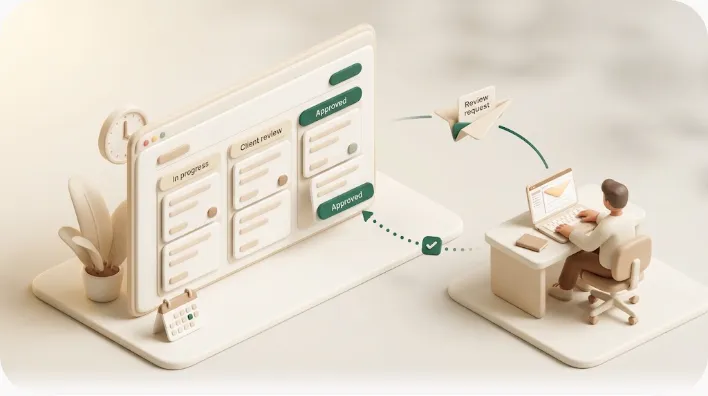
Your projects live in Notion, but your clients do not. Agency and studio account managers — and solo freelancers — end up as the human relay between a clean Notion tracker and a client who never opens it: pinging over email and Slack to say "the draft's ready, can you review?" This guide shows how to build the client-facing side in Notion the way the best templates do, and then close the one gap those templates leave open — so review requests, progress digests, and overdue-approval nudges reach the client's inbox automatically instead of waiting on you.
TL;DR
- Notion is a strong internal system of record for client work: a client project database, multiple views, comments, forms, and clear approval stages.
- The failure mode agencies actually hit is that clients don't have the Notion habit — a shared page is a destination they must remember to visit, not a channel that reaches them.
- Notion's native automations and @mentions only notify people who already have accounts and the app open; none of them email an external client when a deliverable is ready or an approval is overdue.
- Kapsel adds that outbound layer: it watches your existing Notion due dates, assignees, and status and emails the client, who approves or requests changes in one click — and the answer writes back to Notion.
Why "just share a Notion page" breaks down for client approvals
Every agency workflow guide ends the same way: build the tracker, share the page, @mention the client for feedback. That advice assumes the client behaves like a teammate. In practice they don't, and the workflow quietly falls back onto the account manager.
A shared page is a destination, not a channel
Sharing a live Notion page or portal gives the client a URL they can open, which is real progress over a static slide deck or a scattered email thread for keeping them updated. It does not push anything to them. Clients rarely build the habit of checking a project tool they use for one vendor, so the page sits unopened until someone tells them to look. A destination requires the client to remember to visit; a channel arrives where they already are. Email is that channel for almost every client.
Comments and @mentions only reach people already in Notion
In-Notion commenting and @mentions — whether left as a page-level comment on the whole deliverable or anchored to a specific block for granular feedback — are excellent for internal discussion, but a notification only fires for someone with a Notion account and notifications enabled. A guest invited to a page may get an email for a direct @mention, yet most clients ignore or filter those, and public-link viewers get nothing at all. So "leave a comment and I'll see it" works between teammates and breaks the moment one party lives outside the workspace.
The result: the account manager becomes the manual bridge
Because the tool notifies the team but not the client, a person has to close the loop. The account manager copies a status into an email, waits, follows up in three days, waits again, then updates the Notion status by hand once the client finally replies in Slack. This manual bridge is invisible on the org chart but consumes real hours, and it is where late feedback and missed sign-offs originate.
| What you want | Native Notion sharing | What's actually missing |
|---|---|---|
| Client sees the latest status | Shared page / public link | A push to somewhere they check daily |
| Client gets told a deliverable is ready | @mention (needs account) | Email that reaches non-users |
| Client's approval updates the tracker | Client types a comment | One-click reply that writes back |
| Nobody forgets to chase | Manual follow-up | Automatic overdue reminders |
Build the foundation in Notion first
The internal half of this is well-solved, and you should do it properly before adding anything else. If you are starting from scratch, our Notion project management guide covers the Projects-plus-Tasks structure in depth; the essentials for client work are below. If you want to standardize the kickoff itself — the contract, asset, and access requests a new client owes you — see how to systematize client onboarding in Notion.
A client-specific project database
Create one database for client projects with, at minimum: Status (select), Deadline (date), Project Owner (person), and Project Type (select). Many agencies add a separate Clients database and an Assets / Deliverables database, linked by relations, so file versions and per-deliverable approval status live independently of the overall project. This gives you a single source of truth where every deliverable has an owner, a due date, and a state — which is exactly what any downstream notification will read from.
Views that match the audience
The same data should be shown differently to your team and your client. Build the internal views for how you work, and one deliberately simplified shared view for the client that hides internal notes, rates, and half-finished items.
| View | Audience | Purpose |
|---|---|---|
| Board / Kanban | Internal team | Move work through pipeline stages |
| Timeline / Gantt | Internal + client | Scheduling and dependencies (see the Notion Gantt chart guide) |
| Calendar | Internal + client | Upcoming deadlines at a glance |
| Table (filtered) | Client-facing | A clean, read-only status list |
A filtered, client-safe view means you can share transparency without exposing margins or messy drafts.
Where comments, forms, and templates still earn their keep
Three native features remain genuinely useful for client work:
- Forms to intake briefs, creative requests, and feedback straight into the tracker, so nothing arrives as a loose email that someone has to transcribe.
- Comments and @mentions for threaded discussion on a specific deliverable while a client is actively in the page — good for a scheduled review call, less reliable for asynchronous sign-off.
- Internal database automations to ping teammates when a status changes or to reassign an owner. Keep these scoped to your team; Notion automations do not email external clients.
Define your approval workflow as explicit stages in the Status property — for example In Review → Client Feedback → Approved — so an approval is a state the system can act on, not a vibe in someone's inbox. For a deeper build, see the Notion approval workflow guide.
💡 Don't build from a blank page. Curated template round-ups such as Agency OS, Client Portal 2.0, and CRM Template 2.0 ship the client / project / deliverables structure above and are a faster starting point than reinventing it. Treat them as scaffolding, then adapt the Status stages to your actual approval steps.
The missing layer: getting updates and approvals into the client's inbox
Templates give you structure; they do not give you reach. Everything a template automates is internal-facing. The four things below are what agencies still do by hand — and each is a place where a project stalls.
- Scheduled progress updates. A weekly progress digest that a human assembles and emails is the first thing dropped when the week gets busy.
- A review request the moment a deliverable is ready. When a deliverable moves to "Ready for review," the client should hear about it immediately — not whenever the account manager next remembers.
- Automatic follow-up on silence. If the client hasn't approved or replied in a few days, someone has to notice and chase. Templates stop at "define the stage."
- A one-click decision that writes back. The client should approve or request changes without logging into anything, and that action should update the Notion status directly — instead of "client types a comment, teammate reads it, teammate updates Status."
Setting this up with Kapsel
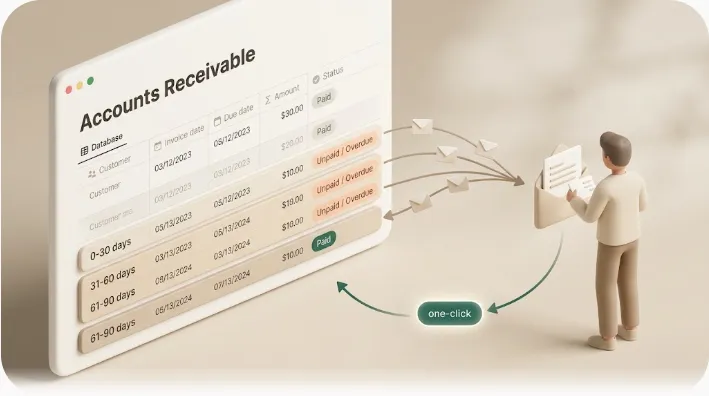
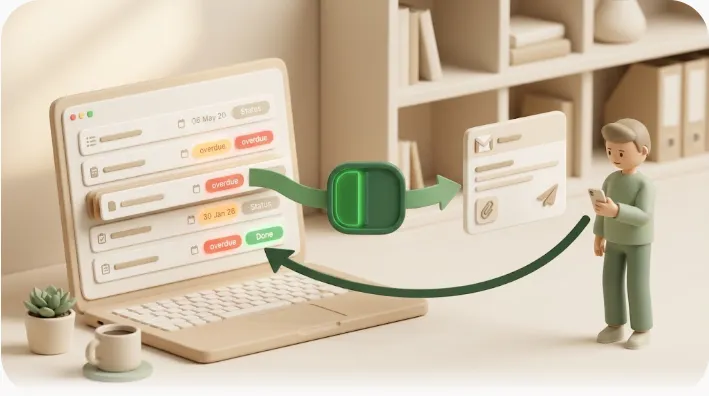
Kapsel is a tool that watches your Notion due dates, assignees, and status and sends automatic email reminders to people — including clients who don't use Notion — who can respond in one click, with the response written back into Notion. It runs on top of the tracker you already built above; you don't restructure anything.
| Feature | What it does | Why it helps the agency |
|---|---|---|
| Watches due dates, assignees, status | Reads your existing database properties | No new structure — point it at the tracker you have |
| Overdue chasing | Follows up automatically when a date passes with no response | Approvals stop stalling silently in an inbox |
| Audience filtering | Splits who gets what — internal team vs. client | The client sees a clean update; the team sees the detail |
| Recurring sends | Delivers a weekly progress digest on schedule | The status email goes out even on your busiest week |
| Send log | Records exactly what each client was told and when | Evidence for who was asked to approve, and when |
| Merge variables | Personalizes each message (client name, project, deliverable link) | One flow across many clients, no copy-paste per project |
The point is not more email — it's that the manual bridge disappears. The account manager stops being the notification layer, and no deliverable waits on someone remembering to chase it.
⚠️ The guardrail that matters most: never notify a client about something already done. Kapsel does not send for items already marked Completed or Paid. Once you add any automated notification to a fast-moving pipeline, the real risk isn't a missed send — it's an accidental one: a "please review" or "payment overdue" email landing after the client already approved or paid. Excluding done and paid items protects the client relationship, not just inbox hygiene.
If your need is mostly outbound status sharing rather than approvals, sending Notion updates to clients who aren't in Notion covers that narrower case, and the external-sharing comparison explains why guest invites and public links don't notify anyone on their own.
A simple end-to-end example: brief → review → approval → delivery
Here is one deliverable — a homepage design — moving through the pipeline, with the automatic points marked:
- Brief. The client submits a request through a Notion form; a new row appears in the tracker with Status
Brief receivedand a Deadline. - Production. Your designer is the Project Owner; internal Notion automation pings the team on assignment. No client email yet.
- Ready for review. You set Status to
In Review. Kapsel emails the client a review request with a merge-variable link to the specific deliverable — automatically, the moment the status changes. - Silence. The client doesn't respond in three days. Kapsel sends an overdue follow-up on its own; no one on your team had to notice.
- Decision. The client clicks Approve in the email. The Status writes back to
Approvedin Notion, and the send log records the timestamp. - Delivery. With the item approved, you ship it. Because it's now
Completed, no further reminder will ever go to that client about it.
Steps 3, 4, and 5 are exactly the ones that used to be manual — and are where projects used to stall.
Frequently Asked Questions
How do I give clients access to a Notion project without making them create an account or log in? You can share a page via a public link so clients can view it without an account, or send a filtered, read-only view. For proactive updates and approvals, a tool like Kapsel emails the relevant information directly, so the client doesn't need Notion access at all to stay in the loop or respond.
Can clients leave feedback in Notion without a Notion account? On a public link they can view but not comment, and full commenting generally requires an account or guest access. To collect structured input without an account, use a Notion form for intake, or an emailed one-click reply (approve / request changes) that writes back to the tracker.
How do I send automatic status updates to clients from Notion? Notion's native automations notify internal members, not external email recipients. To email clients automatically, connect a tool that reads your database and sends on a schedule or on status change — for example, a recurring weekly progress digest that goes out without anyone assembling it.
What's the best way to get faster client approvals on Notion project pages?
Make the approval a single explicit status (e.g., Approved) and reduce the friction of responding. Approvals speed up most when the client can decide from their inbox in one click, rather than having to log into Notion, find the comment box, and type a reply.
Can Notion automatically remind clients when they haven't responded or approved something? Not on its own — native reminders reach workspace members, not outside clients. An outbound reminder tool can chase automatically, sending a follow-up email when a client hasn't approved or replied within a set window, and stopping once the item is approved.
What's the best Notion template for agency client management? Popular round-ups include Agency OS, Client Portal 2.0, and CRM Template 2.0, which provide client, project, and deliverables databases out of the box. Pick one as scaffolding, then adapt its Status property to your real approval stages. A template gives you structure but not outbound client notifications.
How do I stop manually chasing clients for feedback or sign-off? Replace the manual "notice, email, wait, follow up" loop with automated review requests and overdue follow-ups tied to status and due dates. That removes the account manager as the human relay between Notion and the client's inbox.
Is Notion good for managing multiple clients at once as an agency? Yes — a single client-projects database with per-client relations, filtered views, and clear status stages scales across concurrent clients. The harder part is personalization at scale; merge variables let you run one review-request flow across many clients with each client's name, project, and link filled in automatically. See also building a client CRM in Notion.
How do I track which clients I've already notified about a deliverable? Native Notion won't log outbound emails, since it doesn't send them. A send log — a record of what each client was told and when — closes that gap and is useful evidence in disputes over whether feedback or approval was actually requested on time.
Can I automate client emails from Notion without building something custom? Yes. Rather than writing code against the Notion API, a dedicated tool such as Kapsel connects to your workspace and handles scheduled sends, overdue chasing, filtering, and one-click write-back without custom development. Check the official pricing page for current plans (Free $0 / Standard $12 / Pro $29).
Notes & sources
Published 2026-09-16. Primary references: Notion's official help documentation on databases, views, forms, comments and @mentions, sharing and public links, and database automations; and widely used agency template round-ups (Agency OS, Client Portal 2.0, CRM Template 2.0) as starting structures. Kapsel's features and pricing described here are accurate as of the publish date; for exact current figures, see the official pricing page.