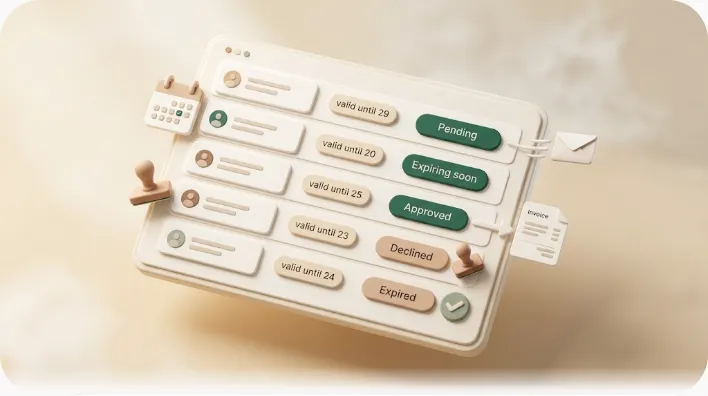
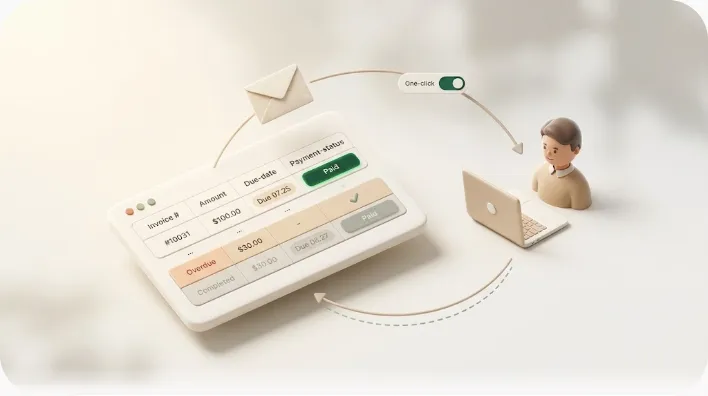
How to Collect Membership Fees and Automate Chasing Unpaid Dues (Studios, Lessons, and Membership Businesses)

If you run a studio, a lesson-based business, an online community, or any membership organization, you already know the quiet tax that comes with recurring dues: the same members, the same month, the same awkward message to someone you know by name. Collecting the money is rarely the hard part. Chasing the handful who didn't pay — without accidentally nagging the ones who did — is what wears you down. Here's the part that helps: most of that awkwardness is unnecessary, because most unpaid dues turn out to be oversights rather than refusals — a forgotten transfer, an expired card, a renewal date nobody flagged. This guide compares the collection methods, lays out a staged reminder flow that only turns firm once it has to, and hands you copy-ready email templates for each stage.
TL;DR
- Most unpaid dues are oversights, not refusals — a forgotten transfer, an expired card, an unclear renewal date. That means you can prevent a large share of them with structure rather than sterner emails.
- There are two different things people call "automating collection": automating the payment itself (autopay, card-on-file, a membership billing platform) and automating only the chasing (reminders and follow-ups). If switching platforms feels heavy, the second is the lighter option.
- Chase in stages: a pre-due heads-up → a soft check-in → a firm reminder → direct outreach → suspension or, as a last resort, formal/legal steps. Keep every message factual and state the amount, deadline, and how to pay.
- Manual chasing is where accidents happen — reminders sent to members who already paid, follow-ups forgotten, no record of what went out. Filtering the right members and logging every send is what makes collection sustainable.
- Kapsel is one lightweight option: it watches the due dates, assignees, and statuses in your Notion member list, emails reminders to members who don't use Notion, and never contacts anyone already marked paid — with a one-click confirmation that writes the status back to Notion.
Most guides on this topic assume you'll adopt a new billing platform. That's a real option, but plenty of operators just want to keep the system they already have — a spreadsheet, a binder, a Notion database — and make the chasing less painful. This article separates payment automation from chasing automation, compares the collection methods objectively, and gives you copy-ready email templates for each stage.
Why membership dues go unpaid
Unpaid dues usually have less to do with a member's willingness to pay than with friction in how they pay. Sorting the causes makes it obvious which ones you fix with prevention and which you fix with a reminder.
| Type of cause | What it looks like | What actually helps |
|---|---|---|
| Simple forgetfulness | Forgets to bring cash, forgets to send the transfer, means to pay "later" | Automatic reminders before and after the due date |
| Payment method failure | Expired card, insufficient funds, a failed autopay charge | Detecting the failed charge and re-prompting |
| Miscommunication about the amount | A price change or add-on fee never reached the member | Written terms and advance notice of changes |
| Unclear cancellation | Member thought they'd quit and stopped paying, but never formally cancelled | Clear cancellation and pause rules |
| Genuine non-payment | Interest has faded and the member ignores contact | Staged follow-ups, then suspension per your terms |
⚠️ If your default explanation is "the member is at fault," you'll keep hitting the same wall. Separate the factors you control (how you bill, how you track due dates, how clearly you communicate payment methods) from the ones the member controls (willingness, cash flow). That split turns a vague frustration into specific fixes.
Membership businesses have one structural quirk worth naming: the same person owes you again next month. Let one missed payment slide and it stacks with the next, the balance grows, and the conversation gets harder to start. Catching a shortfall while it's small — and small is easier to raise — is what keeps recovery simple.
How to collect membership dues: methods compared

Before automating anything, it helps to see the collection methods side by side. None is universally "best" — the right one depends on your member base, your fees, and how much friction you're willing to ask members to accept.
| Method | Ease of automation | Effort for the member | Notes |
|---|---|---|---|
| Cash (in person) | Low | Bring it every time | No processing fees, but record-keeping and forgotten payments are the problem |
| Bank / manual transfer | Medium (transfer is manual) | Send it every time | Easy to start; forgotten transfers and reconciliation work remain |
| Direct debit / ACH autopay | High | One-time setup | Charges pull automatically; needs setup and a plan for failed pulls |
| Recurring card-on-file | High | One-time setup | Automatic charges; you must catch expired cards and declines |
| Membership / billing platform | High | One-time setup | Bundles payment, dunning, and records; migration has a real cost |
A few honest trade-offs to weigh:
- Autopay and card-on-file cut down forgetfulness dramatically, but every member has to register once, and you'll need a process for failed charges (an expired card is the most common one).
- Bank transfer and cash are the lowest-friction to offer but the highest-friction to chase, because nothing is automatic — you're reconciling by hand.
- A dedicated membership platform can unify billing, reminders, and reporting, but moving your whole member base onto it — and asking everyone to re-register a payment method — is the heaviest change on this list.
⚠️ Switching your entire collection method to autopay or a new platform can work well, but it asks every member to register a card or bank mandate, which carries migration effort and some churn risk. If you have many members or a less tech-comfortable audience, price that switching cost in before committing.
There's a second axis most articles skip: you can automate the payment and you can automate the chasing, and they're not the same decision.
Automating the payment vs. automating the chasing
- Automating the payment means moving to autopay, card-on-file, or a billing platform so the money pulls automatically. It reduces missed payments at the source — but it changes how members pay and requires them to set something up.
- Automating the chasing means keeping your current payment method and tracker, and only automating the reminders and follow-ups to members who haven't paid. It's lighter to adopt and asks nothing new of members.
If you're building collection from scratch, payment automation is worth it. If your current method works fine and only the follow-up is eating your time, automating the chasing is the smaller, lower-risk move. For the reminder side specifically, Notion email reminders shows how the messages can reach people who never touch your workspace.
A staged flow for chasing unpaid dues
Don't open with a stern demand. The reliable pattern is to start soft and raise firmness only as time passes — skipping stages strains the relationship, while staying soft forever gets ignored.
| Stage | Method | Rough timing | Tone | Goal |
|---|---|---|---|---|
| 1 | Pre-due heads-up | A few days before the due date | Sharing a reminder | Prevent forgotten transfers and no-shows |
| 2 | Soft check-in | Day after due → ~1 week late | Assumes a mix-up | Nudge an honest oversight gently |
| 3 | Firm reminder | ~1–2 weeks late | Polite but clear | State amount, deadline, and how to pay |
| 4 | Direct outreach | ~2+ weeks late | Personal / in writing | Call or email individually; a formal notice if no response |
| 5 | Suspension / legal (last resort) | No response to the above | Matter-of-fact | Enforce terms; consider formal or legal steps |
Say something early — waiting makes it more awkward
The moment you notice a shortfall, flag it. The longer you wait, the more the balance stacks and the more it feels "too late to bring up now," which is exactly how small misses become long silences. A light check-in a day to a week after the due date resolves most forgotten transfers on the first message.
Early contact protects the relationship, too. A gentle "just confirming" note on a small amount is far easier on both sides than a first message that only arrives once several months have piled up.
Keep the tone factual
Chasing messages work best when they state facts and skip the emotion. Because a missed payment is often just a mix-up, lead with a "sorry if this has crossed with your payment" posture and avoid accusatory or commanding phrasing.
Every reminder should carry three things — without them, the member can't tell what, by when, and how to pay:
- Amount — the specific period or dues name and the exact figure.
- Deadline — the original due date and a clear new date to pay by (or to reply with a plan).
- How to pay — the transfer details, the link to re-run a failed charge, or where to hand it over. The next action, spelled out.
💡 Chasing pulls in two directions at once: you want to reuse a template and never get a name or amount wrong. Storing member name, amount, and period as fields on each tracker row lets you keep the wording shared and the details individual.
Escalate by days elapsed, not by mood
Raise firmness according to how overdue the payment is, not how annoyed you feel that day. If a soft check-in gets no reply, move to a firm reminder with the amount and deadline; if that's ignored, switch to a direct call or individual email. Deciding message-by-message by hand invites picking the wrong one or forgetting to send. Prepare a message per stage and let elapsed days drive which one goes out. For stage-by-stage wording, see payment reminder email templates; for the escalation logic end to end, how to chase late payments walks through the full ladder.
Membership dues reminder email templates
Copy these and replace the { } fields with your own details. If you automate with merge fields, those same { } slots map directly to your tracker columns. For more variations by stage, see payment reminder email templates.
Pre-due heads-up (prevent a forgotten payment)
Subject: Heads-up: {period} membership dues coming due

Hi {member name},

A quick reminder that your {period} dues are due soon.

  For: {period} membership dues
  Amount: {amount}
  Due by: {due date}
  How to pay: {payment details}

If you've already taken care of it, please ignore this — thanks, and see you soon!
Soft check-in (day after due to ~1 week late)
Subject: Quick check on your {period} dues

Hi {member name},

I'm not seeing your {period} dues as paid on my end yet, so I wanted to check in.

  For: {period} membership dues
  Amount: {amount}
  Due by: {due date}
  How to pay: {payment details}

If this has crossed with your payment, apologies — no need to reply.
Otherwise, whenever you get a moment would be great. Thank you!
Firm reminder (state amount, deadline, and how to pay)
Subject: {period} membership dues — payment request

Hi {member name},

Following up on the {period} dues below — I haven't yet seen a payment
or a reply, so I wanted to reach out again.

  For: {period} membership dues
  Amount: {amount}
  Original due date: {due date}
  How to pay: {payment details}

Could you arrange payment by {new deadline}, or let me know when you
expect to? If there's anything going on, I'm happy to talk it through.
Having these ready before you need them means you're not composing an awkward message from scratch while a friend's or member's balance quietly grows — you just fill in the blanks and send.
⚠️ Commanding language ("pay immediately") or accusations ("why haven't you paid") will sting a member who simply had a mix-up. State the amount, deadline, and payment method plainly, skip the emotion, and leave room for a conversation — some members have real circumstances behind a delay.
Prevent unpaid dues with clear terms
Preventing a missed payment costs far less — in time and in stress — than chasing one after the fact. Alongside automating reminders, tighten the entry rules so fewer payments go missing in the first place.
- Put dues and terms in writing. State the amount, due date, accepted payment methods, and what happens when a payment is late, and share it when a member joins. Verbal-only arrangements breed misunderstandings.
- Make payment methods easy to find. Keep transfer details, accepted methods, and cut-off dates somewhere members can always check — the welcome guide, an email signature, a pinned message.
- Spell out cancellation and pause rules. Define exactly how and by when a member must give notice to stop being billed, so "I thought I'd quit" never becomes an unpaid balance.
- Announce price changes in advance. Give plenty of notice before a rate increase or new fee applies, so nobody is surprised by an amount they didn't expect.
💡 For recurring dues billed to the same people every cycle, written terms plus a scheduled pre-due reminder pay off the most. The more reliably you "remind before they have to pay," the fewer situations you'll have that need chasing at all.
Penalties: suspension and cancellation
When staged reminders get no response, suspension or cancellation of membership becomes a reasonable step. But to enforce it later without a dispute, the groundwork has to be laid first.
- Anchor it in your terms. Spell out the condition and consequence in writing at signup — for example, "access is suspended after X unpaid cycles" or "continued non-payment results in cancellation."
- Warn in stages. Don't cut access without notice; signal in your reminders that continued non-payment will lead to suspension.
- Keep records. Log when each message went out and what stage it was, so the path to any penalty is documented.
- Separate the debt from the membership. Cancelling membership usually doesn't erase what's already owed — treat "ending the membership" and "recovering the unpaid balance" as two different tasks.
⚠️ Suspension, cancellation, late fees, and formal collection depend on your written terms, the member's agreement, and local law, and they change by jurisdiction. This section is a general framework, not legal advice — confirm specifics with a qualified professional before acting.
If reminders and calls get no response at all, or the balance is large, a formal written notice and, ultimately, legal routes (small claims or civil court, depending on your jurisdiction) become options. Those sit outside day-to-day chasing; how to chase late payments covers the escalation to formal demand in more detail.
What different membership businesses need
"Membership business" covers a lot of ground, and the features that matter vary by type. Knowing yours keeps you from over-buying a platform you don't need.
| Business type | Collection pattern | Features that tend to matter |
|---|---|---|
| Studios / lessons | Monthly dues; often billed to a parent | Correct recipient per member, pre-due heads-ups, gentle reminders |
| Gyms / fitness | Monthly fees; large member counts | Payment automation, bulk pull of unpaid members, records |
| Coworking spaces | Monthly fees; mix of individuals and companies | Per-plan amounts, clear paid/unpaid visibility |
| Associations / societies | Annual dues; many members paying around the same time | Batch reminders, recurring digests, send log |
| Online communities | Monthly billing; members spread out geographically | Email at a distance, no accidental sends to paid members |
Across every type, two capabilities are constant: seeing paid vs. unpaid at a glance and contacting only the unpaid members accurately. Whether you collect by cash, transfer, or autopay, once those two are in place the chasing can be automated. If you run a tutoring school or lessons studio specifically — where dues are billed to a parent who doesn't use Notion — managing students and tuition in Notion walks through that case in detail.
Keep your existing tracker, automate only the chasing
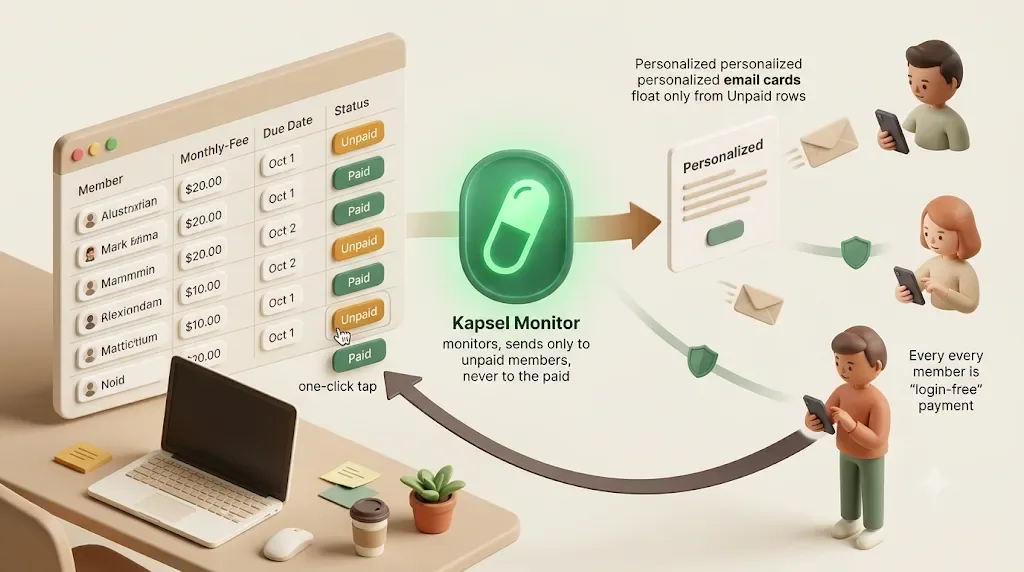
If your member list and payment status already live somewhere — a spreadsheet, or a Notion database — you don't have to migrate to a billing platform to automate the follow-ups. You can keep the payment method and the tracker exactly as they are and automate only the reminders. This is the "automate the chasing" path made concrete.
For teams already tracking members in Notion, Kapsel is one tool built for exactly this. It watches your Notion database's due dates, assignees, and statuses, emails reminders to members who don't use Notion, and writes their one-click confirmation back into Notion (getkapsel.com). Because it reads your existing data, you can reuse what you already have instead of switching collection systems. If your member records double as a lightweight Notion CRM, the same rows can drive both your relationship notes and your dues reminders.
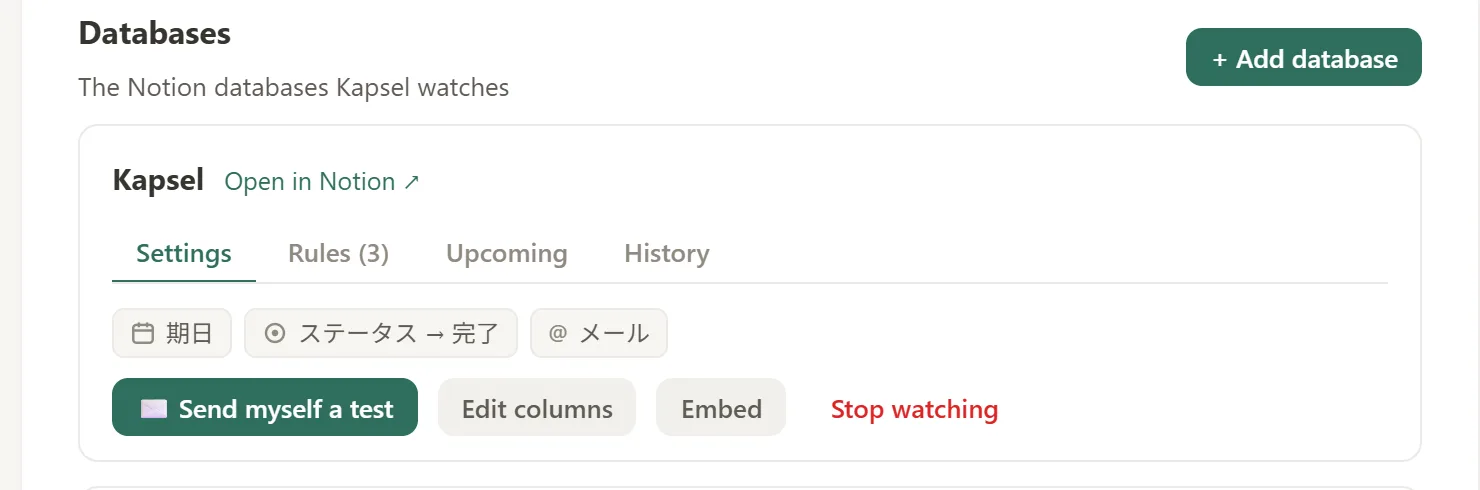
It chases only overdue, unpaid members
Kapsel watches the due date, assignee (recipient), and payment status on your member database and picks up only the members who are past due and still unpaid. You no longer eyeball the roster to find who hasn't paid, which cuts the "missed it, forgot to send" gap. The payment itself stays on your existing transfer or autopay — only the notifications are automated. The same mechanism powers automatic overdue invoice reminders from Notion.
It never contacts a member who already paid
One of the more damaging accidents in dues collection is sending a reminder to someone who already paid. A chasing email landing on a paying member is a fast way to lose goodwill. Kapsel doesn't send to members marked paid or completed — it reads the status and drops them from the batch, which is designed to avoid that mistake.
💡 Adding "sorry if this has crossed with your payment" to your template doesn't actually prevent misfires. Preventing them needs two separate things: visibility (showing who is unpaid) and a send rule that won't contact anyone already paid. Seeing the status and enforcing the status are different jobs.
Members don't need a Notion account
Most students, parents, and community members don't use Notion. Kapsel delivers by email, so a member only has to receive a message — no Notion account, no login. You never ask them to register for a new app or a new payment service just to be reminded, which is the difference from tools that only notify people inside a workspace.
One-click confirmation writes the status back to Notion
Each reminder includes a button the recipient can press; one click writes the result back into the Notion status. Unlike a one-way email, you can look at Notion and see where each member stands, which avoids double-chasing someone who has already responded. That two-way update — driven by the member's own action — is what manual reconciliation doesn't give you.
Target filtering, recurring digests, a send log, and merge fields
Dues collection isn't "send once and done" — it repeats every cycle. Four capabilities lower the cost of running it continuously:
- Target filtering — instead of blasting everyone, narrow to conditions like days overdue or member type, and match the tone to the situation.
- Recurring digests — for example, a weekly sweep of everyone currently unpaid, so chasing doesn't depend on how busy you are that week.
- Send log — a record of who was sent what, and when, so you avoid double-sends and can check the history later.
- Merge fields — map
{member name},{amount},{period}, and{deadline}to your Notion columns so every member gets the correct figure and date without editing messages one by one.
Put together, that's less time spent re-writing the same reminder every cycle and fewer members who slip through simply because nobody remembered to check.
The Pro plan adds multiple Notion workspaces and sender branding (your organization name, signature, and logo). Kapsel is a small, independent product — it was built by someone who disliked chasing payments by hand — so the focus is deliberately narrow: automate the follow-ups, leave your payment method and tracker untouched. For subscription renewals specifically, Notion renewal reminders applies the same approach to expiry dates.
Getting started in three steps
- Connect your Notion workspace. Sign up free at getkapsel.com and connect the workspace holding your member list. Connecting takes a few minutes and leaves your existing collection method intact.
- Point Kapsel at your database and properties. Choose the member database and map the due date, recipient email, and payment status properties. Linking the status is what powers the "never send to paid members" rule.
- Set your templates and send conditions. Write a pre-due heads-up and an overdue reminder, map the merge fields, and set target filtering or a recurring digest so only overdue members are contacted, on schedule.
Once it's set up, the weekly question of "who still owes money" stops being something you have to check by hand.
Pricing (USD, per month):
| Plan | Price | What's included |
|---|---|---|
| Free | $0 | Free forever; connect and try the real flow |
| Standard | $12 | The core reminder and follow-up features |
| Pro | $29 | Multiple Notion workspaces and sender branding (name, signature, logo) |
You can start on Free ($0), connect your workspace, run an actual chase, and only move to Standard or Pro if and when you need more.
FAQ
How do I collect membership fees more reliably?
Pick a collection method that fits your members (cash, bank transfer, direct debit/autopay, card-on-file, or a membership platform), then reduce misses with structure: written terms shared at signup, a pre-due reminder a few days before the due date, and a staged follow-up for anyone who's late. Autopay and card-on-file cut forgetfulness the most, but require members to register once. If your method already works, automating only the reminders is the lighter improvement.
How should I chase unpaid membership dues?
Start soft and escalate by days elapsed, not by mood. Begin with a "sorry if this has crossed with your payment" check-in a day to a week after the due date, move to a firm reminder stating the amount, deadline, and how to pay, and if there's still no response, switch to a direct call or individual email. Keep every message factual and keep a record of what you sent.
What's the difference between automating payment and automating chasing?
Automating the payment means moving to autopay, card-on-file, or a billing platform so charges pull automatically — it reduces misses at the source but changes how members pay and requires setup. Automating the chasing keeps your current payment method and tracker and only automates the reminders to unpaid members. The second is lighter to adopt and asks nothing new of members, which suits operators who only want the follow-up handled.
How do I avoid reminding a member who already paid?
Don't rely on remembering to check each time — that's what fails on a busy week. Use a systemic rule: a process that won't send to anyone marked paid or completed. Kapsel works this way; it reads the payment status and never contacts paid or completed members, and its one-click confirmation lets members update that status themselves without a Notion account.
Can I cancel a membership for unpaid dues?
Generally yes, if your written terms state that continued non-payment leads to suspension or cancellation and the member agreed at signup. But cancelling membership usually doesn't erase the balance already owed — treat ending the membership and recovering the debt as separate tasks. Rules vary by jurisdiction, so confirm specifics with a qualified professional; this is general information, not legal advice.
Do my members need a Notion account to get reminders through Kapsel?
No. Kapsel sends plain email, so a member only has to receive a message — no Notion account, no login, no guest invite. You track everything in Notion, and each reminder's one-click confirmation writes the member's response back into your database automatically, so your records stay current without manual editing.
Notes
Published 2026-08-22. Features and pricing described here are current as of writing. Kapsel watches Notion due dates, assignees, and statuses and sends email reminders to recipients who do not need a Notion account; a one-click confirmation in each email writes the status back to Notion, and reminders are never sent to completed or paid items. Kapsel also supports overdue follow-ups, target filtering, recurring digests, a send log, and merge fields; the Pro plan adds multiple Notion workspaces and sender branding. Pricing referenced: Free $0, Standard $12, and Pro $29 per month (USD); see current pricing for plan details. Collection methods, membership platforms, and their fees vary and change over time — confirm current details with each provider. Suspension, cancellation, late fees, and formal or legal collection depend on your written terms and local law; this article is general information, not legal advice — confirm current rules with a qualified professional before acting.