The Overdue Invoice Reminder Timeline: When to Send Each Follow-Up (and How to Never Double-Send)

If you chase unpaid invoices by hand, the hardest part isn't writing the email — it's remembering which client got which reminder, when the next one is due, and whether that "30-day final notice" is about to land on someone who paid last Tuesday. This guide gives freelancers, small agencies, and anyone running accounts receivable a fixed overdue invoice reminder timeline — specific day ranges for each stage — and then shows how to run it as a status-gated workflow so stage advancement and the "stop when paid" rule happen on their own, not from memory.
TL;DR
- A standard escalation schedule: gentle nudge at 1-7 days overdue → firmer follow-up at 14-30 days → formal final notice at 45-60+ days (some extend a final window to ~90 days before collections).
- Escalate formality, never hostility. Assume oversight early; get factual and firm later. Every reminder, at every stage, must carry the same five facts: invoice number, amount owed, original due date, days overdue, and a payment link or instructions.
- The timeline breaks down by hand once you pass a handful of invoices — the failure mode that does the most damage is reminding someone who already paid.
- The durable fix is a status-gated workflow: one source-of-truth tracker, "Paid" as a hard stop, and stage advancement driven by days-overdue. Kapsel runs that loop from a Notion invoice tracker.
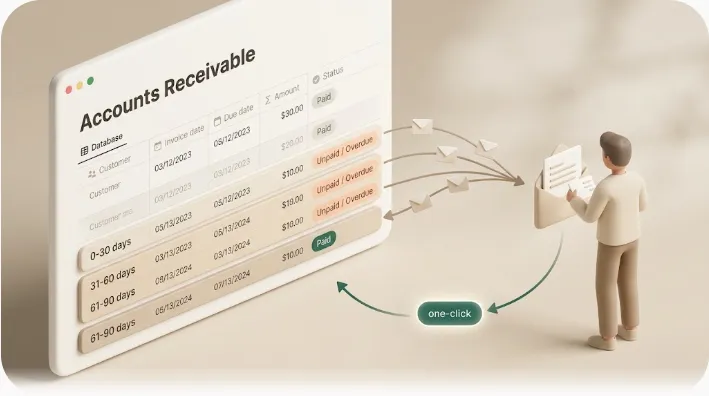
💡 Definition: Kapsel is a tool that watches a Notion database's due dates, assignees, and statuses and sends automatic email reminders to recipients who don't use Notion, with a one-click confirmation in each email that writes the status back to Notion.
The escalation ladder at a glance
The reason a fixed schedule works is that it takes emotion out of the decision. When day ranges are decided in advance, sending a firm notice isn't "being harsh" — it's following the same policy you'd apply to anyone. Here is the whole timeline in one view; treat the day ranges as defaults you adjust to your contract, not hard law.
| Stage | Days overdue | Tone | Goal |
|---|---|---|---|
| 1. Gentle nudge | 1-7 | Warm, assumes oversight | Make paying effortless; no defensiveness |
| 2. Firmer follow-up | 14-30 | Polite but direct, adds a new deadline | Get a commitment and a payment date |
| 3. Final notice | 45-60+ (some extend to ~90) | Formal, unemotional, names a consequence | Last written step before a call, collections, or court |
💡 The day ranges are conventions, not statute. A monthly retainer client might earn a longer leash; a first-time client who has gone silent warrants faster escalation.
This article covers the written reminder timeline and the workflow that runs it. For what happens after the final notice — demand letters, collections agencies, and small claims — see how to chase late payments from clients, which covers the legal and collections steps in full so this piece doesn't duplicate them.
Stage 1 — The gentle first nudge (1-7 days overdue)
At this point the invoice is only days late, and the most likely explanation is a busy inbox, not a refusal. The goal is to make paying effortless and give the client zero reason to feel accused. A warm first nudge also signals that you track invoices closely — useful context if the matter ever needs firmer handling later.
Keep it short and complete enough to act on without hunting for the original invoice. Every reminder from here on should carry the same non-negotiable fields:
- Invoice number and a one-line description of the work.
- Amount owed and the original due date.
- Days overdue (stated plainly, e.g. "now 5 days past due").
- A payment link or instructions, plus a fresh copy of the invoice.
A ready-to-paste version of this stage looks like this:
Subject: Friendly reminder — Invoice #123 is now 5 days past due

Hi [Client],

Just a quick nudge on Invoice #123 for [amount], which was due on
[original due date] and is now 5 days past due.

It may already be on its way — if so, please ignore this. If not,
here's the payment link / invoice copy again for convenience:
[Payment link / instructions]

Thanks for your business!
[Your name / business]
A soft close — "it may already be on its way; if so, please ignore this" — keeps the relationship intact while still creating a dated record. For ready-to-paste wording for this stage, see payment reminder email templates rather than rewriting it from scratch each time.
Stage 2 — The firmer follow-up (14-30 days overdue)
If the gentle nudge goes unanswered, the invoice moves from "probably an oversight" to "needs a real response." What changes at this stage is directness and the introduction of a specific new deadline; what never changes is the tone's basic courtesy.
- What changes: the message gets more direct, sets a concrete pay-by date ("please arrange payment by [date]"), and — only if your signed contract or invoice terms provided for it — may reference a late fee.
- What never changes: the five required facts, and the absence of hostility. You are being clearer and more formal, not angrier.
A ready-to-paste version of this stage looks like this:
Subject: Follow-up — Invoice #123, now 21 days overdue

Hi [Client],

This is a follow-up on Invoice #123 for [amount], originally due on
[date] and now 21 days overdue. I haven't received payment or a
response to my earlier reminder.

Could you please arrange payment by [specific date, e.g. 7 days from
today]? Here are the details again:
[Payment link / instructions]

Let me know if there's an issue on your end — happy to sort it out.

Regards,
[Your name / business]
A follow-up without a deadline is just another reminder; the deadline is what converts a nudge into a request for a commitment. Around the three-week mark, a short phone call often unsticks a payment faster than a fifth email — always follow the call with a brief email confirming what you agreed, so it joins your paper trail.
⚠️ Only mention or charge a late fee if it was agreed in writing before the work started. Whether a late fee is enforceable, and any cap on it, varies by jurisdiction — confirm your local rules first.
Stage 3 — The final notice (45-60+ days overdue)
The final notice is the last written step before a phone call, a formal demand letter, or handing the matter to a third party. Its tone is formal and unemotional, and it is written as much for a future reader — a collections agent or a judge — as for the client. The one feature that distinguishes a final notice from earlier reminders is that it names a specific consequence and a hard deadline.
A final-notice email, stripped to essentials, looks like this:
Subject: Final notice — Invoice #123, now 52 days overdue

Dear [Client],

This is a formal final notice regarding Invoice #123 for [amount],
originally due on [date] and now 52 days past due.

Please arrange full payment by [firm deadline, e.g. 7 days from today]
using the payment details below / linked here.

If payment is not received by that date, we will proceed with
[the consequence: pausing work / a formal demand / referral to
collections], as provided for in our agreement.

[Payment link / instructions]

Regards,
[Your name / business]
Send it in a way that creates a delivery record and keep a copy. What comes next — demand letters, collections agencies, small claims, and write-off decisions — is covered end to end in how to chase late payments from clients, so treat that guide as the continuation of this timeline rather than re-deriving it here.
How to decide when to move an invoice up a rung vs. hold it
Days overdue sets the default stage, but three situations override the clock. Use this to decide whether to advance, hold, or branch:
| Situation | Move up a rung? | What to do instead |
|---|---|---|
| No response to the previous message | Yes — advance on schedule | Send the next stage's message at its day range |
| Partial payment received | Hold / reset tone | Acknowledge it, restate the remaining balance and days overdue, keep the stage one notch softer |
| Flagged dispute (client contests the work or amount) | Pause the ladder | Stop automated reminders for that invoice; resolve the dispute before any further escalation |
| Promise to pay by a date | Hold until that date | Pause escalation, then resume at the appropriate stage if the date passes |
💡 A dispute is not the same as silence. Escalating a genuinely disputed invoice as if it were ignored is how a solvable disagreement turns into a lost client — branch disputes out of the automated timeline entirely.
Why this breaks down once you're tracking more than a handful of invoices by hand
The timeline above is easy to follow for one or two clients. Across a dozen open invoices it quietly becomes a part-time job, and the part that slips first is always the timing: escalations fire late, stages get skipped, and some clients get chased twice in a week while others get forgotten for a month. Inconsistent timing undermines the whole point of a fixed schedule — a policy you don't actually apply isn't a policy.
The single most damaging failure, though, is sending the next escalation to a client who already paid. It happens constantly in manual processes: the payment lands, nobody updates the spreadsheet, and the day-45 "final notice" goes out anyway. Now you've accused a paying client of non-payment, and you're the one apologizing. Most guides say "double-check they haven't paid before each send" — good advice that relies on a human remembering to check every invoice, every time, which is exactly what fails on a busy week.
⚠️ "Check first" is a habit, and a habit fails under load. A hard rule that never contacts a paid item fails safe every time. When you're chasing many invoices, prefer the rule over the habit.
The fix is a status-gated workflow, not a better memory
The durable solution isn't more discipline — it's removing the memory step entirely. Three properties make a timeline run itself:
- One source-of-truth tracker. Every invoice lives in a single database with, at minimum, these fields: invoice number, amount, original due date, status, and the recipient's email. The tracker — not your inbox or your head — is what "which stage is this on" is read from.
- "Paid" as a hard stop condition. The moment a row is marked Paid (or Completed), it is structurally excluded from every future send. This is what actually blocks the double-send, independent of whether anyone remembered to check.
- Stage advancement driven by days-overdue. The gap between due date and today selects the stage — day 1-7 sends Stage 1, day 14-30 sends Stage 2, and so on — instead of a human deciding each morning who gets what.
Dedicated accounts-receivable and invoicing platforms automate parts of this well. The catch is a shared assumption: they expect the invoice to already live inside that platform, and often expect the client to effectively be a user of it too.
| Approach | Source of truth | Reaches a payer with no account anywhere | "Paid" auto-stop |
|---|---|---|---|
| Xero / QuickBooks | The accounting platform | Emails from the platform; client is in its ecosystem | Yes, once the platform records payment |
| Paidnice (on Xero/QBO) | The accounting platform | Via the platform; best anti-error answer is a human draft-and-approve gate | Strong, but payment status must reach the platform |
| Stripe-style payment tools | The payment processor | Client pays a hosted link; status tracked by the processor | Yes, when paid through that processor |
| General workspace (e.g. Notion) | Your own database | Needs a layer that emails non-users and writes status back | Only if that layer enforces it |
If your invoices live in Notion and your client has no account in any of these systems, the question becomes: how does "paid" get into your source of truth in time to block the next reminder? That's the gap the next section addresses.
Running the ladder from a Notion invoice tracker with Kapsel

If your source of truth is a Notion invoice tracker and your clients don't use Notion, Kapsel runs the whole timeline as the status-gated workflow described above — without moving your invoices into separate accounting software.
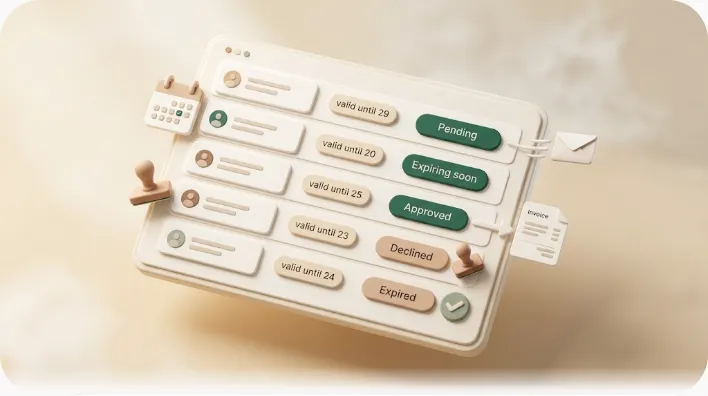
- Watches due date + status. Kapsel reads your tracker's due date, assignee, and status. When an invoice passes its due date and is still unpaid, it qualifies — so nothing depends on you noticing it that morning. The benefit: the tracker, not your memory, decides who needs chasing.
- Overdue follow-ups repeat the ladder automatically. Repeat nudges fire on a cadence as an invoice ages, so Stage 1, 2, and 3 land at their day ranges without you scheduling each one. The benefit: the fixed schedule actually gets applied consistently across every open invoice.
- Target filtering scopes who gets chased. You can chase only the invoices that qualify — for example, only those past a certain age or certain project types — rather than blasting every overdue row with the same cadence. The benefit: a client three days late gets a different touch than one 50 days over, without you sorting the list.
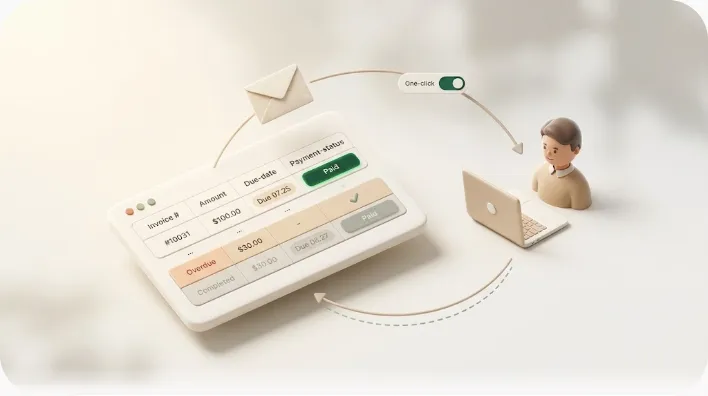
- One-click confirmation writes "Paid" back to Notion. Each email reaches the client as plain email — no Notion account, no login, no guest invite — with a one-click confirmation button. When the client uses it, the status writes back into Notion automatically. The benefit: this is what actually closes the loop and blocks re-sends, because "paid" reaches your source of truth the moment the client acts, not whenever you next open the database.
- Send log as the audit trail. Every message is logged — what was sent, to whom, and when. The benefit: if a client ever disputes "I was never reminded," you have a dated record instead of a folder of forwarded emails.
Kapsel never sends to an item already marked Completed or Paid, so the hard stop is enforced by the system rather than your attention. Merge fields pull each client's name, invoice number, due date, and amount from the Notion row, so you maintain one template and every client still gets an accurate message. The Pro plan adds multiple Notion workspaces and sender branding (your business name, signature, and logo). For the solo-billing version of this setup, see freelance payment reminders; for the underlying mechanics of watching a due date and writing status back, see automatic overdue invoice reminders from Notion, and for why reaching non-Notion recipients by plain email is the hard part, how email reminders reach people who don't use Notion.
Setting up the escalation ladder in a few minutes
- Prepare the tracker properties. Make sure each invoice row has invoice number, amount, original due date, a status property that includes a Paid (or Completed) option, and the recipient's email. These are the fields the timeline reads and writes.
- Connect your workspace once. Link the Notion database to Kapsel a single time; after that it watches the properties on its own.
- Map stages to days-overdue. Set your cadence so reminders align with the 1-7 / 14-30 / 45-60+ timeline (or your own contract's terms), and apply any target filtering so only qualifying invoices are chased.
- Test on yourself before clients. Add a test row with your own email and a past due date, confirm the reminder arrives and the one-click confirmation flips the status to Paid, then watch that no further reminder goes out. Only then point it at real clients.
💡 Build the "stop" into the data model first. If Paid reliably halts sends in your test row, the double-send problem is solved before a single client is involved.
See the setup guide for the full walkthrough, or current pricing for plan details (Free $0, Standard $12, Pro $29 per month).
Frequently Asked Questions
How many payment reminders should you send before an invoice is considered uncollectible?
There's no fixed number, but a common pattern is three to four escalating messages — a gentle nudge, a firmer follow-up, and a formal final notice — before you move to a phone call, collections, or write-off. An invoice is usually treated as uncollectible only when the cost and time of pursuing it exceed what you'd realistically recover, or the client is insolvent or unreachable. Keep your full paper trail regardless, since write-offs can have tax implications that vary by jurisdiction.
How long should you wait before sending a second, firmer overdue payment reminder?
A typical gap is roughly 7 to 14 days after the first gentle nudge, putting the firmer follow-up at about 14-30 days overdue. Waiting that long gives an honest client a real chance to act on the first message, while the firmer note adds a specific new deadline. Tighten the gap for a first-time client who has gone silent; loosen it for a reliable retainer client.
When should you send a final notice for an unpaid invoice?
Usually after your gentler reminders and firmer follow-ups have failed and the invoice is roughly 45-60+ days overdue (some send it closer to 90 days before collections). The final notice should state the total owed, the invoice details, days overdue, a firm final deadline, and a specific consequence of continued non-payment. Because it's the last written step before collections or court, many people have a professional review it.
How do you escalate a late payment without sounding aggressive or damaging the client relationship?
Escalate the clarity and formality of each message over time, never the hostility. Assume good faith early, stay calm and factual throughout, and treat escalation as consistent policy rather than a personal reaction. A systemic safeguard that never contacts a client who already paid protects the relationship more than any single well-worded email.
How do you avoid accidentally sending a reminder to a client who already paid?
The reliable fix is a systemic rule, not a memory check: a workflow that cannot send to an invoice marked Paid or Completed. Kapsel works this way — once the status is updated, no further reminder goes out for that invoice, and its one-click confirmation lets clients set that status themselves without a Notion account, so your records stay current automatically. That closes the gap between "payment arrived" and "our system knows," which is where manual double-sends happen.
Should you call a client before sending a final notice or formal demand letter?
Often yes — a short phone call around the two-to-three-week mark, before the final notice, tends to unstick a payment faster than another email and surfaces the real reason for the delay. A call is harder to ignore and lets you agree a payment date on the spot. Always follow it with a brief email confirming what you agreed, so the conversation becomes part of your written record.
Is there a standard invoice escalation timeline (e.g. 1-7 / 14-30 / 45-60 days)?
Yes — a widely used default is a gentle nudge at 1-7 days overdue, a firmer follow-up at 14-30 days, and a formal final notice at 45-60+ days, with some sources extending the final window to about 90 days before collections. These are conventions you adjust to your contract and relationship, not legal requirements. The value is in fixing the schedule in advance so escalation runs on time rather than on frustration.
How often should you follow up on an overdue invoice while it stays unpaid?
Between formal stages, a repeat nudge every 5 to 7 days keeps the invoice visible without becoming harassment. Each follow-up should restate the same core facts — invoice number, amount, original due date, and updated days overdue — and make paying easy. Automating the cadence is what keeps the interval consistent across many invoices instead of drifting.
What's the difference between a routine payment reminder, a past-due notice, and a final demand letter?
A routine payment reminder is warm and assumes oversight, typically sent in the first days after the due date. A past-due notice is firmer and more direct, adds a specific new deadline, and is sent once the invoice is clearly late. A final demand letter is formal and unemotional, names a concrete consequence and hard deadline, and is the last written step before collections or court — for those later steps, see the linked late-payment guide.
Notes & sources
Published 2026-09-13. Features and pricing described here are current as of writing. Kapsel watches Notion due dates, assignees, and statuses and sends automatic email reminders to recipients who do not need a Notion account; a one-click confirmation in each email writes the status back to Notion, and reminders are never sent to items already marked Completed or Paid. Kapsel also supports overdue follow-ups, target filtering, recurring sends, a send log, and merge fields; the Pro plan adds multiple Notion workspaces and sender branding. Pricing referenced: Free $0, Standard $12, Pro $29 per month (USD); see current pricing for exact figures. Primary sources referenced for invoicing conventions and terminology include Notion's official help documentation (for database properties and automation behavior) and general small-business accounts-receivable guidance; the day ranges are industry conventions, not legal requirements. This article is general information, not legal advice — collections rules, late-fee limits, and the timing of formal demands vary by country and state and change over time; confirm current rules with a qualified professional or your local court before taking any formal or legal step.