Notion Student Management: Track Tuition and Email Parents About Unpaid Fees Automatically

If you run a tutoring school, an online class, or a lessons studio, the students are the easy part. The part that quietly eats your evenings is tuition: noticing who hasn't paid this month, remembering to send the notice, and doing it without accidentally messaging the family who paid last week. Here's the shortcut most guides skip — you can keep managing students in Notion exactly as you do now and automate only the follow-up, because your parents don't need Notion at all. This article walks through designing a student and tuition database in Notion, why manual follow-up slips through the cracks, and how to email only the unpaid families by sending nothing to the ones already marked paid.
TL;DR
- Notion is a genuinely good home for a student roster plus tuition status — one row per student, with due date, the parent's email, and a Paid / Unpaid property.
- The catch: Notion reminders only reach people who have a Notion account and open the app. Parents don't. So the tuition notice still lands on you to send by hand.
- Most unpaid tuition is an oversight, not a refusal — a forgotten transfer, an expired card, a due date nobody flagged. Structure fixes more of it than sterner emails do.
- The two accidents that hurt most: forgetting to send a notice, and sending one to a family who already paid. Both come from checking the roster by eye on a busy week.
- Kapsel is one lightweight option: it watches the due date, status, and parent email in your Notion student database, emails tuition notices and overdue reminders only to unpaid families, never contacts a row marked Paid, and a one-click reply from the parent writes the status back into Notion.
Most articles on "managing students in Notion" stop at building the database. The database is the easy 20%. The other 80% — actually getting a tuition notice to a parent who has never heard of Notion, on time, without nagging the ones who paid — is what this guide is about.
Set up student and tuition tracking in Notion
Notion works well here because a single database can hold both who your students are and where their tuition stands this cycle. You don't need a separate billing app to see it clearly — you need the right properties on each row. Some schools call this a tuition payment tracker: one view of who's paid, who's due, and who's overdue, kept right beside the roster.
A workable student database usually has one row per student and these columns:
| Property | Type | Why it matters |
|---|---|---|
| Student name | Title | The row itself |
| Parent / guardian name | Text | Who you actually address the notice to |
| Parent email | Where the tuition notice is sent (parents rarely use Notion) | |
| Tuition amount | Number | The figure to state in every notice |
| Billing period | Text / Select | e.g. "September," so the notice names the right month |
| Due date | Date | Drives when a reminder should go out |
| Status | Select | Paid / Unpaid / Overdue — the single most important field |
| Course / class | Select | For filtering by group when you send |
💡 The Status and Due date properties are doing the heavy lifting. Status is what lets you contact only the unpaid families; Due date is what tells you when a payment is late. If you get nothing else tidy, get those two clean. For the mechanics of building and structuring the database itself, see how to design a Notion database.
A few design notes that save pain later:
- Store the parent's email, not just the student's name. In lessons and tutoring, the person who pays is usually not the person attending. The notice has to reach the guardian.
- Keep the amount and period as fields, not baked into free text. When you later reuse a message template, those fields drop straight into the wording so every family sees the correct figure.
- Use a Status that has an explicit "Paid" value. "Paid" isn't just for your records — it's the switch that later tells an automation not to send.
Once this is in place, you can see at a glance who's paid and who's overdue. What Notion can't do on its own is get that information out to a parent — which is the next problem.
Why manual tuition follow-up slips
You built a clean roster. So why does a family still slip to two months overdue before anyone notices? Because the roster is passive — it shows the status, but it doesn't reach out. Someone still has to look, decide, and send. And that someone is busy teaching.
The gap has a few predictable causes:
| Where it slips | What it looks like | What actually helps |
|---|---|---|
| Nobody checked the roster | The unpaid row sat there; no one opened Notion this week | A scheduled sweep that surfaces overdue rows on its own |
| Forgot to send | You saw it, meant to email "after class," and the day got away | Automating the send so it doesn't depend on memory |
| Notion reminder didn't reach the parent | @remind fired, but the parent has no Notion account |
Email delivery to people outside the workspace |
| Sent to the wrong family | Reused an old email, missed that they'd paid | A rule that reads the status and skips Paid rows |
The one worth naming plainly: Notion's built-in reminders and mentions notify people inside your workspace who open the app. That's the right design for a team. It's the wrong fit for tuition, because the recipient — the parent — isn't a Notion user and never will be. So the notification still funnels back to you as a manual to-do. This is the same gap that external share notifications for Notion covers in general: getting a Notion event to someone who lives entirely outside Notion.
And tuition has a structural quirk that makes drift expensive: the same family owes again next month. Let one month slide and it stacks with the next, the balance grows, and the conversation gets harder to start. Catching a shortfall while it's one month — and one month is easy to raise gently — is what keeps it from becoming an awkward three-month talk.
Email parents automatically about tuition and overdue fees
The fix isn't a new billing platform your families have to join. It's automating the one step that's actually manual: the follow-up email. Keep the student database in Notion, keep collecting tuition however you collect it now, and automate only the notices.
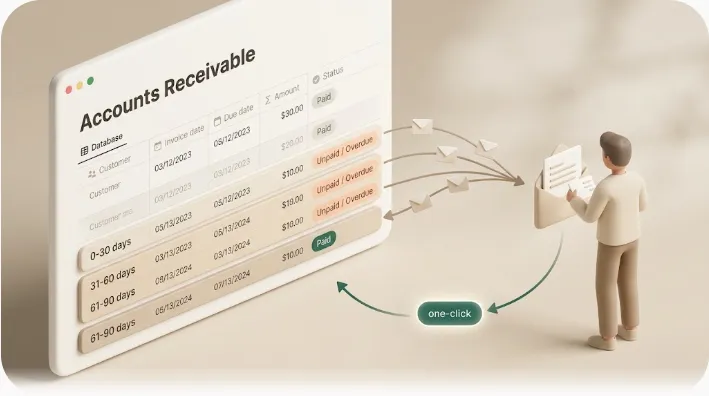
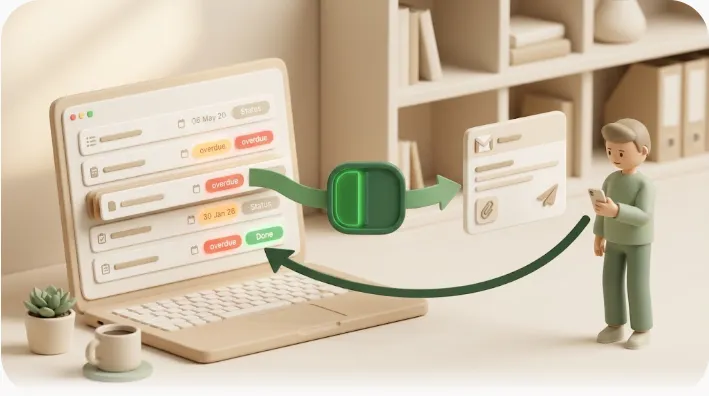
For schools already tracking students in Notion, Kapsel is one tool built for exactly this. It watches the due date, status, and parent email on your Notion student database, emails the parents who are unpaid or overdue, and writes their one-click reply back into Notion (getkapsel.com). Because it reads your existing rows, you reuse the roster you already maintain instead of migrating anyone onto a new system.
Parents don't need a Notion account
Almost no parent uses Notion, and you should never have to ask them to. Kapsel delivers by plain email, so a parent only has to receive a message — no Notion account, no login, no guest invite. You keep everything organized in Notion on your side; the family just gets an email like any other. That's the whole wedge: the people who owe you tuition live entirely outside your workspace, and email is where they already are.
It sends only to families who are unpaid or overdue
Kapsel reads the due date and status on each student row and picks up only the families past due and still unpaid. You stop scanning the roster by eye to figure out who hasn't paid — the "meant to check, forgot" gap closes because the system checks. The tuition collection itself stays on your existing method (transfer, cash, card, whatever you use); only the notices are automated. This is the same mechanism behind automatic overdue invoice reminders from Notion, pointed at tuition instead of invoices.
One-click reply writes the status back to Notion
Each reminder carries a button the parent can press; one click writes the result back into the Notion status. So instead of a one-way email you fire into the void, you can open Notion and see where each family stands — which stops you from chasing someone who already responded. That two-way update, driven by the parent's own action, is exactly what manual reconciliation never gives you.
Recurring digests, target filtering, a send log, and merge fields
Tuition isn't "send once and done" — it repeats every term. A few capabilities lower the cost of running it every cycle:
- Recurring digests — a scheduled weekly sweep of everyone currently unpaid, so follow-up doesn't depend on how busy you were that week.
- Target filtering — narrow to conditions like days overdue or a specific class, and match the tone to the situation instead of blasting the whole roster.
- Send log — a record of who was sent what, and when, so you avoid double-sends and can check the history later.
- Merge fields — map
{student name},{parent name},{amount}, and{period}to your Notion columns so every family sees the correct figure and month without editing messages one by one.
Kapsel is a small, independent product — it was built by someone who disliked chasing payments by hand — so the scope is deliberately narrow: automate the tuition follow-up, and leave your student database and collection method untouched. The Pro plan adds multiple Notion workspaces and sender branding (your school's name, signature, and logo). Because tuition is a specific case of the general "recurring dues" problem, collecting membership fees and automating the chasing covers the broader pattern if you also run classes, camps, or a members' program.
Never dun a family who already paid
Of all the accidents in tuition follow-up, this is the one that costs you goodwill fastest: a payment reminder landing on a parent who already paid. It reads as "you don't even track this," and it's the exact fear that stops people from automating at all.
Kapsel is built so that doesn't happen: it reads the Paid status and drops those rows from the batch. A family marked Paid or completed is never contacted. That's not a nicety you remember to apply — it's the default behavior.
💡 Adding "apologies if this has crossed with your payment" to your template does not actually prevent a misfire. Preventing it needs two separate things working together: visibility (the roster shows who's unpaid) and a send rule that won't contact anyone already marked Paid. Seeing the status and enforcing the status are different jobs — a busy week defeats the first but not the second.
This is also why keeping the Status property honest matters more than any wording. The moment a parent's one-click reply flips their row to Paid, they fall out of every future reminder automatically. The record and the send rule stay in sync without you editing anything.
⚠️ A note on tone, not tooling: even with a perfect send rule, avoid framing that promises the impossible. Skip "you will always collect on time" or "never miss a payment again" language in your own materials — reminders reduce forgotten payments, but no reminder system guarantees a family pays. Keep the promise to what a notice actually does: it tells the right family, the right amount, by the right date.
Writing tuition reminders that don't damage the relationship
You'll see these families every week. The wording matters more here than in most collections contexts, because a clumsy notice sours a relationship you rely on. The reliable pattern: start soft, stay factual, and let the timing carry the firmness rather than the words.
Every notice should carry three things — without them, a parent can't tell what, by when, and how to pay:
- Amount — the specific month or term and the exact figure.
- Deadline — the original due date and a clear date to pay by.
- How to pay — the transfer details or link. The next action, spelled out.
A pre-due heads-up and a gentle post-due check-in resolve most forgotten transfers on the first message:
Subject: Reminder: {period} tuition for {student name}

Hi {parent name},

A quick reminder that {student name}'s {period} tuition is due soon.

  For: {period} tuition
  Amount: {amount}
  Due by: {due date}
  How to pay: {payment details}

If you've already sent it, please ignore this — thank you, and see you in class!
Subject: Quick check on {student name}'s {period} tuition

Hi {parent name},

I'm not seeing {student name}'s {period} tuition marked paid on my end yet,
so I wanted to check in.

  For: {period} tuition
  Amount: {amount}
  Due by: {due date}
  How to pay: {payment details}

If this has crossed with your payment, apologies — no need to reply.
Otherwise, whenever you get a moment would be great. Thank you!
⚠️ Commanding language ("pay immediately") or accusations ("why haven't you paid") sting a parent who simply had a mix-up — and you'll face them at the next lesson. State the amount, deadline, and payment method plainly, skip the emotion, and leave room for a conversation; some families have real circumstances behind a delay.
For a fuller set of stage-by-stage wording — pre-due, soft check-in, firm reminder — see payment reminder email templates. If you automate the sending, those same { } fields map directly to your Notion columns, so the wording stays shared while the details stay individual.
Getting started in three steps
- Connect your Notion workspace. Sign up free at getkapsel.com and connect the workspace holding your student database. Connecting takes a few minutes and leaves your existing collection method intact.
- Point Kapsel at the database and properties. Choose the student database and map the due date, parent email, and status properties. Linking the status is what powers the "never send to a Paid family" rule.
- Set your templates and send conditions. Write a pre-due heads-up and an overdue reminder, map the merge fields, and set a recurring digest or target filter so only unpaid families are contacted, on schedule.
Once it's set up, the weekly question of "who hasn't paid tuition" stops being something you check by hand. You can see how other small businesses arrange the same flow on the use cases page.
Pricing (USD, per month):
| Plan | Price | What's included |
|---|---|---|
| Free | $0 | Free forever — connect and try the real flow (20 emails/mo) |
| Standard | $12 | The core reminder and follow-up features (500 emails/mo) |
| Pro | $29 | Multiple Notion workspaces and sender branding (name, signature, logo) |
You can start on Free ($0), connect your workspace, send an actual tuition notice, and only move up if and when you need more. Full plan details are on the pricing page.
FAQ
How do I manage students in Notion?
Use one database with a row per student. Give each row the properties that matter for both teaching and tuition: student name, parent/guardian name, parent email, tuition amount, billing period, due date, a Paid/Unpaid status, and the course or class. The status and due-date properties are the most important, because together they let you see who's paid at a glance and tell when a payment is late. From there you can filter, group, and view students however suits your school.
Can I send tuition notices to parents who don't use Notion?
Yes, but not with Notion's built-in reminders — those only notify people who have a Notion account and open the app, which parents don't. To reach parents you need email. Kapsel watches your Notion student database and emails tuition notices and overdue reminders to the parent's address, so the family only has to receive a normal email — no Notion account, login, or guest invite required.
How do I avoid reminding a family who already paid?
Don't rely on remembering to check the roster each time — that's what fails on a busy week. Use a systemic rule instead: a process that won't send to any row marked Paid or completed. Kapsel works this way — it reads the status and never contacts a family already marked paid, and the parent's one-click reply updates that status themselves, so your records and your send rule stay in sync automatically.
Does automating reminders guarantee tuition gets paid on time?
No, and be wary of any tool that claims it does. Automated notices reduce forgotten payments — most unpaid tuition is an oversight rather than a refusal, so a timely, clear reminder resolves a lot of it — but no reminder system can guarantee a family pays. What automation reliably does is make sure the right family gets the right amount and deadline, on schedule, and that you never accidentally chase someone who already paid.
Do I have to move my tuition collection onto a new platform?
No. You can keep collecting tuition however you do now — transfer, cash, or card — and keep your student database in Notion. Kapsel automates only the follow-up: it reads your existing rows and emails the unpaid families. This is the lighter path when your collection method works fine and only the chasing is eating your time. If you're weighing the broader options, collecting membership fees compares automating the payment itself versus automating only the chasing.
Is this a Notion tuition-tracking template for students to budget with?
No — this is for the school or tutor side: tracking which families have paid and automatically following up by email with the ones who haven't. If you're a student or parent looking to budget or save for tuition, a personal expense-tracker template is a better fit than Kapsel.
Notes
Published 2026-09-11. Features and pricing described here are current as of writing. Kapsel watches Notion due dates, statuses, and recipient email properties and sends email reminders to recipients who do not need a Notion account; a one-click reply in each email writes the status back to Notion, and reminders are never sent to items marked completed or paid. Kapsel also supports overdue follow-ups, target filtering, recurring digests, a send log, and merge fields; the Pro plan adds multiple Notion workspaces and sender branding. Pricing referenced: Free $0, Standard $12, and Pro $29 per month (USD); see the pricing page for plan details. Kapsel is an independent product (getkapsel.com). Tuition collection methods and any suspension or cancellation policies depend on your written terms and local law; this article is general information, not legal advice.