How to Manage Deposits and Retainers in Notion — and Chase Only the Unpaid Ones Before Work Starts
The deposit that never arrived is the one that quietly bankrolls scope creep, late-night "just this once" work, and the client who ghosts after delivery. For freelancers and agencies running projects in Notion, the tracker already holds every client, project, and due date — but the money owed before work starts usually lives somewhere else entirely, so nobody chases it until it is too late. This guide shows how to track deposits and retainers inside the same Notion database you already use, gate work until that money lands, and automate the follow-up so it fires without you remembering.
TL;DR
- A deposit is a one-off payment taken before a project, credited against the final invoice. A retainer is a recurring advance paid each cycle for availability or a block of hours — and it is not credited against later work.
- Track both in one Notion database with a status field, and use that status to gate work: a task does not move to In Progress until its linked deposit reads Paid.
- Standard upfront deposits run 25–50% for project work, or 100% for small fixed-price jobs; larger engagements often split 30/40/30 or 50/50 across milestones.
- The gap every generic guide leaves open: the client has no Notion account, so the reminder has to leave Notion by email and the confirmation has to write back in — automatically, and only while the deposit is still unpaid.
💡 Definition: Kapsel is a tool that watches your Notion database's due dates, assignees, and statuses and sends automatic email reminders to people who do not use Notion, with a one-click action in each email that writes the response back to Notion.
Deposit vs. retainer vs. invoice — why mixing these up costs you money
Most freelancers lose money here not because they forgot to bill, but because they tracked three different kinds of money as if they were one. A deposit, a retainer, and a final invoice behave differently, and conflating them leads to double-charging, un-chased balances, and disputes at hand-off.
| Term | When it is paid | Credited against later work? | Recurs? | Typical use |
|---|---|---|---|---|
| Deposit | Once, before the project starts | Yes — subtracted from the final invoice | No | Project work, new clients, custom builds |
| Retainer | In advance, every cycle (usually monthly) | No — buys availability or a block of hours | Yes | Ongoing support, reserved capacity, maintenance |
| Final invoice | After delivery or at milestone sign-off | n/a | Per project/milestone | Billing the balance owed |
What a deposit is (one-off, credited against the final bill)
A deposit is a single upfront payment that reserves your time and reduces your risk on a specific project. It is credited back to the client on the final invoice — if a project totals $4,000 and the client paid a $1,600 deposit, the final invoice bills $2,400. The deposit is not extra money; it is early money. Treating it as credited-in-advance is what keeps the final hand-off dispute-free.
What a retainer is (recurring, paid in advance, never credited)
A retainer is a recurring advance payment the client makes at the start of each cycle in exchange for reserved availability or a defined block of hours. Unlike a deposit, it is consumed within its cycle and is not later subtracted from an invoice — the client is buying access or capacity, not pre-paying a specific deliverable. Because it repeats, a retainer needs a tracking pattern that resets every cycle, which is where most spreadsheets fall apart.
Why 'money before work starts' needs different tracking than 'invoice after delivery'
Pre-work money (deposits and retainers) and post-delivery money (final invoices) answer different questions. Pre-work tracking answers "can I start / should I keep going?" — it is a gate. Post-delivery tracking answers "what is still owed?" — it is a ledger. If both live in the same undifferentiated list, you either start work that hasn't been paid for or forget to credit money that already arrived. Separating them by purpose, inside one system, is the whole point of the Notion setup below.
Build one Notion database that separates pre-work money from post-delivery invoices
No generic payment-terms guide shows this: a single Notion database where the deposit/retainer gate and the final-invoice ledger coexist, linked to the project they belong to. Here is the structure.
Properties to track
Create one database (call it Payments) with a row per deposit, retainer cycle, or invoice. The properties that do the work:
- Client (relation to your Clients database) — so every payment rolls up to the right account.
- Project (relation to Projects) — links the money to the work it gates.
- Type (select: Deposit / Retainer / Invoice) — the one field that keeps the three kinds from blurring.
- Amount (number, currency format).
- Status (select: Unpaid / Sent / Paid) — the signal everything else keys off.
- Due date (date) — when the money is expected; the trigger for any reminder.
- Cycle (select or date, retainer rows only: Monthly / the period covered).
💡 Add a Deposit credited checkbox on invoice rows. When you build the final invoice, it reminds you to subtract the deposit — the single most common dispute at hand-off.
A status property that blocks 'In Progress' until deposit = Paid
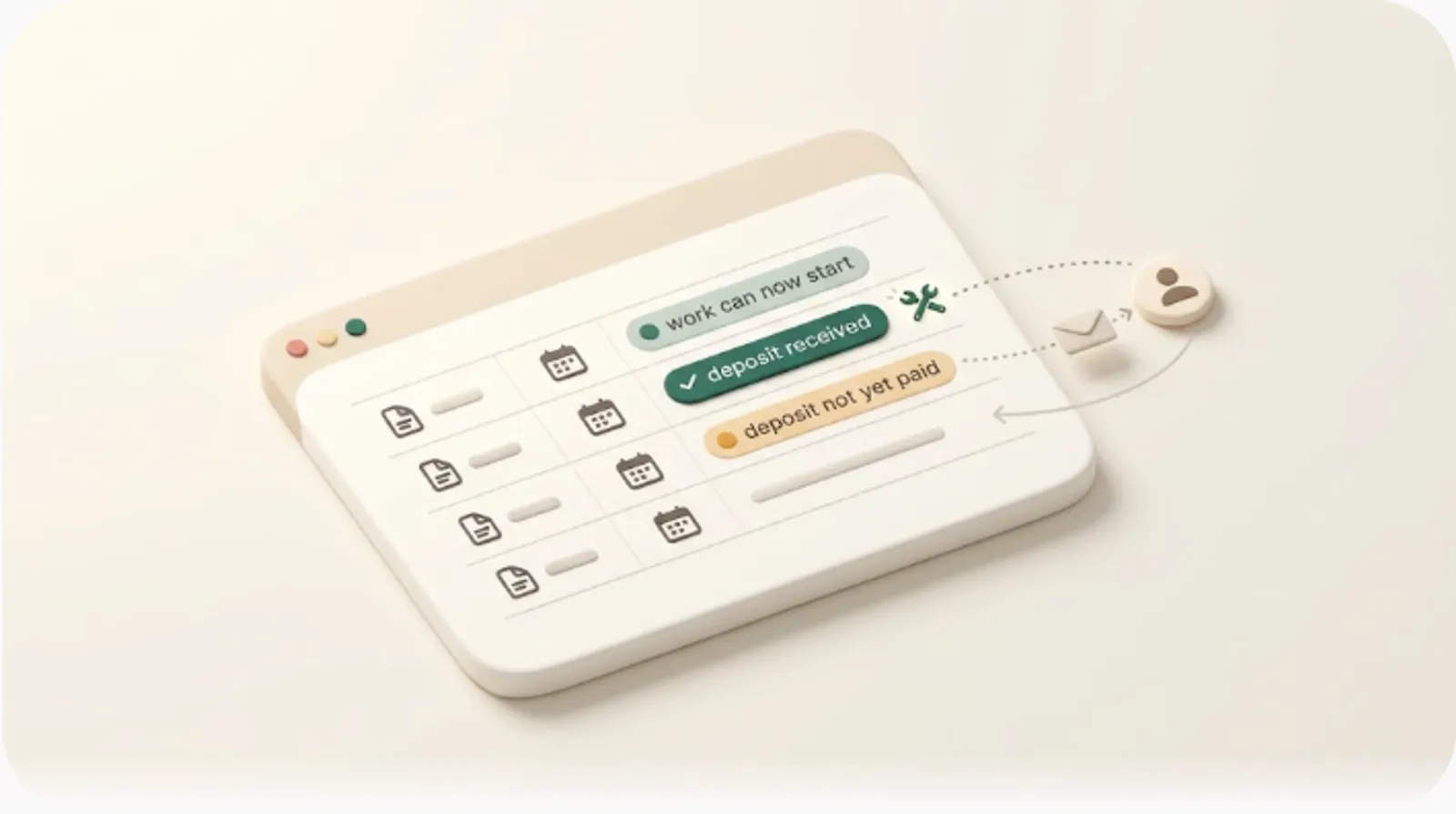
Here is the enforcement every guide states as a policy but never turns into a system. In your Projects (or Tasks) database, add a rollup that pulls the linked deposit's Status. Then a Notion formula can surface a clear gate:
if(prop("Deposit status") != "Paid", "🔒 Awaiting deposit", "✅ Clear to start")
Filter your board so that any task whose deposit is not Paid shows the lock, and make a working rule of it: nothing moves to In Progress while the lock is on. The benefit is concrete — "don't start until paid" stops being willpower you have to exercise every time and becomes a visible state on the board. (For the mechanics of rollups and status formulas, see recurring reminders in Notion.)
Pattern for recurring retainer rows vs. one-off deposit rows
A deposit is a single row: one amount, one due date, done when Paid. A retainer is a series of rows — one per cycle — each with its own due date and status. Keep them in the same database but let Type and Cycle distinguish them, and use a rollup on the Client to sum outstanding (Unpaid) amounts. The practical payoff: you can see, per client, exactly how much pre-work money is still owed this month without opening a second tool.
How much to ask for, and which model fits
Structure is useless if the number is wrong. Pricing norms vary by work type, but the benchmarks below are widely used across freelance and agency work.
Deposit benchmarks
| Job profile | Typical upfront | Why |
|---|---|---|
| Standard project work | 25–50% | Covers early effort and filters non-serious clients |
| Small fixed-price jobs | 100% | Admin of chasing a balance isn't worth it on small tickets |
| Large / multi-phase engagements | 30/40/30 or 50/50 split | Spreads risk across milestones for both sides |
A 50% deposit is the common default for new clients and custom work; drop toward 25% only when you have a track record with the client. The benefit of anchoring to these numbers is that the deposit ask stops being a per-client negotiation and becomes a stated standard clients recognize.
Capacity retainer vs. prepaid-balance retainer, and rollover policy
Retainers come in two shapes, and your tracking depends on which you sell:
- Capacity retainer — the client pays to reserve a slice of your availability (e.g., "up to 10 hours/month"). You track hours used against the cap and seek approval before exceeding it.
- Prepaid-balance retainer — the client banks a balance you draw down as work happens. You track remaining balance, not a monthly reset.
State a rollover policy explicitly: no rollover (unused hours expire), one-month rollover, or banked balance (unused value carries indefinitely). Write it into the agreement so an unused month never becomes an argument.
Milestone billing as the middle ground
For larger projects, milestone billing sits between a single deposit and a retainer: bill a portion at each defined checkpoint (e.g., 30% to start, 40% at draft sign-off, 30% at delivery). Each milestone becomes its own row in the Payments database with its own due date and status — so the same gate and the same reminders apply to each one, not just the kickoff.
The part every generic guide skips — chasing the unpaid deposit without becoming the one who has to remember
Every payment-terms article ends at "set the policy." None of them close the loop, because the loop is where the real work is: the deposit is late, and now you are the reminder system.
Why manual chasing breaks down
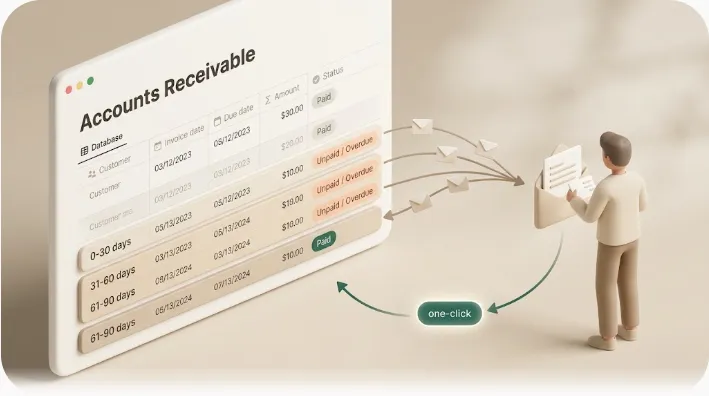
Your tracker lives in Notion. Your client does not. Notion's native notifications and @mentions are built to reach people inside your workspace — the client has no Notion account, so none of it reaches them. That leaves you manually watching due dates and emailing from memory, which is exactly the task that slips when you are busy delivering the work the deposit was supposed to fund.
Filtering to only 'deposit unpaid + due date passed' rows and reaching the client by email
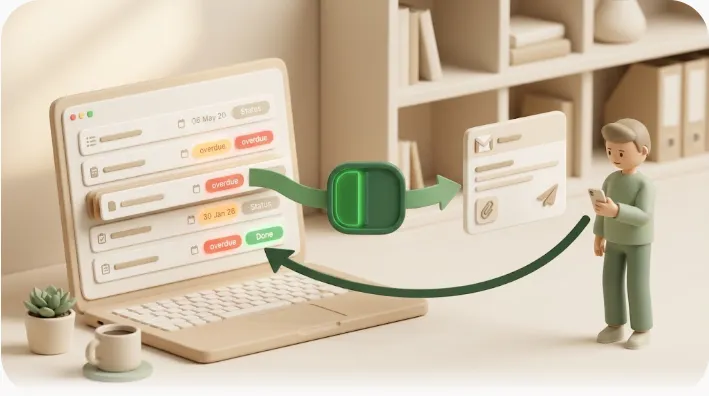
This is where the status field earns its keep. A view filtered to Type = Deposit AND Status ≠ Paid AND Due date is before today is precisely the list that needs chasing — and nothing else. Kapsel watches that condition and emails the client a reminder with no login and no Notion account required. The benefit: the exact rows that need a nudge get one on their own, and the clients already paid are never in that list to begin with.
One click from the client flips the Notion status to Paid
Every other flow is one-directional — you send, then you still have to come back and mark it paid. Kapsel's reminder email carries a one-click action; when the client confirms, the response writes back to the Notion row and flips the status. You are not keeping two sets of books. The project board updates itself, so the gate on the linked task clears the moment the money is confirmed.
The guardrail that matters most — never remind someone already marked Paid or Completed
Automated chasing has one failure mode worse than silence: emailing a client who already paid. Kapsel never sends to rows marked Paid or Completed — the exclusion is built into how it selects recipients, not a step you have to remember. The benefit is the one that makes freelancers comfortable turning automation on at all: there is no version of the system where a paying client gets nagged. (For the broader dunning cadence this fits into, see how to chase late payments and payment reminder email templates.)
Retainers need a recurring chase, not a one-time reminder
A deposit is chased once. A retainer has to be re-billed and, if late, re-chased every cycle — which is why "invoice at the start of each month" quietly fails the month you are heads-down on delivery.
Invoice-in-advance each cycle, and why the reminder has to repeat
Because a retainer is paid in advance, the invoice goes out before the cycle it covers, and the reminder has to recur on that same cadence — not fire once and stop. Kapsel's recurring sends repeat on the cycle you set, so each month's retainer row gets its own reminder without you re-creating it. The benefit: the recurring revenue you rely on stops depending on you remembering the first of the month.
Avoiding the 'nag after they already paid' mistake with auto-stop-on-paid logic
The recurring chase and the stop-on-paid guardrail work together. Each cycle's reminder keys off that cycle's Status — so once a client pays for the current month, the reminders for that row stop, while next month's row (still Unpaid) picks up on schedule. You get a self-resetting cycle that chases only the cycle that is actually open. See recurring reminders in Notion for the scheduling pattern.
Setting the policy with clients so automated reminders don't feel aggressive
Automation reads as professional or pushy depending entirely on what the client was told up front.
Put deposit/retainer terms in the proposal, not as a surprise invoice
Ask early. Put the deposit percentage, the retainer amount and cycle, and the "work starts on payment" rule in the proposal or contract — before work begins — so the client expects the invoice rather than being surprised by it. A deposit requested as an afterthought reads as distrust; the same deposit named in the proposal reads as standard practice. When the terms were agreed in advance, an automated reminder is simply the system doing what both sides signed up for.
Writing the first reminder so it reads as a system notice, not a personal chase
Keep the first reminder short, factual, and clearly automated. A neutral, templated tone depersonalizes the ask — it is the system flagging a due date, not you doubting the client:
Subject: Deposit due — [Project name]

Hi [Client],

A quick automated note that the deposit for [Project] ($[amount])
was due on [date]. Work begins once it's received.

You can confirm payment using the button below — no account needed.

[ Confirm payment ]

Thanks,
[Your name]
Merge variables fill in the client, project, amount, and date per row, so one template covers every client without hand-editing. For reminders aimed at clients who live outside your workspace entirely, see notifying external collaborators who don't use Notion and the freelance payment reminder playbook.
Frequently Asked Questions
What is the difference between a deposit and a retainer?
A deposit is a one-off payment taken before a specific project and credited against the final invoice. A retainer is a recurring payment made in advance each cycle for availability or a block of hours, and it is not credited against later work — it is consumed within its period.
How much deposit should a freelancer ask for before starting work?
A common default is 25–50% of the project total, with 50% typical for new clients or custom work. Small fixed-price jobs are often billed 100% upfront, and large engagements are frequently split across milestones (for example 30/40/30 or 50/50).
Is a retainer fee refundable?
That depends entirely on the terms you set. Because a retainer buys reserved availability or a block of hours, many freelancers treat it as non-refundable once the cycle begins; others allow unused hours to roll over. State the refund and rollover policy explicitly in the agreement so there is no ambiguity.
What should you do if a client won't pay the deposit?
Do not start work — that is the whole function of asking for money before work begins. Send a clear, factual reminder that work starts on payment, and if the client stays silent, treat the non-payment as the project not being a go rather than a debt to chase. An automated reminder on the unpaid deposit keeps the follow-up from depending on your memory.
Can you legally require a deposit before starting a project?
Yes — a deposit is a standard, enforceable contract term when both parties agree to it in writing before work starts. Putting the deposit amount, timing, and "work begins on payment" clause in the proposal or contract is what makes it enforceable. (This is general information, not legal advice; local rules vary.)
How do you invoice a retainer client every month?
Invoice in advance, before the cycle the payment covers, on a fixed cadence. In the Notion setup above, each cycle is its own row with its own due date and status, and a recurring reminder fires per cycle — so the monthly invoice and its follow-up repeat on their own instead of relying on you to remember the first of the month.
Should you pause work if a retainer payment is late?
As a stated policy, yes: ongoing work pauses until the current cycle's retainer is paid, just as a new project doesn't start until the deposit lands. Framing it as a standing rule agreed up front — not a reaction to this one client — keeps the pause from feeling personal.
How do you track deposits and retainers in Notion?
Use a single database with a row per deposit, retainer cycle, or invoice, and a Type field (Deposit / Retainer / Invoice) to keep them distinct. Add a Status field (Unpaid / Sent / Paid), relate each row to its client and project, and use a rollup so a task can be gated — kept out of In Progress — until its linked deposit reads Paid.
Can Notion send automatic payment reminders to clients?
Notion's own notifications are built for people inside your workspace, so they don't reach a client with no account. A tool like Kapsel watches the Notion database and sends the reminder by email on its own when a deposit's due date passes, then stops once the status is Paid. See automatic overdue invoice reminders from Notion for the full setup.
Do clients need a Notion account to get a payment reminder or confirm payment?
No. Kapsel emails the reminder to any address with no login required, and the one-click confirmation in that email writes back to Notion — so the client never needs a Notion account to be reminded or to confirm payment.
What percentage deposit is standard for freelance or agency work?
25–50% upfront is the usual range for project work, with 50% common for new or custom engagements. Small fixed jobs are often 100% upfront, and larger projects use milestone splits rather than one deposit.
How do you avoid double-charging when crediting a deposit against the final invoice?
Always show the credit explicitly on the final invoice as a line such as Less deposit paid: -$X, so the balance due reflects money already received. In the Notion setup, a "Deposit credited" checkbox on the invoice row prompts you to subtract it every time, which is what prevents the double-charge dispute at hand-off.
Notes & sources
- Published 2026-10-25.
- Primary references: Notion's official help documentation for databases, relations, rollups, and formulas; widely used freelance and agency deposit/retainer conventions (upfront percentage ranges, milestone splits, rollover policies). Pricing norms are general industry benchmarks, not guarantees for any specific engagement.
- The legal note on deposits is general information, not legal advice; requirements vary by jurisdiction and contract.
- Kapsel's features and pricing described here (watching Notion due dates, assignees, and statuses; emailing recipients without a Notion account; one-click write-back; excluding Paid/Completed items; recurring sends; audience filtering; merge variables; and Pro-tier multiple workspaces and sender branding) are as of the writing date. For exact current figures, see the official Kapsel pricing page (Free ¥0 / Standard ¥1,980 / Pro ¥4,980; in USD, Free $0 / Standard $12 / Pro $29).