Notion Recruiting Management: Build a Lightweight ATS and Auto-Email Candidates Who Aren't in Notion

You can run your entire hiring pipeline in Notion — every candidate, every interview date, every stage — and still lose good people, because the one thing Notion can't do is talk to the candidate. Candidates don't have a Notion account, so every "we'd like to schedule a call" and every "you've moved to the next round" still gets typed out by hand, and the busiest week is exactly when those emails slip. This article shows how to build a workable applicant tracking system in a Notion database, and then how to close the gap Notion leaves open: automatically emailing candidates based on their pipeline stage and interview date, getting their reply written back into Notion on one click, and never sending a message to someone you've already declined or hired.
TL;DR
- Notion is a solid, cheap place to build a lightweight ATS — a candidate database with stage, interview date, owner, and status properties covers most small-team hiring.
- The gap isn't tracking; it's reach. Notion's reminders and mentions only notify people inside your workspace, and candidates never are. So candidate-facing follow-up stays manual.
- Kapsel watches your candidate database's due date (interview date), assignee, and status properties and sends automatic emails — including to candidates who have no Notion account — with a one-click confirm that writes their answer back to Notion.
- It skips rows you've marked closed, declined, or hired, so no one who's already out of the running gets another "just following up" email.
- Built by an independent developer. Free plan is $0; delivery is by email.
Build a lightweight ATS in a Notion database
You don't need a dedicated applicant tracking system for small-team hiring. A single Notion database, designed well, does most of the job — and you already know how to use it. If you want a refresher on database mechanics, see how Notion databases work; here's the recruiting-specific shape.
Create one database, Candidates, where each row is one person for one role. The properties that make it behave like an ATS:
| Property | Type | Why it earns its place |
|---|---|---|
| Candidate | Title | The person's name |
| How you'll actually reach them (candidates aren't in Notion) | ||
| Role | Select / Relation | Which opening they're applying for |
| Stage | Status | Screening → Interview → Offer → Done, plus Declined / Withdrawn |
| Interview date | Date | The scheduled call or on-site — doubles as your reminder trigger |
| Owner | Person | The recruiter or hiring manager responsible for this row |
| Source | Select | Where they came from (referral, job board, inbound) |
| Notes | Text | Interview feedback, links to a scorecard |
Use a Status property (not a plain select) for Stage so Notion groups it into To-do / In progress / Complete buckets — that's what lets you build a board view that reads like a pipeline. A board grouped by Stage gives you the classic kanban ATS view: columns for Screening, Interview, Offer, Done, and a lane for anyone who's declined or withdrawn. A calendar view grouped on Interview date shows your week of calls at a glance.
That's a real, functional applicant tracker, and it costs nothing beyond your existing Notion plan. What it does not do — and what no amount of database design will fix — is contact the candidate.
Why candidate follow-up is the part that slips
Here's the honest split in any Notion-based hiring setup: tracking is internal, follow-up is external. Everything about organizing the pipeline happens inside Notion, where it works well. Everything about moving the candidate forward happens outside Notion, by email, and that's where it breaks down.
The reason is structural, not a matter of discipline:
- Notion's notifications only reach people in your workspace.
@remind, mentions, and database automations all notify a Notion user in your team. A candidate has no Notion account and never will, so none of these tools can touch them. (This is the same wall teams hit with any outside party — see how Notion notifies people outside your workspace.) - So candidate-facing steps stay manual. "Let's schedule your interview," "you're through to the final round," "we've made a decision" — every one of these is a human copying a name and a date out of Notion and into an email client.
- Manual steps fail under load. When you're screening a dozen people at once, the follow-ups that fall through the cracks are rarely the easy ones. They're the strong candidate you meant to move fast on, who took another offer while your "we'd love to continue" email sat in drafts.
None of this is a knock on Notion — it was built to organize your team's work, not to run outbound email to strangers. The pipeline lives in Notion; the reach has to come from somewhere else.
Automate stage-based follow-ups and interview reminders by email
This is the specific gap Kapsel fills. Kapsel is a notification layer that watches your Notion database and sends the outbound emails Notion can't — to anyone, whether or not they have a Notion account. If you've read about Notion email reminders in a team context, this is the same engine pointed at candidates instead of teammates.
Point Kapsel at your Candidates database and it watches the properties you already built:
- Interview reminders from the Interview date property. When an interview date is set (or approaching), Kapsel can email the candidate the confirmation and reminder automatically — no separate calendar tool, no manual "just confirming tomorrow at 2pm." The email is built from the row, so the candidate's name, role, and time come straight out of Notion via merge fields.
- Status updates from the Stage property. When you drag a card from Screening to Interview, or Interview to Offer, that change can trigger an email to the candidate ("you've advanced to the next round"). You update Notion the way you already do; the candidate hears about it without you writing anything.
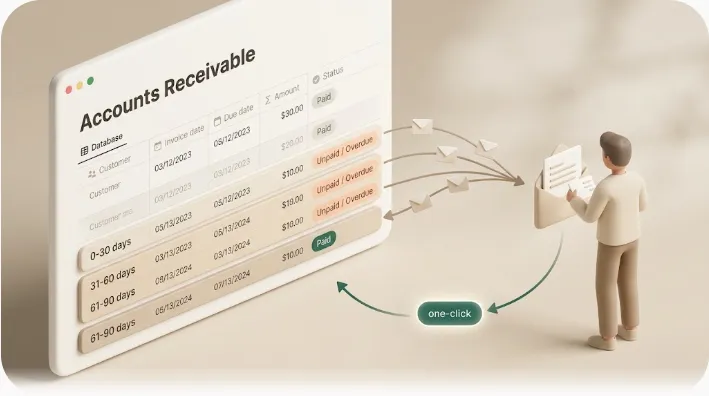
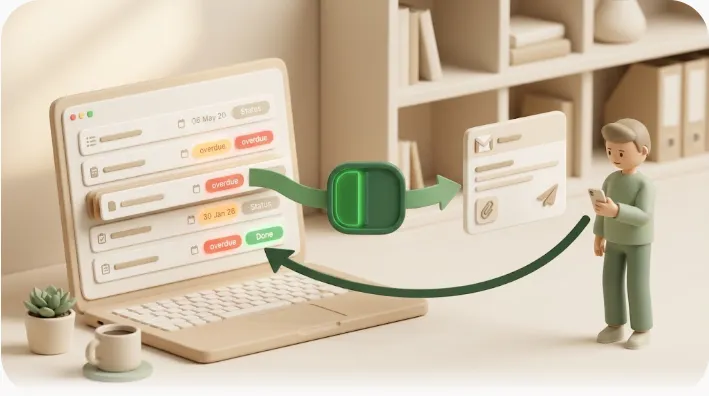
- One-click reply that writes back to Notion. The emails Kapsel sends can carry a one-click action — a candidate confirming an interview time, for example — and that click writes the result back into your Notion database. The pipeline stays the single source of truth without you re-typing what the candidate said. This two-way loop is the same mechanism Kapsel uses for team task reminders, where a recipient's one click updates the status in Notion.
- A record of what was sent. Every email Kapsel sends is logged, so you can see who was contacted and when — useful when a candidate says they never heard back.
The point isn't a fancier tracker. It's that the emails you were sending by hand now fire from the pipeline you already maintain, and the candidate's response lands back in that same pipeline.
Never message a candidate you've closed, declined, or hired
The fastest way to make automated recruiting email feel worse than doing it by hand is to email someone who's already out. A "just following up on your application!" to a candidate you rejected last week isn't a small slip — it's the kind of thing that gets screenshotted.
Kapsel's core safety rule is that it does not send to rows you've marked as finished. In a task or invoice context that means done or paid; in a hiring context it means the Stage values that represent "no more outbound," such as Done (hired), Declined, or Withdrawn. Once a candidate's row is in one of those states, Kapsel stops emailing that person — automatically, with no separate suppression list to maintain. You just keep your Notion pipeline accurate, which you're doing anyway, and the "don't contact them again" logic follows from it.
You can also narrow who gets contacted at all with target filtering — for example, only rows for a specific role, or only candidates whose interview date is within range — so a broad pipeline doesn't turn into broad email.
Getting started
- Build (or open) your Candidates database in Notion with at least a Stage (Status) property, an Interview date, an Email, and an Owner.
- Connect it to Kapsel and choose which property changes should email the candidate (interview date set, stage advanced).
- Set your finished states (hired / declined / withdrawn) so those rows are never contacted.
- Send yourself a test row first, confirm the one-click write-back updates Notion, then turn it on for real candidates.
Kapsel's Free plan is $0 and stays free — enough to try candidate emails end to end. Standard is $12 for regular hiring cycles, and Pro is $29, which adds multiple Notion workspaces (handy if hiring lives in a separate workspace from the rest of the company) and sender branding so the emails carry your company name and signature. Full details are on the pricing page, and you can see other workflows this pattern covers on the use-cases page. Kapsel is built by an independent developer, and email is the delivery channel.
FAQ
Can Notion be used as an ATS?
Yes, for small-team hiring a single Notion database with Stage, Interview date, Owner, and Email properties works well as a lightweight applicant tracking system, viewed as a board grouped by stage. The limitation isn't organizing candidates — it's that Notion can't email candidates, because they have no Notion account. That outbound step is what tools like Kapsel add on top.
How do I remind a candidate about an interview if they don't use Notion?
Notion's own reminders only reach people inside your workspace, so they can't notify a candidate. Kapsel watches your database's interview-date and status properties and emails the candidate directly — no Notion account or login required on their end — and the confirmation they click writes back into your Notion pipeline.
Will Kapsel email candidates I've already rejected?
No. Kapsel does not send to rows you've marked as finished. If your Stage property shows a candidate as hired, declined, or withdrawn, they're excluded from further emails automatically, so no one who's out of the running gets another follow-up.
Does the candidate need a Notion account to reply?
No. The email includes a one-click action the candidate can use without any Notion login, and that click updates the status in your Notion database. The candidate only ever sees an email.
How much does it cost?
The Free plan is $0 and stays free, which is enough to test candidate emails end to end. Standard is $12 and Pro is $29; Pro adds multiple Notion workspaces and sender branding (your company name, signature, and logo on the emails).
Your hiring pipeline already lives in Notion — Kapsel just gives it a way to reach the candidates who aren't in it, without you retyping a single follow-up. You can start free at getkapsel.com.