Notion is shutting down its own email client, Notion Mail, on September 22, 2026. The reason Notion gave is a product one, and a surprising one: more than half of its users never opened the inbox at all — they let AI handle their mail instead.
On the surface this looks like one small feature being retired. But it's a telling signal about where Notion, as a product, is steering away from the job of making people notice things. This article walks through what happened, what it means for your own setup, and where the work of notifying people happens from here — written for people who use Notion every day.
TL;DR
- Notion Mail (the email client built into Notion) shuts down on September 22, 2026.
- The reason Notion gave: more than half of users never opened the inbox and let AI process their mail.
- Your Gmail itself stays connected inside Notion. What goes away is the mail-client UI, not your email — you won't lose access to messages.
- The bigger arc: Notion is retiring a "make people notice" notification UI and shifting toward "let AI process it."
- But deadlines, payments, and requests still need a human to act at the end. So the job of actively getting a due date in front of someone outside Notion doesn't shrink — if anything, it grows.
Update (Sept 28, 2026): Notion Mail shut down as planned on September 22, 2026. Your connected Gmail still works inside Notion and your past messages are not deleted — what went away is the mail-client UI. For how anything you created inside Notion Mail (drafts, scheduled sends, snippets) is handled, see Notion's official help page below. If Notion Mail was doing the job of getting people to notice things for you, where that job moves next is covered later in this article.
What happened: Notion Mail shuts down on September 22
Notion Mail let you connect a Gmail account and read and write email inside Notion — an email client. That capability ends on September 22, 2026.
The official help page (Notion Mail inbox is going away — what to do next) lays out the shutdown date, the reasoning, and the steps users should take. When in doubt, treat that page as the source of truth.
The key thing to get right: your connected Gmail stays inside Notion. What's ending is the client interface for working with mail — not your account, and not your past messages. Mixing up that line is how people end up panicking more than they need to.
Why it's ending: the reason Notion gave
Notion's explanation is simple, and revealing: more than half of users weren't opening the inbox, and were letting AI process their mail instead. In other words, a feature built on the premise that "a person scans a list of emails and sorts them" wasn't actually being used that way.
What's worth noticing is that this isn't just a "we're killing an unpopular feature" story. If the dominant way people used it was to skip the inbox and hand things to AI, then the thing worth investing in isn't a nicer inbox UI — it's the machinery that lets AI do the processing. And that's exactly what Notion did: it kept mail reception and retired only the client UI.
What it means for Notion users
For most Notion users, the direct impact is limited. Broken down:
- If Notion Mail was your main email client: after September 22 you can no longer work with mail inside Notion. You'll move back to Gmail's web/app version or another email client. See the official help page for the migration steps.
- If you only connected Gmail, or used it occasionally: reception stays inside Notion, so there's generally nothing you need to rush to rescue.
- If you never used Notion Mail (most people): no direct impact.
But "small impact" and "no meaning" are two different things. The next section is the real point.
The bigger signal: Notion stepped back from the "nudge" layer
This shutdown is emblematic of a shift in Notion's posture. Put simply: Notion is stepping back from the UI that makes people notice things (opening an inbox and sorting it yourself) and moving resources toward letting AI process it.
That trend is reasonable on its own. Routine sorting and summarizing of information is often faster to hand to AI.
But there's a zone AI can't fully take over: tasks like deadlines, payments, and requests for approval, where "nothing finishes until a person acts." An invoice doesn't get paid because AI summarized it. A file you're waiting on doesn't arrive because AI categorized it. Here, someone — usually a person outside your workspace — has to be actively made aware.
So the more Notion pulls back from the "make people notice" layer, the more that job has to be done outside Notion, by someone. The notification work didn't disappear; it just moved.
Deadlines and payments get designed outside Notion
This is where a structural limit of Notion's notifications matters. Notion's built-in reminders and mentions assume a recipient who has a Notion account, logs in, and opens the page. That's why they rarely reach an outside client or customer who doesn't use Notion. We cover this in how to send Notion notifications to people outside your workspace and the types of Notion notifications and how they work.
On top of that, if you try to build "when the due date arrives, chase the outside party automatically" with Notion's native features alone, there's a boundary to what you can do (the limits of Notion automation). And there's the more basic limit that a person has to open the app to notice at all (why Notion push notifications don't arrive or are delayed).

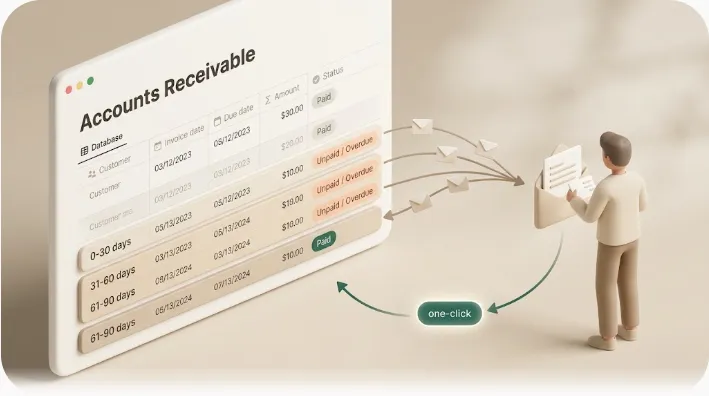
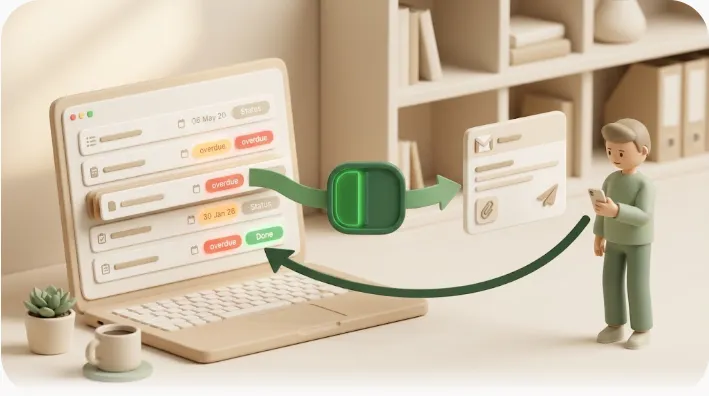
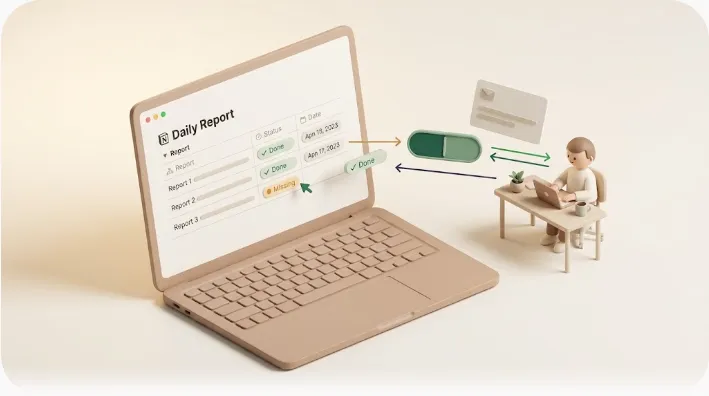
Because native features alone struggle to reach outsiders, in practice you end up adding a separate layer that says "when the due date arrives, email the person outside Notion." There are a few ways to do it — wire it up with an external connector like Zapier or Make, use a dedicated reminder tool that sends email, or build your own. What to pick comes down to volume, and how much you want to invest in not over-sending (don't email rows that are already done or paid).
For what it's worth, I found this "chasing outsiders" part awkward to do by hand, so I built a small tool for myself (Kapsel) that watches Notion due dates and sends a reminder email to people outside your workspace. It's an indie project — I'm leaving it here in case it helps someone with the same problem.
Frequently asked questions
Why is Notion Mail shutting down?
According to the reason Notion gave, more than half of its users were never opening the inbox — they let AI handle their mail instead. A feature built on the premise that a person opens the inbox and sorts it was, in practice, not being used that way, so Notion retired it.
What happened to Notion Mail?
Notion Mail, Notion's own email client, shut down on September 22, 2026. What went away is the mail-client interface inside Notion. Your connected Gmail still works and your past messages are not deleted — only the UI for working with mail inside Notion was removed.
Is Notion Mail shutting down, and when did it happen?
Yes. Notion Mail shut down on September 22, 2026, as announced. If you created drafts, scheduled sends, or snippets inside Notion Mail, export them and follow Notion's official help page for the migration steps.
Will I lose my Gmail messages now that Notion Mail is gone?
No. The shutdown removed the client interface, not your email account. Your connected Gmail reception and your past messages remain intact — you work with them through Gmail's own web or app version from here on.
Notion Mail's shutdown looks like a story about one email feature, but it's really a prompt to ask where the job of making people notice goes. The more AI tidies the inbox, the more value remains in one thing: making sure deadline- and payment-style messages — the ones where nothing finishes until a person acts — actually land in the right person's inbox. Designing that outside Notion is going to be a small piece of homework from here on.