Notion vs Monday.com: Flexible Info Hub vs Dedicated Work Management
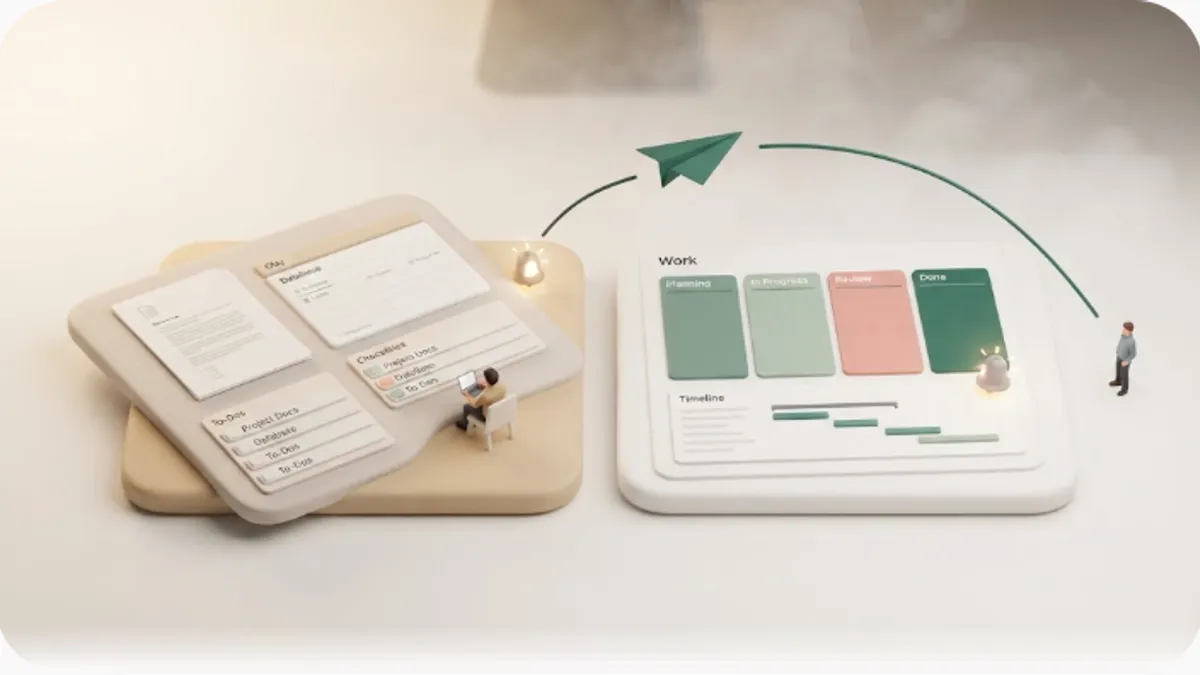
Most Notion vs Monday.com write-ups line up boards and databases, then stop short of the thing that actually decides it: these two solve different problems, and neither one can email a client who doesn't have an account — a blind spot almost no comparison mentions. If you're choosing between them, or wondering why your reminders and automation recipes still never reach the person outside your workspace, this is for you.
TL;DR
- Notion is a flexible all-in-one information hub; Monday.com is a dedicated work-management tool. Notion pulls docs, databases, and tasks into one place; Monday is built around boards, items, status columns, and rich views for running projects. Pick by whether you want to centralize information or run work with ready-made project structure.
- Monday's strengths are boards and status columns, Kanban/Gantt/Timeline/Calendar views, Automations ("recipes"), dashboards, and integrations — a purpose-built PM surface. Notion is more of a blank canvas you shape yourself.
- People often lean toward Monday because its automations and notifications are more built-out than Notion's native ones — and fairly so. But those still only reach the account holder who logs in, and Notion's notifications are likewise for logged-in users.
- Neither reaches external non-users. Clients or contractors with no account are structurally unreachable through either one — Monday guests on some paid plans still have to log in. Most comparisons skip this shared blind spot.
- Kapsel is one option to close that gap: it watches your Notion due dates, owners, and statuses, emails people who don't use Notion, and writes a one-click reply back to Notion — without sending to items already marked done or paid.
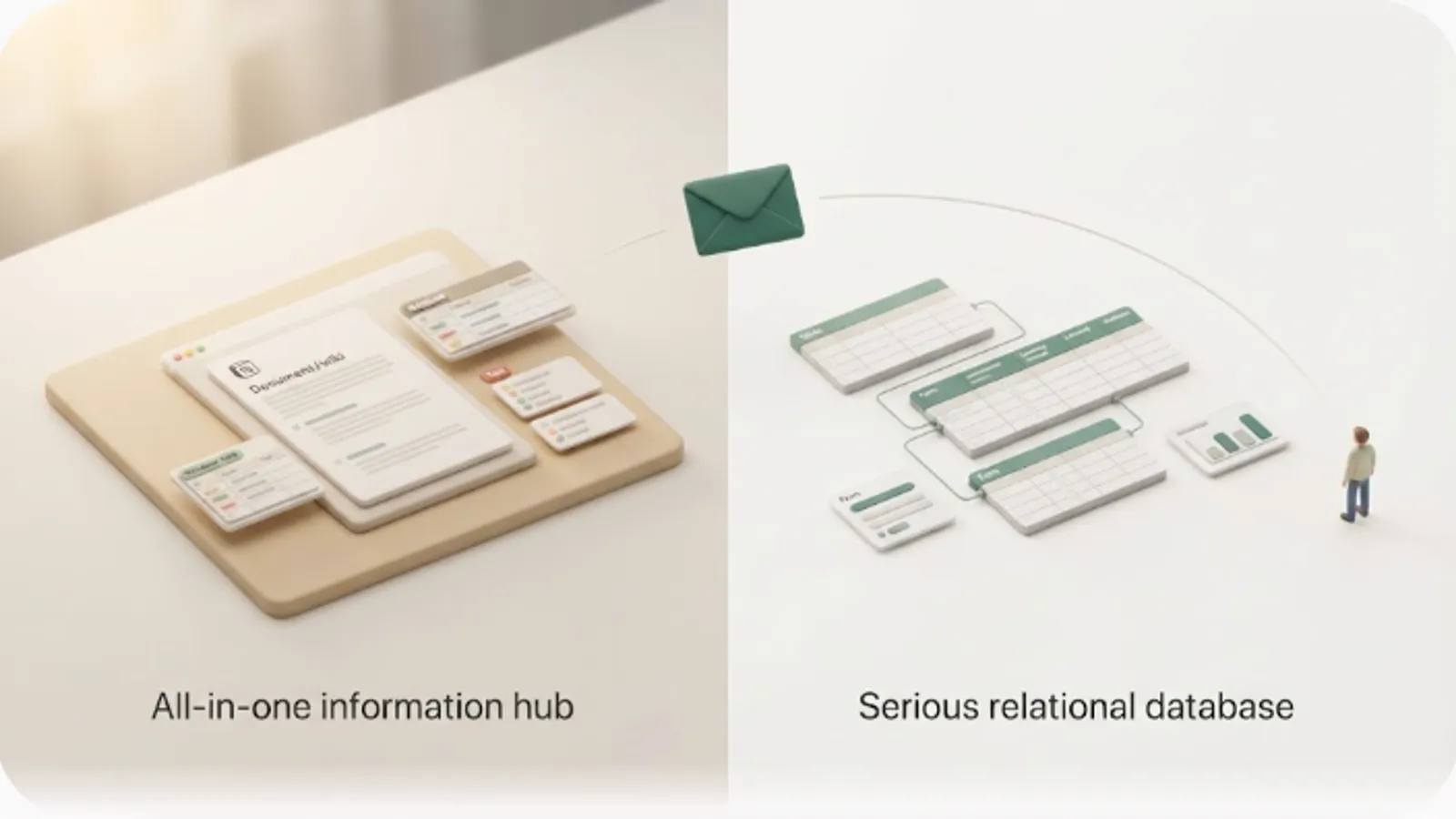
These two aren't really head-to-head competitors — they're built for different jobs. Notion is a flexible workspace for documents, databases, and tasks; Monday.com is a dedicated work-management (project management) tool with a ready-made structure of boards, items, and status columns. This is a third-party look at that role difference, plus the shared blind spot above: both tools' notifications and automations are built for people who log in, so clients and contractors with no account are structurally unreachable through either one — no plan or setting changes that. If that external-reach gap turns out to be your only real complaint, you may not need to switch tools at all — see Notion's honest automation limits to tell a fixable gap from a real reason to migrate.
The short answer: Notion vs Monday.com at a glance
Here's the conclusion up front. Notion is a flexible information hub; Monday.com is a dedicated work-management tool. Notion centers on documents and databases to pull everything into one place, with tasks as one part of a larger workspace you design yourself. Monday ships with an opinionated project surface — boards, items, status columns, and multiple views — so "who does what, by when, and where it stands" is visible without building it from scratch. So the deciding factor is whether you want to centralize information with maximum flexibility or run work on ready-made project structure.
| Dimension | Notion | Monday.com |
|---|---|---|
| Design philosophy | All-in-one information hub (docs + databases + tasks) | Dedicated work-management / PM tool |
| Strong at | Notes, specs, wikis, and tasks living together | Boards, status columns, views, automation recipes, dashboards |
| How you build work | Design databases and views yourself | Boards and columns exist from day one |
| Views | Table, board, calendar, timeline (you set them up) | Kanban, Gantt, Timeline, Calendar, and more, ready to switch |
| Automation | Database automations (newer, more limited) | Automation "recipes" for status, due dates, assignments |
| Learning curve | High flexibility means you decide the structure | Opinionated defaults get a team running fast |
| In-app notifications reach | Notion users / mentioned workspace members | Monday account holders / assigned members (and guests who log in) |
| External non-users | Generally not reached | Generally not reached |
| Best-fit use | Centralizing team information and knowledge | Running projects with structured tracking and dashboards |
Getting this call right early matters, because the cost of a wrong pick shows up later: bending a flexible workspace into a strict PM tool, or forcing a project tool to become your knowledge base, means fighting the tool after everyone already depends on it.
💡 If you're torn, decide first whether your main goal is "gathering information in one place" or "running work on ready-made project structure." Notion for the former, Monday for the latter — and the "use both" section below is the realistic answer if you want each for what it's best at.
How Notion handles work
In Notion, task and project management is something you assemble yourself out of databases and views. A task is a row (a page) in a database, and you define due date, assignee, status, and priority as properties. The same data can appear as a table, board, calendar, or timeline, switching the view without changing the underlying data. See how to set reminders in Notion for date-based nudges.
The biggest strength is that documents and tasks live in the same place. You can embed a task database inside meeting notes, specs, or a wiki, or write background context directly into a task page — so you jump to another tool less often to find information. It suits teams that want project context and tasks managed as one.
The flip side: that structure-free flexibility is also a setup cost. You decide which properties to use, how to run your views, and what your statuses mean, and without agreed conventions, usage drifts from person to person. Notion can absolutely run a project, but reaching Monday-style "boards, columns, and dashboards out of the box" usually takes design work first.
💡 Notion's "build it from scratch" nature is both its strength and its weakness. It's powerful when you want everything in one workspace — but if you want a ready-made project surface with dashboards and automation recipes, the design work can feel heavy.
How Monday.com handles work
In Monday.com, the structure — boards, items, status columns — is there from the start. A board holds items (rows), and each item carries columns like status, owner, due date, priority, and more. You get multiple ready-made views — Kanban, Gantt, Timeline, Calendar — that you switch between without rebuilding the data, so "who owns what and where it stands" is visible quickly.
The strength is that work-management features are built in and purpose-shaped. Status columns make progress visible at a glance; Automations — Monday's "recipes" — can move items, change statuses, assign owners, and fire notifications or emails when a due date arrives or a status changes; dashboards roll several boards up into charts and workload views; and a catalog of integrations connects other services. It suits teams that want structured tracking without designing the whole system themselves.
In exchange, Monday isn't a home base for documents or free-form databases. It has docs and item updates, but it isn't built to combine wikis, notes, and relational databases into a flexible information foundation the way Notion is. It's optimized for running work, not for being your knowledge base. (Feature specifics and plan boundaries change; confirm current details against Monday's own documentation.)
💡 Monday's boards, status columns, views, and automation recipes are built in, so a team starts up fast with real structure. In return, flexible document and knowledge management isn't its focus — if you need that, that's Notion's territory, not a reason to expect more from Monday.
Comparing notifications — the blind spot both share
Notifications are exactly where this comparison gets interesting, because a lot of people lean toward Monday precisely for its automation recipes and notifications. So it's worth being clear about what those can and can't do.
Monday's notifications are the more built-out of the two, and it's fair to say so: an in-app bell collects updates, email and mobile push keep you in the loop, @-mentions ping a specific person, and Automation recipes can fire a notification or an email when a due date arrives or a status changes. This is genuinely stronger than Notion's native reminders for keeping a team on schedule. But all of it reaches the Monday account holder who logs in — strong as the recipes are, they prompt people inside Monday, not someone who never signed up for it.
Notion's notifications work on the same premise from the other direction: @-mention someone and it lands in their inbox, a date-property reminder or @remind fires at a set time, and database automations can trigger in-app or email notifications. All of this reaches people with a Notion account who look at the screen — mentioned workspace members.
Here's the crux. Both Notion and Monday assume the recipient has an account and is logged in. Their notifications are for "people who open Notion" or "people who open Monday." Monday does support guests on some paid plans — but a guest still has to log in to Monday to see anything, so a fully account-less client on the other side of the work is still not reached. It isn't a matter of better or worse notifications — it's which app you get noticed inside.
| Dimension | Notion notifications | Monday.com notifications |
|---|---|---|
| Core mechanism | Inbox, mentions, date reminders | Bell, mentions, email/push, automation recipes |
| Who's reached | Notion users / mentioned people | Monday members / assigned owners (guests must log in) |
| Precondition | A Notion account + viewing the screen | A Monday account (or guest login) + viewing the app |
| External non-users | Generally not reached | Generally not reached |
| Reply loop | A recipient's action doesn't auto-update properties | No reply path for someone with no account |
⚠️ Even Monday's more capable automation recipes stop at "can an account holder (or logged-in guest) notice?" — so clients and contractors without any account are unreachable through either path. When work involves outside parties, that blind spot quietly turns into manual chase-up emails. For reaching people who don't use the tool, see why external sharing doesn't notify anyone.
Pricing compared
Weigh pricing not just as a monthly fee, but including the real operating cost of chasing external parties (the labor of manual emails). Here we set Notion's and Monday's pricing bands alongside Kapsel as an outward-notification option.
| Tool | Role | How pricing works |
|---|---|---|
| Notion | Information hub | Free plan available. Paid is billed monthly per member, expanding features, history, and permissions |
| Monday.com | Work-management tool | Limited free tier for a few seats. Paid tiers are billed per seat monthly, often with seat minimums, unlocking more views, automations, and dashboards |
| Kapsel | Outward-notification layer | Free $0 / Standard $12 / Pro $29 per month. Chosen by feature, not headcount |
💡 The cost that gets missed in pricing comparisons is the labor of chasing outside parties by hand. Even if the core tool is cheap, sending payment-check and reminder emails manually every time is a hidden cost. Weigh the price of automating outward notifications against that manual cost.
Monday's exact tiers, seat minimums, and what each unlocks (including which automation and dashboard features sit behind higher plans) change over time, and Notion's prices change with its own revisions — confirm figures on each official page. Kapsel's pricing is Free $0 / Standard $12 / Pro $29 per month, and the free plan stays usable at $0.
Integrations and the realistic case for using both
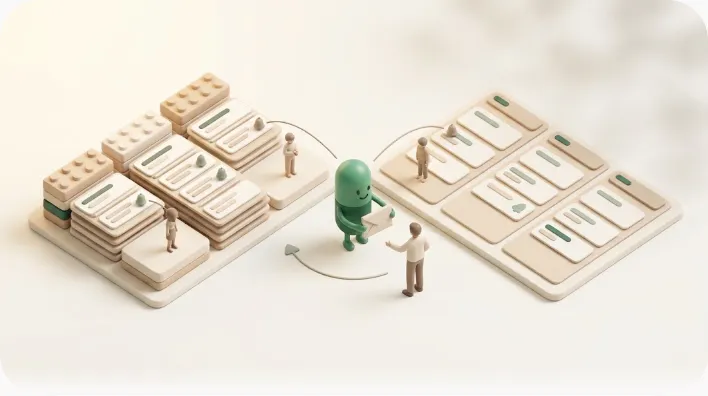
It's tempting to think you must commit to one, but some teams run both — Monday for structured project tracking, Notion for team information and databases. The main ways to connect them:
- Import to consolidate — move or copy data between the two to keep existing records on one side.
- Sync/embed to display — surface information in Notion so one tool's data is visible alongside the other.
- Connect with no-code tools — build automations like "status changes in Monday → update the Notion page" with Zapier or Make. Monday also has its own integrations catalog for connecting other services.
A common split is Monday as the team's execution and tracking surface and Notion as the shared information hub — you run boards, statuses, and dashboards in Monday while specs, notes, and databases live in Notion. For broader tool-vs-tool views, compare Notion vs Asana and Notion vs ClickUp.
⚠️ Connectors are convenient, but they carry their own operating costs — trigger design, message upkeep, and usage-based billing on run counts. And these connections only move information inside the Notion/Monday ecosystems; neither reaches external non-users. Even with a connector in place, outward delivery still needs a separate method.
Which one suits you
Pick based on "does it fit how my team works," not on which has more features. Here's the split, plus the axis comparisons tend to miss: work that involves outside parties.
Notion suits people and teams who want documents, databases, and tasks in one place — startups, planning and editorial teams, and projects that want notes, specs, and knowledge living alongside their tasks and are willing to design their own conventions.
Monday suits teams that want a ready-made work-management surface — boards, status columns, multiple views, automation recipes, and dashboards — without building the structure themselves, especially operations and project teams running many parallel pieces of work where that built-in tracking pays off.
But classifying by internal use alone misses work that deals with outside parties day to day. Freelancers, agencies, and small businesses often have clients, contractors, or customers on the other side of the work — most of whom use neither Notion nor Monday. In that case, whichever you pick, you're left either asking the other party to adopt a tool (or log in as a guest) or chasing them by hand over email, and a tool-vs-tool comparison can't solve it.
| Situation | Better fit |
|---|---|
| Want docs + databases + tasks in one flexible workspace | Notion |
| Want ready-made boards, views, automations, and dashboards | Monday.com |
| Want each for its strength (structured tracking + shared info) | Both (divide the labor) |
| Clients or contractors involved in the work | Either — plus a separate outward-notification layer |
💡 Fit isn't decided by "info person vs. project person" alone. When outside parties are part of the flow, you need a third axis beyond the tool comparison: how do you reach people outside the tool?
Staying on Notion but strengthening outward notifications
As above, Notion's and Monday's notifications are both for account holders and don't reach external non-users. That blind spot isn't solved by "switching to Monday for better automation recipes" or "keeping everything inside Notion" — it's solved by carrying Notion's due dates out into email that anyone can receive. Here's how Kapsel fits, described factually.
Kapsel is a Notion notification tool that watches the due dates, owners, and statuses in your Notion database, sends automatic email reminders to people who don't use Notion, and lets recipients write the status back to Notion with one click. No API, Apps Script, or external automation build required — you connect Notion and go. It sits alongside Notion rather than replacing it.
| Problem (unsolved in Notion or Monday) | Kapsel's shipped feature | Effect |
|---|---|---|
| Want to send based on due date, owner, status | Watches due/owner/status → automatic email reminder | Send to "due soon / already overdue" without waiting for a change |
| Doesn't reach external non-users | Emails reach people without a Notion account | Recipient needs no login — they just get an email |
| Notifications are one-way; status doesn't return | One-click writes back to Notion (two-way) | The recipient's action updates the status, keeping Notion current |
| Risk of chasing someone who already paid | Never sends to completed or paid items | Resolved parties drop out of scope automatically |
| Want to chase overdue items unattended | Overdue follow-ups / filtering / scheduled sends | Only overdue items, filtered by condition, on a set cadence |
| Don't know who received it / rewriting copy each time | Send logs / merge variables | History is kept; drop in name, date, and amount to reuse |
Put together, this means the due dates you already keep in Notion start reaching the people responsible for them on their own, without you writing another manual reminder email. If you work with clients, see client updates from Notion for the external-party angle specifically.
If you want to watch across multiple Notion workspaces, or set sender branding (company name, signature, logo), the Pro plan covers that.
⚠️ The accident to avoid most in automated outward notifications is chasing someone who already paid or finished. Because Kapsel reads status, it doesn't send to items marked done or paid in the first place. Whether "not sending" is handled by default is an important axis when choosing an outward-notification approach.
Kapsel is an indie project (getkapsel.com) — it exists because chasing people manually is miserable, and the "don't send to the wrong person" guardrail is the part built most carefully.
FAQ
Notion vs Monday.com — which is better?
There isn't a single better one; they're built for different jobs. If you want documents, databases, and tasks managed together with a setup you design yourself, Notion fits. If you want a ready-made work-management surface — boards, status columns, views, automation recipes, and dashboards — without building the structure yourself, Monday fits. And if you want both, running them with a clear division of labor is common.
Can Notion and Monday.com be integrated?
Yes, to a degree. You can import or copy data between them, display information together, or build no-code automations like "status changes in Monday → update the Notion page" with Zapier or Make; Monday also has its own integrations catalog. Note that these connections move information inside the Notion/Monday ecosystems and still don't reach outside parties who use neither tool.
Is Monday.com free?
Monday has a limited free tier for a small number of seats, with paid tiers billed per seat monthly (often with seat minimums) that unlock more views, automations, and dashboards. Exact figures, seat minimums, and feature boundaries change over time, so confirm the current free-tier scope on Monday's official pricing page before relying on a specific feature.
How do Monday.com's automations and notifications work?
Monday's Automation "recipes" can move items, change statuses, assign owners, and fire notifications or emails when a due date arrives or a status changes, alongside an in-app bell, email, mobile push, and @-mentions. This is more built-out than Notion's native reminders for keeping a team on schedule. Which automation features are included can vary by plan, so check Monday's official page for the current scope.
Can Monday.com notify external clients who don't have an account?
Its built-in notifications and automation recipes can't reach a fully account-less person — they assume a Monday account. Monday does support guests on some paid plans, but a guest still has to log in to see anything, so a client with no account at all isn't reached. To reach them you need an outward channel such as a connector-driven email or a tool like Kapsel, which emails the person directly and can write their one-click reply back to Notion.
Should I use Monday or Notion for a team that works with clients?
Either can run the internal side of the work, but neither reaches clients who don't log in. A realistic setup is to keep managing the work in whichever tool fits (Notion for a flexible hub, Monday for structured tracking) and add a separate outward-notification layer for the client side. See client updates from Notion for that external-party angle.
Can I automatically chase overdue items without sending to people who already finished?
Not from Notion's or Monday's built-in notifications alone, since those prompt account holders rather than outside parties. Kapsel handles this specifically: it sends overdue follow-ups by email on a set cadence, filtered by condition, and because it reads status, it doesn't send to items already marked done or paid.
Notes
Published October 8, 2026. Descriptions of Notion's standard features (databases, views, @remind, date-property reminders, database automations, mention notifications) and Monday.com's features (boards, items, status columns, Kanban/Gantt/Timeline/Calendar views, Automation recipes, dashboards, integrations, bell/email/push notifications, guests) here are based on each service's official documentation and general behavior as of writing. Menu names, feature scope, plan contents, pricing, seat minimums, and which features sit behind a paid tier all change with updates, so confirm current details against each official source (Notion Help Center, Monday.com official help and pricing). External integration tools such as Zapier and Make are third-party services with their own pricing and limits; confirm those separately. Kapsel features and pricing referenced here (USD: Free $0 / Standard $12 / Pro $29 per month) are implemented as of writing; see getkapsel.com for the latest.