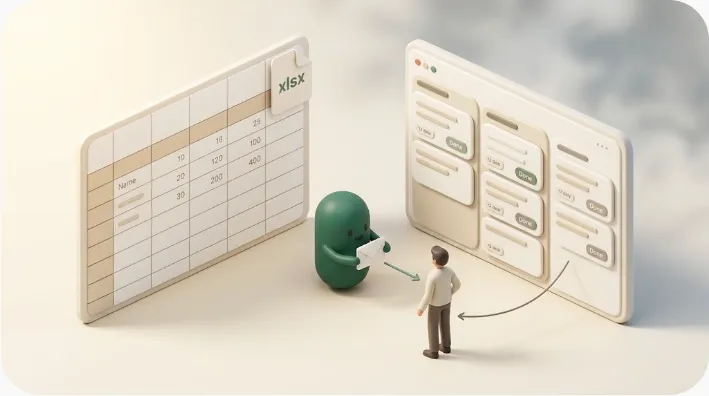
Notion vs Google Sheets: Which to Use for Tasks, Deadlines & Data
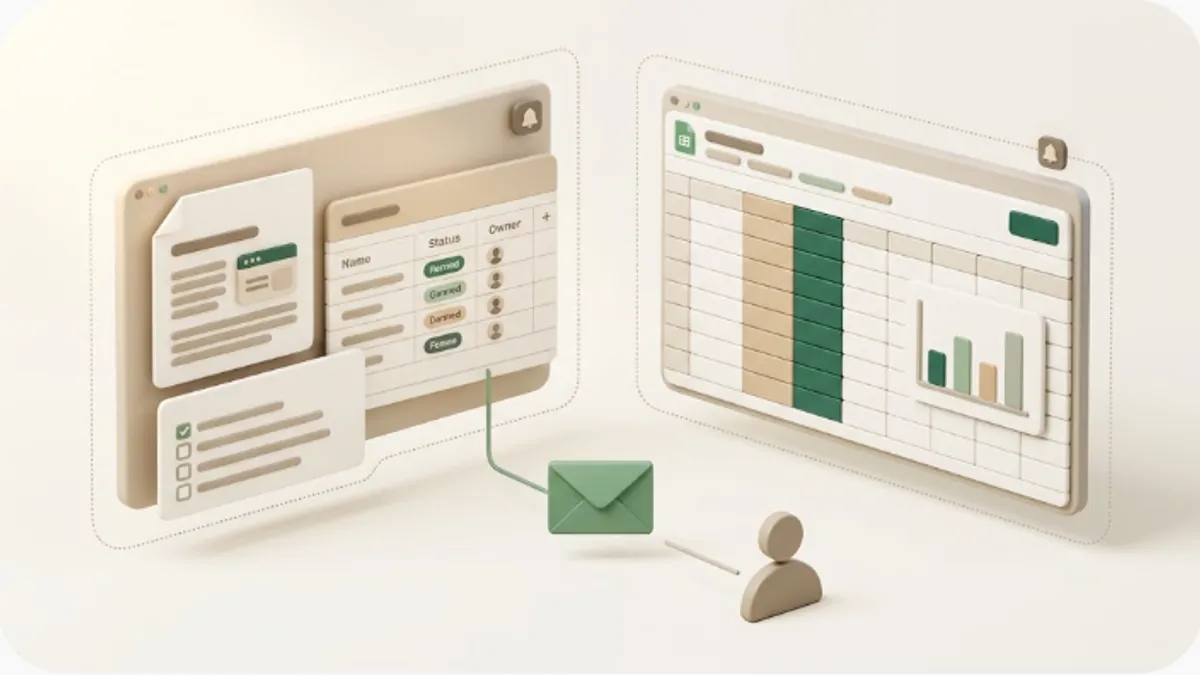
Most "Notion vs Google Sheets" write-ups rank two tools that both show rows and columns, then stop short of the question that actually decides it: these two solve different problems, and neither can natively email a deadline-based reminder to someone outside your workspace without writing code. If you're choosing where to track tasks, deadlines, and client or project data — or wondering why your reminders never reach the person who isn't in your tool — this is for you.
TL;DR
- Notion is an all-in-one workspace (docs + databases + tasks); Google Sheets is a spreadsheet (part of Google Workspace). Notion pulls notes, wikis, and structured databases into one place; Sheets is built for cells, formulas, and fast calculation. Pick by whether you want to organize information and structured data with documents or calculate and collaborate on a spreadsheet.
- Sheets' strengths are formulas and functions (QUERY, VLOOKUP, pivot tables), real-time collaboration, and a familiar grid — free with a Google account. Notion is stronger at relational-ish databases, multiple views, and keeping documents next to the data.
- Both tools' in-app notifications are built for people who log in. To be fair, Sheets can email outsiders in two narrow ways — an
@-mention in a comment emails that person, and Tools > Notification settings can email you when edits happen. But there is no native "email the assignee X days before a due date" reminder in either tool — that needs code (Apps Script) or an add-on.- Neither tool makes it easy to get a one-click status write-back from an external recipient, or to stop reminding someone once an item is done or paid.
- Kapsel is one option to close that gap for Notion: it watches your Notion due dates, owners, and statuses, emails people who don't use Notion, and writes a one-click reply back to Notion — without sending to items already marked done or paid. (Kapsel watches Notion only; it does not integrate with Google Sheets.)
These two aren't really head-to-head rivals — they're built for different jobs. Notion is a flexible workspace for documents, databases, and tasks; Google Sheets is a spreadsheet optimized for formulas, calculation, and real-time collaboration. This is a third-party look at that role difference, plus the shared gap above: both tools' in-app notifications are for people who log in, and neither can natively fire a deadline-based reminder email to a non-user without code. If that outward-reach gap turns out to be your only real complaint, you may not need to switch tools at all.
The short answer: Notion vs Google Sheets at a glance
Here's the conclusion up front. Notion is an all-in-one workspace; Google Sheets is a spreadsheet. Notion centers on documents and databases to pull everything into one place, with tasks and notes living alongside structured data you design yourself. Sheets centers on cells and formulas — QUERY, VLOOKUP, pivot tables, charts — so you can calculate, slice, and collaborate on tabular data in real time. So the deciding factor is whether you want to organize information and structured data (with documents) or calculate and collaborate on a spreadsheet.
| Dimension | Notion | Google Sheets |
|---|---|---|
| Design philosophy | All-in-one workspace (docs + databases + tasks) | Spreadsheet for calculation and collaboration |
| Strong at | Notes, wikis, tasks, and databases living together | Formulas, pivot tables, real-time co-editing |
| Unit of data | A row (page) in a database with properties | A cell in a grid of rows and columns |
| Formulas & functions | Per-property formulas (lighter) | Deep function library (QUERY, VLOOKUP, pivot tables) |
| Views | Table, board, calendar, timeline (you set them up) | One grid per sheet (plus charts and pivot tables) |
| Documents | Docs and wikis live freely inside pages | Not a home base for documents or wikis |
| Relations | Relations and rollups between databases | No true relational database (lookups via formulas) |
| Automation | Database automations (change-triggered) | Apps Script or add-ons for scripted automation |
| In-app notifications reach | Notion users / mentioned members | Google users / comment-mentioned people |
| Automatic external deadline reminder | Not native (needs a third-party tool) | Not native (needs Apps Script or an add-on) |
| External two-way (status write-back) | Hard to build by default | Hard to build by default |
Getting this call right early matters, because the cost of a wrong pick shows up later: bending a spreadsheet into a task-and-wiki system, or forcing a document workspace to do heavy calculation, means fighting the tool after everyone already depends on it.
💡 If you're torn, decide first whether your main goal is "organizing information and structured data (with documents)" or "calculating and collaborating on a spreadsheet." Notion for the former, Sheets for the latter — and the "use both" section below is the realistic answer if you want each for what it's best at.
How Notion handles tasks, deadlines, and data
In Notion, data lives inside an all-in-one workspace. A record is a row (a page) in a database, and you define due date, assignee, status, and tags as properties. The same data can appear as a table, board, calendar, or timeline, switching the view without changing the underlying data. Relations and rollups let you connect databases — closer to a real data model than a flat sheet. See Notion's database basics for how its databases work.
The biggest strength is that documents and data live in the same place. You can embed a database inside meeting notes, a spec, or a wiki, or write background and discussion directly into each row's (page's) body — so you jump to another tool less often to find information. For tasks and deadlines specifically, properties like Status and Due date drive board and calendar views, which suits people who want structure and context together.
The flip side: for raw calculation, slicing large tables, and formula-heavy analysis, a spreadsheet has the edge. Notion's per-property formulas are useful, but they don't match a dedicated function library and pivot tables. Notion is a "workspace" first, with the database as one part of it.
💡 Notion shines because tasks, data, and documents live together with multiple views. In return, if you need heavy calculation, pivots, or large-table analysis, a spreadsheet fits some situations better.
How Google Sheets handles tasks, deadlines, and data
Google Sheets is a spreadsheet, part of Google Workspace and stored in Drive. A unit of data is a cell in a grid, and its power comes from formulas and functions — QUERY to filter and reshape, VLOOKUP (and XLOOKUP) to pull matching values across sheets, pivot tables to summarize, and charts to visualize. For many people it's one of the quickest ways to calculate, aggregate, and model numbers, and it's free with a personal Google account.
Its other core strength is real-time collaboration in a familiar interface: several people edit the same sheet at once, comments and suggestions flow inline, and version history is built in. You can absolutely run a lightweight task list or a deadline column here, sort and filter by date, and color-code status with conditional formatting.
In exchange, Sheets isn't a home base for documents, wikis, or structured database views the way Notion is, and it isn't a true relational database. You can fake relations with lookups, but there are no linked-record relationships, no board or calendar views over the same data, and no page body to hold context behind each row. It's optimized for treating the grid and its formulas as the main character. (Feature specifics and plan boundaries change; confirm current details against Google's own documentation.)
💡 Sheets' strengths are formulas, pivot tables, and real-time collaboration on a familiar grid — great for calculation. In return, documents, wikis, and multi-view structured databases aren't its focus; that's Notion's territory.
Comparing notifications — the blind spot both share
Notifications are exactly where this comparison gets interesting, because a lot of people assume a spreadsheet "can't notify anyone" — which isn't true — while also overestimating what either tool does automatically. So it's worth being precise about what each can and can't do.
Notion's notifications are built to nudge the person using Notion: @-mention someone and it lands in their inbox, a date-property reminder or @remind fires at a set time, and database automations can trigger in-app or email notifications on a property change. All of this reaches people with a Notion account who look at the screen — mentioned workspace members. Reaching outsiders by email isn't the native model.
Google Sheets' notifications are more nuanced than "none." Two things genuinely work without code: @-mentioning someone in a comment emails that person (a handy way to ping a specific collaborator), and Tools > Notification settings can email you when edits or form submissions happen. What doesn't exist natively is the thing most people actually want for deadlines: "automatically email the assignee X days before the due date in this column." There's no built-in, date-driven reminder that watches a due-date cell and emails the responsible person. To do that, you'd write Google Apps Script (code) or install a third-party add-on.
Here's the crux. In-app and comment notifications in both tools are for people who log in or get mentioned. Neither tool, out of the box, watches a due date and emails a reminder to an external person on a schedule. And neither makes it easy to have that external recipient click once to write the item's state back (handled, paid, etc.) — a two-way loop — or to stop sending once something is done or paid. It isn't better-or-worse notifications; it's what each tool does natively versus what needs code or a separate layer.
| Dimension | Notion notifications | Google Sheets notifications |
|---|---|---|
| Core mechanism | Inbox, mentions, date reminders, DB automations | Comment-mention emails, edit-notification emails |
| Comment mention emails someone | Yes (workspace members) | Yes (emails the mentioned person) |
| Emails you on changes | Via database automations | Yes (Tools > Notification settings) |
| Deadline-based reminder to the assignee | Not native | Not native (needs Apps Script or an add-on) |
| Reaches external non-users automatically | Not native | Not native |
| Status write-back from outside | A recipient's action doesn't auto-update | A recipient's action doesn't auto-update |
| Excluding done/paid | You design the condition yourself | You design the condition yourself |
⚠️ "Sheets can't notify anyone" is a myth — comment-mentions email people and edit notifications email you. But the deadline reminder most teams actually need (email the assignee before a due date, especially an external assignee) is native to neither tool. In external work, what pays off isn't just "a notification exists" but "it reaches someone without the tool, and the state comes back."
Pricing compared
Weigh pricing not just as a monthly fee, but including the real operating cost of chasing external parties — manual reminder emails, or the time to build and maintain an Apps Script. Here we set Notion's and Google Sheets' pricing bands alongside Kapsel as an outward-notification option for Notion.
| Tool | Role | How pricing works |
|---|---|---|
| Notion | All-in-one workspace | Free plan available. Paid is billed monthly per member, expanding features, history, and permissions |
| Google Sheets | Spreadsheet | Free with a personal Google account. Google Workspace adds paid plans (per user) with more storage and admin controls |
| Kapsel | Outward-notification layer for Notion | Free $0 / Standard $12 / Pro $29 per month. Chosen by feature, not headcount |
💡 The cost that gets missed in pricing comparisons is the labor of chasing outside parties by hand — or writing and maintaining a script just to send a reminder. Even if the core tool is free, sending reminder emails manually every time, or debugging an Apps Script when a column moves, is a hidden cost.
Google Sheets is free with a personal Google account, and Google Workspace's paid plans are billed per user with their own tiers; confirm current figures on Google's official pricing page. Notion's prices change with its own revisions — check its page too. Kapsel's pricing is Free $0 / Standard $12 / Pro $29 per month, and the free plan stays usable at $0.
Integrations and the realistic case for using both
It's tempting to think you must commit to one, but many teams run both — Google Sheets for calculation and data crunching, Notion for tasks, documents, and knowledge. The main ways to connect them:
- Import/export to consolidate — move or copy data via CSV to keep records on one side.
- Embed to display — surface a sheet inside a Notion page so its numbers are visible alongside your notes and tasks.
- Connect with no-code tools — build automations like "a row is added in Sheets → create a Notion page" with Zapier or Make. Sheets can also be scripted with Apps Script and the Google Sheets API.
A common split is Google Sheets as the calculation and data layer and Notion as the task-and-knowledge hub — you crunch numbers in Sheets while specs, tasks, and documents live in Notion. For other data-tool comparisons in this cluster, see Notion vs Airtable and Notion vs Excel.
⚠️ Connectors are convenient, but they carry their own operating costs — trigger design, message upkeep, and usage-based billing on run counts. And these connections only move information inside the Notion/Sheets/Google ecosystems; they don't guarantee a deadline reminder reaches an outside party, or that a reply comes back. Even with a connector in place, a two-way outward loop still needs a separate method.
Which one suits you
Pick based on "does it fit how my team works," not on which has more features. Here's the split, plus the axis comparisons tend to miss: work that involves outside parties.
Notion suits people and teams who want tasks, deadlines, documents, and databases in one place — startups, planning and editorial teams, and projects that want notes, specs, and knowledge living alongside their data across board, calendar, and timeline views, and are willing to design their own conventions.
Google Sheets suits people and teams whose core need is calculation and collaboration on tabular data — budgets, trackers, data analysis with QUERY and pivot tables, and fast shared editing. It's also a sensible default for a quick, free task list when you don't need documents or multiple views.
But classifying by internal use alone misses work that deals with outside parties day to day. Freelancers, agencies, and small businesses often have clients, contractors, or customers on the other side of the work — most of whom use neither Notion nor your spreadsheet. Neither tool will, on its own, email them a reminder before a deadline, and neither gives you a one-click status write-back from them — something a tool-vs-tool comparison can't solve.
| Situation | Better fit |
|---|---|
| Want tasks + deadlines + docs + databases in one workspace | Notion |
| Want calculation, pivots, and real-time co-editing on a grid | Google Sheets |
| Want each for its strength (calculation + task/knowledge hub) | Both (divide the labor) |
| Clients or contractors involved in the work | Either — plus a separate external-reminder layer |
💡 Fit isn't decided by "workspace person vs. spreadsheet person" alone. When outside parties are part of the flow, you need a third axis beyond the tool comparison: how do you reach people outside the tool before a deadline — and get their reply back?
Staying on Notion but strengthening outward notifications
As above, Notion's notifications are for account holders, and Google Sheets can email collaborators via comment-mentions but can't natively fire a deadline reminder to an external person — and neither carries your due dates out two-way on its own. That gap isn't solved by "switching to Sheets" or "keeping everything inside Notion" — it's solved by carrying Notion's due dates out into email that anyone can receive, and pulling the recipient's action back into Notion. Here's how Kapsel fits, described factually.
Kapsel is a Notion notification tool that watches the due dates, owners, and statuses in your Notion database, sends automatic email reminders to people who don't use Notion, and lets recipients write the status back to Notion with one click. No API, Apps Script, or external automation build required — you connect Notion and go. It sits alongside Notion rather than replacing it. Kapsel watches Notion only; it does not connect to Google Sheets — so this path applies if your source of truth is Notion.
| Problem (easily left unsolved in Notion or Sheets) | Kapsel's shipped feature | Effect |
|---|---|---|
| Want to send based on due date, owner, status | Watches due/owner/status → automatic email reminder | Send to "due soon / already overdue" without writing a script |
| Want to reach external non-users with Notion's content | Emails reach people without a Notion account | Recipient needs no login — they just get an email |
| Notifications are one-way; status doesn't return | One-click writes back to Notion (two-way) | The recipient's action updates the status, keeping Notion current |
| Risk of chasing someone who already paid | Doesn't send to items already marked done or paid | Resolved parties drop out of scope automatically |
| Want to chase overdue items unattended | Overdue follow-ups / filtering / scheduled sends | Only overdue items, filtered by condition, on a set cadence |
| Don't know who received it / rewriting copy each time | Send logs / merge variables | History is kept; drop in name, date, and amount to reuse |
Put together, this means the due dates you already keep in Notion start reaching the people responsible for them on their own — and come back with one click — without you writing another manual reminder email or maintaining a script.
If you want to watch across multiple Notion workspaces, or set sender branding (company name, signature, logo), the Pro plan covers that.
⚠️ The accident to avoid most in automated outward notifications is chasing someone who already paid or finished. Because Kapsel reads status, it doesn't send to items marked done or paid in the first place. Whether "not sending" is handled by default is an important axis when choosing an outward-notification approach.
Kapsel is an indie project (getkapsel.com) — it exists because chasing people manually is miserable, and the "don't send to the wrong person" guardrail is the part built most carefully.
FAQ
Notion vs Google Sheets — which is better?
There isn't a single better one; they're built for different jobs. If you want tasks, deadlines, documents, and databases managed together across board, calendar, and timeline views, Notion fits. If your core need is calculation and real-time collaboration on tabular data — QUERY, VLOOKUP, pivot tables, charts — Google Sheets fits, and it's free with a Google account. They play different roles, so using both is common. Either way, an automatic deadline reminder to external non-users is the one thing you'll want to cover separately.
Can Google Sheets send email notifications?
Yes, in two native ways: @-mentioning someone in a comment emails that person, and Tools > Notification settings can email you when edits or form submissions happen. What it can't do natively is watch a due-date cell and automatically email the assignee before the deadline — that requires Google Apps Script (code) or a third-party add-on. So "Sheets can't notify anyone" is a myth, but a deadline-based reminder to a specific person isn't built in.
Is Google Sheets free?
Google Sheets is free with a personal Google account. For organizations, Google Workspace offers paid plans billed per user that add more storage, admin controls, and support. Exact tiers and prices change over time, so confirm current figures on Google's official pricing page before relying on a specific number.
Can Notion or Google Sheets remind an external client of a deadline automatically?
Not natively. Notion's notifications are for logged-in members and don't reach external non-users. Google Sheets can email collaborators via comment-mentions and can email you on edits, but it has no built-in reminder that watches a due date and emails an outside person on a schedule — that needs Apps Script or an add-on. To reach someone without the tool and pull their action back, you need something that watches your data's due dates and statuses and emails out. If Notion is your source of truth, Kapsel does this — it emails people who don't use Notion and lets them write the status back with one click.
Can Notion and Google Sheets be integrated?
Yes, to a degree. You can import/export data via CSV, embed a sheet inside a Notion page to display it, or build no-code automations like "a row is added in Sheets → create a Notion page" with Zapier or Make; Sheets can also be scripted with Apps Script and the Google Sheets API. Note that these connections move information inside the Notion/Google ecosystems and don't guarantee a deadline reminder reaches an outside party who uses neither tool, or that a reply comes back.
Can I automatically chase overdue items without sending to people who already finished?
Not from Notion's or Google Sheets' built-in notifications alone — Sheets would need an Apps Script with your own done/paid condition, and Notion would need a third-party tool. Kapsel handles this specifically for Notion: it sends overdue follow-ups by email on a set cadence, filtered by condition, and because it reads status, it doesn't send to items already marked done or paid.
Notes
Published October 15, 2026. Descriptions of Notion's standard features (databases, views, relations/rollups, @remind, date-property reminders, database automations, mention notifications) and Google Sheets' features (cells and formulas, functions such as QUERY/VLOOKUP/XLOOKUP, pivot tables, charts, conditional formatting, real-time collaboration, comment @-mention emails, Tools > Notification settings, Apps Script, the Google Sheets API) here are based on each service's official documentation and general behavior as of writing. Menu names, feature scope, plan contents, and pricing all change with updates, so confirm current details against each official source (Notion Help Center, Google Workspace / Google Sheets official help and pricing). External integration tools such as Zapier and Make are third-party services with their own pricing and limits; confirm those separately. Kapsel watches Notion only and does not integrate with Google Sheets; Kapsel features and pricing referenced here (USD: Free $0 / Standard $12 / Pro $29 per month) are implemented as of writing; see getkapsel.com for the latest.